
1. บทนำ
Thank you for choosing the Generic M20 Wireless Bluetooth 5.3 Earbuds. This manual provides essential information for the safe and efficient use of your device. Please read it thoroughly before use and retain it for future reference.
The M20 earbuds feature Bluetooth 5.3 technology for a fast and stable connection, an 8mm dynamic driver unit for clear audio, and Environmental Noise Cancellation (ENC) for improved call quality. They also include a digital display on the charging case to show battery status and offer support for voice assistants like Siri.
2. สินค้าหมดview
The Generic M20 Wireless Earbuds consist of two earbuds and a charging case.
2.1 เนื้อหาบรรจุภัณฑ์
- หูฟังไร้สาย M20 (ข้างซ้ายและข้างขวา)
- เคสชาร์จไฟ
- สายชาร์จ USB
- คู่มือการใช้งาน
2.2 ส่วนประกอบของเอียร์บัด
Each earbud is equipped with a touch-sensitive area for control and an 8mm dynamic driver for audio output. The earbuds are designed for in-ear placement.
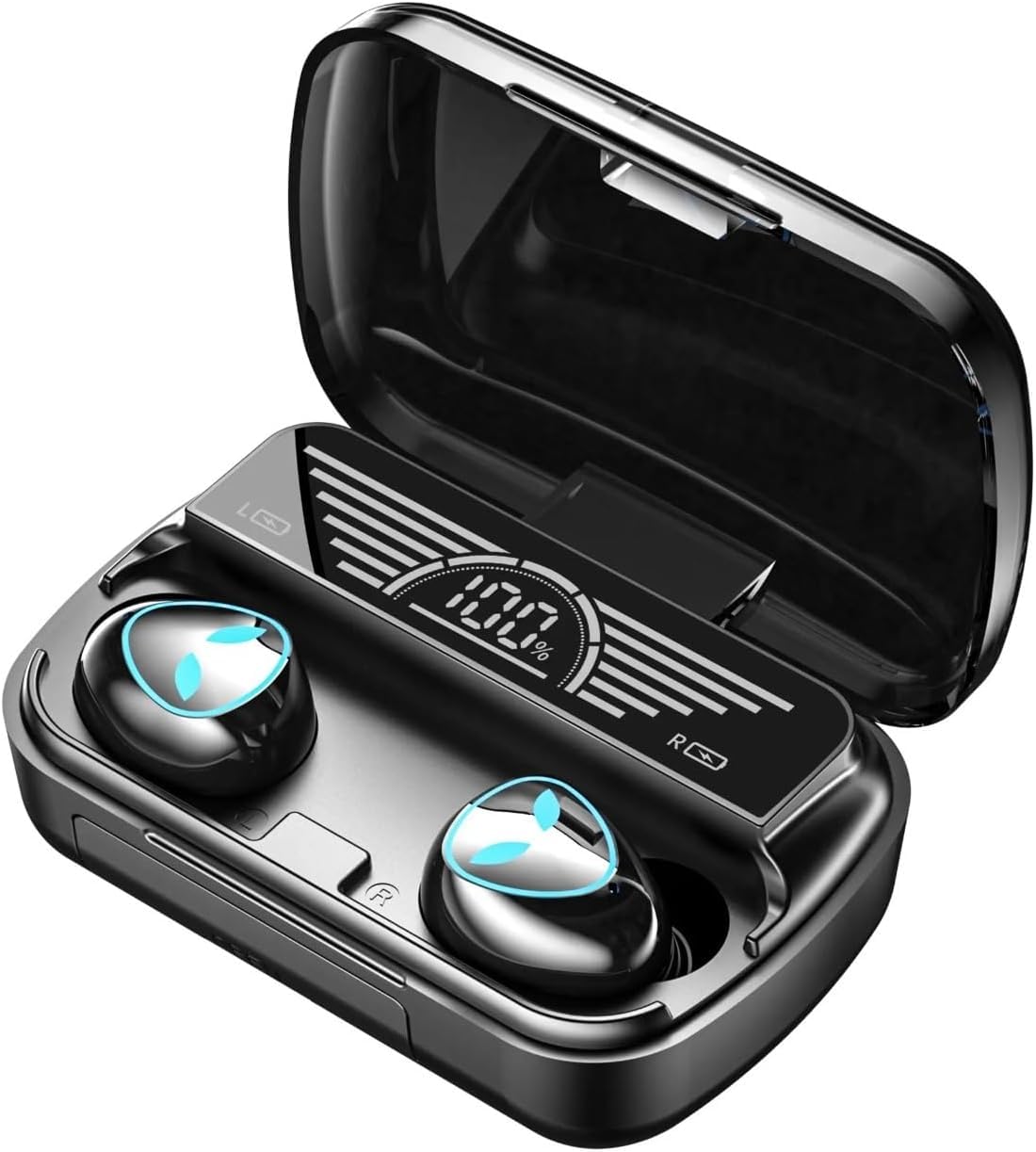
Image: A woman wearing the M20 earbuds, highlighting the HD call feature and noise reduction technology for clear communication.
3. การตั้งค่า
3.1 การชาร์จหูฟังและเคส
Before first use, fully charge the earbuds and the charging case. Place the earbuds into the charging case. Connect the USB charging cable to the charging port on the case and to a 5V 1A power source.
The digital display on the charging case will show the battery level during charging. A full charge takes approximately 2 hours.
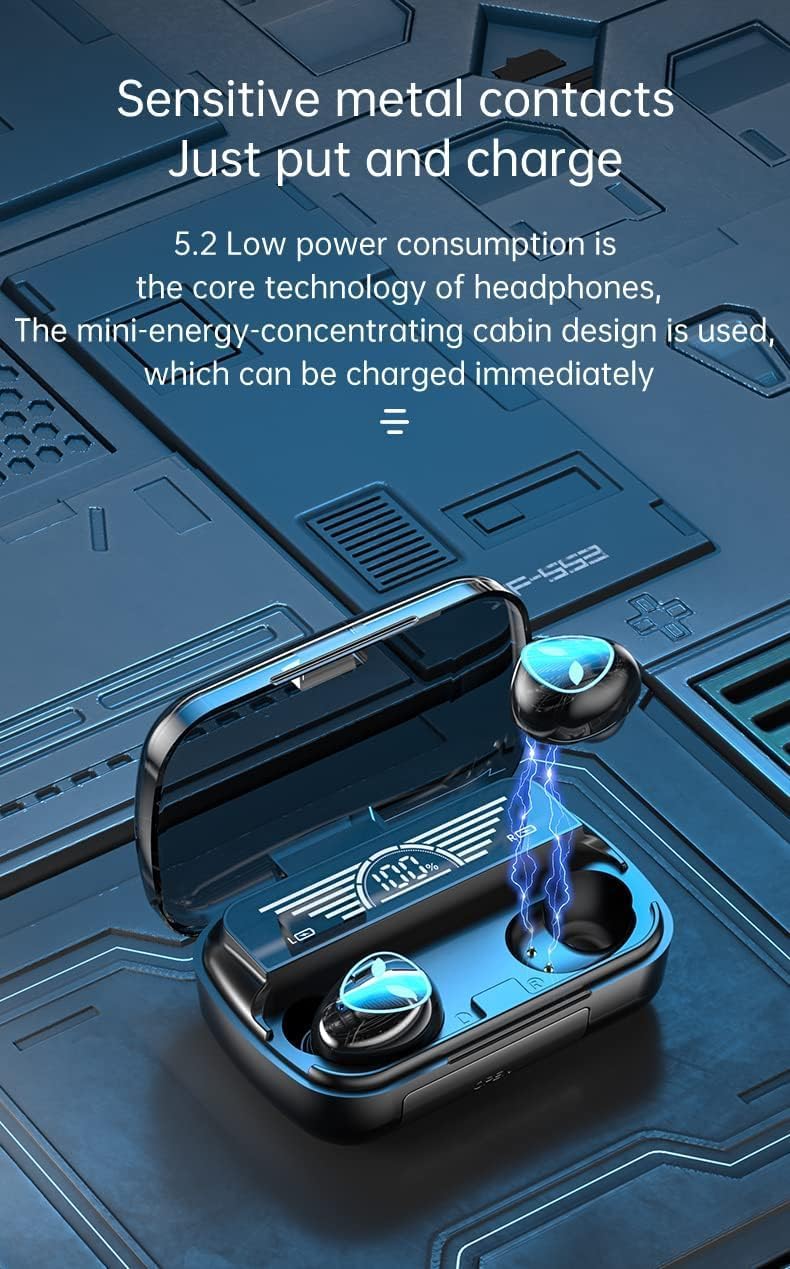
Image: The M20 charging case with earbuds, illustrating the sensitive metal contacts for charging and the digital display showing battery percentage.
3.2 การจับคู่บลูทูธ
- Ensure earbuds are charged and placed in the charging case.
- เปิดกล่องชาร์จ หูฟังจะเข้าสู่โหมดจับคู่โดยอัตโนมัติ
- เปิดใช้งาน Bluetooth บนอุปกรณ์ของคุณ (สมาร์ทโฟน แท็บเล็ต ฯลฯ)
- ค้นหา "M20" in the list of available Bluetooth devices.
- Select "M20" to connect. Once connected, a voice prompt will confirm successful pairing.
- เมื่อนำเอียร์บัดออกจากเคส เอียร์บัดจะเชื่อมต่อกับอุปกรณ์ที่จับคู่ไว้ครั้งล่าสุดโดยอัตโนมัติ หากเปิดใช้งาน Bluetooth บนอุปกรณ์
4. คู่มือการใช้งาน
The M20 earbuds feature touch controls for various functions.
4.1 การเล่นเพลง
- เล่น/หยุดชั่วคราว: แตะที่หูฟังข้างใดข้างหนึ่งเพียงครั้งเดียว
- เพลงถัดไป: แตะที่หูฟังด้านขวาสองครั้ง
- แทร็กก่อนหน้า: แตะที่หูฟังด้านซ้ายสองครั้ง
- ปรับระดับเสียงขึ้น: แตะสามครั้งที่เอียร์บัดด้านขวา
- ลดเสียงลง: แตะสามครั้งที่หูฟังข้างซ้าย

Image: The M20 earbuds and charging case positioned near a smartphone, illustrating their capability for synchronized audio and video, ideal for gaming and media consumption.
4.2 การโทรศัพท์
- รับ/วางสาย: แตะที่หูฟังข้างใดข้างหนึ่งเพียงครั้งเดียว
- ปฏิเสธสาย: กดเอียร์บัดข้างใดข้างหนึ่งค้างไว้ 2 วินาที
4.3 ผู้ช่วยเสียง
- เปิดใช้งานผู้ช่วยเสียง (Siri, Google Assistant): กดเอียร์บัดข้างใดข้างหนึ่งค้างไว้ 3 วินาที
5. การบำรุงรักษา
5.1 การทำความสะอาด
- ทำความสะอาดหูฟังและกล่องชาร์จเป็นประจำด้วยผ้าแห้งนุ่มที่ไม่เป็นขุย
- ห้ามใช้สารทำความสะอาดที่มีฤทธิ์กัดกร่อน แอลกอฮอล์ หรือตัวทำละลายเคมี
- ตรวจสอบให้แน่ใจว่าหน้าสัมผัสการชาร์จบนหูฟังทั้งสองข้างและเคสสะอาดและแห้ง
5.2 พื้นที่จัดเก็บ
- เมื่อไม่ได้ใช้งาน ให้เก็บหูฟังไว้ในกล่องชาร์จเพื่อปกป้องหูฟังและชาร์จไฟให้หูฟังอยู่เสมอ
- ควรหลีกเลี่ยงอุณหภูมิที่สูงจัดและความชื้นสูง
6 การแก้ไขปัญหา
| ปัญหา | สารละลาย |
|---|---|
| หูฟังเอียร์บัดไม่จับคู่ |
|
| ไม่มีเสียงจากเอียร์บัดข้างเดียว |
|
| ปัญหาการชาร์จ |
|
| คุณภาพการโทรไม่ดี |
|
7. ข้อมูลจำเพาะ
| ชื่อรุ่น | M20 |
| เวอร์ชันบลูทูธ | 5.3 |
| รองรับโปรfiles | A2DP / HFP / HSP / AVRCP |
| ช่วงบลูทูธ | สูงสุด 10 เมตร |
| เวลาเล่นเพลง | ประมาณ 5 ชั่วโมง |
| เวลาในการชาร์จ | ประมาณ 2 ชั่วโมง |
| Charging Port Input | 5V 1A |
| ประเภทไดร์เวอร์เสียง | ไดรเวอร์ไดนามิก (8 มม.) |
| การควบคุมเสียงรบกวน | Environmental Noise Cancellation (ENC) / Sound Isolation |
| ความต้านทานต่อน้ำ | กันน้ำ |
| อุปกรณ์ที่รองรับ | สมาร์ทโฟน, แท็บเล็ต, แล็ปท็อป, คอมพิวเตอร์ตั้งโต๊ะ, ลำโพงอัจฉริยะ |
| น้ำหนักสินค้า | 100 กรัม |
8. ข้อมูลการรับประกัน
No specific warranty information is provided for this product. Please refer to your point of purchase for details regarding return policies or any implied warranties.
9. การสนับสนุนลูกค้า
For further assistance or inquiries, please contact the seller or retailer from whom you purchased the Generic M20 Wireless Bluetooth 5.3 Earbuds.