
การแนะนำ
The eppfun SK003Pro is a Bluetooth 5.4 hands-free car speakerphone designed for clear communication and safe driving. It features advanced noise reduction, voice control integration, and multi-point connectivity.
คุณสมบัติหลัก:
- เทคโนโลยีบลูทูธ 5.4: Integrates the latest low-energy Bluetooth 5.4 chip for longer transmission distance and faster speed.
- การสื่อสารที่ชัดเจน: Equipped with a Bluetooth 5.4 chipset, integrated speaker, echo and background noise reduction, and volume control for clear calls.
- การโทรแบบแฮนด์ฟรี: Utilizes an integrated microphone and DSP technology for effective noise reduction and excellent sound quality. The 3W integrated speaker delivers clear and loud audio.
- การควบคุมด้วยเสียง: Supports safe driving with calls and navigation via Google Assistant/Siri Assistant.
- การเชื่อมต่อแบบหลายจุด: Connects to two devices simultaneously, allowing easy switching between music and calls.
- ติดตั้งง่าย: Simple pairing with your mobile phone and attachment to the sun visor with the included clip.
1. การตั้งค่าและการติดตั้ง
Follow these steps to set up your eppfun SK003Pro speakerphone:
- ชาร์จอุปกรณ์: Before first use, fully charge the speakerphone using the provided USB Type-C cable. A full charge takes approximately 1.5 hours.

Image: The USB Type-C charging port and ON/OFF switch are located on the side of the device. Connect the provided cable to charge.
- เปิดเครื่อง: Slide the ON/OFF switch to the "ON" position. The device will enter pairing mode.
- จับคู่กับโทรศัพท์ของคุณ:
- เปิดใช้งาน Bluetooth บนโทรศัพท์มือถือของคุณ
- ค้นหา อุปกรณ์บลูทูธที่พร้อมใช้งาน
- Select "eppfun SK003Pro" from the list to connect. A confirmation tone will sound upon successful pairing.
- Install in Vehicle: Attach the speakerphone to your car's sun visor using the integrated clip. Ensure it is securely fastened and does not obstruct your view.

Image: The speakerphone is designed to clip easily onto the car's sun visor for optimal microphone and speaker placement.
2. คู่มือการใช้งาน
2.1 ฟังก์ชั่นพื้นฐาน
- การรับ / วางสาย: กดปุ่ม ปุ่มโทรออก (phone icon) once to answer an incoming call or end an ongoing call.
- การปฏิเสธการโทร: กดปุ่มค้างไว้ ปุ่มโทรออก เป็นเวลา 2 วินาทีเพื่อปฏิเสธสายเรียกเข้า
- การควบคุมระดับเสียง: ใช้ - และ - buttons to adjust the call volume or media playback volume.
- โทรซ้ำหมายเลขล่าสุด: กดสองครั้ง ปุ่มโทรออก เพื่อโทรซ้ำหมายเลขที่โทรออกล่าสุด
2.2 Voice Assistant (Siri/Google Assistant)
The eppfun SK003Pro supports voice commands through your phone's assistant.
- เปิดใช้งาน Voice Assistant: กดปุ่ม ปุ่มไมโครโฟน (microphone icon) once to activate Siri or Google Assistant on your connected phone.
- You can then use voice commands for navigation, making calls, sending messages, and more, ensuring safe driving.
2.3 การเชื่อมต่อหลายจุด
The device can connect to two mobile phones simultaneously.
- Pair the first phone as described in the "Setup" section.
- After the first phone is connected, put the speakerphone back into pairing mode (usually by briefly disconnecting and reconnecting, or by holding the call button if it has a dedicated pairing function - refer to specific device prompts if available).
- เชื่อมต่อโทรศัพท์เครื่องที่สอง
- The speakerphone will now be connected to both devices, allowing you to switch between them for calls or media.

Image: The speakerphone supports connecting to two mobile phones simultaneously, enabling seamless switching between devices.
3. การบำรุงรักษา
- การทำความสะอาด: ใช้ผ้านุ่มและแห้งเช็ดทำความสะอาดอุปกรณ์ ห้ามใช้น้ำยาทำความสะอาดหรือสเปรย์
- พื้นที่จัดเก็บ: เก็บอุปกรณ์ไว้ในที่แห้งและเย็น หลีกเลี่ยงแสงแดดโดยตรงและอุณหภูมิที่สูงหรือต่ำเกินไป
- การดูแลแบตเตอรี่ To prolong battery life, avoid fully discharging the battery frequently. Charge the device regularly, even if not in use for extended periods. The high-quality lithium battery offers up to 500 hours of standby time.

Image: The device features an 800mAh lithium battery, providing extended standby time and reliable performance.
4 การแก้ไขปัญหา
If you encounter issues with your eppfun SK003Pro, refer to the following solutions:
| ปัญหา | สาเหตุที่เป็นไปได้ | สารละลาย |
|---|---|---|
| ไม่สามารถเชื่อมต่อกับโทรศัพท์ได้ | Bluetooth is off on phone; device is not in pairing mode; device battery is low. |
|
| Poor call quality / Others cannot hear me clearly. | Microphone obstruction; low volume; environmental noise; device not positioned correctly. |
|
| ไม่มีเสียงออกจากลำโพงโทรศัพท์ | Volume too low; device not connected; media routed to phone speaker. |
|
| ผู้ช่วยเสียงไม่ตอบสนอง | Not activated; phone settings. |
|
5. ข้อมูลจำเพาะ
| คุณสมบัติ | รายละเอียด |
|---|---|
| ยี่ห้อ | เอ็ปฟัน |
| หมายเลขรุ่น | SK003Pro |
| สี | สีเทา |
| เทคโนโลยีการเชื่อมต่อ | บลูทูธ 5.4 |
| อุปกรณ์ที่รองรับ | สมาร์ทโฟน, แท็บเล็ต |
| วัสดุ | อะคริโลไนไตรล์ บิวทาไดอีน สไตรีน (ABS) โลหะ |
| เอาท์พุตของลำโพง | 3W (Dual 3W speakers, 40MM Graphene Diaphragm)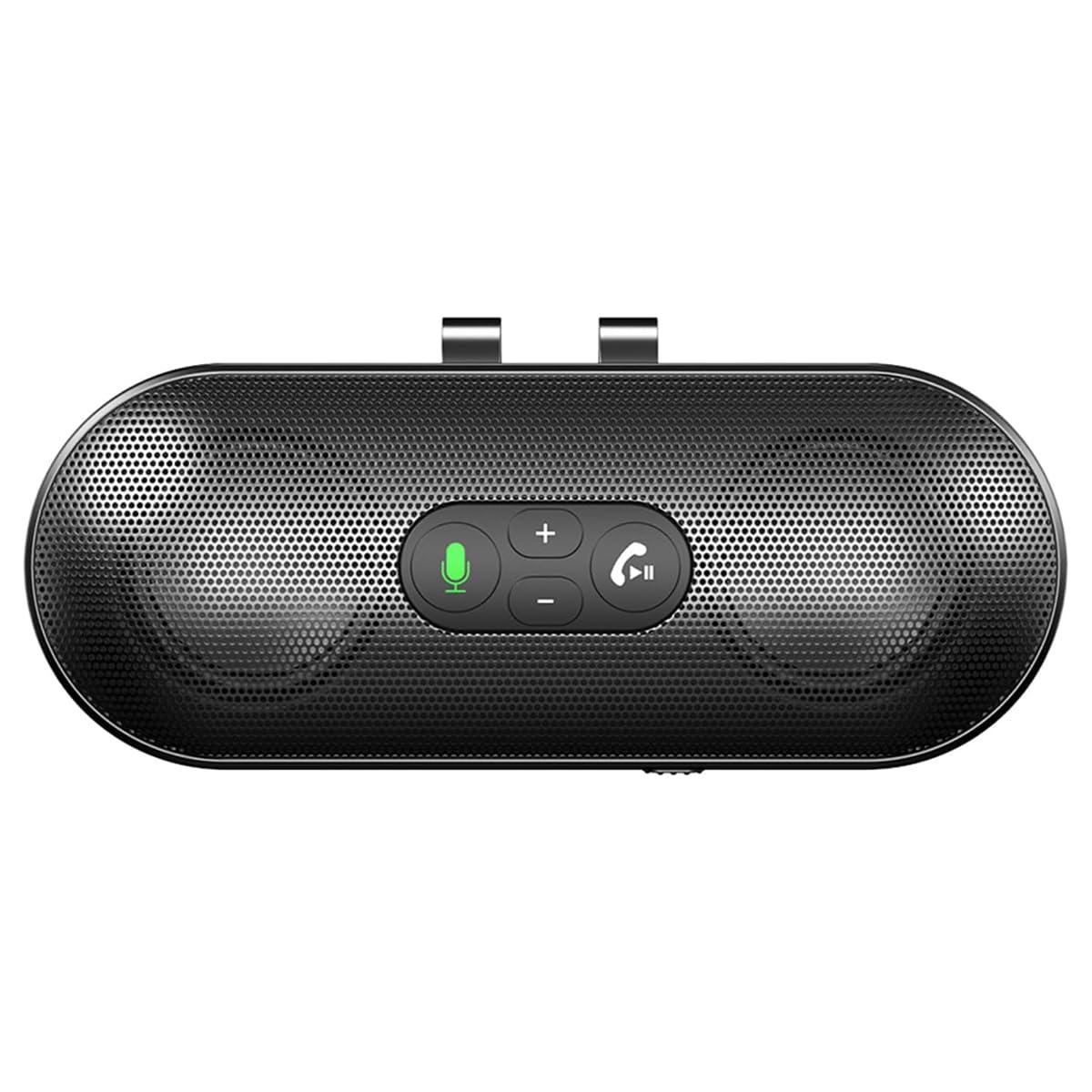 Image: The speakerphone features a powerful audio system with dual 3W speakers and 40mm Graphene Diaphragms for clear and loud sound. |
| ไมโครโฟน | Integrated, High-definition with DSP noise reduction |
| ประเภทแบตเตอรี่ | แบตเตอรี่ลิเธียมไอออน (800 mAh) |
| พอร์ตชาร์จ | ยูเอสบี ไทป์ ซี |
| เวลาในการชาร์จ | ประมาณ 1.5 ชั่วโมง |
| เวลาสแตนด์บาย | นานถึง 500 ชั่วโมง |
| ประเทศต้นกำเนิด | จีน |
6. ข้อมูลการรับประกัน
The eppfun SK003Pro comes with a manufacturer's warranty.
- การรับประกันจากผู้ผลิต: 1 ปี
- โปรดเก็บหลักฐานการซื้อของคุณไว้เพื่อเรียกร้องการรับประกัน
- Warranty does not cover damage caused by misuse, accidents, unauthorized repairs, or normal wear and tear.
7. การสนับสนุนลูกค้า
For further assistance or inquiries, please contact eppfun customer support:
- ผู้ผลิต: เอ็ปฟัน
- Webเว็บไซต์: www.eppfun.com (หมายเหตุ: นี่เป็นเพียงตัวอย่างชั่วคราว URLโปรดดูรายละเอียดการสนับสนุนที่ถูกต้องได้จากบรรจุภัณฑ์ผลิตภัณฑ์หรือเอกสารทางการ webเว็บไซต์.)
- อีเมล: support@eppfun.com (Note: This is a placeholder email, please refer to your product packaging or official documentation for the correct support email.)
When contacting support, please provide your product model number (SK003Pro) and a detailed description of the issue.