
การแนะนำ
ขอบคุณสำหรับการซื้อasing the Fisher FBX390 Portable Bluetooth Speaker. This manual provides essential information for setting up, operating, and maintaining your speaker. Please read it thoroughly before use to ensure optimal performance and longevity of your device. This speaker combines powerful audio with dynamic lighting, True Wireless Stereo (TWS) capabilities, and IPX4 water resistance, making it suitable for various environments.
เนื้อหาแพ็คเกจ
- Fisher FBX390 Portable Bluetooth Speaker
- สายไฟ
- คู่มือเริ่มต้นอย่างรวดเร็ว
- บัตรรับประกัน
สินค้าเกินview
Familiarize yourself with the components and controls of your Fisher FBX390 speaker.

ด้านหน้า view of the Fisher FBX390 Portable Bluetooth Speaker, showcasing its grille and overall design.

สูงสุด view of the speaker, highlighting the control panel with buttons for mode, volume, play/pause, power, and AUX input.
ปุ่มควบคุมและพอร์ต:
- M (ปุ่มโหมด): Press to switch between Bluetooth, FM Radio, and AUX input modes.
- - (ลดเสียง / เพลงก่อนหน้า): กดสั้นๆ เพื่อลดระดับเสียง กดค้างไว้เพื่อไปยังเพลงก่อนหน้า
- ปุ่มเล่น/หยุดชั่วคราว: Press to play or pause audio. In FM mode, press and hold to auto-scan for stations.
- + (เพิ่มเสียง / เพลงถัดไป): Press briefly to increase volume. Press and hold to go to the next track.
- ปุ่มเปิด/ปิด: กดค้างไว้เพื่อเปิดหรือปิดลำโพง
- อินพุต AUX: สำหรับเชื่อมต่ออุปกรณ์เสียงภายนอกผ่านสายสัญญาณเสียงขนาด 3.5 มม.
- พอร์ตชาร์จ: For connecting the power cable to charge the speaker.
การตั้งค่า
การชาร์จเบื้องต้น
Before first use, fully charge the speaker. Connect the provided power cable to the charging port on the speaker and plug the other end into a suitable power source. The charging indicator light will illuminate. Once fully charged, the light may change color or turn off, depending on the model. A full charge provides up to 5 hours of playtime.
คำแนะนำการใช้งาน
เปิด/ปิดเครื่อง
- To turn on: Press and hold the Power Button until you hear an audible prompt or see the indicator lights activate.
- To turn off: Press and hold the Power Button again until the speaker powers down.
จับคู่บลูทู ธ
- Ensure the speaker is powered on and in Bluetooth mode. If not, press the 'M' (Mode) button to switch to Bluetooth mode. The speaker will enter pairing mode, indicated by a flashing LED light.
- บนอุปกรณ์เคลื่อนที่ของคุณ (สมาร์ทโฟน แท็บเล็ต ฯลฯ) เปิดใช้งานบลูทูธและค้นหาอุปกรณ์ที่มีอยู่
- Select "FBX390" from the list of devices.
- เมื่อจับคู่สำเร็จแล้ว ลำโพงจะส่งเสียงยืนยัน และไฟ LED จะหยุดกะพริบ
- ตอนนี้คุณสามารถเล่นเสียงจากอุปกรณ์ของคุณผ่านลำโพงได้
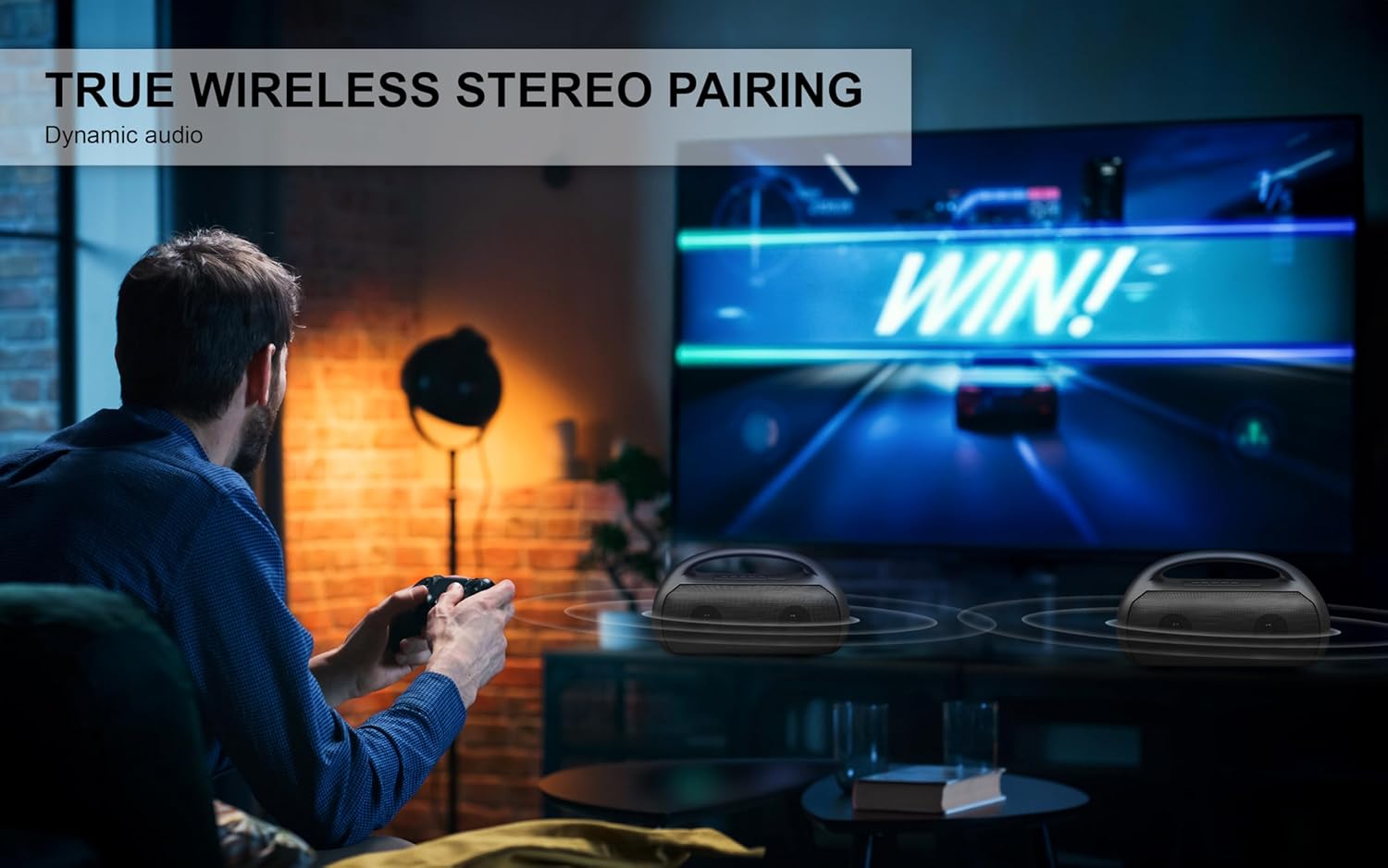
Image depicting the speaker connecting wirelessly via Bluetooth 5.3 to various devices like smartphones, tablets, computers, and laptops, also showing USB, TF Card, and AUX input options.
การจับคู่ True Wireless Stereo (TWS)
To achieve a stereo sound experience, you can pair two FBX390 speakers together.
- Ensure both FBX390 speakers are powered on and in Bluetooth mode, but not yet connected to any device.
- On one of the speakers (this will be your primary speaker), press and hold the Play/Pause button for a few seconds until you hear a pairing tone.
- ลำโพงทั้งสองตัวจะเชื่อมต่อกันโดยอัตโนมัติ และจะมีเสียงยืนยันเพื่อแจ้งว่าการจับคู่ TWS สำเร็จแล้ว
- จากนั้น เชื่อมต่ออุปกรณ์มือถือของคุณกับลำโพงหลักผ่านบลูทูธ ตามที่อธิบายไว้ในหัวข้อ "การจับคู่บลูทูธ"
- ตอนนี้เสียงจะเล่นในระบบสเตอริโอผ่านลำโพงทั้งสองตัว

A user enjoying a game with two Fisher FBX390 speakers wirelessly paired for an immersive True Wireless Stereo sound experience.
วิทยุเอฟเอ็ม
- Press the 'M' (Mode) button to switch to FM Radio mode.
- กดปุ่มเล่น/หยุดชั่วคราวค้างไว้เพื่อเริ่มการค้นหาสถานีวิทยุ FM ที่ใช้งานได้โดยอัตโนมัติ ลำโพงจะบันทึกสถานีที่ตรวจพบไว้
- Use the '-' and '+' buttons to navigate between saved stations.
ไฟ RGB
The speaker features dynamic RGB lights that synchronize with the music. The lights automatically activate when the speaker is turned on. Specific controls for changing light modes or turning them off may vary; refer to the Quick Start Guide for detailed instructions if available.

ด้านข้าง view of the speaker, illustrating the dynamic RGB lighting feature.
อินพุต AUX
วิธีเล่นไฟล์เสียงจากอุปกรณ์ที่ไม่มีบลูทูธ:
- เชื่อมต่อปลายด้านหนึ่งของสายสัญญาณเสียงขนาด 3.5 มม. (ไม่ได้รวมอยู่ในชุด) เข้ากับพอร์ตอินพุต AUX บนลำโพง
- ต่อปลายอีกด้านหนึ่งเข้ากับช่องเสียบเอาต์พุตเสียงของอุปกรณ์ภายนอกของคุณ
- กดปุ่ม 'M' (โหมด) เพื่อเปลี่ยนเป็นโหมด AUX
- ควบคุมการเล่นและระดับเสียงได้โดยตรงจากอุปกรณ์ที่เชื่อมต่อของคุณ
การชาร์จไฟ
The speaker is equipped with a 1500mAh battery, providing up to 5 hours of playback time on a single charge. When the battery is low, the speaker may indicate this with an audible alert or a flashing LED. Connect the speaker to a power source using the provided power cable to recharge. Charging time may vary.
การซ่อมบำรุง
- การทำความสะอาด: ใช้ผ้าแห้งนุ่มเช็ดทำความสะอาดภายนอกลำโพง ห้ามใช้สารทำความสะอาดที่มีฤทธิ์กัดกร่อนหรือตัวทำละลาย
- ความต้านทานน้ำ: The speaker has an IPX4 water resistance rating, meaning it is protected against splashing water from any direction. It is not designed to be submerged in water. Ensure the charging port cover is securely closed when exposed to water.
- พื้นที่จัดเก็บ: เก็บลำโพงไว้ในที่แห้งและเย็น หลีกเลี่ยงแสงแดดโดยตรงและอุณหภูมิที่สูงหรือต่ำเกินไป
- การดูแลแบตเตอรี่ เพื่อยืดอายุการใช้งานแบตเตอรี่ ควรหลีกเลี่ยงการใช้แบตเตอรี่จนหมดบ่อยๆ ควรชาร์จลำโพงเป็นประจำ แม้จะไม่ได้ใช้งานเป็นเวลานานก็ตาม

A person relaxing by a pool with the Fisher FBX390 speaker, demonstrating its suitability for outdoor environments due to its water resistance.
การแก้ไขปัญหา
| ปัญหา | สาเหตุที่เป็นไปได้ | สารละลาย |
|---|---|---|
| ลําโพงไม่เปิดขึ้น | แบตเตอรี่หมด | ชาร์จลำโพงให้เต็ม |
| ไม่สามารถจับคู่ผ่านบลูทูธได้ | ลำโพงไม่ได้อยู่ในโหมดจับคู่หรืออยู่ห่างจากอุปกรณ์มากเกินไป | Ensure speaker is in Bluetooth pairing mode. Move device closer to speaker (within 33ft). Turn off and on Bluetooth on your device. |
| ไม่มีเสียง. | ระดับเสียงต่ำเกินไป โหมดไม่ถูกต้อง หรืออุปกรณ์ไม่ได้กำลังเล่นอยู่ | Increase speaker and device volume. Ensure correct mode (Bluetooth/AUX/FM) is selected. Check if audio is playing on the connected device. |
| การจับคู่ TWS ล้มเหลว | Speakers already connected to a device or too far apart. | ตรวจสอบให้แน่ใจว่าลำโพงทั้งสองตัวไม่ได้เชื่อมต่อกับอุปกรณ์อื่น วางลำโพงไว้ใกล้กัน ทำตามขั้นตอนการจับคู่ TWS อย่างระมัดระวัง |
ข้อมูลจำเพาะ
| คุณสมบัติ | รายละเอียด |
|---|---|
| ชื่อรุ่น | FBX390 |
| ประเภทลำโพง | Single Speaker (with TWS capability) |
| เทคโนโลยีการเชื่อมต่อ | บลูทูธ 5.3 |
| ช่วงสาย | สูงถึง 33 ฟุต (10 เมตร) |
| กำลังขับของลำโพง | 10W RMS (สูงสุด 20W) |
| การตอบสนองความถี่ | 80เฮิรตซ์-18กิโลเฮิรตซ์ |
| ความจุของแบตเตอรี่ | 1500mAh |
| เวลาเล่น | นานถึง 5 ชั่วโมง |
| ความต้านทานต่อน้ำ | IPX4 |
| ขนาด (กว้าง x สูง x ลึก) | 13.64" x 8.1" x 5.58" |
| น้ำหนักสินค้า | 3.13 ปอนด์ |
| ส่วนประกอบที่รวมอยู่ | Power Cable, Quick Start Guide, Warranty Card |

Diagram showing the dimensions of the Fisher FBX390 speaker: 13.64 inches (W) x 8.1 inches (H) x 5.58 inches (D).
การรับประกันและการสนับสนุน
This Fisher FBX390 Portable Bluetooth Speaker comes with a Limited Warranty. Please refer to the included Warranty Card for detailed terms and conditions, including coverage period and how to make a claim. For technical support or customer service inquiries, please contact the manufacturer or retailer where you purchased the product. Keep your proof of purchase for warranty purposes.