
การแนะนำ
This manual provides essential information for the assembly, operation, maintenance, and troubleshooting of your Deli Gaming Table E91511. Please read these instructions carefully before assembly and use to ensure proper function and longevity of your product.
คำเตือนด้านความปลอดภัย
- ควรประกอบโต๊ะตามคำแนะนำที่ให้ไว้เสมอ
- Ensure the desk is properly anchored to the floor to prevent tipping, especially when using heavy setups.
- Be cautious when moving the desk, as it may require two people due to its size and weight.
- Do not overload the desk beyond its specified weight capacity.
- เก็บชิ้นส่วนเล็ก ๆ ให้ห่างจากเด็กในระหว่างการประกอบ
เนื้อหาแพ็คเกจ
Before beginning assembly, verify that all components are present and undamaged. Refer to the included assembly instructions for a detailed list of parts and hardware. Typically, the package includes:
- Desktop surface (Metal and Composite)
- Desk legs (K-type carbon steel frame)
- Crossbars and support beams
- Assembly hardware (screws, bolts, washers)
- Assembly tools (if included, otherwise standard tools like a screwdriver may be required)
- คู่มือการใช้งาน
การติดตั้งและการประกอบ
The Deli Gaming Table E91511 is designed for quick assembly with minimal tools. Follow the step-by-step instructions provided in the separate assembly guide included with your product. Ensure you have adequate space for assembly and consider having a second person assist with lifting and positioning larger components.
ขั้นตอนการประชุมสมัชชาใหญ่:
- แกะส่วนประกอบทั้งหมดออกแล้ววางไว้บนพื้นผิวที่สะอาดและนุ่มนวลเพื่อป้องกันรอยขีดข่วน
- Attach the K-shaped table legs to the main support frame using the provided hardware. Ensure all connections are secure.
- Carefully place the desktop surface onto the assembled leg frame. Align the pre-drilled holes.
- Secure the desktop to the frame using the remaining hardware. Do not overtighten.
- Verify all screws and bolts are tightened and the desk is stable before placing any equipment on it.

Image: Close-up of the K-shaped table legs, demonstrating the stable structure.
คำแนะนำการใช้งาน
The Deli Gaming Table E91511 offers a spacious and stable surface for various uses, including gaming, streaming, home office work, and student workstations.
- Wider Gaming Surface: The 120 cm width accommodates dual monitors or extra peripherals, providing ampพื้นที่สำหรับการติดตั้งของคุณ
- การออกแบบตามหลักสรีรศาสตร์: The desk is designed for comfortable use, allowing for extended periods of activity without discomfort.
- การจัดการสายเคเบิล: Utilize the integrated 3D cable management box (if applicable) to keep your cables organized and your workspace tidy.
- ความสามารถในการรับน้ำหนัก: The desk is engineered for heavy setups and consistent use. Ensure weight is distributed evenly.
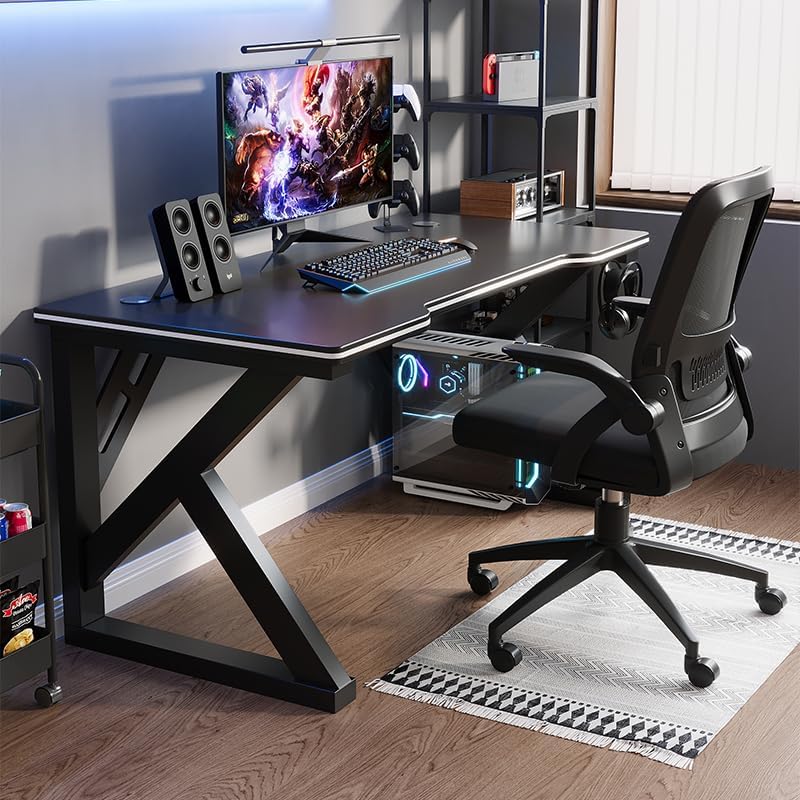
Image: A gaming setup on the Deli Gaming Table, illustrating its spacious surface.

ภาพ: จากบนลงล่าง view of a user at the Deli Gaming Table, highlighting ergonomic design.
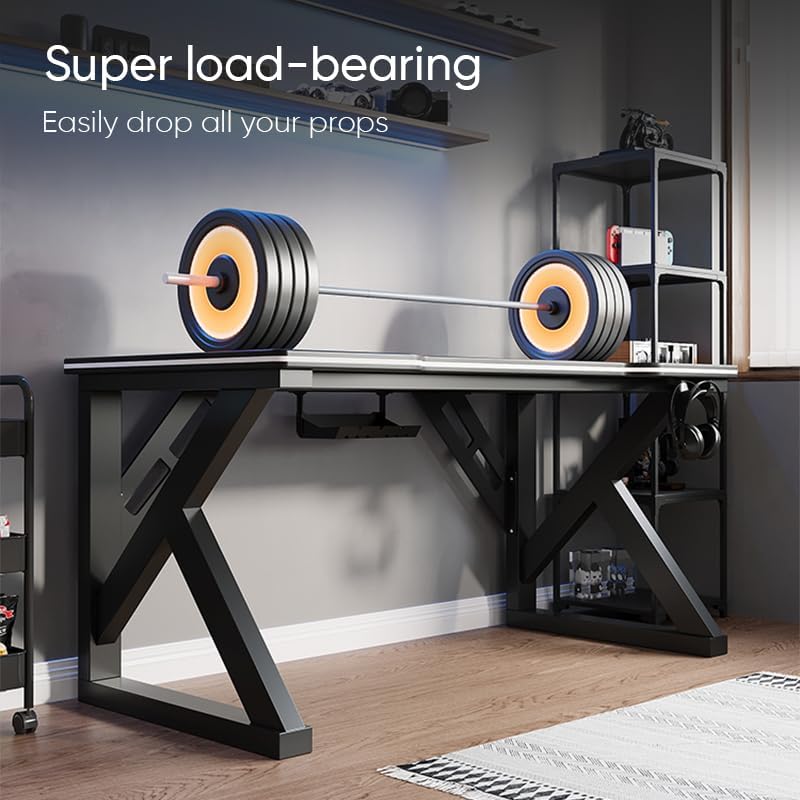
Image: The Deli Gaming Table demonstrating its load-bearing capability.
การซ่อมบำรุง
Regular maintenance will help preserve the appearance and functionality of your Deli Gaming Table.
- การทำความสะอาด: Wipe the desktop surface and legs with a soft, damp cloth. Avoid abrasive cleaners or harsh chemicals that could damage the painted finish or material.
- การรั่วไหล: เช็ดคราบที่หกทันทีเพื่อป้องกันคราบสกปรกหรือความเสียหายต่อพื้นผิว
- การตรวจสอบฮาร์ดแวร์: ตรวจสอบสกรูและน็อตทั้งหมดเป็นระยะเพื่อให้แน่ใจว่ายังแน่นอยู่ ขันให้แน่นอีกครั้งหากจำเป็นเพื่อรักษาความมั่นคง
- การป้องกันสนิม: While the desk is made of metal, prolonged exposure to moisture can lead to rust. Keep the desk in a dry environment and wipe away any moisture promptly.
การแก้ไขปัญหา
โต๊ะไม่มั่นคงหรือโยกเยก:
- ตรวจสอบให้แน่ใจว่าสกรูและสลักเกลียวประกอบทั้งหมดขันแน่นสนิทแล้ว
- Check that the desk is on a level surface. Adjust floor glides if present.
- Verify that all parts are correctly assembled according to the instruction manual.
Parts are missing or damaged:
- Review the package contents list in your assembly manual.
- Contact customer support with your model number and a description of the missing or damaged part.
ความยากในการประกอบ:
- Re-read the assembly instructions carefully, paying attention to diagrams.
- ตรวจสอบให้แน่ใจว่าคุณใช้ฮาร์ดแวร์ที่ถูกต้องสำหรับแต่ละขั้นตอน
- If issues persist, consider seeking assistance from another person.
ข้อมูลจำเพาะ

Image: Dimensions of the Deli Gaming Table.
| คุณสมบัติ | รายละเอียด |
|---|---|
| หมายเลขรุ่น | E91511 |
| ขนาด (กว้าง x ลึก x สูง) | 120 ซม. x 60 ซม. x 75 ซม. |
| สี | สีดำ |
| ประเภทวัสดุ | Metal and Composite (E1 grade material) |
| วัสดุกรอบ | K-type Carbon Steel Frame |
| ประเภทการเสร็จสิ้น | ทาสี |
| น้ำหนักสินค้า | 13000 กรัม |
| จำเป็นต้องประกอบ | ใช่ |
| การใช้ที่แนะนำ | Gaming, Streaming, Home Office, Student Workstation |
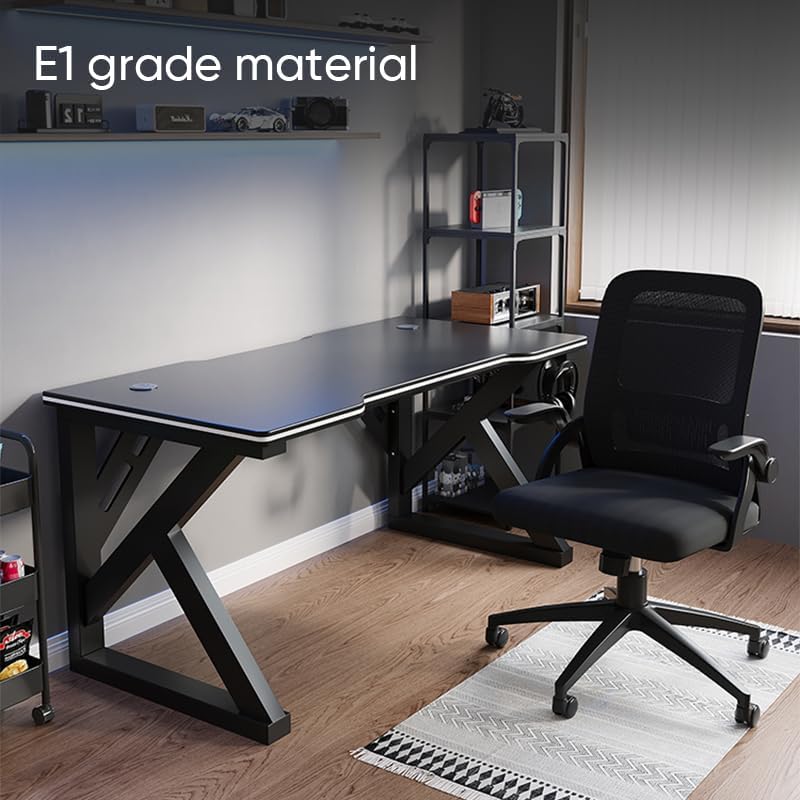
Image: The Deli Gaming Table highlighting E1 grade material.
ข้อมูลการรับประกัน
For specific warranty details regarding your Deli Gaming Table E91511, please refer to the warranty card included with your purchase or visit the official Deli webโดยทั่วไปเงื่อนไขการรับประกันจะครอบคลุมถึงข้อบกพร่องจากการผลิตภายใต้สภาวะการใช้งานปกติ
การสนับสนุนลูกค้า
If you have any questions, require assistance with assembly, or need to report a missing/damaged part, please contact Deli customer support through the following channels:
- Webเว็บไซต์: Visit the official Deli webไซต์สำหรับทรัพยากรสนับสนุนและแบบฟอร์มติดต่อ
- อีเมล: Refer to your purchase documentation for customer service email addresses.
- โทรศัพท์: Check the product packaging or official webเว็บไซต์สำหรับหมายเลขโทรศัพท์ฝ่ายบริการลูกค้า
Please have your model number (E91511) and proof of purchase ready when contacting support.