
การแนะนำ
Thank you for choosing the Monster Clarity 101 AirLinks Wireless Earbuds. This manual provides essential information on how to set up, operate, and maintain your earbuds to ensure optimal performance and longevity. Please read this manual thoroughly before use.
มีอะไรอยู่ในกล่อง
- Monster Clarity 101 AirLinks Wireless Earbuds (Left and Right)
- เคสชาร์จไฟ
- สายชาร์จ USB-C
- จุกหูฟังหลายขนาด (S, M, L)
- คู่มือการใช้งาน

The package includes the wireless earbuds, a portable charging case, a USB-C cable for charging, various eartip sizes for a comfortable fit, and this user manual.
สินค้าเกินview
The Monster Clarity 101 AirLinks are true wireless in-ear headphones designed for an active lifestyle. They feature powerful 6mm dynamic drivers for clear sound and deep bass, touch controls for easy management, and an IPX5 waterproof rating.

Each earbud is lightweight and ergonomically designed to provide a secure and comfortable fit, even during sports and exercise. The included charging case is compact and features a magnetic closure to keep your earbuds safe and charged.
การตั้งค่า
1. การชาร์จหูฟังและเคส
Before first use, fully charge the earbuds and the charging case. Place the earbuds into the charging case. Connect the USB-C charging cable to the charging port on the case and the other end to a USB power source. The charging indicators on the case will show the charging status.

A quick 5-minute charge can provide up to 1.5 hours of playback. A full charge of the earbuds provides approximately 5 hours of play time, and the charging case extends this to a total of 25 hours.
2. การจับคู่กับอุปกรณ์ของคุณ
- ตรวจสอบให้แน่ใจว่าได้ชาร์จเอียร์บัดแล้ว
- เปิดกล่องชาร์จ หูฟังจะเปิดอัตโนมัติและเข้าสู่โหมดจับคู่
- เปิดใช้งาน Bluetooth บนอุปกรณ์ของคุณ (สมาร์ทโฟน แท็บเล็ต ฯลฯ)
- ค้นหา Bluetooth devices and select "Clarity 101" from the list.
- เมื่อเชื่อมต่อแล้ว คุณจะได้ยินเสียงยืนยัน และหูฟังจะพร้อมใช้งาน

The earbuds feature one-step pairing for quick and convenient connection to your Bluetooth-enabled devices.
คำแนะนำการใช้งาน
1. การสวมหูฟัง
Select the eartips that provide the most comfortable and secure fit for your ears. Gently insert the earbuds into your ear canal and rotate them slightly to ensure a snug fit. This helps optimize sound quality and noise isolation.

2. การควบคุมแบบสัมผัส
The earbuds are equipped with multi-function touch controls on the outer surface. These controls allow you to manage music playback, calls, and voice assistant activation.
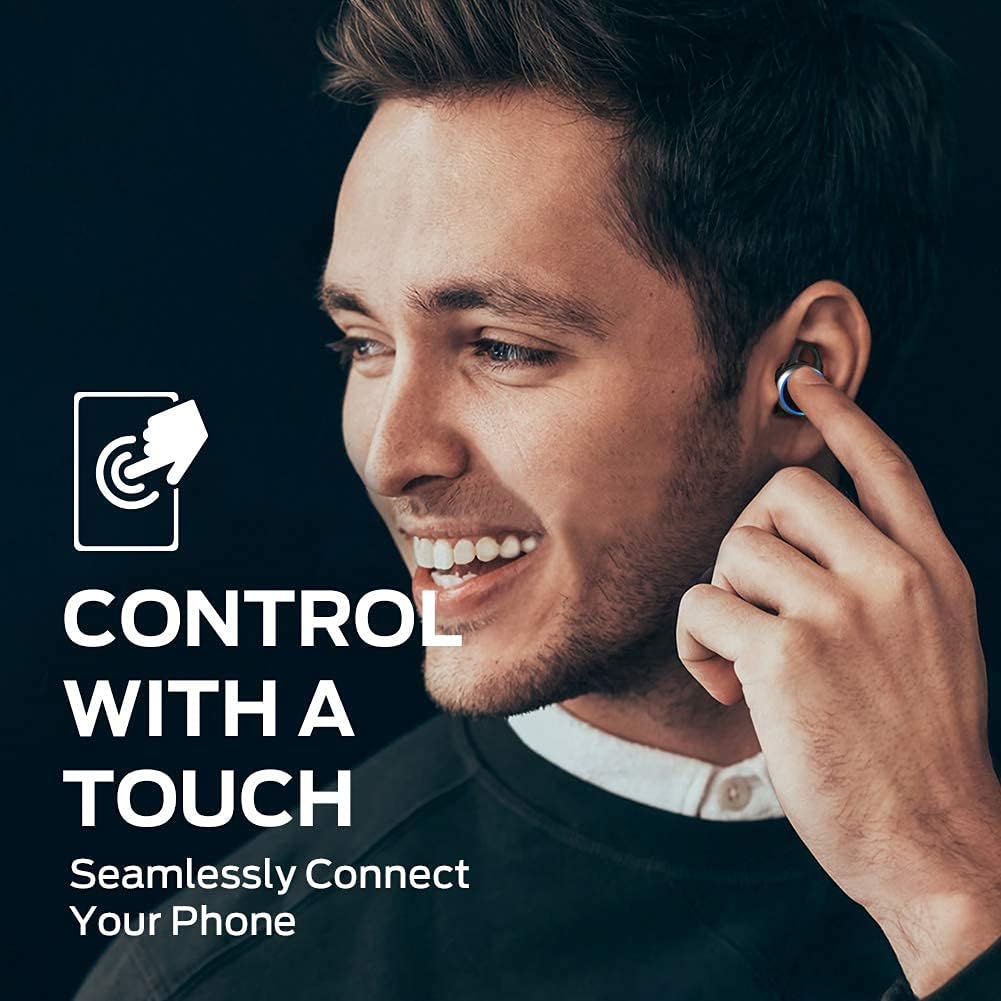
| การกระทำ | การทำงาน |
|---|---|
| แตะครั้งเดียว (ซ้าย/ขวา) | เล่น/หยุดเพลง, รับ/วางสาย |
| แตะสองครั้ง (ขวา) | เพลงถัดไป |
| แตะสองครั้ง (ซ้าย) | เพลงก่อนหน้า |
| แตะสามครั้ง (ซ้าย/ขวา) | เปิดใช้งานผู้ช่วยเสียง |
| กดค้างไว้ (ซ้าย/ขวา) | ปฏิเสธการรับสาย |
3. การโทรออกและรับสาย
The earbuds support hands-free stereo calls. You can use either earbud independently or both together for calls. The built-in microphone provides clear voice quality, even in moderately noisy environments.
- รับ/วางสาย: แตะเพียงครั้งเดียวที่หูฟังข้างใดข้างหนึ่ง
- ปฏิเสธสาย: กดและค้างไว้ที่หูฟังข้างใดข้างหนึ่ง
- เปิดใช้งาน Voice Assistant: แตะสามครั้งที่หูฟังข้างใดข้างหนึ่ง
การซ่อมบำรุง
1. การทำความสะอาด
Regularly clean your earbuds and charging case to maintain optimal performance and hygiene. Use a soft, dry, lint-free cloth to wipe the surfaces. For the eartips, remove them from the earbuds and clean with a mild soap solution if necessary, then rinse and dry thoroughly before reattaching. Do not use harsh chemicals or abrasive materials.
2. การจัดเก็บ
When not in use, always store the earbuds in their charging case. This protects them from dust, damage, and keeps them charged. Store the charging case in a cool, dry place away from direct sunlight and extreme temperatures.
การแก้ไขปัญหา
| ปัญหา | วิธีแก้ปัญหาที่เป็นไปได้ |
|---|---|
| หูฟังเอียร์บัดไม่จับคู่ | Ensure earbuds are charged. Turn off and on Bluetooth on your device. Forget "Clarity 101" from your device's Bluetooth list and re-pair. |
| ไม่มีเสียงจากเอียร์บัดข้างเดียว | Place both earbuds back in the charging case, close the lid, then open again to reset. Check device's audio output settings. |
| เสียงเบา | Increase volume on both your device and the earbuds (if applicable via touch controls). Clean eartips and earbud mesh. |
| คุณภาพการโทรไม่ดี | Ensure microphone is not obstructed. Move closer to your connected device. Check network signal on your phone. |
| เคสชาร์จไม่ชาร์จ | Ensure USB-C cable is properly connected and power source is active. Try a different cable or power adapter. |
ข้อมูลจำเพาะ
| คุณสมบัติ | รายละเอียด |
|---|---|
| ยี่ห้อ | มอนสเตอร์ |
| หมายเลขรุ่น | 101 |
| การวางตำแหน่งหู | ในหู |
| เทคโนโลยีการเชื่อมต่อ | ไร้สาย (บลูทูธ 5.0) |
| ช่วงบลูทูธ | สูงถึง 10 เมตร (33 ฟุต) |
| ประเภทการควบคุม | การควบคุมแบบสัมผัส |
| ขนาดไดร์เวอร์เสียง | ไดร์เวอร์ไดนามิก 6 มม |
| ช่วงความถี่ | 20 เฮิรตซ์ ถึง 20,000 เฮิรตซ์ |
| อิมพีแดนซ์ | 140 โอห์ม |
| อายุการใช้งานแบตเตอรี่ (หูฟัง) | นานถึง 5 ชั่วโมง |
| อายุการใช้งานแบตเตอรี่ทั้งหมด (รวมเคส) | นานถึง 25 ชั่วโมง |
| เวลาในการชาร์จแบตเตอรี่ | ประมาณ 1.5 ชั่วโมง (สำหรับกรณี) |
| ระดับความต้านทานต่อน้ำ | IPX5 (กันน้ำ) |
| การควบคุมเสียงรบกวน | ระบบตัดเสียงรบกวน (สำหรับการโทร) |
| วัสดุ | Metal (Enclosure & Carrying Case) |
| น้ำหนักสินค้า | 0.14 กิโลกรัม |
การรับประกันและการสนับสนุน
The Monster Clarity 101 AirLinks Wireless Earbuds come with a 1-year limited warranty from the date of purchase. This warranty covers manufacturing defects under normal use. It does not cover damage caused by misuse, accidents, unauthorized modifications, or normal wear and tear.
For warranty claims, technical support, or further assistance, please refer to the contact information provided on the official Monster website or your purchase documentation. Please have your proof of purchase and product model number (101) ready when contacting support.