
การแนะนำ
This manual provides essential information for the setup, operation, and maintenance of your NBCP Wireless Guitar Controller for Nintendo Wii. This controller is designed to enhance your gaming experience with compatible titles such as Guitar Hero and Rock Band 2.

Image: The NBCP Wireless Guitar Controller in black, featuring a strap and a dedicated slot for the Wii Remote.
ข้อมูลด้านความปลอดภัย
- เก็บอุปกรณ์ให้ห่างจากน้ำและของเหลวอื่นๆ
- ควรหลีกเลี่ยงการวางตัวควบคุมไว้ในที่ที่มีอุณหภูมิสูงหรือต่ำเกินไป หรือโดนแสงแดดโดยตรง
- ห้ามถอดประกอบหรือดัดแปลงตัวควบคุม เนื่องจากอาจทำให้การรับประกันเป็นโมฆะและก่อให้เกิดความเสียหายได้
- Ensure the adjustable strap is securely fastened during use to prevent accidental drops.
- ผลิตภัณฑ์นี้มีชิ้นส่วนขนาดเล็กและไม่เหมาะสำหรับเด็กอายุต่ำกว่า 3 ปี
เนื้อหาแพ็คเกจ
- NBCP Wireless Guitar Controller (Body and Neck)
- สายสะพายไหล่ปรับได้
การตั้งค่า
1. Attaching the Guitar Neck
The guitar neck is detachable for convenient storage and portability. To attach, align the neck with the body and slide it into place until it clicks securely. Ensure the locking mechanism on the back of the guitar body is engaged to prevent accidental detachment.

Image: Illustration demonstrating the detachable neck design, highlighting the connection point between the guitar body and neck.
2. Inserting the Wii Remote
The controller is powered directly through your Wii Remote. Open the compartment on the back of the guitar body. Carefully insert your Wii Remote into the dedicated slot, ensuring the connector is properly aligned and secured. Close the compartment cover.

ภาพ: ภาพระยะใกล้ view of the Wii Remote slot, illustrating the 'Plug & Play' setup by inserting the remote.
3. การปรับสายรัด
Attach the adjustable strap to the strap pins on the guitar body. Adjust the length of the strap to a comfortable position for playing.
คำแนะนำการใช้งาน
The NBCP Wireless Guitar Controller features a classic button layout for intuitive gameplay.

Image: A labeled diagram of the guitar controller, indicating the Fret Buttons, Strum Bar, Whammy Bar, Directional Stick, and Select/Start buttons.
ปุ่มหงุดหงิด
Press the colored fret buttons on the neck of the guitar to match the notes displayed on screen during gameplay. The buttons are designed for high sensitivity and accurate note tracking.
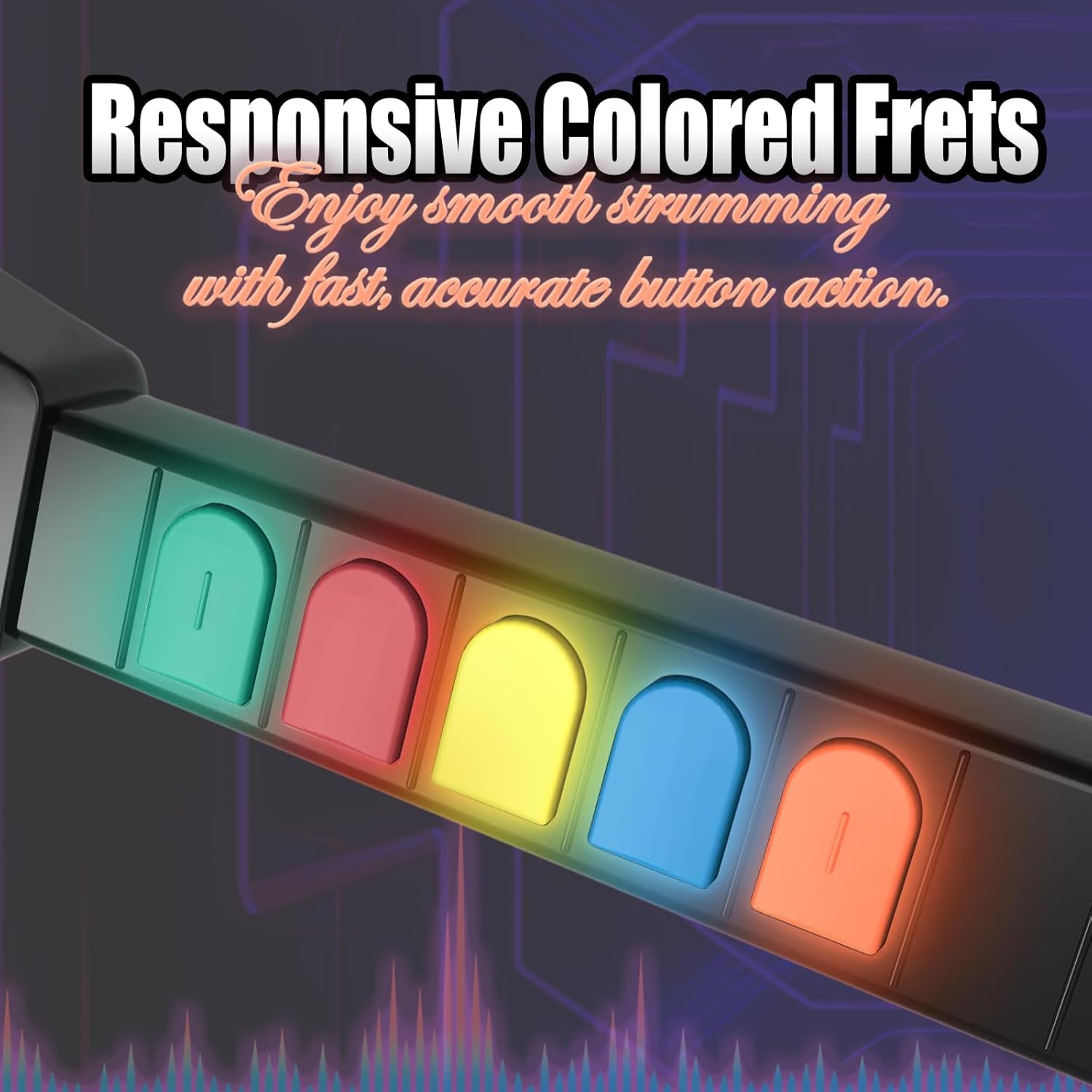
Image: A close-up of the responsive colored fret buttons, illustrating their tactile design for smooth strumming and accurate action.
สตรัมบาร์
Use the tactile strum bar to activate notes as they pass the activation line on screen. The strum bar provides a satisfying click for precise timing.
แวมมี่บาร์
The whammy bar can be used to alter the pitch of sustained notes, adding expression to your performance in compatible games.
ความเข้ากันได้
This controller is compatible with all Guitar Hero titles and Rock Band 2 games on Nintendo Wii and Wii U. Note: It is not compatible with Rock Band 1.

Image: A collage of game covers, including Guitar Hero titles and Rock Band 2, illustrating the controller's compatibility.

Image: A warning graphic explicitly stating that the controller is not compatible with games requiring microphone input or Rock Band 1.
การซ่อมบำรุง
Cleaning Contact Points
If the device experiences frequent disconnections, prolonged use or non-use may cause oxidation of the device's contact points. To resolve this, gently wipe the contact points with a clean cloth moistened with alcohol or use an eraser to clean them. This can help restore normal functionality.

Image: A visual guide demonstrating the cleaning of contact points using an eraser or alcohol to address frequent disconnections.
การแก้ไขปัญหา
การตัดการเชื่อมต่อบ่อยครั้ง
If your guitar controller frequently disconnects during gameplay, please refer to the 'Cleaning Contact Points' section under Maintenance. Ensuring clean contact points between the Wii Remote and the guitar controller is crucial for stable connectivity.
ข้อมูลจำเพาะ
- หมายเลขรุ่น: เคที613บี
- ยี่ห้อ: กสทช
- ความเข้ากันได้: Nintendo Wii, Nintendo Wii U (Guitar Hero titles, Rock Band 2)
- แหล่งพลังงาน: Powered by Wii Remote (no additional batteries required)
- น้ำหนักสินค้า: ประมาณ 2.94 ปอนด์
- ขนาดแพ็คเกจ: 17.4 x 13.62 x 3.31 นิ้ว
- คุณสมบัติ: Detachable neck, adjustable strap, high-sensitivity fret buttons, tactile strum bar, whammy bar.
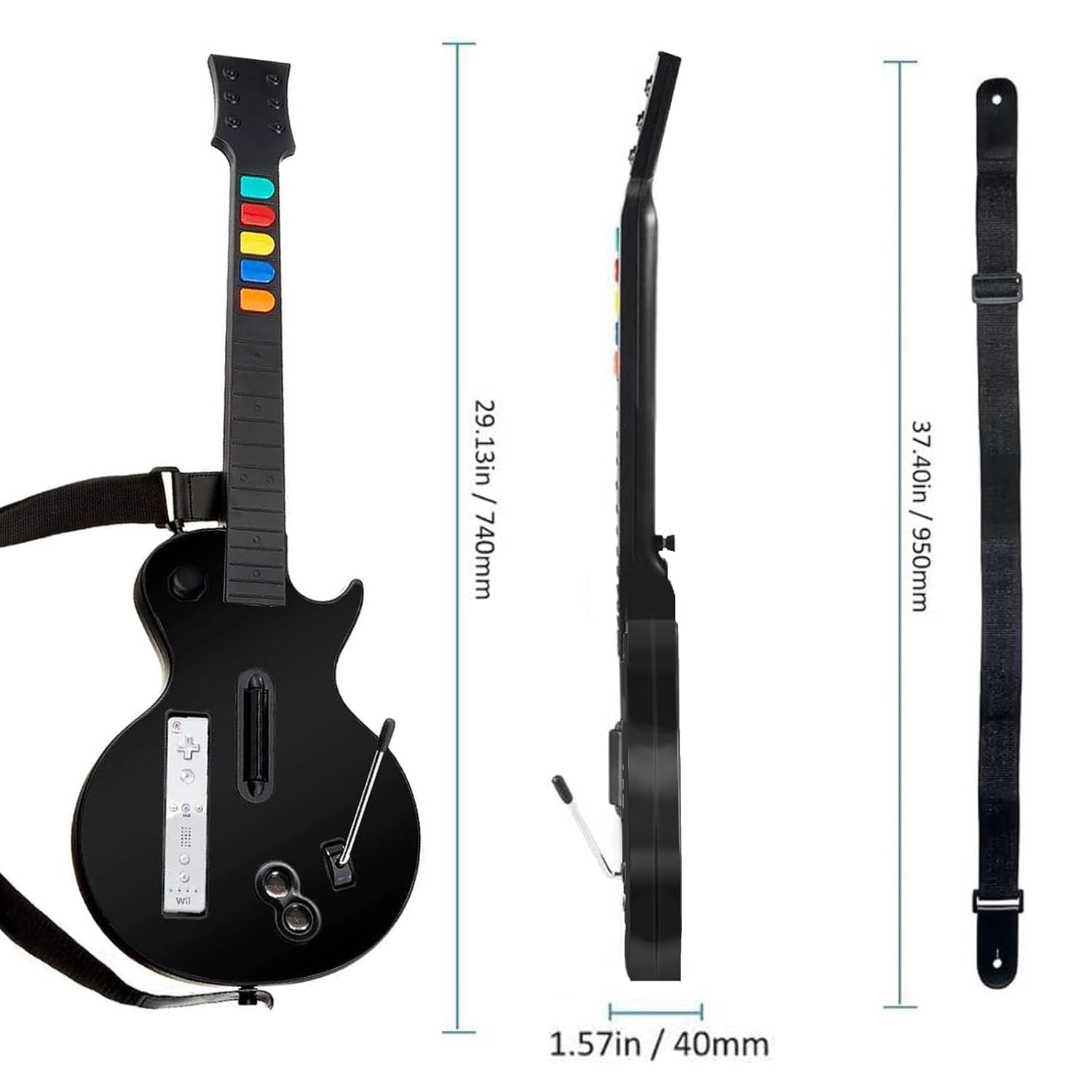
Image: A diagram illustrating the physical dimensions of the guitar controller and its accompanying strap.
การรับประกันและการสนับสนุน
No explicit manufacturer's warranty information is provided in the product details. However, protection plans are available for purchase separately. For product support or inquiries, please visit the official NBCP store on Amazon: NBCP Store.