
eppfun eppfun 2-in-1 USB Optical Bluetooth Transmitter Adapter
คู่มือผู้ใช้ eppfun 2-in-1 USB Optical Bluetooth Transmitter Adapter
Model: eppfun 2-in-1 USB Optical Bluetooth Transmitter Adapter
1. บทนำ
This manual provides detailed instructions for the setup, operation, and maintenance of your eppfun 2-in-1 USB Optical Bluetooth Transmitter Adapter. Please read this manual thoroughly before using the device to ensure proper functionality and to maximize your user experience.
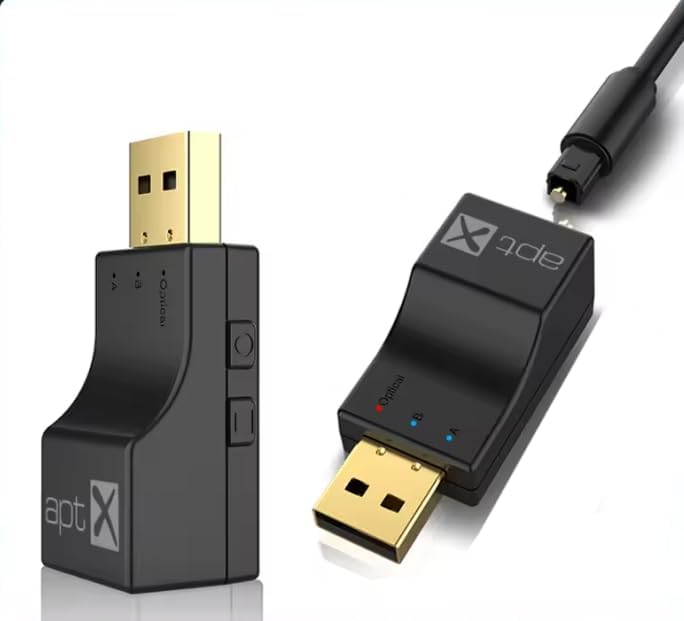
Image 1.1: The eppfun 2-in-1 USB Optical Bluetooth Transmitter Adapter, showing its compact design and USB connector.
2. สินค้าหมดview
The eppfun 2-in-1 USB Optical Bluetooth Transmitter Adapter is designed to add Bluetooth transmission capabilities to devices lacking built-in Bluetooth. It supports both USB and Optical audio input, allowing you to connect Bluetooth headphones or speakers to various audio sources such as TVs, PCs, gaming consoles (PS3/PS4, Xbox), and mobile phones. It features Bluetooth 5.0 for stable, low-latency audio transmission and supports aptX-Adaptive/HD/LL codecs for high-fidelity sound.
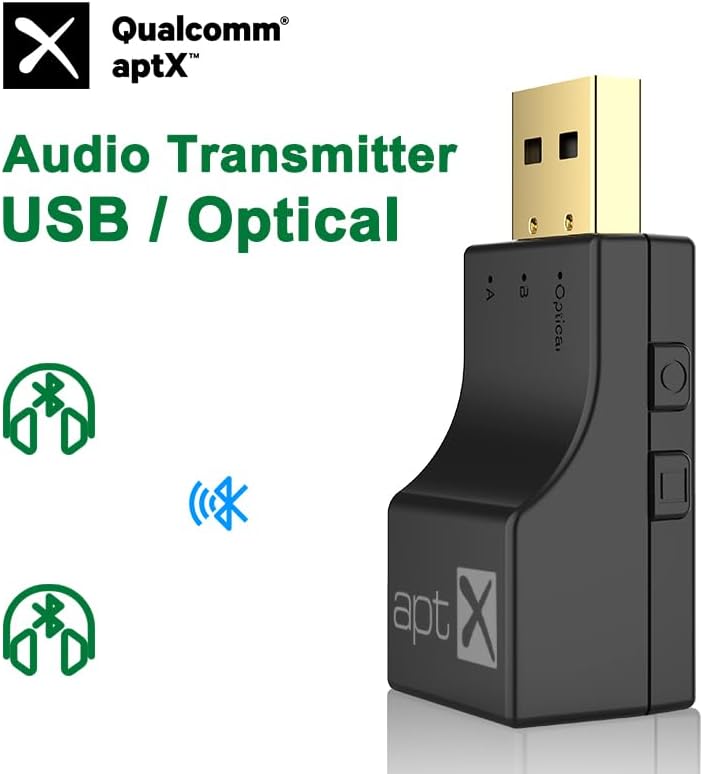
ภาพที่ 2.1: ด้านหน้า view of the transmitter highlighting Qualcomm aptX audio technology.
3. คุณสมบัติ
- Dual Channel Multi-device Expansion: Supports both Optical fiber and USB interfaces for versatile connectivity with TVs, computers, mobile phones, audio systems, and game consoles.
- บลูทูธ 5.0 พร้อมความหน่วงต่ำ: Utilizes an ATS Bluetooth 5.0 chip for fast, stable, and low-latency audio transmission, ensuring lossless sound quality.
- ความเข้ากันได้ของเกม: Enables wireless audio for gaming consoles like PS3, PS4, and Xbox Series (requires optical audio output or HDMI audio extractor for Xbox Series X/S). Connect Bluetooth headsets/speakers for an immersive gaming experience without disturbing others.
- Wireless Music Listening: Adds Bluetooth functionality to computers, allowing connection to Bluetooth headsets for wireless audio enjoyment.
- ระยะการส่งสัญญาณ 10 เมตร: Features a built-in independent antenna to enhance Bluetooth signal, providing wide signal coverage up to 10 meters (barrier-free).
- การเชื่อมต่อแบบหลายจุด: Supports connecting two Bluetooth audio devices simultaneously.
- Adaptive aptX Encoding: Supports aptX-Adaptive, aptX-HD, aptX-LL, and SBC codecs, indicated by different LED colors.
4. เนื้อหาบรรจุภัณฑ์
กรุณาตรวจสอบสิ่งของภายในกล่องเมื่อแกะกล่อง หากมีสินค้าใดสูญหายหรือเสียหาย โปรดติดต่อฝ่ายสนับสนุนลูกค้า
- eppfun 2-in-1 USB Optical Bluetooth Transmitter Adapter
- Optical Audio Cable (TOSLink)
- คู่มือการใช้งาน (เอกสารนี้)
- (Potentially) USB-C Adapter Cable (if required for Switch compatibility, not included)
5. Device Layout and Key Functions

Image 5.1: Diagram illustrating the key functions and indicators on the eppfun transmitter.
- USB / Optical Audio Input Switch Key: สลับระหว่างโหมดอินพุต USB และ Optical
- ปุ่มมัลติฟังก์ชั่น:
- ข่าวสารแบบสั้น: Connects the second Bluetooth device.
- ดับเบิลคลิก: Disconnects all currently connected devices.
- กดแบบยาว: คืนค่าเป็นการตั้งค่าจากโรงงาน
- Fiber Optic Mode Indicator Light: Indicates when the device is in Optical mode.
- Device Indicator Lights (A & B): Indicate connection status for the first (A) and second (B) connected Bluetooth devices. These lights also show the active audio codec by color.

Image 5.2: LED indicator color codes corresponding to different aptX audio codecs.
LED Codec Color Correspondence:
- เอสบีซี: สีฟ้า
- เอพีทีเอ็กซ์: สีม่วง
- APTX-LL (Low Latency): สีเขียว
- APTX-HD (High Definition): สีเหลือง
- APTX-AD (Adaptive): ไซยาน
6. การตั้งค่าและการใช้งาน
6.1. USB Mode Setup (Plug and Play)
This mode is suitable for devices with a USB audio output, such as PCs, laptops, and Nintendo Switch (requires a Type-C adapter cable, not included).
- Ensure the transmitter is switched to USB mode using the USB/Optical switch key.
- Plug the eppfun transmitter into an available USB port on your computer or compatible device. The device will be recognized as a USB sound card.
- Place your Bluetooth headphones or speaker into pairing mode.
- The transmitter will automatically search for and connect to nearby Bluetooth audio devices. The indicator light (A) will illuminate once connected.
- If connecting a second device, short press the multi-function button and put the second device into pairing mode. Indicator light (B) will illuminate upon successful connection.

Image 6.1: USB Mode connection diagram for various devices.
6.2. Optical Mode Setup (USB Powered)
This mode is ideal for devices with an optical audio output (TOSLink), such as TVs, PS3/PS4, Xbox Series (requires an HDMI audio extractor for Series X/S), and TV boxes/Android boxes. The transmitter requires USB power in this mode.
- Ensure the transmitter is switched to Optical mode using the USB/Optical switch key. The Fiber Optic Mode Indicator Light will illuminate.
- Connect the provided optical audio cable from your audio source's optical output to the optical input port on the eppfun transmitter.
- Plug the eppfun transmitter into a USB port for power. This can be a USB port on your TV, console, or a standard USB power adapter (5V/1A).
- Place your Bluetooth headphones or speaker into pairing mode.
- The transmitter will automatically search for and connect to nearby Bluetooth audio devices. The indicator light (A) will illuminate once connected.
- If connecting a second device, short press the multi-function button and put the second device into pairing mode. Indicator light (B) will illuminate upon successful connection.

Image 6.2: Optical Mode connection diagram for various devices.

ภาพที่ 6.3: อดีตample of the transmitter connected to a gaming console for optical audio input and USB power.
7. ความเข้ากันได้
- แหล่งที่มาของเสียง: Devices with USB audio output (PC, Laptop, Nintendo Switch with adapter) or Optical audio output (TV, PS3, PS4, Xbox Series with HDMI audio extractor, TV Box, Android Box).
- Audio Receivers: Bluetooth headphones, Bluetooth speakers.
- Codecs Supported: SBC, aptX, aptX-LL, aptX-HD, aptX-Adaptive.
8 การแก้ไขปัญหา
- ไม่มีเสียง:
- Ensure the transmitter is correctly connected and powered on.
- Verify the correct input mode (USB or Optical) is selected on the transmitter.
- Check that your Bluetooth headphones/speakers are paired and connected to the transmitter.
- Confirm the audio output settings on your source device (TV, PC, console) are configured to send audio via USB or Optical as appropriate.
- For Optical mode, ensure the optical cable is securely connected and not damaged.
- ไม่สามารถจับคู่อุปกรณ์ได้:
- โปรดตรวจสอบให้แน่ใจว่าหูฟัง/ลำโพงบลูทูธของคุณอยู่ในโหมดจับคู่แล้ว
- Double-click the multi-function button on the transmitter to disconnect all devices and try pairing again.
- ย้ายอุปกรณ์ให้เข้าใกล้กันมากขึ้น
- Long press the multi-function button to restore factory settings on the transmitter, then attempt pairing.
- Audio Latency/Delay:
- Ensure your receiving Bluetooth device (headphones/speakers) supports aptX Low Latency (aptX-LL) for the best performance. The transmitter will automatically use the best available codec.
- Reduce the distance between the transmitter and the receiving device, and remove any obstacles.
- Only One Device Connected in Multipoint:
- After connecting the first device, short press the multi-function button to initiate pairing for the second device.
- Ensure both Bluetooth devices are in pairing mode when attempting to connect them.
9. ข้อมูลจำเพาะ
| ยี่ห้อ | เอ็ปฟัน |
| แบบอย่าง | eppfun 2-in-1 USB Optical Bluetooth Transmitter Adapter |
| ฮาร์ดแวร์อินเตอร์เฟซ | USB, Optical |
| โปรโตคอลการเชื่อมโยงข้อมูล | บลูทูธ 5.0 |
| ตัวแปลงสัญญาณที่รองรับ | SBC, aptX, aptX-LL, aptX-HD, aptX-Adaptive |
| อุปกรณ์ที่รองรับ | Audio Device, Desktop, Game Console, Headphone, Smartphone, Speaker, TV |
| สี | สีดำ |
| น้ำหนักสินค้า | 10.6 ออนซ์ (0.3 กิโลกรัม) |
| ขนาดแพ็คเกจ | 4.72 x 3.54 x 0.59 นิ้ว |
| Sampling Frequency Range (Optical) | 32KHz ถึง 192KHz |
| ยูพีซี | 710421188118 |
| ASIN | B0F6TL3DPZ |
10. การบำรุงรักษา
To ensure the longevity and optimal performance of your eppfun Bluetooth Transmitter Adapter, follow these maintenance guidelines:
- การทำความสะอาด: Use a soft, dry cloth to clean the device. Avoid using liquid cleaners or solvents, as they may damage the finish or internal components.
- พื้นที่จัดเก็บ: เก็บอุปกรณ์ไว้ในที่แห้งและเย็น หลีกเลี่ยงแสงแดดโดยตรงและอุณหภูมิที่สูงหรือต่ำเกินไป
- การจัดการ: ใช้งานอุปกรณ์ด้วยความระมัดระวัง หลีกเลี่ยงการทำตกหรือกระแทกแรงๆ
- การเชื่อมต่อ: Ensure all cables (USB, Optical) are connected securely but without excessive force to prevent damage to ports.
11. การรับประกันและการสนับสนุน
eppfun products are designed for reliability and performance. For warranty information, technical support, or customer service inquiries, please refer to the contact information provided with your purchase or visit the official eppfun webไซต์ โปรดเก็บหลักฐานการซื้อไว้เพื่อใช้ในการเรียกร้องการรับประกัน
การสนับสนุนทางออนไลน์: Visit the eppfun Store on Amazon
Ask a question about this manual
Ask about setup, troubleshooting, compatibility, parts, safety, or missing instructions. Manuals+ will review the question and use this page’s manual context to help answer it.