
1. บทนำ
This manual provides essential information for the safe installation, operation, and maintenance of your CREATE WIND CLEAR STUDIO M ceiling fan. This silent ceiling fan features a 40W DC motor, retractable blades, 6 speed settings, an integrated LED light with 3 color temperatures, a programmable timer, and options for remote or WiFi app control. Please read these instructions thoroughly before installation and use, and retain them for future reference.

Figure 1: CREATE WIND CLEAR STUDIO M Ceiling Fan installed in a living room with blades retracted.
2. คำแนะนำด้านความปลอดภัย
- ตรวจสอบให้แน่ใจว่าตัดการเชื่อมต่อแหล่งจ่ายไฟก่อนการติดตั้ง การบำรุงรักษา หรือการทำความสะอาด
- การติดตั้งจะต้องดำเนินการโดยช่างไฟฟ้าที่มีคุณสมบัติตามมาตรฐานไฟฟ้าท้องถิ่น
- The mounting structure must be capable of supporting the fan's weight (refer to specifications).
- Maintain a minimum clearance of 2.3 meters (7.5 feet) from the floor to the lowest point of the fan blades.
- ห้ามนำวัตถุใดๆ เข้าไปในเส้นทางการหมุนของใบพัด
- เครื่องใช้ไฟฟ้าตัวนี้มีไว้สำหรับใช้ภายในอาคารเท่านั้น
3. เนื้อหาบรรจุภัณฑ์
ตรวจสอบว่าส่วนประกอบทั้งหมดมีอยู่ก่อนเริ่มการติดตั้ง:
- Ceiling Fan Unit with Integrated LED Light
- รีโมทคอนโทรล
- ขายึดและฮาร์ดแวร์
- Two Fixing Rods (for double height installation)
- คู่มือผู้ใช้และคู่มือการประกอบ
4. การติดตั้ง
Refer to the detailed Assembly Guide included in your package for step-by-step installation instructions. Professional installation is recommended to ensure safety and proper function.
- การติดตั้ง: Secure the mounting bracket to a ceiling joist or a suitable electrical junction box capable of supporting the fan's weight.
- การเดินสายไฟ: Connect the fan's electrical wires to your household wiring according to the wiring diagram in the Assembly Guide. Ensure all connections are secure.
- การประกอบ: Attach the fan motor housing and light kit. The fan includes two fixing rods to accommodate different ceiling heights.

Figure 2: CREATE WIND CLEAR STUDIO M Ceiling Fan with blades extended.
5. คู่มือการใช้งาน
5.1 การทำงานของรีโมทคอนโทรล
The included remote control allows full functionality of your ceiling fan. Insert 2 AAA batteries (not included) into the remote.
- เปิด/ปิดเครื่อง: กดปุ่มเปิด/ปิดเพื่อเปิดหรือปิดพัดลมและไฟ
- ความเร็วพัดลม: Use the speed buttons to cycle through 6 available fan speeds.
- เปิด/ปิดไฟ: Control the integrated LED light independently.
- อุณหภูมิสีของแสง: Adjust between 3 light color temperatures (Warm White 2700K, Neutral White 3300K, Cool White 4000K).
- ตัวจับเวลา: ตั้งค่าพัดลมให้ปิดอัตโนมัติหลังจาก 1, 2 หรือ 4 ชั่วโมง
- โหมดฤดูร้อน/ฤดูหนาว: Switch between airflow directions.
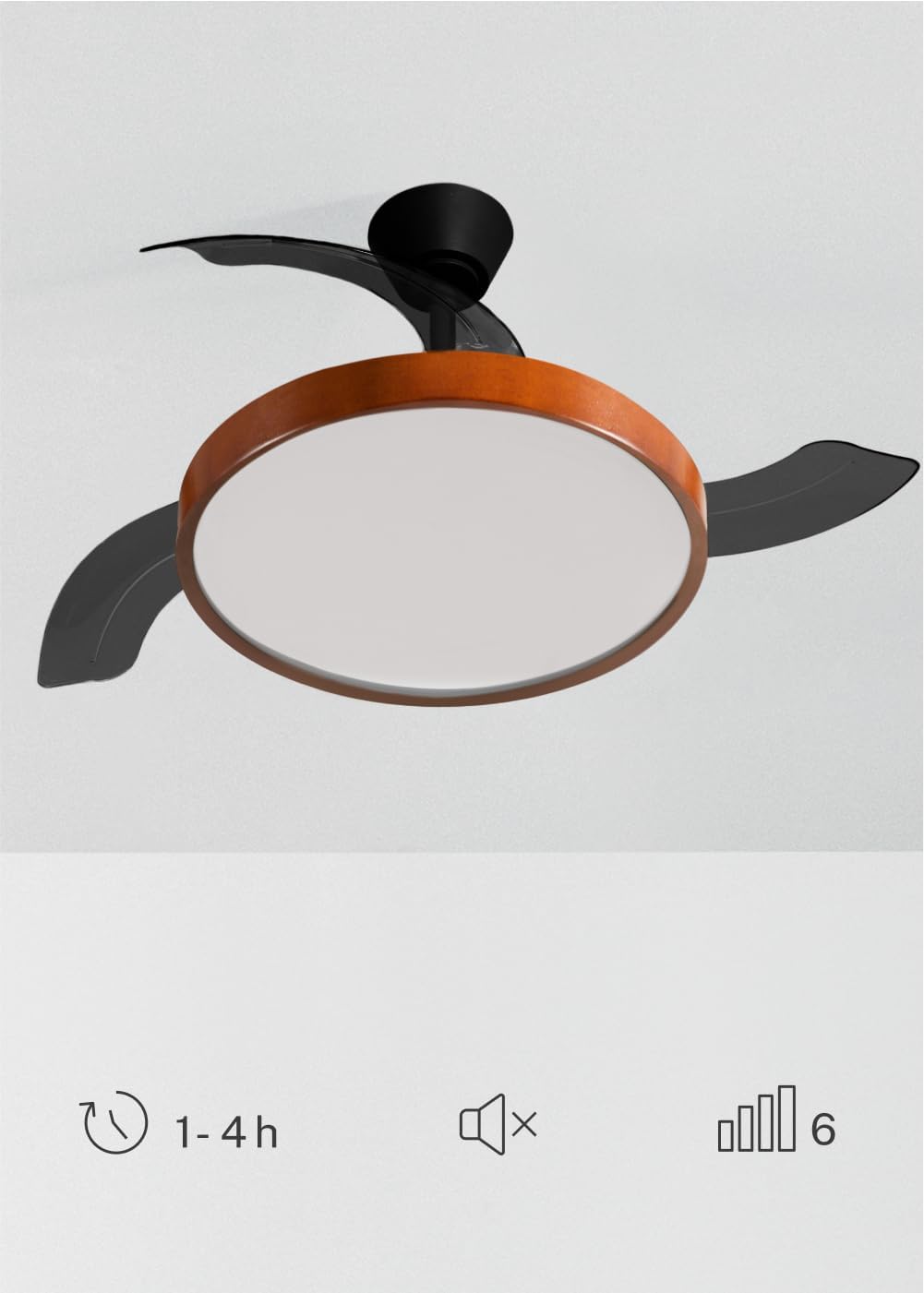
Figure 3: Fan features including timer, silent operation, and 6 speeds.
5.2 การควบคุมผ่านแอป WiFi
For advanced control and smart home integration, download the 'Create' app (or compatible smart home app like Tuya Smart) on your mobile device. Follow the in-app instructions to pair your fan. This allows control from your smartphone, including scheduling and remote access.
5.3 Summer/Winter Function
พัดลมรุ่นนี้มีมอเตอร์ที่หมุนได้สองทิศทาง เพื่อความสบายตลอดทั้งปี:
- โหมดฤดูร้อน: ใบพัดหมุนทวนเข็มนาฬิกา ผลักอากาศเย็นลงด้านล่าง ทำให้เกิดลมเย็นสดชื่น
- โหมดฤดูหนาว: Blades rotate clockwise, drawing cool air up and redistributing warm air trapped near the ceiling, helping to warm the room more efficiently.

Figure 4: Summer and Winter mode airflow diagrams.
5.4 การตั้งค่าแสง
The integrated LED light offers three distinct color temperatures to suit your preference and environment:
- 2700K: Warm White, ideal for a cozy and relaxing atmosphere.
- 3300K: Neutral White, suitable for general illumination.
- 4000K: Cool White, best for tasks requiring bright, focused light.
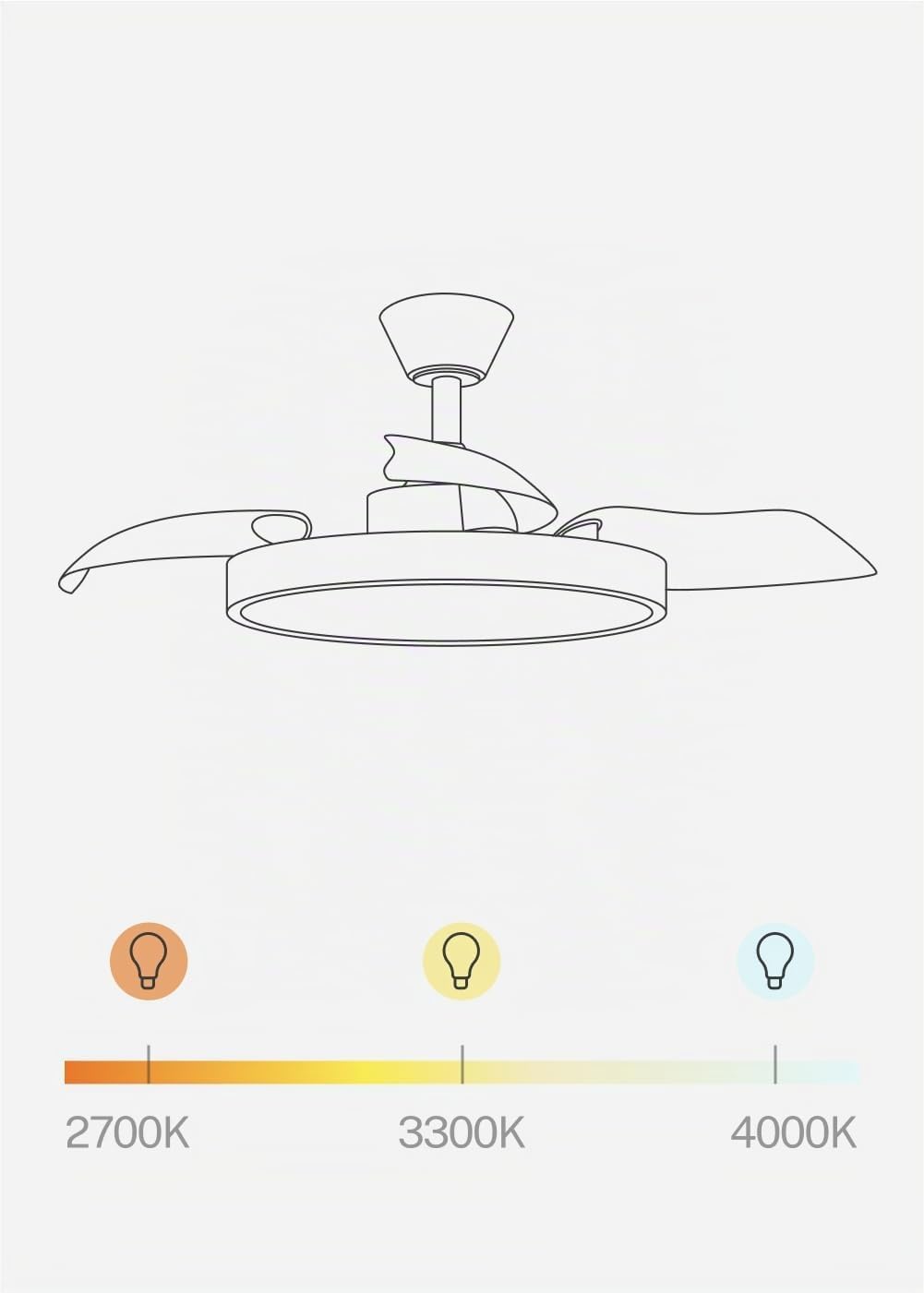
Figure 5: Adjustable light color temperatures.
6. การบำรุงรักษา
การบำรุงรักษาตามปกติจะช่วยให้พัดลมเพดานของคุณมีประสิทธิภาพสูงสุดและมีอายุการใช้งานยาวนาน
- การทำความสะอาด: ควรใช้แปรงขนนุ่มปัดฝุ่นใบพัดและตัวมอเตอร์เป็นระยะamp ใช้ผ้าเช็ดทำความสะอาด ห้ามใช้สารทำความสะอาดที่มีฤทธิ์กัดกร่อนหรือตัวทำละลาย ตรวจสอบให้แน่ใจว่าพัดลมปิดอยู่และถอดปลั๊กไฟออกก่อนทำความสะอาด
- การตรวจสอบใบมีด: Check the retractable blades for any signs of damage or imbalance.
- ขันสกรูให้แน่น: Periodically check and tighten all screws and fasteners on the mounting bracket and fan assembly.
7 การแก้ไขปัญหา
| ปัญหา | สาเหตุที่เป็นไปได้ | สารละลาย |
|---|---|---|
| พัดลมไม่เริ่มทำงาน | No power; Loose wiring; Remote battery dead | ตรวจสอบเบรกเกอร์วงจร ตรวจสอบการเชื่อมต่อสายไฟ เปลี่ยนแบตเตอรี่รีโมท |
| ไฟไม่ทำงาน | No power; Loose wiring; LED module fault | Check power; Verify wiring; Contact support if LED module is faulty. |
| พัดลมสั่น | Loose mounting; Unbalanced blades | Ensure mounting bracket is secure; Check all blade screws; Use a balancing kit if necessary. |
| รีโมทไม่ตอบสนอง | แบตเตอรี่หมด; รีโมทไม่ได้เชื่อมต่อ | Replace batteries; Refer to pairing instructions in the Assembly Guide. |
| ปัญหาการเชื่อมต่อ WiFi | Incorrect network; App issues; Router distance | Ensure 2.4GHz WiFi; Re-pair with app; Move router closer or use extender. |
หากคุณพบปัญหาที่ไม่ได้ระบุไว้ในที่นี้ หรือหากวิธีแก้ไขที่กล่าวมาแล้วไม่สามารถแก้ปัญหาได้ โปรดติดต่อฝ่ายบริการลูกค้า
8. ข้อมูลจำเพาะ

Figure 6: Recommended room size for fan operation.
| คุณสมบัติ | รายละเอียด |
|---|---|
| ยี่ห้อ | สร้าง |
| ชื่อรุ่น | WIND CLEAR STUDIO M |
| หมายเลขรุ่น | 194916_500603 |
| สี | Black and Dark Wood |
| วัสดุ | Plastic, Wood (Lampร่มเงา) |
| ขนาด | Ø108ซม. |
| วัดtage | 40 วัตต์ |
| เล่มที่tage | 240 โวลต์ |
| ประเภทหลอดไฟ | นำ |
| อุณหภูมิสีแสง | 2700K, 3300K, 4000K |
| วิธีการควบคุม | Remote Control, Application (WiFi) |
| โปรโตคอลการเชื่อมต่อ | ไวไฟ |
| คุณสมบัติ | 6 Speeds, Retractable Blades, Summer/Winter Function, Programmable Timer (1-4h) |
| ประเภทการติดตั้ง | การติดตั้งบนเพดาน |
| การใช้งานในร่ม/กลางแจ้ง | ในร่ม |
| จำเป็นต้องประกอบ | ใช่ |
| ประเทศต้นกำเนิด | สเปน |
9. การรับประกันและการสนับสนุน
Your CREATE WIND CLEAR STUDIO M ceiling fan is covered by a manufacturer's warranty. Please refer to the warranty card included in your package for specific terms and conditions.
For technical assistance, troubleshooting, or warranty claims, please contact CREATE customer support through their official webไซต์หรือข้อมูลการติดต่อที่ระบุไว้ในเอกสารผลิตภัณฑ์ของคุณ
Please have your model number (194916_500603) and purchase date ready when contacting support.