
Sense Robot RC3G-I
คู่มือการใช้งานหุ่นยนต์หมากรุก AI Sense Robot RC3G-I
Model: RC3G-I
การแนะนำ
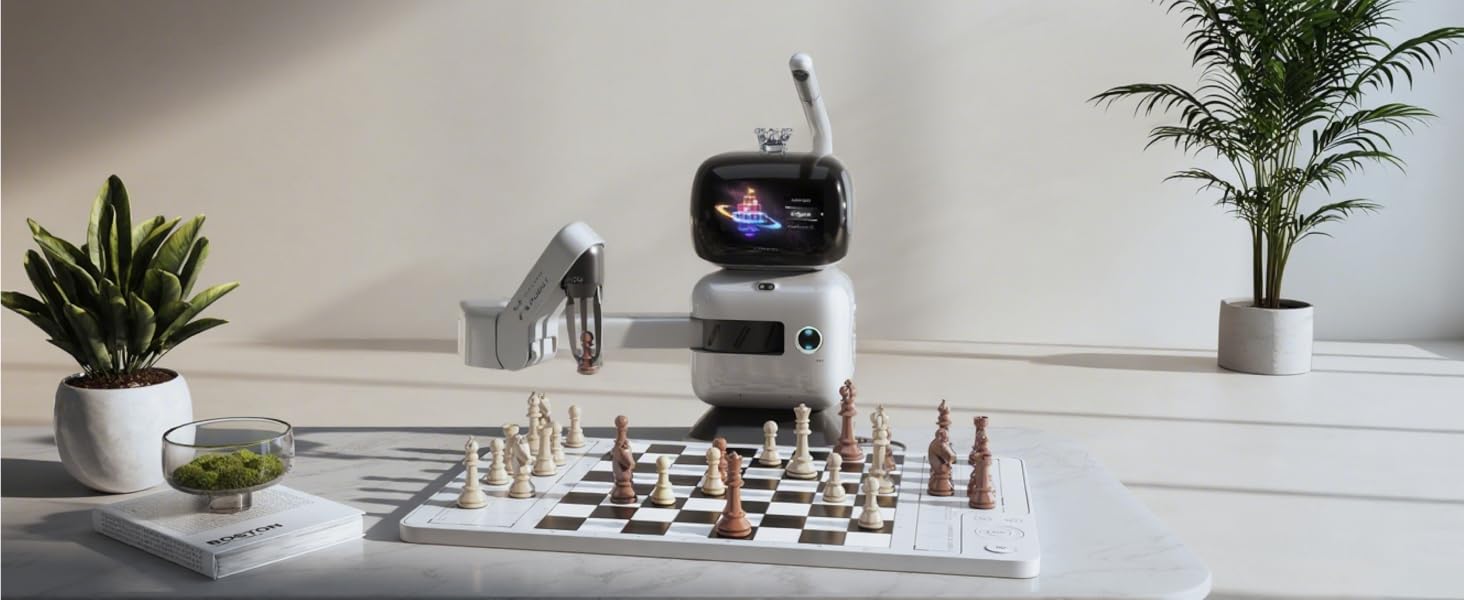
Welcome to the Sense Robot AI Chess Robot experience. This device combines a physical chessboard with advanced artificial intelligence and a robotic arm to provide an interactive and engaging chess playing and learning platform. This manual provides essential information for setting up, operating, maintaining, and troubleshooting your Sense Robot.

Image: The Sense Robot AI Chess Robot in action, demonstrating its robotic arm moving a chess piece on the board.
ข้อมูลด้านความปลอดภัย
โปรดอ่านและปฏิบัติตามคำแนะนำด้านความปลอดภัยต่อไปนี้ เพื่อให้มั่นใจถึงการใช้งานอย่างปลอดภัยและป้องกันความเสียหายต่ออุปกรณ์หรือการบาดเจ็บ
- ข้อจำกัดอายุ: Not suitable for children under 5 years old. Contains small parts which may pose a choking hazard.
- การดูแลผู้ใหญ่: ควรใช้งานภายใต้การดูแลของผู้ใหญ่เสมอ
- ถอดชิ้นส่วน: Do not attempt to disassemble the robot or insert foreign objects into any part of the device.
- สภาพแวดล้อม : Keep magnets and electrical components away from water and sources of extreme heat.
- สภาพแวดล้อมการใช้งาน: สำหรับใช้ภายในอาคารเท่านั้น
มีอะไรอยู่ในกล่อง
ตรวจสอบว่ามีส่วนประกอบทั้งหมดอยู่ครบเมื่อแกะกล่อง:
- SenseRobot Chess Unit (Main Robotic Arm and Display)
- กระดานหมากรุก
- 34 Chess Pieces (Standard set plus 2 extra queens)
- อะแดปเตอร์แปลงไฟ
- Board Tray
คำแนะนำการตั้งค่า
- การแกะกล่องและการวางตำแหน่ง: Carefully remove all components from the packaging. Place the chess board on a stable, flat surface. Position the SenseRobot unit next to the board, ensuring the robotic arm has clear access to all squares.

Image: Product dimensions and layout for optimal setup.
- การเชื่อมต่อไฟฟ้า: Connect the provided power adapter to the SenseRobot unit and plug it into a standard electrical outlet. The unit will power on automatically.
- Chess Piece Arrangement: Arrange the 32 standard chess pieces in their starting positions on the board. The SenseRobot uses vision technology to recognize piece positions.
- การติดตั้งและการเชื่อมต่อแอป:
- Download the official Sense Robot companion app from your device's app store.
- เปิดแอปและทำตามคำแนะนำบนหน้าจอเพื่อสร้างบัญชีหรือเข้าสู่ระบบ
- The app will guide you through connecting your Sense Robot to your Wi-Fi network. This typically involves scanning a QR code displayed on the robot's screen or manually entering network details.
- Ensure a stable Wi-Fi connection for full functionality, including online play and software updates.
- การสอบเทียบเบื้องต้น: The robot may perform an initial calibration sequence upon first power-on or after setup. Allow the robotic arm to move freely during this process.
คำแนะนำการใช้งาน
Playing Chess
The Sense Robot offers various modes for playing chess.
- AI Opponent:
Select from 25 AI difficulty levels, ranging from ELO 200 to 2900, to match your skill. The robot's display will show the current game state and AI's moves. For an advanced challenge, try the Apex Duel mode (ELO 3200).

Image: The Sense Robot's display interface, highlighting its 25 AI levels and adaptive training capabilities.

Image: A player engaged in an Apex Duel against the Sense Robot, challenging its ELO 3200 AI.
- Online Play (Lichess Integration):
Connect to Lichess.org via the companion app to play against other human players online using your physical board. The robot will execute your opponent's moves on the board.

Image: Online chess play with the Sense Robot, displaying virtual opponent profiles and ELO ratings.
- Human vs. Human: Use the board for traditional human-to-human play. The robot can act as a referee or simply track the game.
คุณสมบัติการฝึกอบรม
Enhance your chess skills with the integrated training suite.
- แบบฝึกหัดเชิงโต้ตอบ: Access over 1,200 guided educational exercises designed to build strategic thinking and logic.
ภาพ: เหนือview of the training features, including 25 courses and over 1200 exercises.
- Endgame Trainer: Master over 145 puzzle-focused endgame positions.

Image: The Endgame Challenge feature, illustrating the 145 classic endings available for practice.
- Classic Game Replay: Review 100 curated master games with automatic playback and smart commentary.
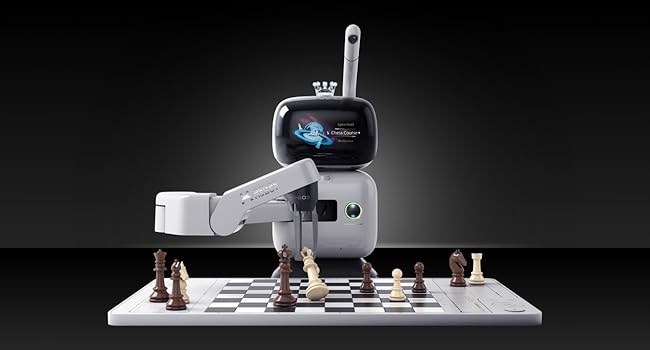
Image: The Classic Game Review interface within the Sense Robot app, showing board positions and strategic commentary.
- Voice Coaching: Receive voice guidance with up to three hints or undos per game to assist learning.
- Custom Setup Mode: Recreate any chess scenario to practice specific positions or challenges.

Image: The Custom Setup Mode graphic, indicating the ability to configure specific chess scenarios.
Companion App Features
The companion app provides extended functionality and management tools.
- มัลติโปรfile การจัดการ: สร้างและจัดการผู้ใช้หลายรายfiles.
- การซิงค์ข้อมูลบนคลาวด์: Synchronize game data and progress across devices.
- Move-by-move Analysis: Review games with heatmaps and detailed analysis.
- PGN Export: Export game records in PGN format for further analysis.
- Weekly Goals: Set and track personal chess improvement goals.
- การอัปเดต OTA: รับการอัปเดตซอฟต์แวร์แบบไร้สายเพื่อรับฟีเจอร์ใหม่และการปรับปรุงต่างๆ
การซ่อมบำรุง
Proper care ensures the longevity and optimal performance of your Sense Robot.
- การทำความสะอาด: Use a soft, dry cloth to wipe down the robot unit, chess board, and pieces. Avoid abrasive cleaners or solvents.
- พื้นที่จัดเก็บ: When not in use, store the Sense Robot and its components in a clean, dry environment, away from direct sunlight and extreme temperatures.
- Robotic Arm Care: Do not obstruct the robotic arm's movement or apply force to it. Ensure no foreign objects are on the board that could interfere with its operation.
- การอัปเดตซอฟต์แวร์: Regularly check for and install software updates via the companion app to ensure the best performance and access to new features.
การแก้ไขปัญหา
หากพบปัญหา โปรดดูขั้นตอนการแก้ไขปัญหาทั่วไปต่อไปนี้
- หุ่นยนต์ไม่เปิดใช้งาน:
- Ensure the power adapter is securely connected to both the robot and a working electrical outlet.
- Robotic arm not moving or moving incorrectly:
- Check for any obstructions on the board or around the robotic arm's path.
- Verify that chess pieces are correctly placed in their starting positions.
- Restart the robot and the companion app.
- Ensure the robot's software is up to date.
- Connectivity issues (Wi-Fi or App):
- Confirm your Wi-Fi network is active and the signal is strong.
- รีสตาร์ทเราเตอร์ Wi-Fi ของคุณ
- Ensure the companion app is the latest version.
- Attempt to reconnect the robot to the Wi-Fi network through the app's settings.
- Incorrect piece recognition:
- Ensure the chess pieces are clean and free from debris.
- Verify that pieces are placed accurately within the center of each square.
- Check for adequate lighting conditions around the board.
ข้อมูลจำเพาะ
| คุณสมบัติ | รายละเอียด |
|---|---|
| ขนาดสินค้า | 20 x 18.5 x 0.1 นิ้ว |
| น้ำหนักสินค้า | 8.76 ปอนด์ |
| หมายเลขรุ่น | RC3G-I |
| อายุที่แนะนำโดยผู้ผลิต | 5 ปีขึ้นไป |
| AI Levels | 25 (ELO 200-2900), Apex Duel (ELO 3200) |
| แบบฝึกหัดฝึกซ้อม | มากกว่า 1,200 |
| Endgame Challenges | มากกว่า 145 |
| Classic Game Replays | 100 |
| การเชื่อมต่อ | Wi-Fi, Lichess.org integration |
| ภาษา | English (multi-lingual app support) |
| ผู้ผลิต | Sense Robot |
การรับประกันและการสนับสนุน
For warranty information, technical support, or service inquiries, please refer to the official Sense Robot webหรือติดต่อฝ่ายบริการลูกค้าโดยตรง โปรดเก็บหลักฐานการซื้อไว้เพื่อใช้ในการเคลมประกัน
แหล่งข้อมูลออนไลน์: เยี่ยมชม Sense Robot Store on Amazon สำหรับข้อมูลผลิตภัณฑ์เพิ่มเติมและลิงก์สนับสนุน
Ask a question about this manual
Ask about setup, troubleshooting, compatibility, parts, safety, or missing instructions. Manuals+ will review the question and use this page’s manual context to help answer it.