
DOOGEE Tab A9+
คู่มือผู้ใช้แท็บเล็ต DOOGEE Tab A9 Pro+ Android ขนาด 15 นิ้ว
Model: Tab A9+
1. บทนำ
This manual provides detailed instructions for the safe and efficient use of your DOOGEE Tab A9 Pro+ Android 15 Tablet. Please read this manual thoroughly before operating the device to ensure optimal performance and longevity. The DOOGEE Tab A9 Pro+ is designed for versatile use, offering powerful performance for work, study, and entertainment.
2. เนื้อหาบรรจุภัณฑ์
ตรวจสอบว่ารายการทั้งหมดที่ระบุไว้ด้านล่างมีอยู่ในบรรจุภัณฑ์ผลิตภัณฑ์ของคุณ:
- 1x DOOGEE Tab A9 Pro+ Tablet
- สาย USB Type-C 1x
- เครื่องชาร์จ 1x
- 1x กล่องบรรจุภัณฑ์
- 1x คู่มือผู้ใช้
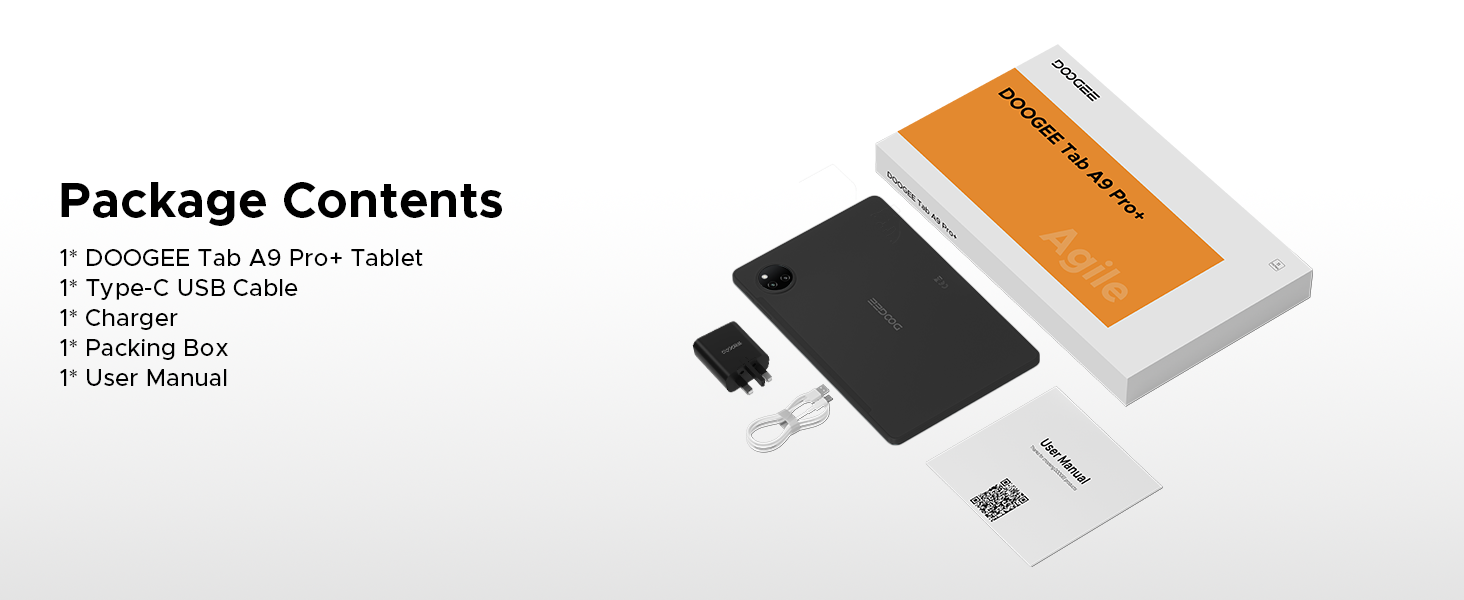
Figure 2.1: Contents of the DOOGEE Tab A9 Pro+ package.
3. สินค้าหมดview และคุณสมบัติ
The DOOGEE Tab A9 Pro+ is equipped with advanced features for a superior user experience.
3.1 การแสดงผล
The tablet features an 11-inch HD IPS display with a 90Hz refresh rate, providing a wide field of view and smooth visuals. It supports Widevine L1 for high-definition streaming content, ensuring a clear and vibrant viewการสร้างประสบการณ์

Figure 3.1: The 11-inch 90Hz HD IPS display of the DOOGEE Tab A9 Pro+.
3.2 ประสิทธิภาพและการจัดเก็บ
Powered by an Octa-Core Unisoc T7200 processor, the tablet offers efficient performance. It comes with 6GB of physical RAM, expandable up to 30GB with virtual RAM, and 128GB of internal storage, expandable up to 2TB via a TF card (sold separately).

รูปที่ 3.2: เกินview of RAM and ROM capabilities.

Figure 3.3: The Unisoc T7200 Octa-Core Processor.
3.3 อายุการใช้งานแบตเตอรี่
The 8580mAh battery provides extended usage times, including up to 24 days standby, 36 hours of music playback, 6.5 hours of video watching, and 7 hours of web browsing. It supports 10W fast charging and 5W reverse charging.

รูปที่ 3.4: ความจุแบตเตอรี่และเวลาใช้งานโดยประมาณ
ระบบปฏิบัติการ 3.4
The tablet runs on Android 15, offering an intelligent, seamless, and secure user experience with features like split-screen multitasking, advanced privacy controls, and low blue light mode.

Figure 3.5: The Android 15 operating system interface.
3.5 กล้องและระบบเสียง
Equipped with a 13MP main camera and a 5MP front camera for capturing photos and video calls. Dual speakers provide clear audio, and a standard 3.5mm audio jack is included for private listening.

Figure 3.6: Camera specifications and sampไฟล์ภาพ
Figure 3.7: High-Quality Dual Speakers for immersive audio.
4. คู่มือการติดตั้ง
4.1 การชาร์จเริ่มต้น
Before first use, fully charge your tablet using the provided Type-C USB cable and charger. Connect the USB cable to the tablet's charging port and the charger to a power outlet. The charging indicator will show the charging status.
4.2 การเปิด/ปิดเครื่อง
- การเปิดเครื่อง: Press and hold the Power button until the DOOGEE logo appears on the screen.
- วิธีปิดเครื่อง: กดปุ่มเปิด/ปิดค้างไว้จนกว่าเมนูตัวเลือกพลังงานจะปรากฏขึ้น จากนั้นเลือก "ปิดเครื่อง"
- ในการรีสตาร์ท: กดปุ่มเปิด/ปิดค้างไว้จนกว่าเมนูตัวเลือกพลังงานจะปรากฏขึ้น จากนั้นเลือก "รีสตาร์ท"
4.3 ตัวช่วยการตั้งค่าเริ่มต้น
เมื่อเปิดเครื่องครั้งแรก แท็บเล็ตจะแนะนำคุณผ่านตัวช่วยการตั้งค่าเบื้องต้น ทำตามคำแนะนำบนหน้าจอเพื่อ:
- เลือกภาษาของคุณ
- เชื่อมต่อกับเครือข่าย Wi-Fi
- ลงชื่อเข้าใช้ด้วยบัญชี Google ของคุณหรือสร้างบัญชีใหม่
- ตั้งค่าการล็อกหน้าจอ (รหัส PIN, รูปแบบ, รหัสผ่าน หรือ Face ID)
- Review และยอมรับข้อกำหนดและเงื่อนไข
5. คู่มือการใช้งาน
5.1 การนำทางและท่าทาง
The Android 15 operating system uses intuitive gestures for navigation:
- บ้าน: ปัดขึ้นจากด้านล่างของหน้าจอ
- กลับ: ปัดจากขอบซ้ายหรือขวาของหน้าจอ
- แอปล่าสุด: ปัดขึ้นจากด้านล่างแล้วกดค้างไว้
- การแจ้งเตือน/การตั้งค่าด่วน: ปัดลงจากด้านบนของหน้าจอ
5.2 การจัดการแอปพลิเคชัน
- ติดตั้งแอพ: ดาวน์โหลดแอปพลิเคชันจาก Google Play Store
- ถอนการติดตั้งแอป: Press and hold an app icon, then drag it to "Uninstall" or go to Settings > Apps.
- การทำงานหลายอย่างพร้อมกันแบบแบ่งหน้าจอ: Access recent apps, tap the app icon at the top of the window, and select "Split screen". This allows two apps to run simultaneously.
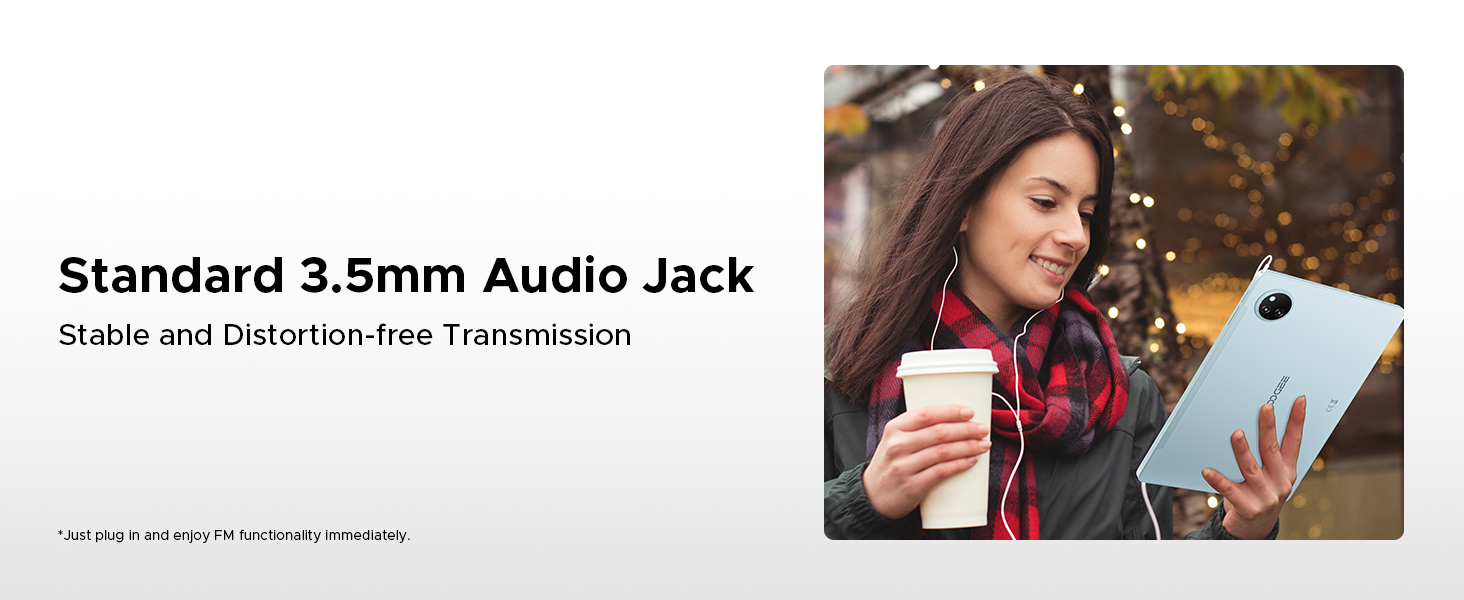
Figure 5.1: Efficient Split-Screen Multitasking.
5.3 คุณสมบัติด้านความปลอดภัย
- การระบุใบหน้า: Set up facial recognition for quick and secure unlocking via Settings > Security > Face Unlock.
- การควบคุมความเป็นส่วนตัว: Android 15 offers enhanced privacy settings. Manage app permissions and data access in Settings > Privacy.
Figure 5.2: Fortified Privacy Shield features.
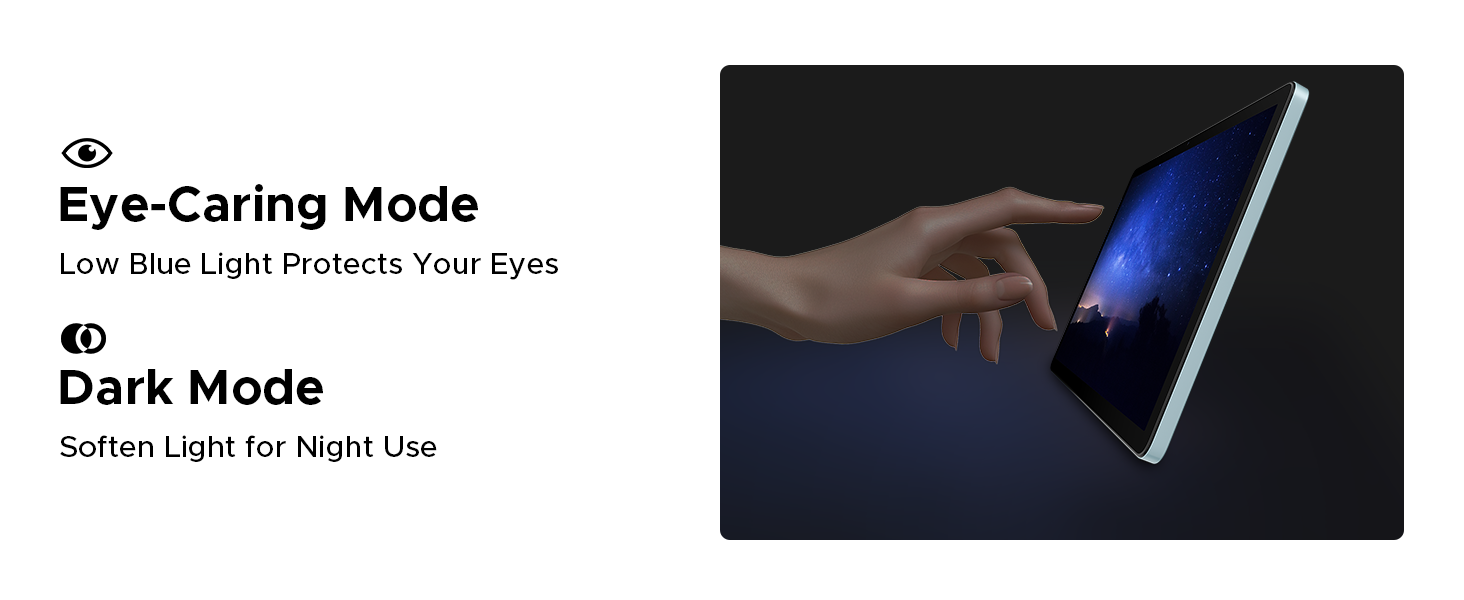
Figure 5.3: Facial Recognition Unlock.
5.4 Eye Comfort Modes
The tablet includes features to reduce eye strain:
- โหมดแสงสีน้ำเงินต่ำ: Reduces blue light emission for comfortable reading, especially in low light. Activate this in Display Settings.
- โหมดมืด: Softens screen light for night use, reducing glare.
- โหมดป้องกันการกระพริบ: ช่วยเพิ่มความสบายตาด้วยการลดการกระพริบของหน้าจอ
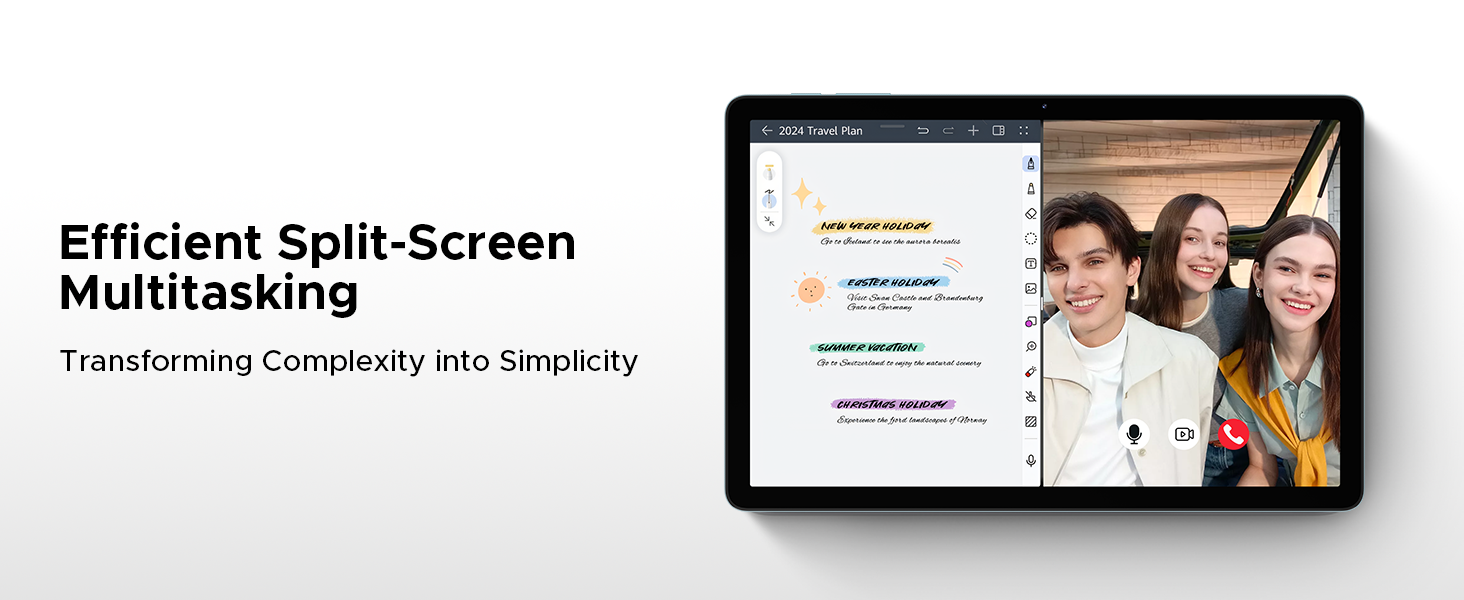
Figure 5.4: Anti-Flicker Mode comparison.
Figure 5.5: Eye-Caring Mode and Dark Mode.
6. การบำรุงรักษา
6.1 การทำความสะอาดแท็บเล็ตของคุณ
ในการทำความสะอาดแท็บเล็ต ให้ใช้ผ้านุ่มที่ไม่เป็นขุย สำหรับคราบฝังแน่น ให้เช็ดเบาๆampชุบผ้าด้วยน้ำหรือน้ำยาทำความสะอาดหน้าจอที่ออกแบบมาสำหรับอุปกรณ์อิเล็กทรอนิกส์ หลีกเลี่ยงการใช้สารเคมีรุนแรง วัสดุที่มีฤทธิ์กัดกร่อน หรือความชื้นมากเกินไป
6.2 การอัปเดตซอฟต์แวร์
Regularly check for and install software updates to ensure your tablet has the latest features, security patches, and performance improvements. Go to Settings > System > System update to check for updates.
6.3 การดูแลแบตเตอรี่
เพื่อยืดอายุแบตเตอรี่:
- หลีกเลี่ยงอุณหภูมิที่สูงหรือต่ำเกินไป
- อย่าปล่อยให้แบตเตอรี่หมดจนหมดบ่อยๆ
- ใช้ที่ชาร์จและสายชาร์จเดิม
- If storing the tablet for a long period, charge it to about 50% before turning it off.
7 การแก้ไขปัญหา
This section addresses common issues you might encounter with your DOOGEE Tab A9 Pro+.
| ปัญหา | สาเหตุที่เป็นไปได้ / วิธีแก้ไข |
|---|---|
| แท็บเล็ตไม่เปิด | Battery might be depleted. Connect the charger and wait a few minutes before attempting to power on. If still unresponsive, try holding the power button for 10-15 seconds for a forced restart. |
| ประสิทธิภาพการทำงานช้าหรือแอพพลิเคชั่นขัดข้อง | Too many apps running in the background. Close unused apps. Clear cache for problematic apps (Settings > Apps > [App Name] > Storage > Clear cache). Consider a factory reset if issues persist (backup data first). |
| ปัญหาการเชื่อมต่อ Wi-Fi | Ensure Wi-Fi is enabled. Restart your router and the tablet. Forget the network and reconnect. Check if other devices can connect to the same Wi-Fi. |
| แบตเตอรี่หมดเร็วมาก | High screen brightness, many background apps, or heavy usage. Reduce screen brightness, close unused apps, disable unnecessary notifications, and limit background data usage. |
| หน้าจอไม่ตอบสนอง | Perform a forced restart by holding the power button for 10-15 seconds. Ensure the screen is clean and dry. |
8. ข้อมูลจำเพาะ
Detailed technical specifications for the DOOGEE Tab A9 Pro+ tablet:
| คุณสมบัติ | รายละเอียด |
|---|---|
| ยี่ห้อ | ดูจี้ |
| หมายเลขรุ่น | Tab A9+ |
| ระบบปฏิบัติการ | แอนดรอยด์ 15 |
| ขนาดจอแสดงผล | 11 นิ้ว (ขนาดหน้าจอตั้งพื้น 10.92 นิ้ว) |
| ประเภทจอภาพ | IPS HD, 90Hz Refresh Rate |
| ปณิธาน | 1280*800 |
| โปรเซสเซอร์ | Unisoc T7200 Octa-Core, 1.6GHz |
| แรม | หน่วยความจำ 6GB (สามารถขยายได้ถึง 30GB ด้วยหน่วยความจำเสมือน) |
| การจัดเก็บข้อมูลภายใน | 128GB |
| พื้นที่เก็บข้อมูลแบบขยายได้ | Up to 2TB (TF card not included) |
| ความจุของแบตเตอรี่ | 8580mAh ลิเธียมโพลิเมอร์ |
| การชาร์จไฟ | ชาร์จเร็ว 10 วัตต์, ชาร์จย้อนกลับ 5 วัตต์ |
| กล้องหลัก | 13MP |
| กล้องหน้า | 5MP |
| เสียง | Dual Speakers, 3.5mm Audio Jack |
| การเชื่อมต่อ | 5G WiFi (2.4G/5G), Bluetooth |
| ความปลอดภัย | การระบุใบหน้า |
| ขนาด | 24.53 x 16.33 x 0.99 ซม. |
| น้ำหนัก | 644 กรัม |
| สี | Gray (as per current product variant) |
9. การรับประกันและการสนับสนุน
DOOGEE provides a 2-year after-sales service for the Tab A9 Pro+ tablet, ensuring peace of mind. For technical support, warranty claims, or further assistance, please refer to the contact information provided on the official DOOGEE webเว็บไซต์หรือเอกสารการซื้อของคุณ
For more information, visit the official DOOGEE store: DOOGEE Store on Amazon UK
Ask a question about this manual
Ask about setup, troubleshooting, compatibility, parts, safety, or missing instructions. Manuals+ will review the question and use this page’s manual context to help answer it.