
การแนะนำ
This manual provides essential information for the safe and efficient use of your Haier HW150-BP14986ES8 I-Pro Series 7 Plus washing machine. Please read these instructions carefully before installation and operation, and retain them for future reference.
The Haier HW150-BP14986ES8 is a front-load washing machine designed for high performance and efficiency. It features a 15 kg capacity, a BPM inverter motor, and a spin speed of up to 1400 RPM. Its optimized dimensions and energy efficiency class A contribute to reduced consumption and suitability for various spaces.
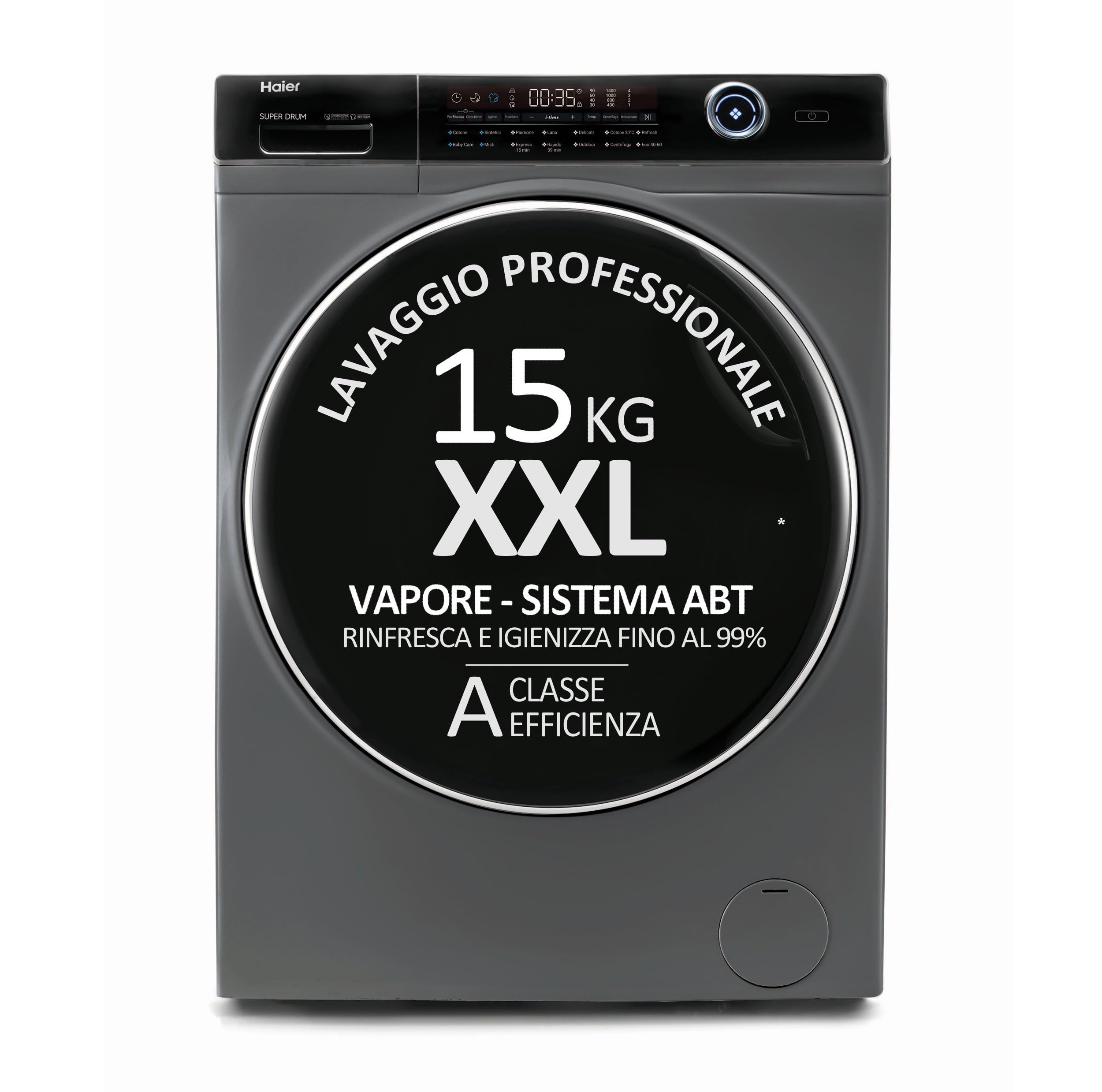
รูปที่ 1 : ด้านหน้า view of the Haier HW150-BP14986ES8 washing machine.
การติดตั้งและการตั้งค่า
การแกะกล่อง
Carefully remove all packaging materials. Ensure all transit bolts are removed from the rear of the machine before use. Failure to do so can cause significant damage during operation.
การจัดวาง
This washing machine is designed for freestanding installation. Place the machine on a firm, level surface. Adjust the leveling feet to ensure stability and prevent vibrations during operation.
- ขนาดสินค้า (ลึก x กว้าง x สูง): 63 x 70 x 98 เซนติเมตร
- Depth With Door Open Maximum: 110 เซนติเมตร

รูปที่ 2: ด้านข้าง view illustrating the dimensions of the washing machine.
การเชื่อมต่อ
Connect the water inlet hose to a cold water tap. Ensure the drain hose is properly installed into a standpipe or sink, preventing kinks or blockages. The minimum inlet pressure required is 0.3 Bars. Connect the power cord to a grounded electrical outlet.
ส่วนประกอบที่รวมอยู่
The following components are included with your washing machine:
- 1 x Washing Machine
- 1 x ท่อระบายน้ำ
- 1 x คู่มือผู้ใช้
การดำเนินการ
กำลังโหลดซักรีด
The washing machine features a large, illuminated XXL basket with a 15 kg capacity. Load clothes loosely into the drum, ensuring not to overfill. The illuminated basket provides better visibility during loading and unloading.
รูปที่ 3: View of the illuminated XXL drum for easy loading.
เครื่องจ่ายผงซักฟอก
Add detergent to the designated compartment in the dispenser drawer. Refer to your detergent packaging for recommended dosages based on load size and water hardness.
แผงควบคุมและการเลือกโปรแกรม
The washing machine is equipped with an intuitive electronic control panel. Turn the program selector to choose your desired wash cycle. Available cycles include Cotton and other standard programs. The display is illuminated for clear visibility.
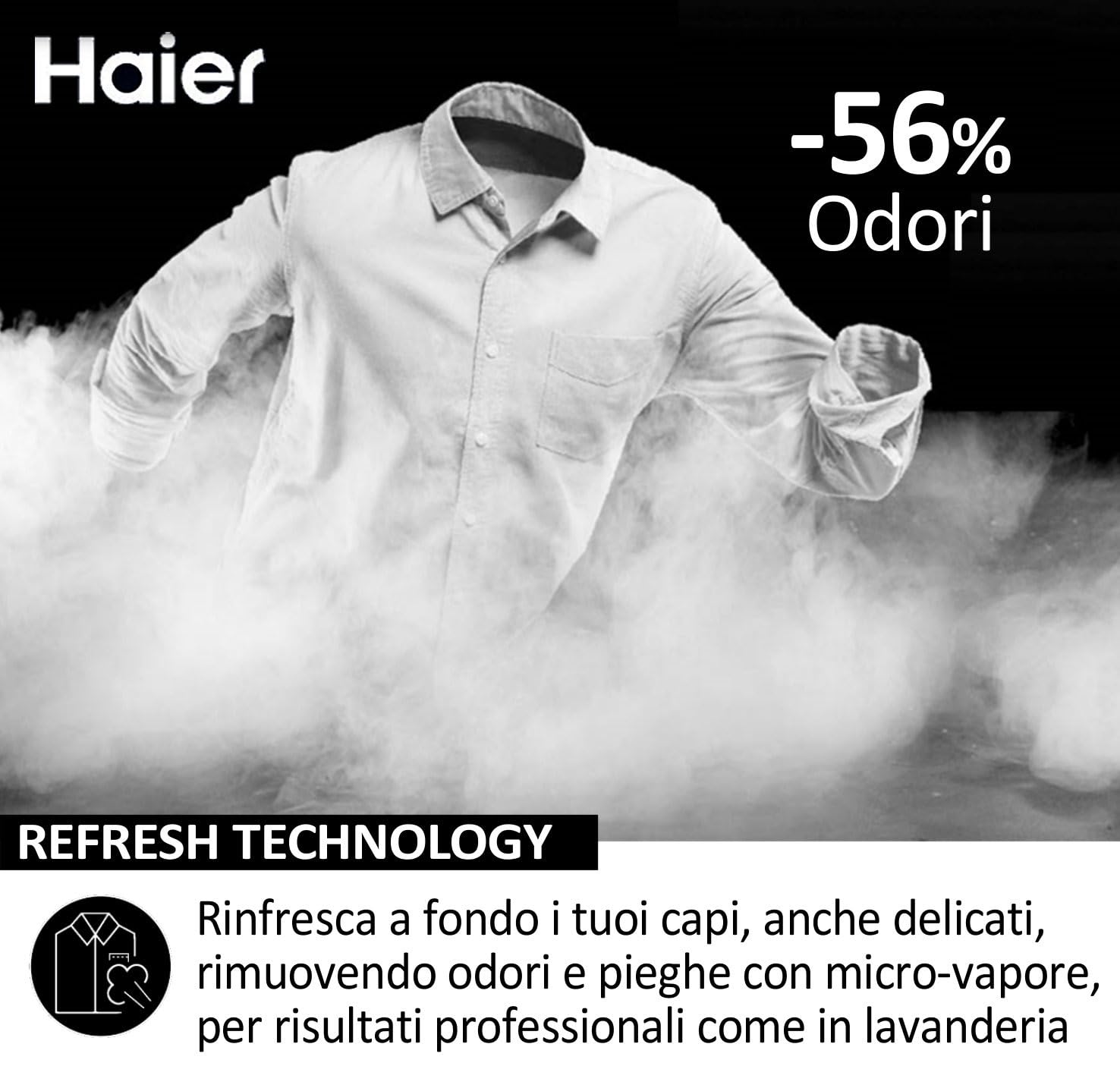
Figure 4: Close-up of the electronic control panel.
เริ่มรอบการซัก
After selecting the program and adding detergent, press the Start/Pause button to begin the wash cycle. The machine operates in a fully automatic mode.
คุณสมบัติหลัก
- BPM Inverter Motor: Highly efficient and quiet operation with a spin speed up to 1400 revolutions per minute.
- เทคโนโลยีใหม่ล่าสุด: Utilizes micro-steam to refresh garments, removing odors and creases.
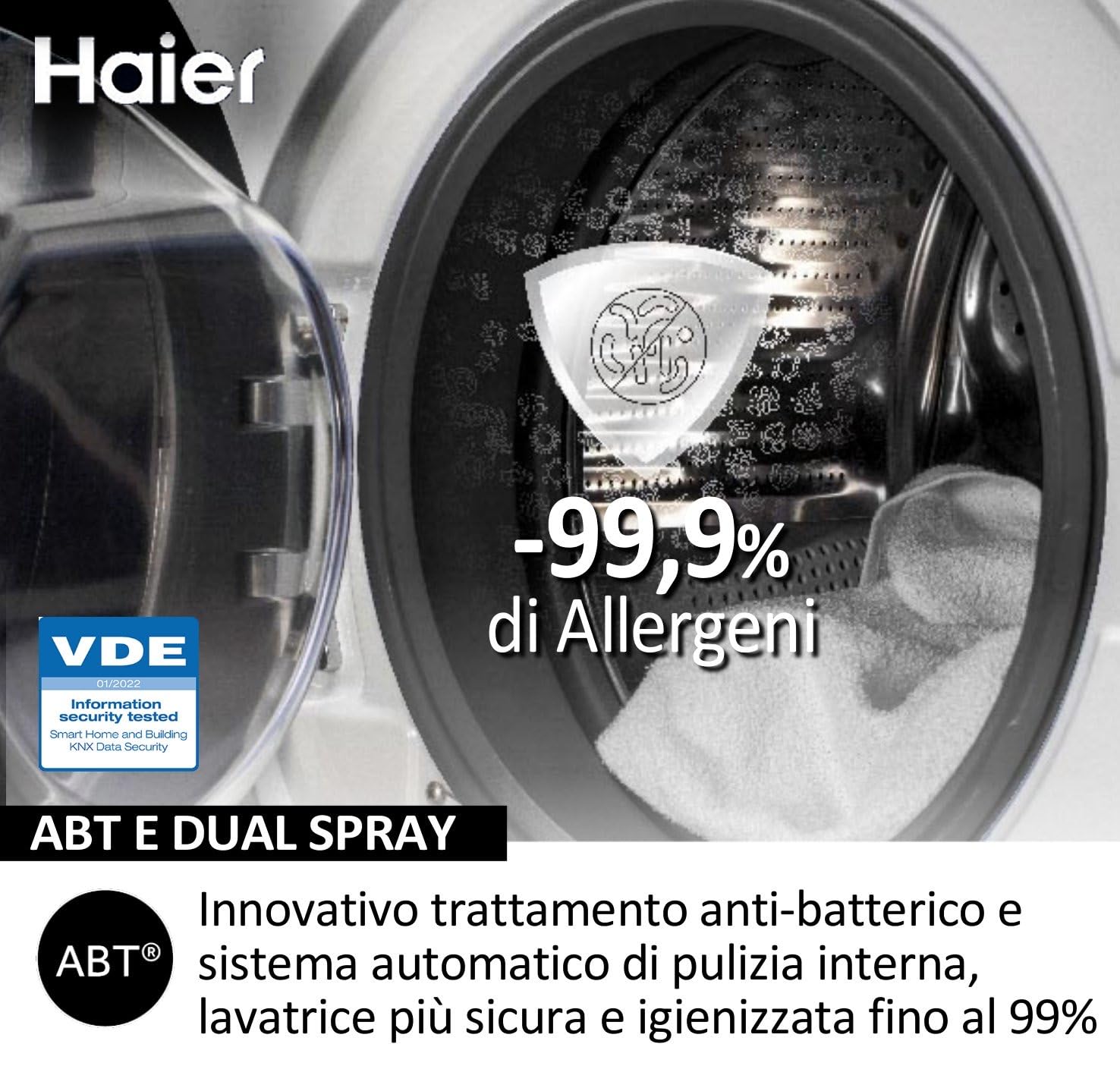
- ABT and Dual Spray: Innovative anti-bacterial treatment and automatic internal cleaning system for enhanced hygiene.
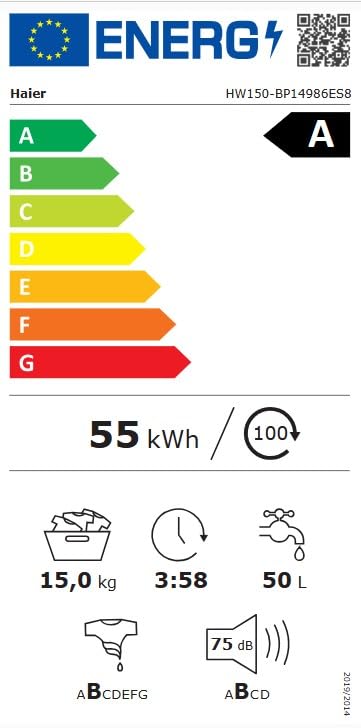
Figure 5: Illustration of ABT and Dual Spray technology for hygiene.
การซ่อมบำรุง
การทำความสะอาดช่องจ่ายผงซักฟอก
Regularly clean the detergent dispenser drawer to prevent residue buildup. Remove the drawer and rinse it under running water. Use a brush if necessary to remove stubborn deposits.
การทำความสะอาดถังซัก
The machine features an automatic internal cleaning system (ABT and Dual Spray) to maintain hygiene. Additionally, you can run a maintenance wash cycle with a washing machine cleaner or a small amount of detergent at a high temperature without laundry.
การทำความสะอาดตัวกรอง
Periodically check and clean the drain pump filter, usually located at the bottom front of the machine. This helps prevent blockages and ensures efficient drainage. Refer to the specific instructions in the full user manual for detailed steps on accessing and cleaning the filter.
การทำความสะอาดภายนอก
เช็ดภายนอกเครื่องซักผ้าด้วยผ้านุ่มๆamp ผ้า หลีกเลี่ยงการใช้น้ำยาทำความสะอาดที่มีฤทธิ์กัดกร่อนหรือตัวทำละลายที่อาจทำลายพื้นผิวได้
การแก้ไขปัญหา
ก่อนติดต่อฝ่ายบริการลูกค้า โปรดดูปัญหาทั่วไปและวิธีแก้ไขต่อไปนี้:
- เครื่องไม่เริ่มทำงาน:
- ตรวจสอบให้แน่ใจว่าเสียบสายไฟแน่นดีแล้ว
- ตรวจสอบว่าประตูปิดสนิทดีหรือไม่
- Verify that the water supply tap is open.
- Confirm a wash program has been selected and the Start/Pause button pressed.
- น้ำไม่ระบายออก:
- ตรวจสอบว่าท่อระบายน้ำบิดงอหรืออุดตันหรือไม่
- ทำความสะอาดตัวกรองปั๊มเดรน
- การสั่นสะเทือนหรือเสียงดังมากเกินไป:
- Ensure the machine is level and all four feet are firmly on the floor.
- Verify that all transit bolts have been removed.
- Check if the load is unbalanced; redistribute laundry in the drum.
- ผลการซักที่ไม่ดี:
- Ensure correct detergent dosage for load size and water hardness.
- อย่าบรรจุเครื่องมากเกินไป
- Select an appropriate wash program for the fabric type and soil level.
For issues not resolved by these steps, please contact Haier customer support.
ข้อมูลจำเพาะ
| คุณสมบัติ | รายละเอียด |
|---|---|
| ยี่ห้อ | ไฮเออร์ |
| ชื่อรุ่น | HW150-BP14986ES8 |
| ขนาดสินค้า (ลึก x กว้าง x สูง) | 63D x 70W x 98H เซนติเมตร |
| ความจุ | 15 กิโลกรัม |
| เข้าถึงตำแหน่ง | โหลดด้านหน้า |
| ความเร็วในการหมุนสูงสุด | 1400 รอบต่อนาที |
| โหมดการทำงาน | อัตโนมัติเต็มรูปแบบ |
| ประเภทการควบคุม | อิเล็กทรอนิกส์ |
| จำนวนรอบมาตรฐาน | 5 |
| ตัวเลือกวงจร | ฝ้าย |
| คุณสมบัติพิเศษ | 1400 revolutions, 15 kg capacity, XL illuminated basket, Class A energy, Inverter motor BPM |
| ระดับประสิทธิภาพการใช้พลังงาน | A |
| Airborne Acoustical Noise Emissions (Spinning Phase) | 75 เดซิเบล |
| Water Consumption per Cycle (Eco 40-60 program) | 50 ลิตร |
| แรงดันขั้นต่ำขาเข้า | 0.3 บาร์ |
| วัสดุของกลอง | สแตนเลส |
| สี | แอนทราไซต์ |
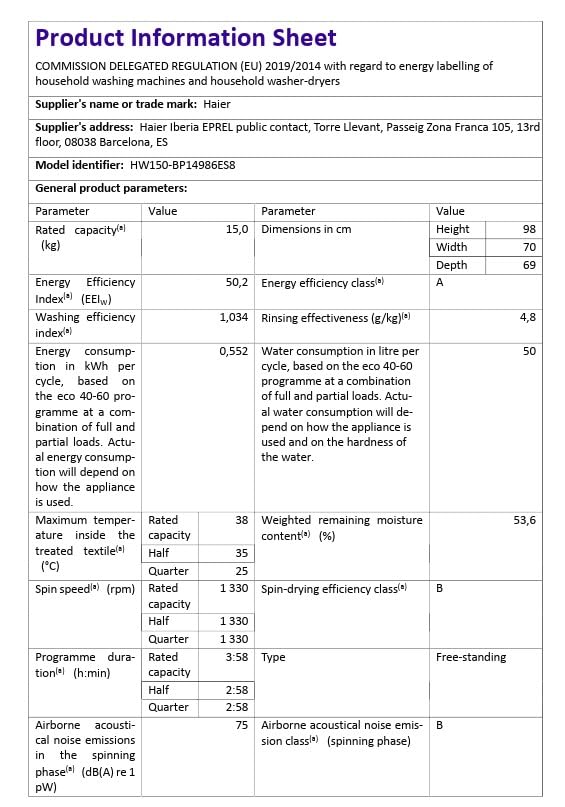
Figure 6: Energy label for the Haier HW150-BP14986ES8 washing machine.
การรับประกันและการสนับสนุน
ข้อมูลการรับประกัน
Haier provides a commitment to product longevity. Spare parts for this model are available for a duration of 10 years within the EU.
การสนับสนุนลูกค้า
For technical assistance, service requests, or inquiries regarding your Haier HW150-BP14986ES8 washing machine, please contact Haier customer support. Have your model number (HW150-BP14986ES8) and serial number ready when contacting support.
You can find contact details for your region on the official Haier webไซต์หรือในเอกสารที่มาพร้อมกับเครื่องใช้ของคุณ