
1. บทนำ
Thank you for choosing the eppfun Bluetooth 5.3 Wireless Monaural Headset, model LS-00 ONE. This headset is designed for clear communication and audio playback, featuring Bluetooth 5.3 connectivity and call noise reduction. This manual provides detailed instructions for setup, operation, maintenance, and troubleshooting to ensure optimal performance and user experience.
2. เนื้อหาบรรจุภัณฑ์
กรุณาตรวจสอบแพ็คเกจสำหรับรายการต่อไปนี้:
- eppfun Bluetooth 5.3 Wireless Monaural Headset (LS-00 ONE)
- สายชาร์จ USB
- คู่มือการใช้งาน
- Replacement Eartips (S, M, L sizes)
3. การตั้งค่า
3.1 การชาร์จชุดหูฟัง
Before first use, fully charge the headset. Connect the provided USB charging cable to the headset's charging port and a compatible USB power source. The LED indicator on the headset will show charging status. A full charge takes approximately 2 hours. Once fully charged, the headset provides about 8 hours of talk time and 10 hours of continuous music playback.
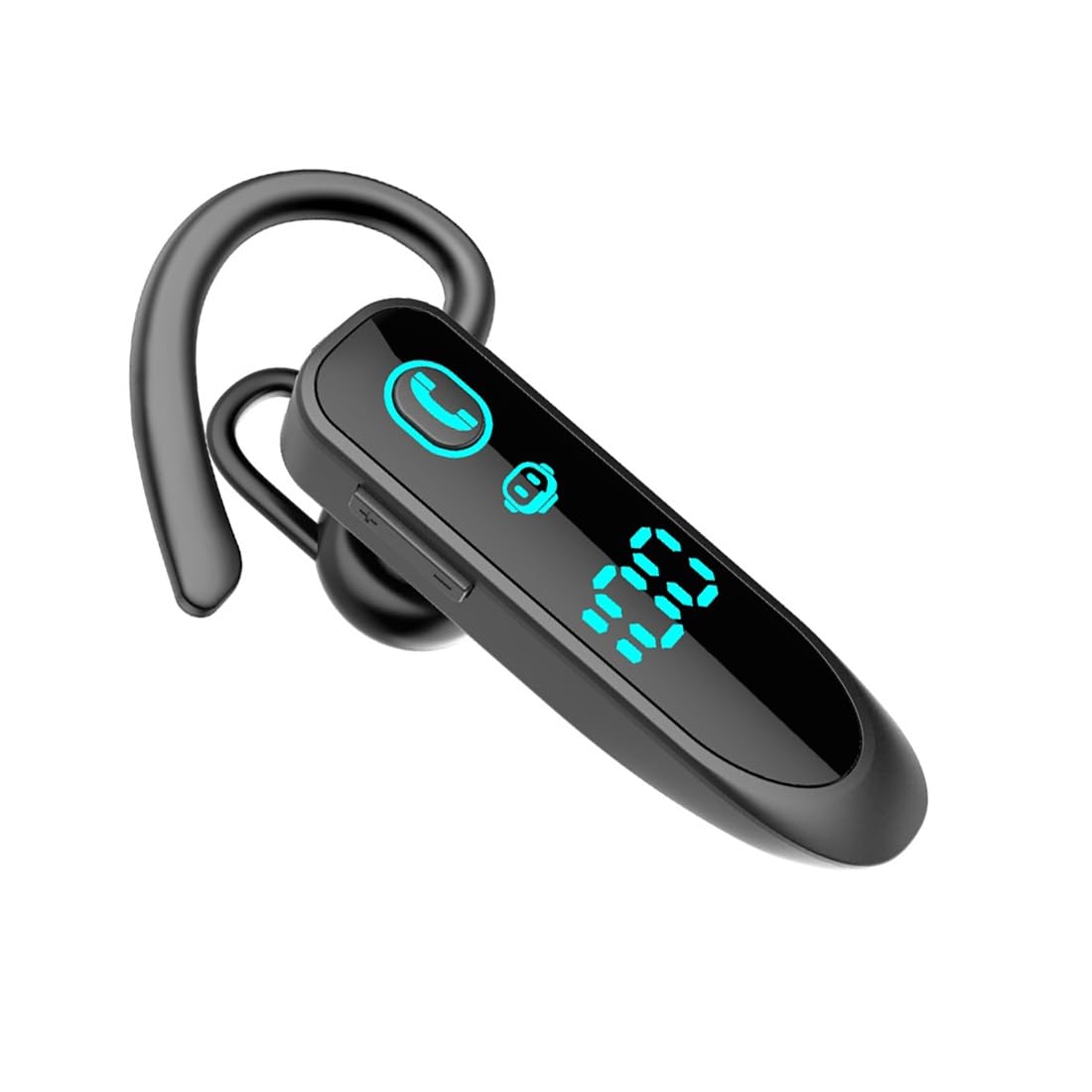
Image: The eppfun LS-00 ONE headset with its digital LED display indicating battery level.
3.2 การสวมชุดหูฟัง
The headset features an ergonomic design for comfortable wear on either the left or right ear. Select the appropriate eartip size (S, M, or L) for a secure and comfortable fit. The correct fit helps optimize audio quality and noise reduction.
3.3 การจับคู่กับอุปกรณ์บลูทูธ
- ตรวจสอบให้แน่ใจว่าชุดหูฟังได้รับการชาร์จและปิดเครื่องแล้ว
- Press and hold the Multi-function Button on the headset until the LED indicator flashes blue and red alternately, indicating pairing mode.
- บนอุปกรณ์ของคุณ (สมาร์ทโฟน แท็บเล็ต แล็ปท็อป) เปิดใช้งาน Bluetooth และค้นหาอุปกรณ์ที่มีอยู่
- Select "LS-00 ONE" from the list of found devices.
- Once connected, the LED indicator on the headset will flash blue slowly. A voice prompt will confirm the connection.
The headset supports stable Bluetooth 5.3 connectivity with a transmission distance of up to 10 meters (33 feet) without obstacles. It can also connect to two devices simultaneously, allowing for seamless switching between them.

Image: The headset demonstrating simultaneous dual device connection with two smartphones.

Image: The headset highlighting wide compatibility with Bluetooth V5.3 devices including smartphones, tablets, and laptops.
4. คู่มือการใช้งาน
The headset features a multi-function button and volume controls for easy operation.
4.1 เปิด/ปิดเครื่อง
- เปิดเครื่อง: Press and hold the Multi-function Button for approximately 3 seconds until the LED flashes blue and a voice prompt says "Power On".
- หมดแรง: Press and hold the Multi-function Button for approximately 5 seconds until the LED flashes red and a voice prompt says "Power Off".
4.2 การเล่นเพลง
- เล่น/หยุดชั่วคราว: กดปุ่มมัลติฟังก์ชั่นสั้นๆ
- เพลงถัดไป: กดปุ่มมัลติฟังก์ชั่นสองครั้ง
- แทร็กก่อนหน้า: กดปุ่มมัลติฟังก์ชั่นสามครั้ง
4.3 การจัดการการโทร
- รับ/วางสาย: Short press the Multi-function Button during an incoming call or an active call.
- ปฏิเสธสาย: Press and hold the Multi-function Button for 2 seconds during an incoming call.
- โทรซ้ำหมายเลขล่าสุด: Double press the Multi-function Button when no call is active.
4.4 การควบคุมระดับเสียง
- ปรับระดับเสียงขึ้น: กดปุ่มเพิ่มระดับเสียง (+) สั้นๆ
- ลดเสียงลง: กดปุ่มลดระดับเสียง (-) สั้นๆ
4.5 การลดเสียงรบกวนการโทร
The headset is equipped with a unidirectional microphone and a noise reduction function. This technology accurately captures your voice and blocks ambient noise, ensuring clearer calls even in noisy environments.
5. การบำรุงรักษา
To ensure the longevity and optimal performance of your eppfun headset, follow these maintenance guidelines:
- การทำความสะอาด: เช็ดหูฟังเบาๆ ด้วยผ้าแห้งเนื้อนุ่ม หลีกเลี่ยงการใช้สารเคมีรุนแรงหรือวัสดุที่มีฤทธิ์กัดกร่อน
- พื้นที่จัดเก็บ: เก็บหูฟังไว้ในที่แห้งและเย็น หลีกเลี่ยงแสงแดดโดยตรงและอุณหภูมิที่สูงหรือต่ำเกินไป
- การดูแลแบตเตอรี่ ควรหลีกเลี่ยงการปล่อยให้แบตเตอรี่หมดเกลี้ยงบ่อยๆ ควรชาร์จหูฟังเป็นประจำ แม้ว่าจะไม่ได้ใช้งานเป็นเวลานาน เพื่อรักษาอายุการใช้งานของแบตเตอรี่
- การสัมผัสน้ำ: ชุดหูฟังนี้ไม่กันน้ำ โปรดหลีกเลี่ยงการสัมผัสกับน้ำหรือความชื้นมากเกินไป
6 การแก้ไขปัญหา
หากคุณพบปัญหาเกี่ยวกับชุดหูฟัง โปรดดูวิธีแก้ไขทั่วไปต่อไปนี้:
- หูฟังไม่เปิดเครื่อง: ตรวจสอบให้แน่ใจว่าชุดหูฟังชาร์จเต็มแล้ว
- ไม่สามารถจับคู่กับอุปกรณ์:
- ตรวจสอบให้แน่ใจว่าชุดหูฟังอยู่ในโหมดจับคู่ (ไฟ LED กะพริบเป็นสีน้ำเงินและสีแดง)
- ตรวจสอบให้แน่ใจว่าได้เปิดใช้งานบลูทูธบนอุปกรณ์ของคุณแล้ว
- ย้ายชุดหูฟังให้เข้าใกล้อุปกรณ์ของคุณมากขึ้น (ภายในระยะ 10 เมตร)
- ปิดและเปิดบลูทูธทั้งของหูฟังและอุปกรณ์ของคุณอีกครั้ง
- ไม่มีเสียงหรือคุณภาพเสียงไม่ดี:
- ตรวจสอบระดับเสียงทั้งบนชุดหูฟังและอุปกรณ์ที่เชื่อมต่อของคุณ
- ตรวจสอบให้แน่ใจว่าได้จับคู่และเชื่อมต่อชุดหูฟังอย่างถูกต้องแล้ว
- ลองเชื่อมต่อชุดหูฟังกับอุปกรณ์ของคุณอีกครั้ง
- ตรวจสอบให้แน่ใจว่าไม่มีสิ่งกีดขวางระหว่างชุดหูฟังและอุปกรณ์ของคุณ
- ปัญหาการชาร์จ:
- ตรวจสอบให้แน่ใจว่าสายชาร์จเชื่อมต่อกับหูฟังและแหล่งจ่ายไฟอย่างแน่นหนาแล้ว
- ลองใช้พอร์ต USB หรืออะแดปเตอร์ไฟอื่น
7. ข้อมูลจำเพาะ
| คุณสมบัติ | รายละเอียด |
|---|---|
| หมายเลขรุ่น | LS-00 ONE |
| ยี่ห้อ | เอ็ปฟัน |
| เทคโนโลยีการเชื่อมต่อ | ไร้สาย (บลูทูธ 5.3) |
| เทคโนโลยีการสื่อสารไร้สาย | บลูทูธ |
| อุปกรณ์ที่รองรับ | Bluetooth-compatible devices (Smartphones, Tablets, Laptops) |
| การวางตำแหน่งหู | Over-Ear (Monaural) |
| ฟอร์มแฟกเตอร์ | ทรูไวร์เลส |
| คุณสมบัติพิเศษ | Call Noise Reduction, Easy to Use |
| วัสดุ | อะคริโลไนไตรล์ บิวทาไดอีน สไตรีน (ABS) โลหะ |
| สี | สีดำ |
| เวลาในการชาร์จ | ประมาณ 2 ชั่วโมง |
| เวลาสนทนา | ประมาณ 8 ชั่วโมง |
| เวลาเล่นเพลง | ประมาณ 10 ชั่วโมง |
| องค์ประกอบของแบตเตอรี่ | ลิเธียมไอออน |
| แบตเตอรี่แบบชาร์จไฟได้ | ใช่ |
| ส่วนประกอบที่รวมอยู่ | คู่มือการใช้งาน |
| ผู้ผลิต | เอ็ปฟัน |
| ประเทศต้นกำเนิด | จีน |
8. ข้อมูลการรับประกัน
The eppfun Bluetooth 5.3 Wireless Monaural Headset (LS-00 ONE) comes with a การรับประกันจากผู้ผลิต 1 ปี นับจากวันที่ซื้อสินค้า การรับประกันนี้ครอบคลุมถึงข้อบกพร่องจากการผลิตและฝีมือการผลิตภายใต้การใช้งานปกติ ไม่ครอบคลุมถึงความเสียหายที่เกิดจากการใช้งานผิดวิธี อุบัติเหตุ การดัดแปลงโดยไม่ได้รับอนุญาต หรือการสึกหรอตามปกติ โปรดเก็บหลักฐานการซื้อไว้เพื่อใช้ในการเรียกร้องการรับประกัน
9. การสนับสนุน
For further assistance, technical support, or warranty inquiries, please contact eppfun customer service through the retailer where the product was purchased or refer to the official eppfun webเว็บไซต์สำหรับข้อมูลการติดต่อ