
สินค้าเกินview
The LC-dolida Sleep Mask with Bluetooth Headphones is designed to provide a comfortable and immersive sleep experience. It features 100% light blocking, enhanced Bluetooth 5.4 connectivity, and a comfortable design suitable for various sleeping positions.
- ป้องกันแสงได้ 100%: The mask's design ensures complete light blockage for undisturbed sleep.
- Enhanced Bluetooth 5.4 Connectivity: Offers a wider connection range of up to 15 meters and an extended battery life of up to 15 hours. Features thinner speakers for comfort, especially for side sleepers.
- ความสบายดุจปุยเมฆ: Constructed with a cool, silky exterior and an ultra-soft air cotton interior for a refreshing feel.
- Stable in Any Sleep Position: The extra-large design with a wide semi-wraparound head and extended Velcro strip ensures a secure, pressure-free fit.
- การใช้งานอเนกประสงค์: Ideal for nighttime sleep, office naps, business trips, and travel.
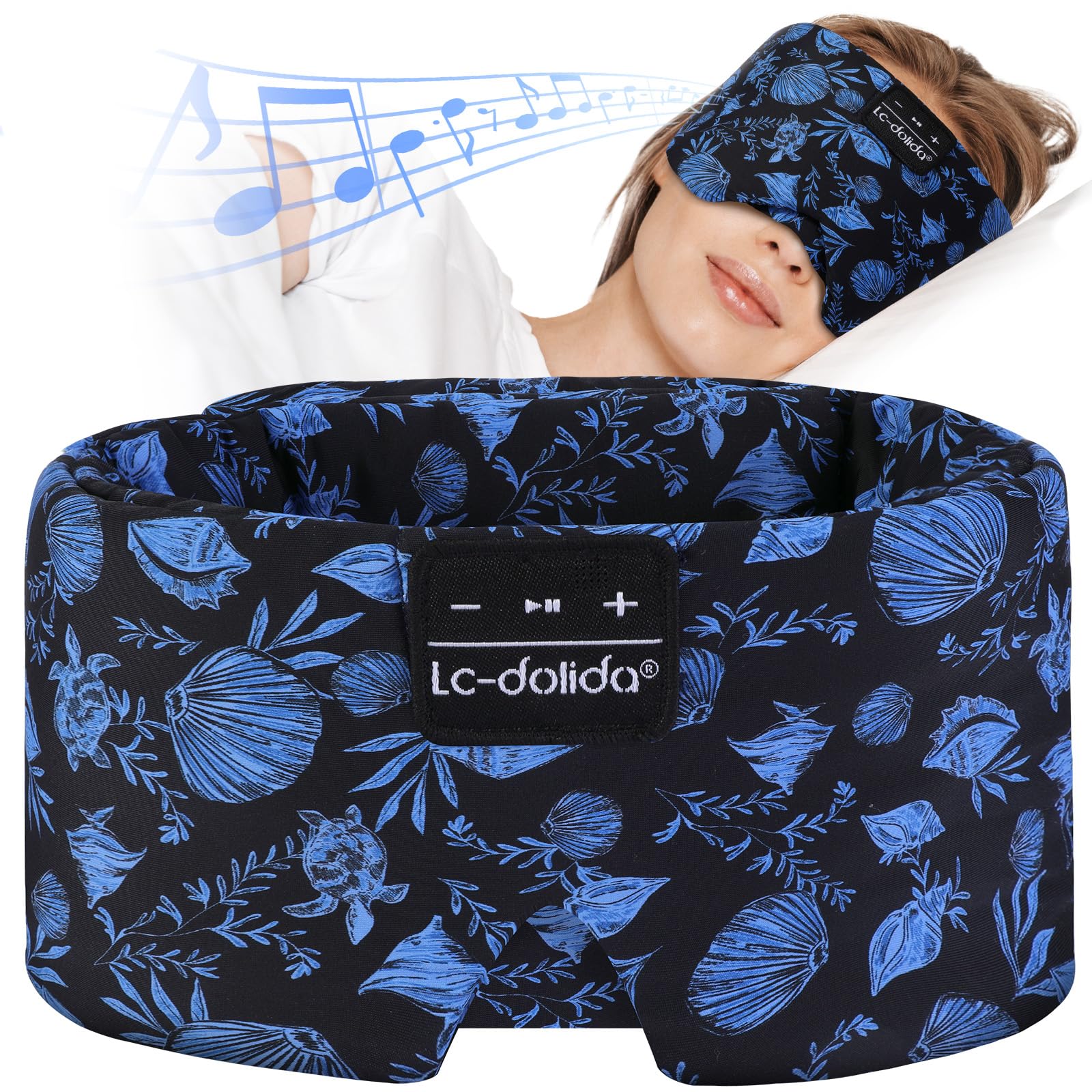
Figure 1: LC-dolida Sleep Mask with Bluetooth Headphones.
คำแนะนำการตั้งค่า
1. การชาร์จอุปกรณ์
Before initial use, fully charge the sleep mask. Connect the provided charging cable to the charging port located on the control panel of the mask. A full charge typically takes approximately 2 hours and provides up to 15 hours of playback time.
2. การจับคู่บลูทู ธ
- ตรวจสอบให้แน่ใจว่าหน้ากากนอนหลับได้ชาร์จแบตเตอรี่แล้ว
- Press and hold the power button on the control panel until the indicator light flashes, indicating pairing mode.
- บนอุปกรณ์ของคุณ (สมาร์ทโฟน แท็บเล็ต ฯลฯ) เปิดใช้งานบลูทูธและค้นหาอุปกรณ์ที่มีอยู่
- Select "LC-dolida Sleep Mask" from the list to connect. The indicator light will turn solid when successfully paired.

Figure 2: Bluetooth 5.4 connectivity and battery life.
3. การปรับความพอดี
Place the sleep mask over your eyes. Use the adjustable Velcro strap at the back of the head to achieve a snug yet comfortable fit. Ensure the mask blocks all light without applying excessive pressure to your eyes or face. The semi-wraparound design and deeper V-shape at the nose are engineered for optimal light blocking and comfort.

Figure 3: Proper fit for 100% light blocking.
4. การวางตำแหน่งลำโพง
The thin speakers inside the mask can be gently adjusted within their pockets to align with your ears for optimal sound and comfort, especially for side sleepers.
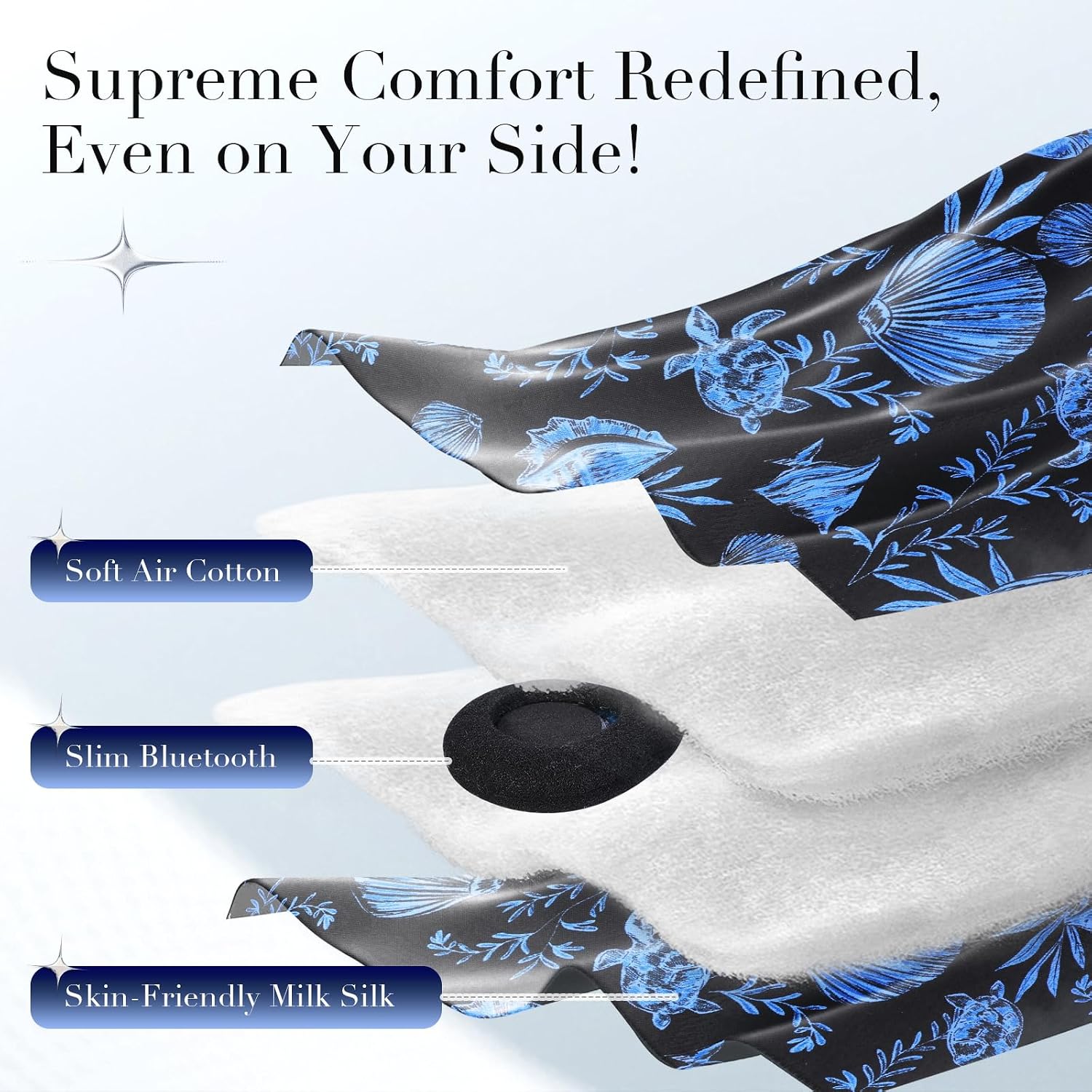
Figure 4: Internal layers and speaker placement.
คำแนะนำการใช้งาน
ฟังก์ชั่นแผงควบคุม
The control panel, typically located on the front of the mask, allows you to manage audio playback and calls.
- เปิด/ปิดเครื่อง: Press and hold the power button (usually the middle button) for 3 seconds.
- เล่น/หยุดชั่วคราว: กดปุ่มเปิดปิดสั้นๆ
- ปรับระดับเสียงขึ้น: กดปุ่ม "+" สั้นๆ
- ลดเสียงลง: กดปุ่ม "-" สั้นๆ
- เพลงถัดไป: กดปุ่ม "+" ค้างไว้
- แทร็กก่อนหน้า: กดปุ่ม "-" ค้างไว้
- รับ/วางสาย: Short press the power button during an incoming call.
- ปฏิเสธสาย: Long press the power button during an incoming call.

Figure 5: Sleep mask with visible control panel and adjustable strap.
Using for Sleep and Relaxation
Once connected, you can play soothing music, podcasts, or white noise from your paired device to aid in relaxation and sleep. The mask's design ensures comfort throughout the night, regardless of your sleeping position.
Video 1: Demonstration of the Soft Silk Bluetooth Sleep Mask features and comfort.
วิดีโอ 2: รายละเอียดเพิ่มเติมview of the Extra Large Silk Sleep Mask with Bluetooth Headphones.
การซ่อมบำรุง
คำแนะนำในการทำความสะอาด
To maintain the hygiene and longevity of your sleep mask, follow these cleaning steps:
- นำอุปกรณ์อิเล็กทรอนิกส์ออก: Carefully open the Velcro closure on the inside of the mask and remove the Bluetooth module and speakers.
- ซักมือเท่านั้น: Hand wash the fabric portion of the mask in cold water with a mild detergent. Do not machine wash or tumble dry.
- การทำให้แห้งด้วยอากาศ: Lay the mask flat to air dry completely before reinserting the electronic components.
- ประกอบกลับเข้าที่: Once dry, carefully place the speakers and Bluetooth module back into their designated pockets and secure the Velcro closure.

Figure 6: Cleaning process for the sleep mask.
ข้อมูลด้านความปลอดภัย
- ซักด้วยมือเท่านั้น
- Not suitable for children without adult supervision.
- อาจมีสารก่อภูมิแพ้
- Do not use if you have difficulty breathing or removing the mask by yourself.
การแก้ไขปัญหา
ปัญหาการเชื่อมต่อบลูทูธ
- Mask not appearing in device list: Ensure the mask is charged and in pairing mode (indicator light flashing). Turn off and on your device's Bluetooth.
- การเชื่อมต่อหลุดบ่อยครั้ง: Ensure the mask is within the 15-meter range of your device. Avoid obstacles that may interfere with the signal.
ไม่มีเสียงหรือระดับเสียงต่ำ
- Check volume levels: Adjust volume on both the mask (using "+" button) and your connected device.
- Speaker positioning: Gently adjust the speakers inside the mask to ensure they are aligned with your ears.
- Re-pair device: ตัดการเชื่อมต่อและเชื่อมต่อบลูทูธใหม่อีกครั้ง
Uncomfortable Fit or Light Leakage
- Adjust Velcro strap: Loosen or tighten the Velcro strap at the back of the mask to find a comfortable and secure fit.
- Reposition mask: Ensure the mask is centered over your eyes and the nose flap is properly seated to block all light.
ข้อมูลจำเพาะ
| คุณสมบัติ | รายละเอียด |
|---|---|
| ชื่อยี่ห้อ | LC-โดลิดา |
| แบบอย่าง | Sleep Mask with Bluetooth Headphones |
| เวอร์ชันบลูทูธ | 5.4 |
| ช่วงการเชื่อมต่อ | สูงสุด 15 เมตร |
| อายุการใช้งานแบตเตอรี่ | นานถึง 15 ชั่วโมง |
| เวลาในการชาร์จ | ประมาณ 2 ชั่วโมง |
| ประเภทวัสดุ | Art Silk, Milk Silk, Air Cotton |
| ประเภทการปิด | ตะขอและห่วง (Velcro) |
| การดูแลผลิตภัณฑ์ | ซักมือเท่านั้น |
| ขนาดแพ็คเกจ | 5.2 x 3.43 x 3.35 นิ้ว |
| น้ำหนักสินค้า | 5.93 ออนซ์ |
ข้อมูลการรับประกัน
LC-dolida products are covered by a limited one-year warranty from the date of purchase. This warranty covers manufacturing defects and workmanship. It does not cover damage caused by misuse, accidents, unauthorized modifications, or normal wear and tear. Please retain your proof of purchase for warranty claims.
การสนับสนุนลูกค้า
For any questions, technical assistance, or warranty claims, please contact LC-dolida customer support through the retailer's platform where you purchased the product or visit the official LC-dolida webเว็บไซต์สำหรับข้อมูลการติดต่อ
We are committed to providing excellent customer service and ensuring your satisfaction with our products.