
1. บทนำ
The HPRT MT620Pro is a compact, inkless portable thermal printer designed for convenient printing on the go. It utilizes advanced thermal printing technology to produce 300 dpi high-definition prints without the need for ink cartridges or toner. This printer supports various thermal paper sizes, including US Letter, Legal, A4, A5, and 4-inch widths. It offers versatile connectivity options, allowing wireless printing via Bluetooth from iOS and Android devices, and wired printing via USB cable from Windows and macOS computers.

ภาพที่ 1.1: จบแล้วview of the HPRT MT620Pro Portable Thermal Printer with key features labeled. Dimensions are 10.4 x 2.2 x 1.7 inches, and weight is 1.16 lb.
The printer features a built-in rechargeable battery, providing up to 96 hours of working time on a full charge. An automatic shutdown function activates after 15 minutes of inactivity to conserve power. Its automatic paper suction mechanism simplifies paper loading, requiring only insertion into the paper inlet.
2. อะไรอยู่ในกล่อง
Upon unboxing your HPRT MT620Pro Portable Thermal Printer, please ensure all the following items are present:
- 1 Portable Thermal Printer
- 10 Sheets US Letter Thermal Paper
- 1 Charging Cable (USB-C)
- 1 USB-C Plug Adapter
- 1. คู่มือผู้ใช้ (เอกสารฉบับนี้)
3. การตั้งค่า
3.1. การชาร์จเครื่องพิมพ์
Before initial use, fully charge the printer using the provided USB-C charging cable and adapter. Connect the USB-C cable to the printer's charging port and the other end to a power source. The operational status LED will indicate charging status.
3.2. การใส่กระดาษความร้อน
The HPRT MT620Pro printer exclusively uses thermal paper. Ensure the paper is thermal-sensitive and compatible with the printer's width range (4 to 8.5 inches).
- Gently pull the cover-opening button to open the top cover of the printer.
- Adjust the paper separator inside the printer to match the width of your thermal paper.
- Insert the thermal paper face up into the paper inlet. The printer will automatically feed the paper into position.
- Close the top cover until you hear a "click" sound, indicating it is securely latched.

Image 3.1: Illustration of compatible thermal paper sizes and loading methods for the HPRT MT620Pro printer.
3.3. Connecting to Mobile Devices (iOS/Android)
To print wirelessly from your smartphone or tablet:
- Download the "Hereprint" app from your device's app store (Google Play Store for Android, Apple App Store for iOS).
- ตรวจสอบให้แน่ใจว่าได้เปิดใช้งาน Bluetooth บนอุปกรณ์มือถือของคุณ
- Turn on the printer by holding the power button for 3 seconds. The operational status LED will illuminate.
- Open the "Hereprint" app and follow the on-screen instructions to search for and connect to your HPRT MT620Pro printer via Bluetooth.
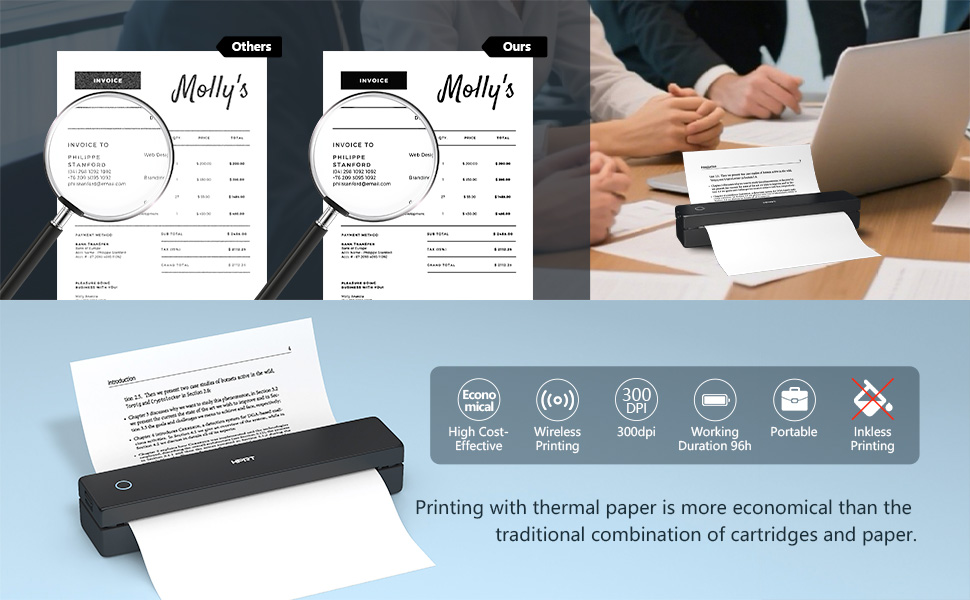
Image 3.2: Steps for connecting the HPRT MT620Pro printer to a mobile device via Bluetooth.
3.4. Connecting to PC (Windows/macOS)
To print from your computer, a USB connection and driver installation are required:
- Turn on the printer by holding the power button for 3 seconds.
- เชื่อมต่อเครื่องพิมพ์เข้ากับคอมพิวเตอร์ของคุณโดยใช้สาย USB-C ที่ให้มา
- เยี่ยมชมเว็บไซต์อย่างเป็นทางการของ HPRT webงาน (https://download.hprt.com/HPRT-MT620) to download the appropriate printer driver for your operating system (Windows or macOS).
- Install the downloaded driver by following the on-screen instructions. Ensure the printer remains connected via USB during installation.
Video 3.1: This video demonstrates the process of connecting the HPRT MT620Pro printer to a PC via USB and installing the necessary drivers for printing.
4. การดำเนินการ
4.1. Printing from Mobile Devices
เมื่อเชื่อมต่อผ่านบลูทูธ:
- Open the "Hereprint" app.
- Select the type of content you wish to print (e.g., pictures, documents, web pages, or scanned items).
- Adjust print settings such as density, margins, and paper type within the app.
- แตะปุ่ม "พิมพ์" เพื่อเริ่มการพิมพ์

Image 4.1: The 'Hereprint' app interface for mobile printing, showing various content options.
4.2. Printing from PC
After driver installation and USB connection:
- เปิดเอกสาร รูปภาพ หรือ web page you wish to print on your computer.
- Access the print function (usually File > Print or Ctrl+P/Cmd+P).
- From the list of available printers, select "HPRT MT620Pro".
- Adjust print preferences such as paper size, orientation, and number of copies as needed.
- คลิก "พิมพ์" เพื่อส่งงานไปยังเครื่องพิมพ์
5. การบำรุงรักษา
5.1. การดูแลทั่วไป
- Keep the printer clean and free from dust. Use a soft, dry cloth for exterior cleaning.
- ควรหลีกเลี่ยงการวางเครื่องพิมพ์ไว้ในที่ที่มีอุณหภูมิสูงหรือต่ำเกินไป แสงแดดโดยตรง หรือความชื้นสูง
- Do not use abrasive cleaners or solvents on the printer's surface.
5.2. Thermal Paper Handling
- Always use high-quality thermal paper to ensure optimal print quality and printer longevity.
- Store thermal paper in a cool, dry place away from direct light and heat to prevent premature fading.
- Avoid touching the thermal-sensitive surface of the paper unnecessarily.
6 การแก้ไขปัญหา
If you encounter issues with your HPRT MT620Pro printer, refer to the following common solutions:
| ปัญหา | สาเหตุที่เป็นไปได้ | สารละลาย |
|---|---|---|
| เครื่องพิมพ์ไม่เปิด | ปัญหาแบตเตอรี่หรือพลังงานต่ำ | Charge the printer fully using the provided USB-C cable and adapter. |
| ไม่สามารถเชื่อมต่อผ่านบลูทูธได้ | Bluetooth not enabled, printer not in pairing mode, or app issue | Ensure Bluetooth is on, restart the printer and app, try re-pairing from the app. |
| เครื่องพิมพ์ไม่ได้รับการ1รู้จักจากคอมพิวเตอร์ | Driver not installed or USB connection issue | Verify driver installation, try a different USB port or cable, restart PC and printer. |
| คุณภาพการพิมพ์ไม่ดี (เส้นจางและว่างเปล่า) | Incorrect paper loading, low battery, or print head issue | Ensure thermal paper is loaded face up, charge the printer, clean the print head if necessary (refer to manufacturer guidelines). |
| กระดาษติด | การใส่กระดาษไม่ถูกต้อง หรือมีสิ่งแปลกปลอมอยู่ภายใน | Open the top cover, carefully remove any jammed paper or obstructions. Reload paper correctly. |
7. ข้อมูลจำเพาะ
| คุณสมบัติ | รายละเอียด |
|---|---|
| ชื่อรุ่น | MT620 โปร |
| ขนาดสินค้า | ลึก 2.2 นิ้ว x กว้าง 10.4 นิ้ว x สูง 1.7 นิ้ว |
| น้ำหนักสินค้า | 1.16 ปอนด์ |
| เทคโนโลยีการพิมพ์ | เทอร์มอล |
| ประเภทหมึกพิมพ์ | No Ink (Inkless) |
| เอาท์พุตเครื่องพิมพ์ | ขาวดำ (สีดำ) |
| ความละเอียดการพิมพ์สูงสุด | 300x300 Dots Per Inch (DPI) |
| Max Print Speed (Black & White) | 10 หน้าต่อนาที (ppm) |
| เทคโนโลยีการเชื่อมต่อ | บลูทูธ, พอร์ต USB Type C |
| อุปกรณ์ที่รองรับ | แล็ปท็อป, คอมพิวเตอร์ส่วนบุคคล, สมาร์ทโฟน, แท็บเล็ต |
| ประเภทตัวควบคุม | แอนดรอยด์, ไอโอเอส |
| ขนาดสื่อสูงสุด | 4 to 8.5 inches wide (US Letter, Legal, A4, A5, 4 inch) |
| ความจุแผ่นอินพุตสูงสุด | 10 แผ่น |
| อายุการใช้งานแบตเตอรี่ | Up to 96 hours working time (on full charge) |
| ปิดเครื่องอัตโนมัติ | หลังจากที่ไม่ได้ใช้งานเป็นเวลา 15 นาที |
8. การรับประกันและการสนับสนุน
For warranty information, technical support, or service inquiries, please refer to the warranty card included with your product or visit the official HPRT webโดยทั่วไปแล้ว ข้อมูลติดต่อฝ่ายบริการลูกค้าจะอยู่ในเว็บไซต์ของผู้ผลิต webไซต์หรือภายในบรรจุภัณฑ์ของผลิตภัณฑ์