
1. บทนำ
Thank you for choosing the Radioddity HD-1 Walkie Talkie. This robust and versatile two-way radio is designed for reliable communication in various environments, from construction sites to outdoor adventures. Featuring IP67 waterproofing, dustproof capabilities, and a shock-resistant design, the HD-1 ensures durability and performance. This manual provides essential information for proper setup, operation, and maintenance of your device.
2. เนื้อหาบรรจุภัณฑ์
Upon opening your Radioddity HD-1 package, please verify that all the following items are included:
- 2 x Radioddity HD-1 Radiotelephones
- 2 x Rechargeable Li-ion Batteries (2400 mAh)
- แท่นชาร์จ 1 อัน
- 2 x เข็มขัดคลิป
- สายคล้องคอ 2 เส้น
- สายชาร์จ 1 x USB-C
- อะแดปเตอร์ไฟฟ้า 1 ตัว

Image: Radioddity HD-1 Walkie Talkie package contents, showing two yellow and black radios, two rechargeable batteries, a dual charging dock, a USB-C cable, a power adapter, two belt clips, and two lanyards.
3. สินค้าหมดview
3.1 คุณสมบัติหลัก
- IP67 กันน้ำและกันฝุ่น: Resists water immersion (30 minutes at 1 meter) and dust particles. Floats if dropped in water.
- Robust & Durable Design: Constructed from resistant PC+TPE material, designed to withstand drops and harsh conditions.
- License-Free PMR: 16 PMR channels and 159 CTCSS/DCS codes for private and secure communications.
- One-Key Group Call: Simplifies team communication.
- แบตเตอรี่ใช้งานได้ยาวนาน: 2400 mAh Li-ion battery provides 1-2 days of use and 4-5 days standby.
- ตัวเลือกการชาร์จแบบคู่: Recharge directly via USB-C or using the included charging dock.
- สั่นเตือน: Notifies you of incoming calls even in noisy environments.
- โหมด VOX: Hands-free communication with 9 sensitivity levels.
- ฟังก์ชั่น SOS: Emergency alert feature.
3.2 ส่วนประกอบและการควบคุม
Familiarize yourself with the main components and controls of your Radioddity HD-1 walkie talkie:
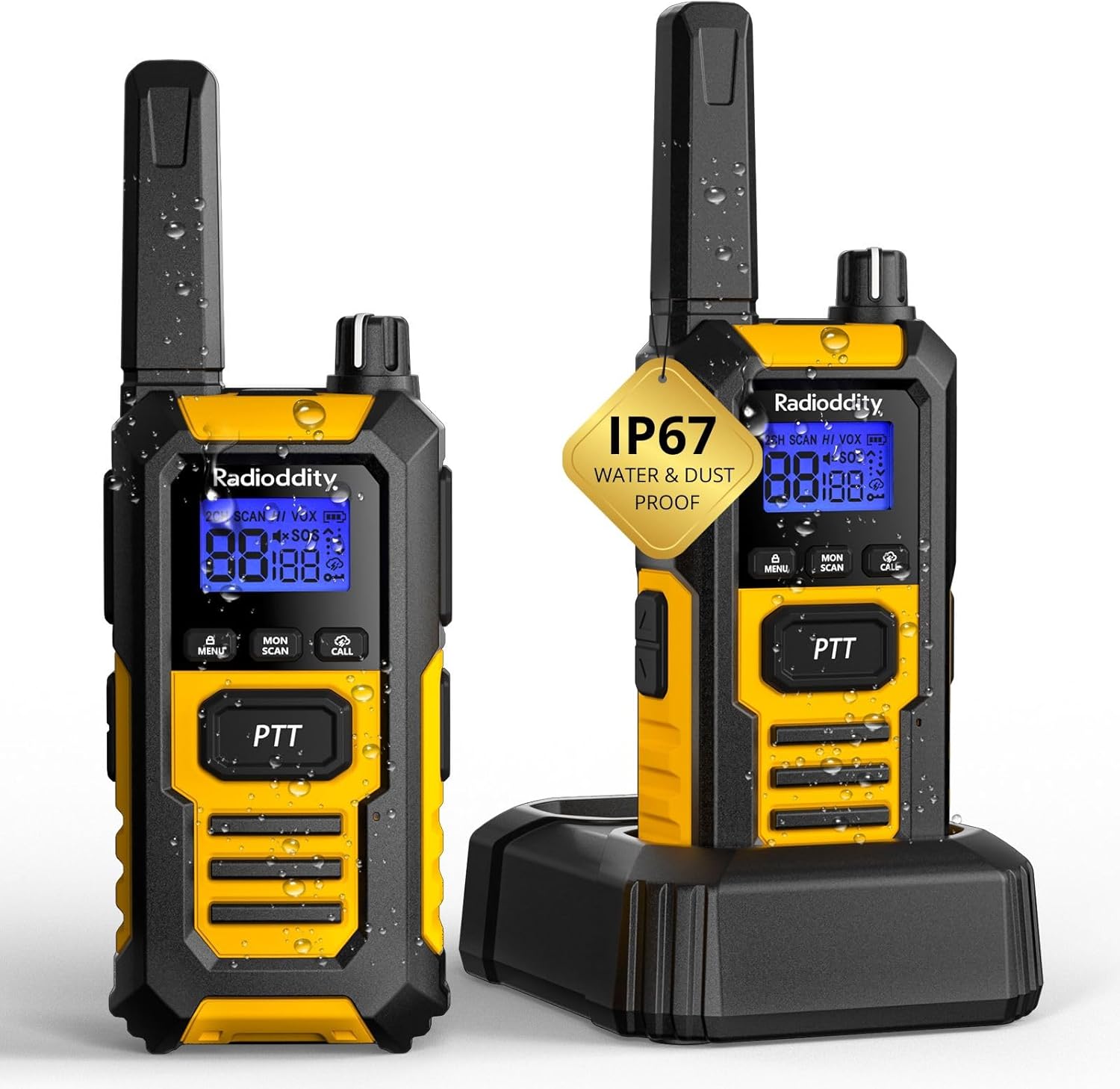
ภาพ: ด้านหน้า view of the Radioddity HD-1 Walkie Talkie, highlighting the display, PTT button, menu, scan, call, and lamp buttons, and the speaker grille.
- เสาอากาศ: สำหรับการส่งและรับสัญญาณ
- ปุ่มเปิดปิด/ปรับระดับเสียง: หมุนตามเข็มนาฬิกาเพื่อเปิดเครื่องและเพิ่มระดับเสียง หมุนทวนเข็มนาฬิกาเพื่อลดระดับเสียงและปิดเครื่อง
- ปุ่มเลือกช่องสัญญาณ: Rotate to change channels.
- ปุ่ม PTT (Push-to-Talk): กดค้างเพื่อส่ง ปล่อยเพื่อรับ
- ปุ่มเมนู: Accesses the menu for settings adjustments.
- ปุ่มขึ้น/ลง: Navigate menu options and adjust values.
- ปุ่มสแกน: เริ่มการสแกนช่องสัญญาณ
- ปุ่มมอนิเตอร์: Temporarily disables squelch to listen for weak signals.
- ปุ่มโทรออก: Sends a call tone to other radios.
- Lamp ปุ่ม: Activates the LED torch.
- ปุ่ม SOS: Activates the emergency alert.
- พอร์ต USB-C: สำหรับการชาร์จโดยตรง
- แจ็คหูฟัง: สำหรับเชื่อมต่ออุปกรณ์เสริมเสียงภายนอก
4. การตั้งค่า
4.1 การติดตั้งแบตเตอรี่
- ตรวจสอบให้แน่ใจว่าวิทยุสื่อสารปิดอยู่
- ค้นหาฝาปิดช่องใส่แบตเตอรี่ที่ด้านหลังวิทยุ
- เลื่อนฝาครอบลงด้านล่างแล้วยกออก
- Insert the Li-ion battery pack, ensuring the contacts align correctly with the terminals inside the compartment.
- Replace the battery cover and slide it upwards until it clicks into place.
4.2 การชาร์จแบตเตอรี่
Your Radioddity HD-1 offers two convenient charging methods:
- การใช้แท่นชาร์จ:
- เชื่อมต่ออะแดปเตอร์ไฟฟ้ากับแท่นชาร์จและเสียบเข้ากับเต้ารับไฟฟ้า
- Place the walkie talkie (with battery installed) into the charging slot of the dock. Ensure proper contact.
- The charging indicator light on the dock will illuminate (usually red) to show charging is in progress. It will turn green when fully charged.
- การใช้พอร์ต USB-C:
- Open the rubber cover protecting the USB-C port on the side of the radio.
- Connect the USB-C charging cable to the radio and a compatible USB power source (e.g., power adapter, computer USB port).
- The battery icon on the radio's display will indicate charging status.
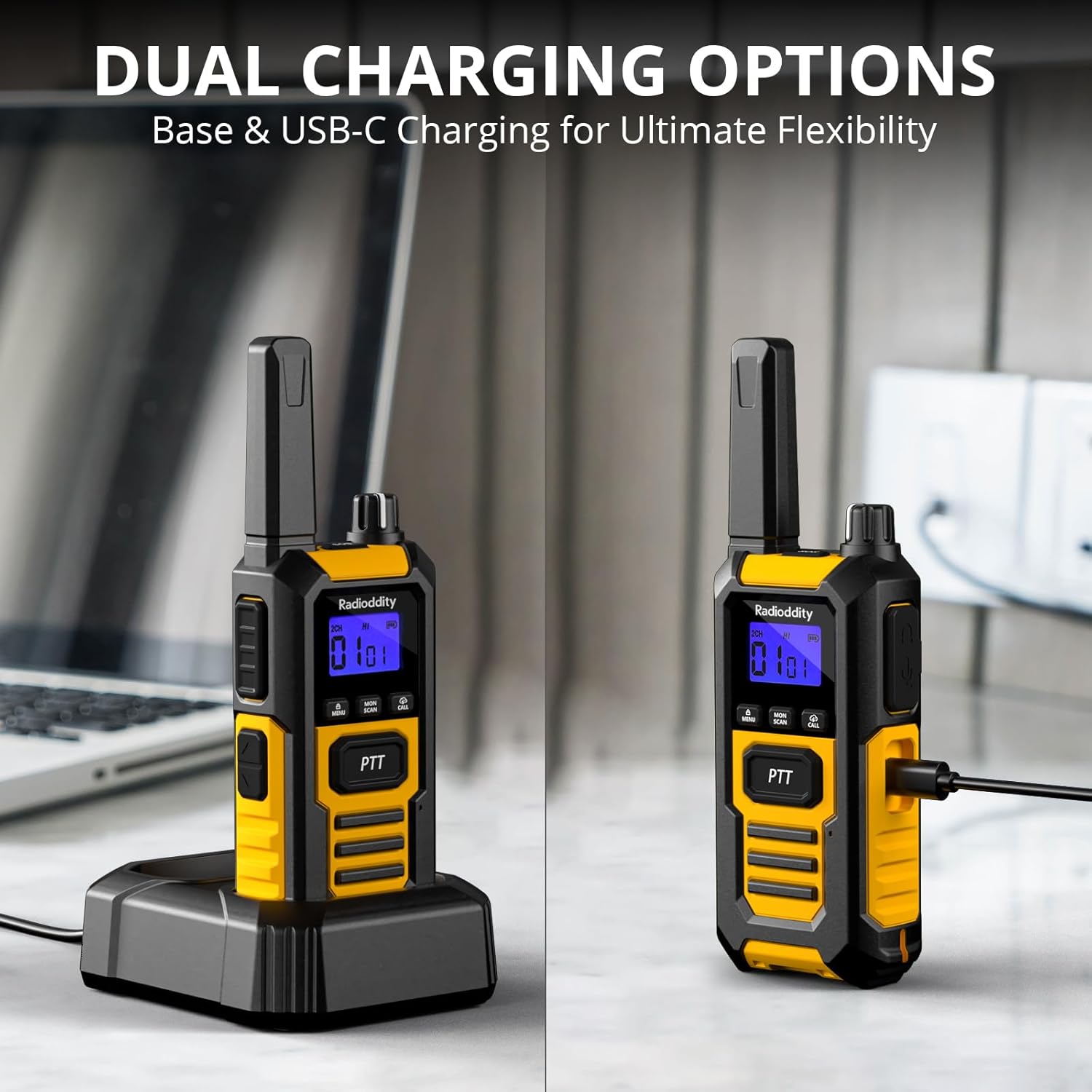
Image: The Radioddity HD-1 Walkie Talkie demonstrating its dual charging capabilities. One radio is placed in a charging dock, while another is shown connected directly via a USB-C cable.
5. คู่มือการใช้งาน
5.1 การเปิด/ปิดเครื่องและการปรับระดับเสียง
- เปิดเครื่อง: หมุนปุ่มเปิด/ปิด/ปรับระดับเสียงตามเข็มนาฬิกาจนกว่าจะได้ยินเสียงคลิกและหน้าจอแสดงผลจะสว่างขึ้น
- หมดแรง: หมุนปุ่มเปิด/ปิด/ปรับระดับเสียงทวนเข็มนาฬิกาจนกว่าจะได้ยินเสียงคลิกและหน้าจอจะดับลง
- การปรับระดับเสียง: Once powered on, rotate the Power/Volume knob clockwise to increase volume or counter-clockwise to decrease it.
5.2 การเลือกช่องสัญญาณ
To communicate with other walkie talkies, ensure all devices are set to the same channel and CTCSS/DCS code (if used).
- หมุนปุ่มเลือกช่องสัญญาณเพื่อเลือกช่องสัญญาณที่คุณต้องการ (1-16)
- หมายเลขช่องที่เลือกจะปรากฏบนหน้าจอ
5.3 การส่งและรับ (PTT)
- หากต้องการส่งสัญญาณ ให้กดปุ่มค้างไว้ ปตท. กดปุ่มด้านข้างวิทยุ พูดให้ชัดเจนใส่ไมโครโฟน
- ปล่อยตัว ปตท. ปุ่มสำหรับหยุดการส่งสัญญาณและกลับสู่โหมดรับสัญญาณ
5.4 VOX (ระบบโทรศัพท์อัตโนมัติ)
VOX mode allows for hands-free transmission. When activated, the radio will automatically transmit when it detects your voice.
- กดปุ่ม เมนู ปุ่มเพื่อเข้าสู่เมนู
- Use the Up/Down buttons to navigate to the VOX setting.
- กด เมนู again to select. Use Up/Down to choose a sensitivity level (1-9, with 9 being most sensitive).
- กด เมนู เพื่อยืนยันและออก
5.5 เสียงเรียกเข้า
Send an audible alert to other radios on the same channel.
- กดปุ่ม เรียก button to send a pre-set call tone.
5.6 ล็อคปุ่มกด
ป้องกันการเปลี่ยนแปลงการตั้งค่าโดยไม่ได้ตั้งใจ
- ในการล็อคปุ่มกด ให้กด . ค้างไว้ เมนู จนกระทั่งไอคอนล็อคปรากฏขึ้นบนหน้าจอ
- หากต้องการปลดล็อค ให้กดค้างไว้ เมนู กดปุ่มอีกครั้งจนกว่าไอคอนล็อคจะหายไป
5.7 ฟังก์ชั่นการสแกน
Automatically scans active channels to find ongoing conversations.
- กดปุ่ม สแกน button to activate channel scanning. The radio will cycle through channels until an active one is found.
- หากต้องการหยุดการสแกน ให้กดปุ่ม สแกน ปุ่มอีกครั้ง
ไฟฉาย LED 5.8
The integrated LED torch provides illumination in low-light conditions.
- กดปุ่ม Lamp button to turn the LED torch on.
- กดปุ่ม Lamp ปุ่มอีกครั้งเพื่อปิด
5.9 ฉุกเฉิน SOS
Activates an audible and visual emergency alert.
- กดปุ่มค้างไว้ สัญญาณขอความช่วยเหลือ button (usually a dedicated orange button on the side) to activate the emergency alert. The radio will emit a loud siren and flash its LED.
- To deactivate, press any button or power cycle the radio.

Image: A Radioddity HD-1 Walkie Talkie with an illuminated red siren icon, indicating the active SOS emergency alert function.
5.10 การโทรแบบกลุ่ม
The one-key group call feature allows for quick communication with pre-defined groups.
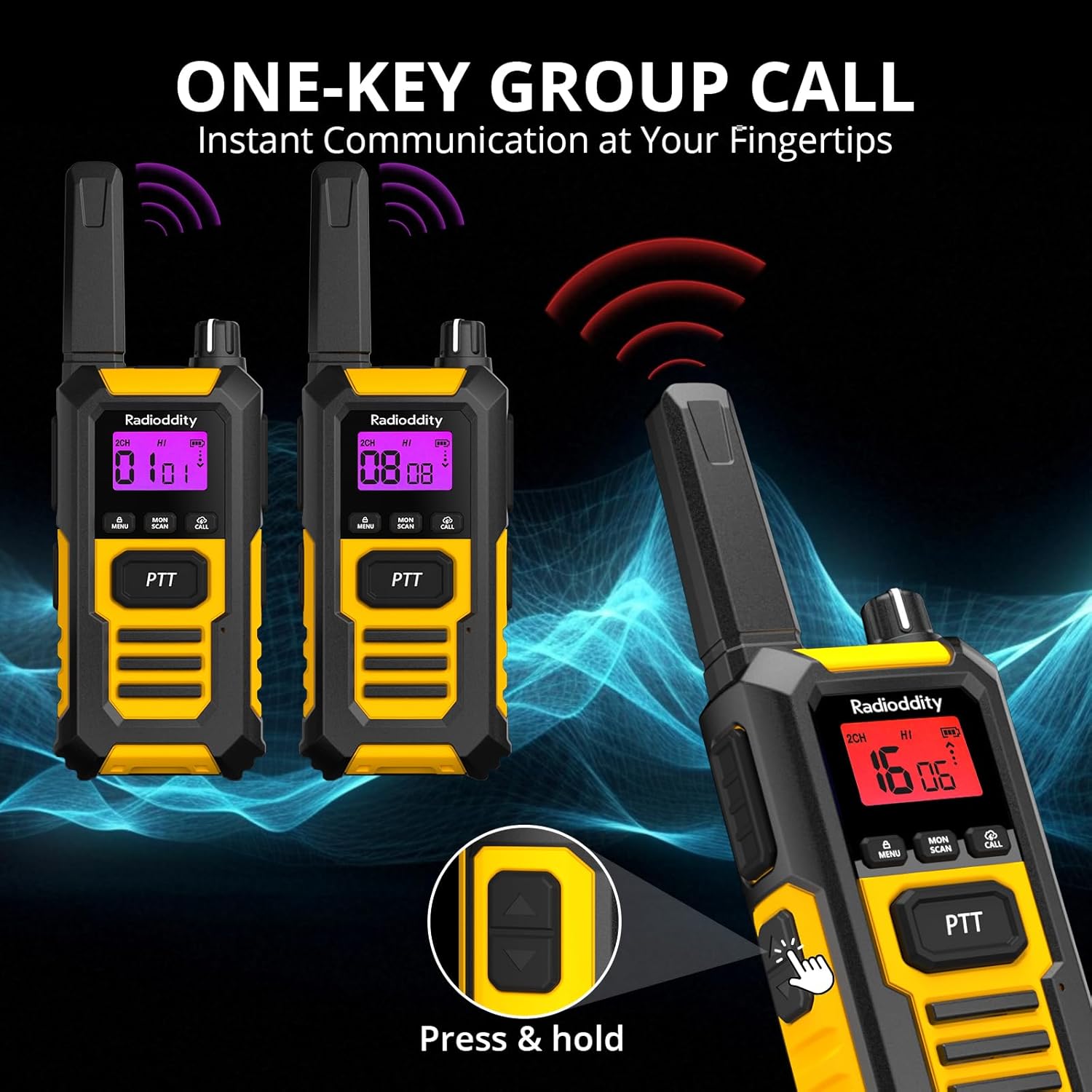
Image: Multiple Radioddity HD-1 Walkie Talkies showing the one-key group call feature, with radio signals emanating from the devices.
6. ข้อมูลจำเพาะ
| คุณสมบัติ | ข้อมูลจำเพาะ |
|---|---|
| หมายเลขรุ่น | เอชดี-1 |
| ยี่ห้อ | กัมมันตภาพรังสี |
| สี | สีเหลือง |
| จำนวนช่องสัญญาณ | 16 |
| สเปกตรัมความถี่ | พีเอ็มอาร์446 |
| ระยะการสนทนาสูงสุด | 3 Kilometers (variable based on terrain) |
| เล่มที่tage | 3.7 โวลต์ |
| ระดับความต้านทานต่อน้ำ | IP67 (กันน้ำ) |
| ประเภทแบตเตอรี่ | 2400 mAh ลิเธียมไอออน |
| อายุการใช้งานแบตเตอรี่โดยเฉลี่ย | 24 Hours (usage), 4-5 Days (standby) |
| โปรโตคอลการเชื่อมต่อ | พีเอ็มอาร์446 |
| อุปกรณ์ที่รองรับ | Other PMR446 radios, standard 2-pin audio accessories |
7. Durability and Resistance
The Radioddity HD-1 is built to endure challenging conditions, undergoing rigorous testing to ensure reliability.
7.1 กันน้ำและกันฝุ่นระดับ IP67
The HD-1 is certified IP67, meaning it is fully protected against dust ingress and can withstand immersion in water up to 1 meter for 30 minutes. Its floating design prevents loss during water activities.

Image: Two Radioddity HD-1 Walkie Talkies partially submerged and floating in water, with water droplets around them, illustrating their IP67 waterproof and floating capabilities.
Video: Demonstrates the IP67 waterproof and floating capabilities of a walkie talkie. The device is submerged in water and shown to float, highlighting its resistance to water damage.
7.2 Shockproof and Drop-Resistant
The robust PC+TPE construction ensures the HD-1 can withstand impacts and drops from up to 2 meters, making it ideal for demanding environments.

Image: A Radioddity HD-1 Walkie Talkie standing upright on a rugged, rocky surface, with small rocks scattering around it, emphasizing its shockproof and durable construction.
Video: Shows various durability tests performed on a walkie talkie, including drop tests from 2 meters onto concrete, rotation tests in a drum, temperature resistance tests from -20°C to +60°C, button press endurance tests, and a compression test under a vehicle wheel, demonstrating its robust construction.
วิดีโอ: บทนำสั้น ๆview วิดีโอโชว์asing the robust and resistant features of rechargeable walkie talkies, highlighting their durability in various conditions.
8. การบำรุงรักษา
- การทำความสะอาด: ใช้แบบนุ่มๆamp ผ้าสำหรับทำความสะอาดภายนอกวิทยุ ห้ามใช้สารเคมีหรือตัวทำละลายที่รุนแรง
- การดูแลแบตเตอรี่ เพื่อยืดอายุการใช้งานแบตเตอรี่ให้ยาวนานที่สุด ควรชาร์จแบตเตอรี่ให้เต็มก่อนใช้งานครั้งแรก หลีกเลี่ยงการชาร์จเกินหรือปล่อยให้แบตเตอรี่หมดเกลี้ยงบ่อยๆ เก็บวิทยุและแบตเตอรี่ไว้ในที่แห้งและเย็นเมื่อไม่ได้ใช้งานเป็นเวลานาน
- พื้นที่จัดเก็บ: เก็บวิทยุสื่อสารไว้ในที่แห้ง ปราศจากฝุ่น และห่างจากอุณหภูมิที่สูงหรือต่ำเกินไป
- การสัมผัสน้ำ: After exposure to water, ensure all ports are properly sealed and dry the radio thoroughly before charging or using.
9 การแก้ไขปัญหา
| ปัญหา | สาเหตุที่เป็นไปได้ | สารละลาย |
|---|---|---|
| วิทยุไม่เปิด | แบตเตอรี่ต่ำหรือหมด; ติดตั้งแบตเตอรี่ไม่ถูกต้อง | ชาร์จแบตเตอรี่ ตรวจสอบให้แน่ใจว่าติดตั้งแบตเตอรี่อย่างถูกต้อง |
| ไม่สามารถสื่อสารกับวิทยุอื่นได้ | Different channels/codes; out of range; low battery. | Verify all radios are on the same channel and CTCSS/DCS code; move closer; charge battery. |
| คุณภาพเสียงไม่ดีหรือมีสัญญาณรบกวน | Weak signal; interference; too far from other radios. | Move to an open area; check for obstructions; adjust squelch level. |
| VOX ไม่ทำงาน | VOX sensitivity too low; VOX disabled. | Increase VOX sensitivity; enable VOX in the menu. |
10. การรับประกันและการสนับสนุน
Radioddity products are designed for reliability and performance. For warranty information, technical support, or service inquiries, please refer to the warranty card included in your package or visit the official Radioddity webไซต์ โปรดเก็บใบเสร็จรับเงินไว้เป็นหลักฐานการซื้อ