
HK-CW-007
User Manual: Bluetooth Tracker for Android
รุ่น: HK-CW-007
1. บทนำ
This manual provides essential information for the setup, operation, and maintenance of your new Bluetooth Tracker. Designed to seamlessly integrate with Google Find My Device, this smart locator helps you keep track of your valuable items such as keys, wallets, luggage, and even pets.
The tracker is compact, lightweight, and compatible with most Android phones, including Samsung, Google, Xiaomi, Oppo, and Vivo, without requiring additional app downloads.

Image: The Bluetooth tracker in black, showcasing its compact, circular design with an integrated loop for easy attachment to various items.
คุณสมบัติหลัก:
- การผสานรวมเข้ากับ Google: Works directly with Google Find My Device, no extra app needed.
- ความเข้ากันได้กว้าง: Supports most Android phones (Samsung, Google, Xiaomi, Oppo, Vivo, etc.).
- อายุการใช้งานแบตเตอรี่ยาวนาน: Replaceable CR2032 battery lasts up to 1 year.
- Versatile Tracking: Ideal for keys, luggage, pets, and other valuables.
- ฟังก์ชั่นอัจฉริยะ: Includes worldwide tracking, sound reminder, and left-behind alerts.

ภาพ: โอเวอร์view of the tracker's main features, including its compatibility with Google Find My Device, worldwide tracking capabilities, long-lasting replaceable battery, seamless connectivity, and sound reminder function.
2. การตั้งค่า
2.1. การติดตั้งแบตเตอรี่
The tracker uses one CR2032 coin cell battery. The battery is typically pre-installed. If you need to replace it:
- มองหาช่องหรือร่องเล็กๆ ที่ด้านข้างของอุปกรณ์ติดตาม
- ค่อยๆ งัดตัวติดตามออกasing using a thin tool (e.g., a small flat-head screwdriver or guitar pick).
- ถอดแบตเตอรี่ CR2032 เก่าออก
- ใส่แบตเตอรี่ CR2032 ใหม่โดยให้ด้านบวก (+) หันขึ้น
- Carefully snap the two halves of the tracker casing back together until it clicks securely.
2.2. การเชื่อมต่อกับ Google Find My Device
Your Bluetooth tracker is designed for seamless integration with the Google Find My Device network. No separate app download is required.
- Ensure your Android phone's Bluetooth is turned on.
- Make sure your phone is connected to the internet (Wi-Fi or mobile data).
- Activate the tracker by pressing its button (if it has one) or ensuring it's powered on. The tracker should enter pairing mode, indicated by a specific sound or light (refer to product packaging for specific indicator).
- Open the Google Find My Device app on your Android phone. If you don't have it, it's usually pre-installed or can be accessed via your Google account settings.
- The app should automatically detect nearby compatible trackers. Follow the on-screen prompts to add your new tracker to your account.
- Once paired, you can name your tracker (e.g., "Keys," "Wallet," "Pet Collar") for easy identification.

Image: Visual representation of the tracker's broad compatibility with major Android phone brands, emphasizing its seamless integration with the Google Find My Device network.

Image: The tracker in both black and white variants, alongside a smartphone screen demonstrating how the Google Find My Device app displays the tracker's location and offers options to locate it.
3. การใช้งานอุปกรณ์ติดตาม
3.1. Locating Your Items
Once your tracker is paired, you can use your Android phone to find your items:
- ตำแหน่งบนแผนที่: Open the Google Find My Device app. Your tracker's last known location will be displayed on a map. This is particularly useful for items left far away.
- เล่นเสียง: If your item is nearby, select the "Play Sound" option in the app. The tracker will emit a loud ring, helping you pinpoint its exact location.
- Find Nearby / Precision Finding: Some Android devices and trackers support a "Find Nearby" or "Precision Finding" feature, which can guide you closer to the tracker using visual cues or signal strength indicators within the app.

Image: Demonstrates the "Voice Prompt" feature, where clicking "play sound" on the phone app makes the tracker beep, aiding in finding nearby items.
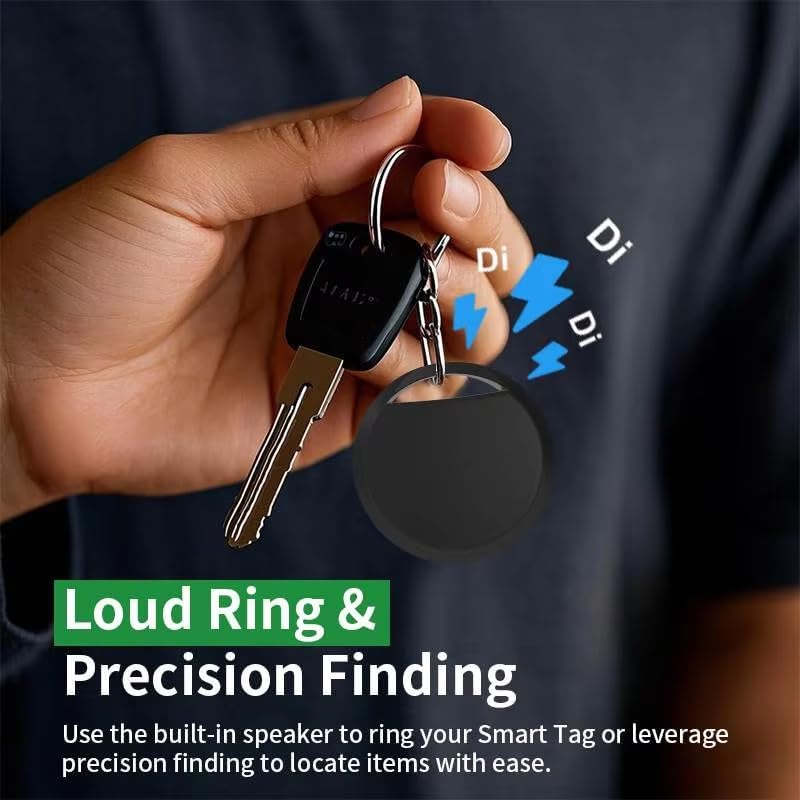
Image: Highlights the "Loud Ring & Precision Finding" feature, showing how the tracker's built-in speaker can be used to locate items with ease.
3.2. Left-Behind Remind
The tracker can notify you if you leave an item behind. When the tracker moves out of range of your phone, you may receive an alert on your device, indicating the item is no longer detected nearby and showing its last known location.

Image: Illustrates the "Left-Behind Remind" function, where the user is notified if they forget their belongings, showing a notification for "Keys" left behind.
3.3. การติดตามทั่วโลก
Leveraging the Google Find My Device network, your tracker can be located globally. If your item is lost and comes within range of any Android device on the Find My Device network, its location will be updated, allowing you to track it from anywhere with no distance limits.

Image: Depicts the global precise positioning tracking feature, showing the tracker and a phone displaying its location on a world map, supported by the Google system.
4. การบำรุงรักษา
4.1. การเปลี่ยนแบตเตอรี่
The CR2032 battery typically lasts up to one year. When the battery is low, you may receive a notification in the Google Find My Device app. Replace the battery as described in Section 2.1 to ensure continuous operation.
4.2. การทำความสะอาด
To clean your tracker, gently wipe it with a soft, dry, or slightly damp cloth. Do not use harsh chemicals or abrasive materials, as these can damage the device. Ensure the tracker is completely dry before re-attaching it to items.
5 การแก้ไขปัญหา
If you encounter issues with your Bluetooth tracker, try the following steps:
- Tracker Not Found / Not Connecting:
- ตรวจสอบให้แน่ใจว่าโทรศัพท์ของคุณเปิดใช้งานบลูทูธแล้ว
- Check if the tracker's battery is dead or low. Replace it if necessary.
- Make sure the tracker is within Bluetooth range of your phone (typically up to 30 feet indoors).
- Restart your phone's Bluetooth or the phone itself.
- Try re-pairing the tracker through the Google Find My Device app.
- ไม่มีเสียงเล่น:
- Ensure the tracker is within range and connected.
- Check the volume settings on your phone.
- Verify the tracker's battery level.
- ตำแหน่งที่ตั้งไม่ถูกต้อง:
- Ensure your phone has a stable internet connection (Wi-Fi or mobile data) and GPS is enabled.
- Location accuracy depends on the density of the Google Find My Device network. In sparse areas, the last known location might be less precise.
- แบตเตอรี่หมดเร็ว:
- ตรวจสอบให้แน่ใจว่าคุณใช้แบตเตอรี่ CR2032 ใหม่และมีคุณภาพสูง
- Extreme temperatures can affect battery life.
For further assistance, refer to the help section within the Google Find My Device application or consult the Google support webเว็บไซต์.
6. ข้อมูลจำเพาะ
| คุณสมบัติ | รายละเอียด |
|---|---|
| หมายเลขรุ่น | HK-CW-007 |
| ASIN | B0F3WZCW5L |
| ขนาด | ขนาดโดยประมาณ 2 x 2 x 1 นิ้ว (ขนาดบรรจุภัณฑ์) |
| น้ำหนักสินค้า | 0.8 ออนซ์ |
| ประเภทแบตเตอรี่ | 1 x CR2032 (เปลี่ยนได้) |
| อายุการใช้งานแบตเตอรี่ | นานถึง 1 ปี |
| การเชื่อมต่อ | บลูทูธ, เครือข่าย Google Find My Device |
| อุปกรณ์ที่รองรับ | Most Android phones (Samsung, Google, Xiaomi, Oppo, Vivo, etc.) |
| วัสดุ | ชิ้นส่วนอิเล็กทรอนิกส์ พลาสติก |
| สี | สีดำ (สำหรับรุ่นนี้โดยเฉพาะ) |
| ผู้ผลิต | จีน |
| ประเทศต้นกำเนิด | จีน |
7. การรับประกันและการสนับสนุน
คู่มือนี้ไม่ได้ระบุข้อมูลการรับประกันเฉพาะสำหรับผลิตภัณฑ์นี้ โปรดดูที่บรรจุภัณฑ์ของผลิตภัณฑ์หรือข้อมูลจากผู้จำหน่าย webเว็บไซต์สำหรับรายละเอียดเกี่ยวกับการรับประกันและข้อกำหนด
For technical support or further inquiries, please contact the seller or refer to the support resources available through the Google Find My Device platform.
Ask a question about this manual
Ask about setup, troubleshooting, compatibility, parts, safety, or missing instructions. Manuals+ will review the question and use this page’s manual context to help answer it.