
1. สินค้าหมดview
The LEVN Open Ear Headphones (Model: LE-HS017-V1) are designed to provide audio while allowing you to remain aware of your surroundings. Featuring an ultra-lightweight design and advanced noise-cancelling microphone, these headphones are suitable for various activities including work, exercise, and calls.

Figure 1: LEVN Open Ear Headphones LE-HS017-V1
The open-ear design ensures comfort during extended wear and compatibility with glasses, hats, or helmets. The flexible and non-slip construction keeps the headphones securely in place.

Figure 2: Open-ear design for situational awareness and comfort.
2. เนื้อหาบรรจุภัณฑ์
ตรวจสอบว่ามีรายการทั้งหมดอยู่ในแพ็คเกจ:
- LEVN Open Ear Headphones (Model: LE-HS017-V1)
- สายชาร์จแม่เหล็ก
- คู่มือการใช้งาน

Figure 3: Included accessories with the headphones.
3. การตั้งค่า
3.1 การชาร์จหูฟัง
Before first use, fully charge the headphones. Connect the magnetic charging cable to the charging port on the headphones. Connect the other end of the cable to a USB power source. The LED indicator on the headphones will show the charging status.
3.2 การเปิด/ปิดเครื่อง
- การเปิดเครื่อง: Press and hold the Multi-Function Button (MFB) for approximately 3 seconds until the LED indicator flashes.
- วิธีปิดเครื่อง: Press and hold the Multi-Function Button (MFB) for approximately 5 seconds until the LED indicator turns off.
3.3 การจับคู่บลูทูธ
- ตรวจสอบให้แน่ใจว่าหูฟังปิดอยู่
- Press and hold the MFB for 5-7 seconds until the LED indicator flashes red and blue alternately, indicating pairing mode.
- บนอุปกรณ์ของคุณ (สมาร์ทโฟน แท็บเล็ต คอมพิวเตอร์) เปิดใช้งาน Bluetooth และค้นหาอุปกรณ์ที่มีอยู่
- Select "LEVN LE-HS017-V1" from the list of devices.
- เมื่อเชื่อมต่อแล้ว ไฟ LED จะกะพริบเป็นสีน้ำเงินช้าๆ
3.4 การเชื่อมต่อหลายจุด
The headphones support connecting to two Bluetooth devices simultaneously (Bluetooth 5.3). To use this feature:
- จับคู่หูฟังกับอุปกรณ์เครื่องแรกตามที่อธิบายไว้ในหัวข้อ 3.3
- ปิดใช้งานบลูทูธในอุปกรณ์เครื่องแรก หูฟังจะเข้าสู่โหมดจับคู่อีกครั้ง
- จับคู่หูฟังกับอุปกรณ์ที่สอง
- เปิดใช้งานบลูทูธบนอุปกรณ์เครื่องแรก หูฟังจะเชื่อมต่อกับอุปกรณ์ทั้งสองโดยอัตโนมัติ

Figure 4: Headphones supporting multipoint connection to two devices.
3.5 การสวมหูฟัง
Place the headphones over your ears with the ear hooks resting comfortably behind your ears. The lightweight (29g) and ergonomic design ensures a secure and comfortable fit without slipping, even during intense activities.
4. คู่มือการใช้งาน
4.1 การควบคุมมากกว่าview
หูฟังรุ่นนี้มีปุ่มควบคุมที่ใช้งานง่าย ช่วยให้จัดการเสียงและการโทรได้สะดวก:
- ปุ่มมัลติฟังก์ชัน (MFB): Located on the right earbud.
- ปุ่มปรับระดับเสียง (+/-): Located on the right earbud.
- ปุ่มปิดเสียง: ติดตั้งอยู่บนก้านไมโครโฟน
- ไมโครโฟน: 270° rotatable for optimal positioning.

Figure 5: Key control buttons and microphone.
4.2 การจัดการการโทร
- รับ/วางสาย: กด MFB หนึ่งครั้ง
- ปฏิเสธสาย: กดปุ่ม MFB ค้างไว้ 2 วินาที
- ปิดเสียง/เปิดเสียงไมโครโฟน: Press the dedicated Mute Button on the microphone boom. The 270° rotatable microphone allows for precise positioning to ensure clear voice transmission, enhanced by AI noise cancellation.
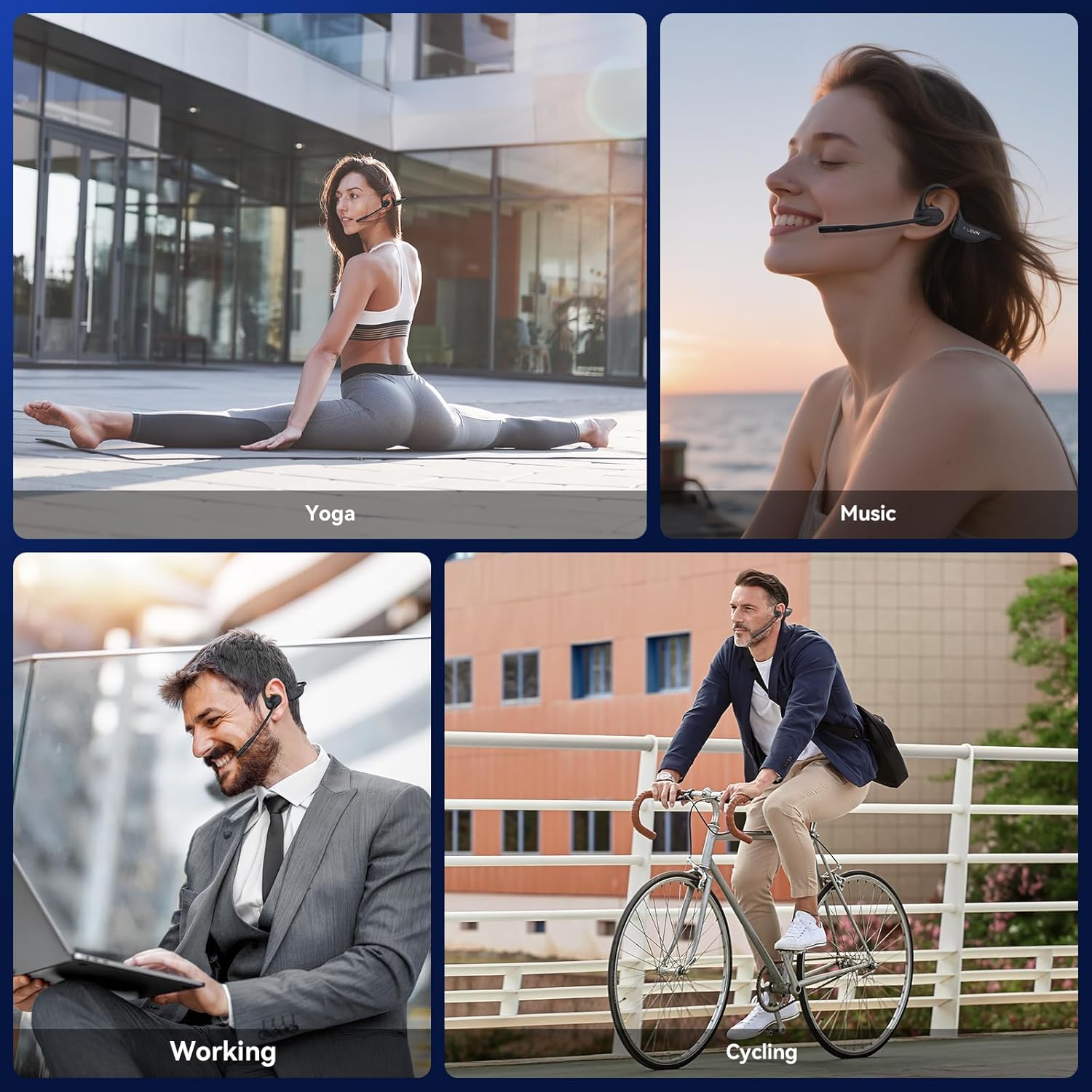
Figure 6: Using the headphones for clear communication.
4.3 การเล่นเพลง
- เล่น/หยุดชั่วคราว: กด MFB หนึ่งครั้ง
- เพลงถัดไป: กด MFB สองครั้ง
- แทร็กก่อนหน้า: Triple-press the MFB.
- ปรับระดับเสียงขึ้น: กดปุ่ม '+'
- ลดเสียงลง: กดปุ่ม '-'
5. การบำรุงรักษา
5.1 การทำความสะอาด
Wipe the headphones with a soft, dry, lint-free cloth. Avoid using abrasive cleaners, solvents, or harsh chemicals, as these may damage the device.
5.2 พื้นที่จัดเก็บ
เก็บหูฟังไว้ในที่แห้งและเย็น หลีกเลี่ยงแสงแดดโดยตรงและอุณหภูมิที่สูงหรือต่ำเกินไป หลีกเลี่ยงการวางของหนักทับหูฟัง
5.3 ความต้านทานต่อน้ำ
The LEVN Open Ear Headphones have an IP65 water resistance rating, meaning they are protected against dust ingress and low-pressure water jets from any direction. This makes them suitable for workouts and light rain. Do not submerge the headphones in water or expose them to high-pressure water.

Figure 7: IP65 water resistance for durability.
6 การแก้ไขปัญหา
หากคุณพบปัญหาเกี่ยวกับหูฟังของคุณ โปรดดูวิธีแก้ไขทั่วไปต่อไปนี้:
| ปัญหา | วิธีแก้ปัญหาที่เป็นไปได้ |
|---|---|
| หูฟังไม่เปิดเครื่อง | Ensure the headphones are fully charged. Connect to the magnetic charging cable and check the LED indicator. |
| ไม่สามารถจับคู่กับอุปกรณ์ได้ | Ensure headphones are in pairing mode (LED flashes red/blue). Disable and re-enable Bluetooth on your device. Forget previous pairings on your device and try again. Ensure headphones are within Bluetooth range (up to 49 feet). |
| ไม่มีเสียงหรือเสียงต่ำ | Adjust the volume on both the headphones and your connected device. Ensure the headphones are properly connected. |
| ไมโครโฟนใช้งานไม่ได้หรือเสียงไม่ชัด | Ensure the microphone is not muted. Rotate the microphone boom to position it closer to your mouth. Check microphone settings on your connected device. |
| การเชื่อมต่อเป็นระยะ | Ensure you are within the optimal Bluetooth range. Avoid obstacles between the headphones and your device. Reduce interference from other wireless devices. |
7. ข้อมูลจำเพาะ
| คุณสมบัติ | รายละเอียด |
|---|---|
| ยี่ห้อ | เลฟเน่ |
| หมายเลขรุ่น | LE-HS017-V1 |
| สี | สีดำ |
| เวอร์ชันบลูทูธ | 5.3 |
| น้ำหนัก | 29 กรัม |
| ความต้านทานต่อน้ำ | IP65 |
| แจ็คหูฟัง | ไม่มีแจ็ค |
| วิธีการควบคุม | ปุ่มกด |
| ประเภทไดร์เวอร์เสียง | ไดร์เวอร์แบบไดนามิก |
| ช่วงความถี่ | 20Hz - 20,000Hz |
8. การรับประกันและการสนับสนุน
For any issues with your order or to inquire about warranty information, please contact LEVN customer support directly via email:
อีเมล: levn001@outlook.com
Additional support and product information may be available on the official LEVN brand store: LEVN Brand Store