
1. บทนำ
This manual provides essential information for setting up, operating, and maintaining your TCL 98Q7K 98-inch QLED 4K Google TV. This television features a stunning QLED 4K display with a 144 Hz panel for smooth motion, integrated Google TV for smart functionality, and advanced audio with Dolby Atmos. It also includes Google Assistant and Alexa compatibility for hands-free voice control, VisionHDR10+, and AiPQ™ processing for optimized picture quality.

2. การตั้งค่า
2.1 การแกะกล่องและการตรวจสอบเบื้องต้น
Carefully remove the television from its packaging. Inspect the TV and all included accessories for any signs of damage. Keep the packaging materials for future transport or service needs.
2.2 การติดตั้งขาตั้ง
If you plan to use the TV with its included stand, follow these steps:
- วางจอทีวีลงบนพื้นผิวที่นุ่มและเรียบเพื่อป้องกันรอยขีดข่วน
- จัดตำแหน่งส่วนประกอบของขาตั้งให้ตรงกับช่องที่กำหนดไว้ที่ด้านล่างของทีวี
- Secure the stand using the screws provided in the accessory kit. Ensure all screws are tightened firmly.

2.3 การติดตั้งบนผนัง (ทางเลือก)
For wall mounting, a compatible VESA wall mount (not included) is required. Due to the size and weight of the 98-inch television, professional installation is highly recommended to ensure safety and proper mounting. Refer to the wall mount manufacturer's instructions for specific installation details.
2.4 การเชื่อมต่ออุปกรณ์ต่อพ่วง
Connect your external devices such as Blu-ray players, gaming consoles, sound systems, and cable/satellite boxes to the appropriate ports on the TV. The TCL 98Q7K features 4 HDMI ports and 2 USB ports for versatile connectivity.
3. คู่มือการใช้งาน
3.1 เปิด/ปิดเครื่อง
Connect the power cord to the TV and a power outlet. Press the power button on the remote control or on the TV itself to turn the television on or off.
3.2 Initial Setup with Google TV
Upon first power-on, the TV will guide you through the initial setup process for Google TV. This includes selecting your language, connecting to a Wi-Fi network, signing in with your Google account, and configuring basic settings. Follow the on-screen prompts.

3.3 ฟังก์ชั่นการควบคุมระยะไกล
The included remote control allows you to navigate the TV's interface, adjust volume, change channels, and access smart features. It supports voice control via Google Assistant and Alexa. Insert the provided batteries into the remote control before use.
3.4 คุณสมบัติอัจฉริยะและการควบคุมด้วยเสียง
- กูเกิลทีวี: Access a wide range of streaming apps, movies, and shows.
- Google Assistant และ Alexa: Use voice commands for hands-free control of your TV, search for content, get information, and control smart home devices.
- Chromecast ในตัว: ส่งเนื้อหาจากอุปกรณ์มือถือที่รองรับไปยังทีวีได้โดยตรง
3.5 คุณสมบัติการเล่นเกม
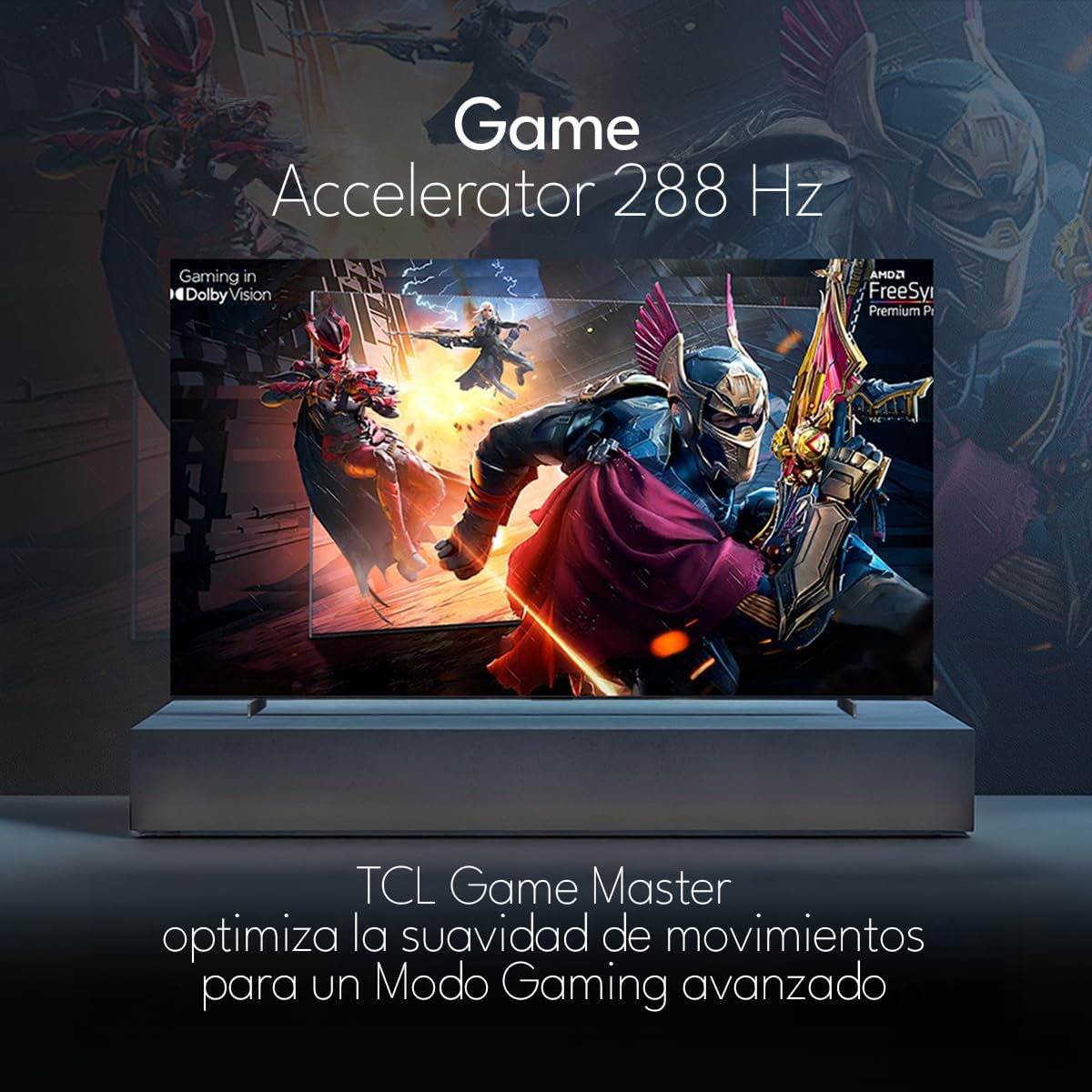
The TCL 98Q7K features a 144 Hz panel and Game Accelerator technology for an enhanced gaming experience with reduced latency and smoother motion.

3.6 คุณสมบัติด้านเสียง
Experience immersive sound with Dolby Atmos and the integrated ONKYO Hi-Fi System 2.1 Channels, providing clear vocals and deep bass.

3.7 ผลิตภัณฑ์เกินview วีดีโอ
4. การบำรุงรักษา
4.1 การทำความสะอาดหน้าจอ
ในการทำความสะอาดหน้าจอ ให้เช็ดเบาๆ ด้วยผ้านุ่มที่ไม่เป็นขุย สำหรับรอยฝังแน่น ให้เช็ดเบาๆampเช็ดผ้าด้วยน้ำหรือน้ำยาทำความสะอาดหน้าจอโดยเฉพาะ หลีกเลี่ยงการใช้สารเคมีรุนแรง วัสดุที่มีฤทธิ์กัดกร่อน หรือการฉีดน้ำยาลงบนหน้าจอโดยตรง
4.2 การทำความสะอาดตัวเครื่องทีวี
Wipe the TV body with a soft, dry cloth. Do not use liquid cleaners directly on the TV body.
4.3 การอัปเดตซอฟต์แวร์
Your TCL Google TV may receive automatic software updates. To manually check for updates, navigate to the settings menu, then select System > About > System update. Ensure your TV is connected to the internet for updates.
5 การแก้ไขปัญหา
หากคุณประสบปัญหาเกี่ยวกับทีวี โปรดดูวิธีแก้ไขทั่วไปต่อไปนี้:
- ไม่มีไฟฟ้า:
ตรวจสอบให้แน่ใจว่าสายไฟเสียบเข้ากับทีวีและเต้ารับไฟฟ้าที่ใช้งานได้แน่นสนิทแล้ว ลองเสียบอุปกรณ์อื่นเข้ากับเต้ารับเดียวกันเพื่อตรวจสอบว่าอุปกรณ์นั้นมีไฟเข้าหรือไม่ - ไม่มีภาพหรือเสียง:
Verify that the correct input source is selected (e.g., HDMI 1, AV). Check all cable connections between the TV and external devices. Ensure the volume is not muted or set to minimum. - รีโมทคอนโทรลไม่ทำงาน:
เปลี่ยนแบตเตอรี่ในรีโมทคอนโทรล ตรวจสอบให้แน่ใจว่าไม่มีสิ่งกีดขวางระหว่างรีโมทและเซ็นเซอร์อินฟราเรดของทีวี - ปัญหาการเชื่อมต่อเครือข่าย:
Check your Wi-Fi router and ensure it is powered on and functioning correctly. Restart the TV and your router. In the TV settings, verify the Wi-Fi connection status. - ปัญหาคุณภาพของภาพ (เช่น เบลอ ผิดเพี้ยน):
Check the resolution settings of your input source. Ensure the cables are not damaged. Adjust picture settings (brightness, contrast, sharpness) in the TV menu.
For persistent issues, consult the full electronic manual available through the TV's help menu or contact TCL customer support.
6. ข้อมูลจำเพาะ
| คุณสมบัติ | ข้อมูลจำเพาะ |
|---|---|
| ขนาดหน้าจอ | 98 นิ้ว |
| เทคโนโลยีการแสดงผล | คิวแอลอีดี |
| ปณิธาน | 4K (3840x2160) ความคมชัดระดับ XNUMXK |
| อัตราการรีเฟรช | 144 เฮิรตซ์ |
| รองรับรูปแบบ HDR | ดอลบีวิชั่น, HDR10, HDR10+, HLG |
| ความสว่างสูงสุด | 450 นิต |
| ระบบเสียง | Dolby Atmos, Dolby Digital, ONKYO Hi-Fi System 2.1 Channels |
| ระบบปฏิบัติการ | กูเกิลทีวี |
| การควบคุมด้วยเสียง | ผู้ช่วย Google, Alexa |
| การเชื่อมต่อ | Wi-Fi, Ethernet, HDMI 4 ช่อง, USB 2 ช่อง |
| ขนาด (รวมขาตั้ง) | 217.8 x 128.5 x 42 ซม. |
| ขนาด (ไม่รวมขาตั้ง) | 0.06prof. x 2.18an. x 1.25alt. Meters (approx. 6 cm depth) |
| รุ่นปี | 2025 |
| ส่วนประกอบที่รวมอยู่ | Manual, Remote Control, Batteries |
7. การรับประกันและการสนับสนุน
7.1 การรับประกันสินค้า
The TCL 98Q7K television comes with a รับประกันจำกัด 2 ปี นับจากวันที่ซื้อ การรับประกันนี้ครอบคลุมข้อบกพร่องจากการผลิตและการทำงานผิดปกติภายใต้การใช้งานปกติ โปรดเก็บหลักฐานการซื้อไว้เพื่อขอรับสิทธิ์การรับประกัน
7.2 การสนับสนุนลูกค้า
For technical assistance, troubleshooting beyond this manual, or warranty inquiries, please contact TCL customer support. Refer to the contact information provided in the separate warranty card or visit the official TCL webเว็บไซต์สำหรับภูมิภาคของคุณ