
1. บทนำ
Welcome to the OUKITEL C59 Pro user manual. This guide provides detailed instructions on how to set up, operate, maintain, and troubleshoot your new Android 15 smartphone. Please read this manual thoroughly to ensure optimal performance and longevity of your device.
2. ข้อมูลด้านความปลอดภัย
To prevent injury to yourself or others, or damage to your device, read all safety information before using the device. Keep this manual for future reference.
- อย่าให้เครื่องสัมผัสกับอุณหภูมิที่สูงหรือต่ำเกินไป แสงแดดโดยตรง หรือความชื้นสูง
- Use only OUKITEL-approved chargers, batteries, and accessories.
- หลีกเลี่ยงการทำเครื่องตกหรือได้รับแรงกระแทกรุนแรง
- ห้ามถอดประกอบ ดัดแปลง หรือซ่อมแซมอุปกรณ์ด้วยตนเอง
- Maintain a safe distance from medical devices to avoid interference.
- กำจัดอุปกรณ์และส่วนประกอบอย่างมีความรับผิดชอบตามกฎระเบียบท้องถิ่น
3. เนื้อหาบรรจุภัณฑ์
ตรวจสอบว่ามีสินค้าทั้งหมดอยู่ในกล่องผลิตภัณฑ์ของคุณ:
- สมาร์ทโฟน OUKITEL C59 Pro
- เคสโทรศัพท์
- สาย USB (ประเภท-C)
- เครื่องมือถอดซิม
- อะแดปเตอร์แปลงไฟ
4. อุปกรณ์โอเวอร์view
Familiarize yourself with the physical features and components of your OUKITEL C59 Pro smartphone.

Image: General view of the OUKITEL C59 Pro smartphone, showcasinด้วยดีไซน์ที่เรียบหรูและโมดูลกล้องหลัง
4.1 Physical Buttons and Ports
- ปุ่มเปิด/ปิด: Located on the side, used to power on/off the device or wake/sleep the screen. Integrates fingerprint recognition.
- ปุ่มปรับระดับเสียง: Located on the side, used to adjust media volume and ringtone volume.
- พอร์ต USB Type-C: อยู่ด้านล่าง ใช้สำหรับชาร์จไฟและถ่ายโอนข้อมูล
- ช่องใส่การ์ด SIM/MicroSD: Located on the side, for inserting Nano SIM cards and a MicroSD card.
- 110lm LED Flashlight: An exclusive physical flashlight located at the top of the device, activated by a dedicated button.
4.2 การแสดงผล
The OUKITEL C59 Pro features a large 6.88-inch HD+ display with a 90Hz refresh rate and 450 nits brightness, providing a clear and smooth visual experience.

Image: The OUKITEL C59 Pro's 6.88-inch HD+ display, highlighting its size and visual clarity.
กล้อง 4.3 ตัว
The device is equipped with a dual rear camera system, featuring a 13MP main camera, and a 5MP front camera for selfies and video calls.

Image: Close-up of the OUKITEL C59 Pro's rear camera module and examples of photos taken with the 13MP main camera and 5MP front camera.
4.4 ไฟฉาย
The OUKITEL C59 Pro features a powerful 110 lumen LED flashlight at the top. This flashlight can be activated instantly by pressing a dedicated physical button on the side of the phone, even when the screen is locked.

Image: The OUKITEL C59 Pro's 110lm LED flashlight illuminating dark environments, demonstrating its brightness and utility in various scenarios.
5. การตั้งค่า
5.1 การใส่ซิมการ์ดและ MicroSD
Your OUKITEL C59 Pro supports Dual Nano SIM cards and a MicroSD card for expandable storage up to 1TB.
- ค้นหาถาดใส่การ์ด SIM ที่ด้านข้างของอุปกรณ์
- เสียบเครื่องมือถอดซิมเข้าไปในรูเล็กๆ ข้างถาดเพื่อเปิดออก
- ใส่ซิมการ์ด Nano และ/หรือการ์ด MicroSD ลงในช่องที่กำหนดบนถาด โดยตรวจสอบให้แน่ใจว่าวางในทิศทางที่ถูกต้อง
- ค่อยๆ ดันถาดกลับเข้าไปในอุปกรณ์จนกระทั่งคลิกเข้าที่

Image: The SIM card tray of the OUKITEL C59 Pro, showing slots for two Nano SIM cards and one MicroSD card.
5.2 การชาร์จอุปกรณ์
Before first use, fully charge your OUKITEL C59 Pro. The device supports 18W fast charging.
- เชื่อมต่อสาย USB Type-C เข้ากับพอร์ตชาร์จที่ด้านล่างของโทรศัพท์
- เชื่อมต่อปลายอีกด้านหนึ่งของสาย USB เข้ากับอะแดปเตอร์ไฟฟ้า
- เสียบอะแดปเตอร์ไฟฟ้าเข้ากับเต้ารับไฟฟ้าที่ผนัง
- A full charge typically takes approximately four hours.
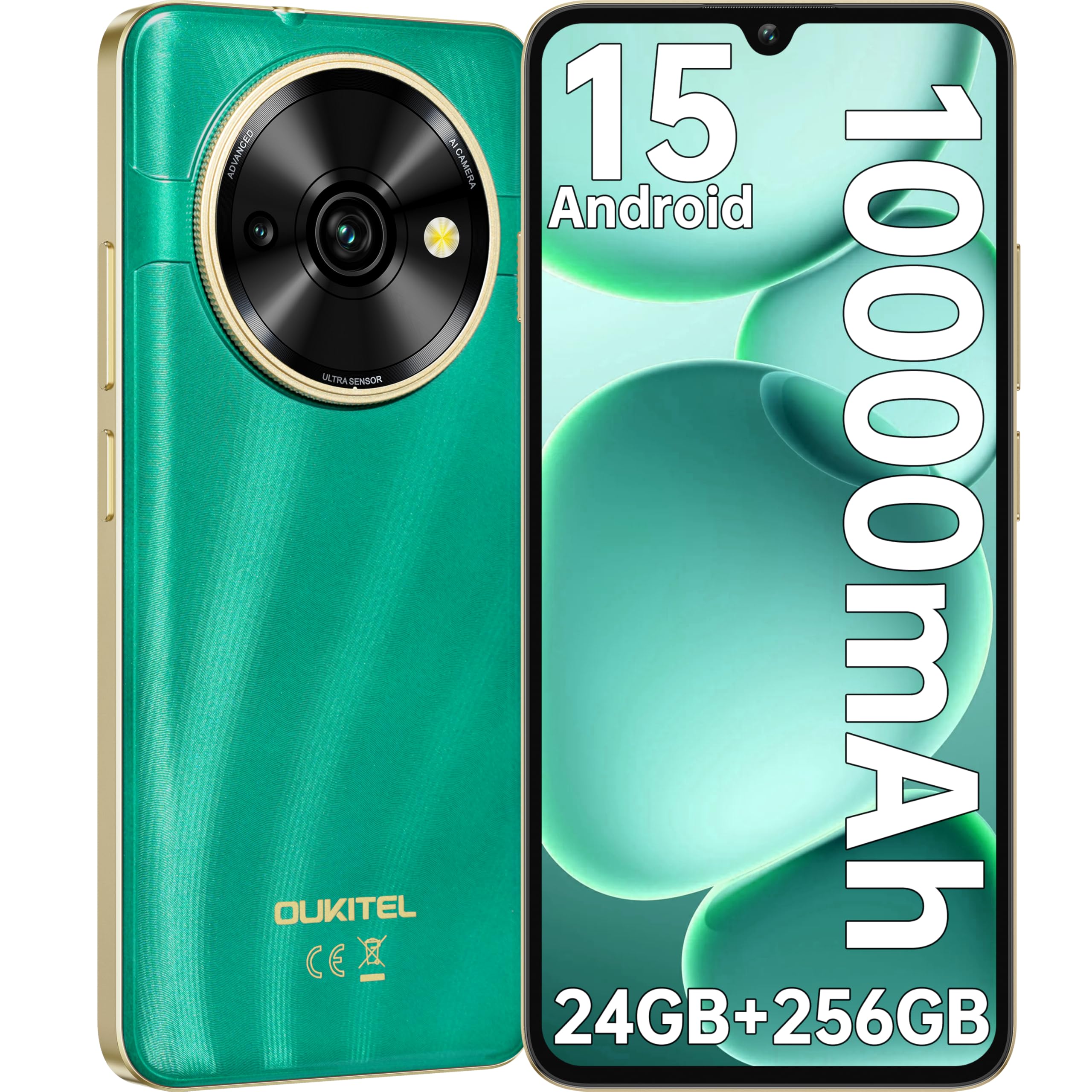
Image: Visual representation of the OUKITEL C59 Pro's 10000mAh battery capacity, indicating extended standby, talk, flashlight, and video playback times.
5.3 การเปิด/ปิดเครื่อง
- การเปิดเครื่อง: Press and hold the Power button until the OUKITEL logo appears.
- วิธีปิดเครื่อง: กดปุ่มเปิด/ปิดค้างไว้ จากนั้นเลือก "ปิดเครื่อง" จากตัวเลือกบนหน้าจอ
- ในการรีสตาร์ท: กดปุ่มเปิด/ปิดค้างไว้ จากนั้นเลือก 'เริ่มระบบใหม่' จากตัวเลือก
6. การใช้งานสมาร์ทโฟนของคุณ
ระบบปฏิบัติการ Android 15 6.1
Your OUKITEL C59 Pro runs on the latest Android 15 operating system, offering enhanced energy efficiency, privacy protection, and multi-device integration capabilities optimized with artificial intelligence.

Image: A visual representation of the Android 15 operating system interface, showcasing its modern design and various application icons.
6.2 Biometric Security (Fingerprint & Face ID)
Unlock your device securely using the side-mounted fingerprint sensor or Face ID recognition.
- การจดจำลายนิ้วมือ: Register your fingerprints in the Security settings. To unlock, simply place your registered finger on the side power button.
- การระบุใบหน้า: Set up Face ID in the Security settings. To unlock, hold the phone in front of your face.
6.3 Connectivity Features (NFC, GPS)
The OUKITEL C59 Pro supports NFC for contactless payments and data transfer, and GPS for navigation and location services.
- NFC: Enable NFC in Settings > Connected devices > Connection preferences > NFC. Tap your phone to compatible devices for quick pairing or payments.
- จีพีเอส: Location services are enabled by default. You can manage them in Settings > Location.
6.4 หน่วยความจำและที่เก็บข้อมูล
The device comes with 24GB RAM (8GB physical + 16GB virtual) and 256GB internal storage, expandable up to 1TB via MicroSD card.

Image: A graphical representation of the OUKITEL C59 Pro's memory configuration, showing 24GB RAM (8GB + 16GB expansion) and 256GB ROM (expandable to 1TB).
6.5 ฟังก์ชัน OTG
The OUKITEL C59 Pro supports OTG (On-The-Go) reverse charging, allowing you to transfer data to other devices or use your phone as an emergency power bank.
7. การบำรุงรักษา
การบำรุงรักษาอย่างถูกวิธีจะช่วยให้สมาร์ทโฟนของคุณมีอายุการใช้งานยาวนานและทำงานได้อย่างมีประสิทธิภาพสูงสุด
- การทำความสะอาด: ใช้ผ้านุ่มที่ไม่เป็นขุยทำความสะอาดหน้าจอและตัวเครื่อง หลีกเลี่ยงการใช้สารเคมีรุนแรงหรือวัสดุที่มีฤทธิ์กัดกร่อน
- การอัปเดตซอฟต์แวร์: ตรวจสอบและติดตั้งการอัปเดตระบบเป็นประจำเพื่อให้แน่ใจว่าอุปกรณ์ของคุณมีคุณสมบัติล่าสุดและแพทช์ความปลอดภัย ไปที่ การตั้งค่า > ระบบ > การอัปเดตระบบ
- การดูแลแบตเตอรี่ ควรหลีกเลี่ยงการปล่อยประจุแบตเตอรี่จนหมดบ่อยๆ สำหรับการเก็บรักษาในระยะยาว ควรชาร์จแบตเตอรี่ไว้ที่ประมาณ 50%
- การจัดการพื้นที่เก็บข้อมูล: ล้างสิ่งที่ไม่จำเป็นออกเป็นระยะๆ fileและแอปต่างๆ เพื่อเพิ่มพื้นที่จัดเก็บข้อมูลและปรับปรุงประสิทธิภาพการทำงาน
8 การแก้ไขปัญหา
หากคุณพบปัญหาเกี่ยวกับอุปกรณ์ของคุณ โปรดลองวิธีแก้ปัญหาต่อไปนี้:
- อุปกรณ์ไม่ตอบสนอง: กดปุ่มเปิด/ปิดค้างไว้ประมาณ 10-15 วินาทีเพื่อบังคับให้รีสตาร์ท
- แอปขัดข้อง: Clear the cache and data of the problematic app in Settings > Apps > [App Name] > Storage. If the issue persists, uninstall and reinstall the app.
- อายุการใช้งานแบตเตอรี่ไม่ดี: Check battery usage in Settings > Battery to identify power-hungry apps. Reduce screen brightness, disable unnecessary features like GPS or Wi-Fi when not in use.
- ปัญหาเครือข่าย: Ensure SIM cards are correctly inserted. Try restarting the device. Check network settings or contact your service provider.
- ความร้อนสูงเกินไป: Avoid using the device while charging or during prolonged heavy usage. Close background apps.
- รีเซ็ตเป็นค่าเริ่มต้นจากโรงงาน: หากปัญหายังคงอยู่เป็นวิธีสุดท้าย คุณสามารถทำการรีเซ็ตเป็นค่าเริ่มต้นจากโรงงานได้ คำเตือน: การดำเนินการนี้จะลบข้อมูลทั้งหมดในอุปกรณ์ของคุณ โปรดสำรองข้อมูลสำคัญก่อนดำเนินการต่อ ไปที่ การตั้งค่า > ระบบ > ตัวเลือกการรีเซ็ต > ลบข้อมูลทั้งหมด (รีเซ็ตเป็นค่าจากโรงงาน)
9. ข้อมูลจำเพาะ
Detailed technical specifications for the OUKITEL C59 Pro smartphone.
| คุณสมบัติ | ข้อมูลจำเพาะ |
|---|---|
| ยี่ห้อ | โอคิเทล |
| ชื่อรุ่น | OUKITEL C59 Pro |
| ระบบปฏิบัติการ | แอนดรอยด์ 15 |
| ขนาด RAM ที่ติดตั้ง | หน่วยความจำ 24 GB (8 GB แบบกายภาพ + 16 GB แบบเสมือน) |
| ความจุในการเก็บข้อมูล | 256GB |
| Max Supported Flash Memory Size | 1024 GB (1TB) |
| ขนาดหน้าจอ | 6.88 นิ้ว |
| ปณิธาน | 1640 x 720 พิกเซล |
| อัตราการรีเฟรช | 90 เฮิรตซ์ |
| ประเภทจอภาพ | จอแอลซีดี |
| เทคโนโลยีเซลลูล่าร์ | 4G |
| เทคโนโลยีการเชื่อมต่อ | 4G |
| สี | สีเขียว |
| Number of SIM Card Slots | ซิมคู่ |
| ขนาดซิมการ์ด | นาโน |
| ประเภทขั้วต่อ | USB ประเภท C |
| ฟอร์มแฟกเตอร์ | บาร์ |
| คุณสมบัติการรักษาความปลอดภัยไบโอเมตริก | Fingerprint Recognition, Face ID |
| ระดับความต้านทานต่อน้ำ | ไม่กันน้ำ |
| แจ็คหูฟัง | ไม่มี |
| ความละเอียดกล้องหลัง | 13 MP |
| Number of Rear Cameras | 2 |
| Number of Front Cameras | 1 |
| ความละเอียดในการจับภาพวิดีโอ | 1080p |
| อัตราเฟรม | 30เฟรมต่อวินาที, 60เฟรมต่อวินาที, 120เฟรมต่อวินาที |
| ความจุของแบตเตอรี่ | 10000 มิลลิแอมป์ |
| อายุการใช้งานแบตเตอรี่ | 50 ชั่วโมง (เวลาสนทนา) |
| จีพีเอส | ใช่ |
| ส่วนประกอบที่รวมอยู่ | Phone case, USB cable, SIM ejector tool, Power adapter |
| การใช้ผลิตภัณฑ์เฉพาะ | Gaming, Photography, Streaming, Video Conferencing |
10. การรับประกันและการสนับสนุน
10.1 ข้อมูลการรับประกัน
The OUKITEL C59 Pro smartphone comes with a การรับประกันจากผู้ผลิต 2 ปี. This warranty covers defects in materials and workmanship under normal use. It does not cover damage caused by misuse, accidents, unauthorized repairs, or normal wear and tear. Please retain your proof of purchase for warranty claims.
10.2 การสนับสนุนลูกค้า
For technical assistance, warranty claims, or any other inquiries regarding your OUKITEL C59 Pro, please contact OUKITEL customer support through their official website or the contact information provided with your purchase. Ensure you have your device model and purchase details ready when contacting support.