
1. บทนำ
The SRNE Shiner2440 is an advanced Maximum Power Point Tracking (MPPT) solar charge controller designed for off-grid photovoltaic systems. It efficiently manages power flow from solar panels to batteries and loads, ensuring optimal charging and discharge protection. This manual provides essential information for the safe and effective installation, operation, and maintenance of your Shiner2440 controller.
2. คำแนะนำด้านความปลอดภัย
- อ่านคำแนะนำทั้งหมดอย่างละเอียดก่อนการติดตั้งและใช้งาน
- ตรวจสอบให้แน่ใจว่าสายไฟทั้งหมดต่อขั้วถูกต้องและแน่นหนา เพื่อป้องกันความเสียหายต่อตัวควบคุมหรือส่วนประกอบอื่นๆ
- ควรตัดการเชื่อมต่อแผงโซลาร์เซลล์และแบตเตอรี่ทุกครั้งก่อนติดตั้งหรือปรับแต่งตัวควบคุม
- Install the controller in a well-ventilated area, away from flammable gases, moisture, and direct sunlight.
- ห้ามถอดประกอบหรือพยายามซ่อมแซมตัวควบคุมด้วยตนเอง โปรดติดต่อช่างผู้ชำนาญการเพื่อขอรับบริการ
- ควรใช้เบรกเกอร์หรือฟิวส์ที่เหมาะสมสำหรับแผงโซลาร์เซลล์ แบตเตอรี่ และวงจรโหลด
- ควรสวมแว่นตาป้องกันเมื่อทำงานกับแบตเตอรี่
3. สินค้าหมดview
3.1 คุณสมบัติหลัก
- Designed for off-grid applications, connecting to PV, battery, and load.
- Multiple load operating modes to meet diverse energy needs.
- Supports various battery types for versatile use.
- Highly integrated design for space and wire saving.
- MPPT efficiency up to 99.9% for optimal power harvest.
- Complete charge and discharge protection mechanisms.
- Natural cooling for quiet operation.
- Supports TTL RS485 and CAN (RV-C protocol) communication.
- Bluetooth connectivity with mobile application for monitoring and control.
3.2 ส่วนประกอบของตัวควบคุม
The SRNE Shiner2440 controller features a compact design with an integrated display and control buttons for easy operation.
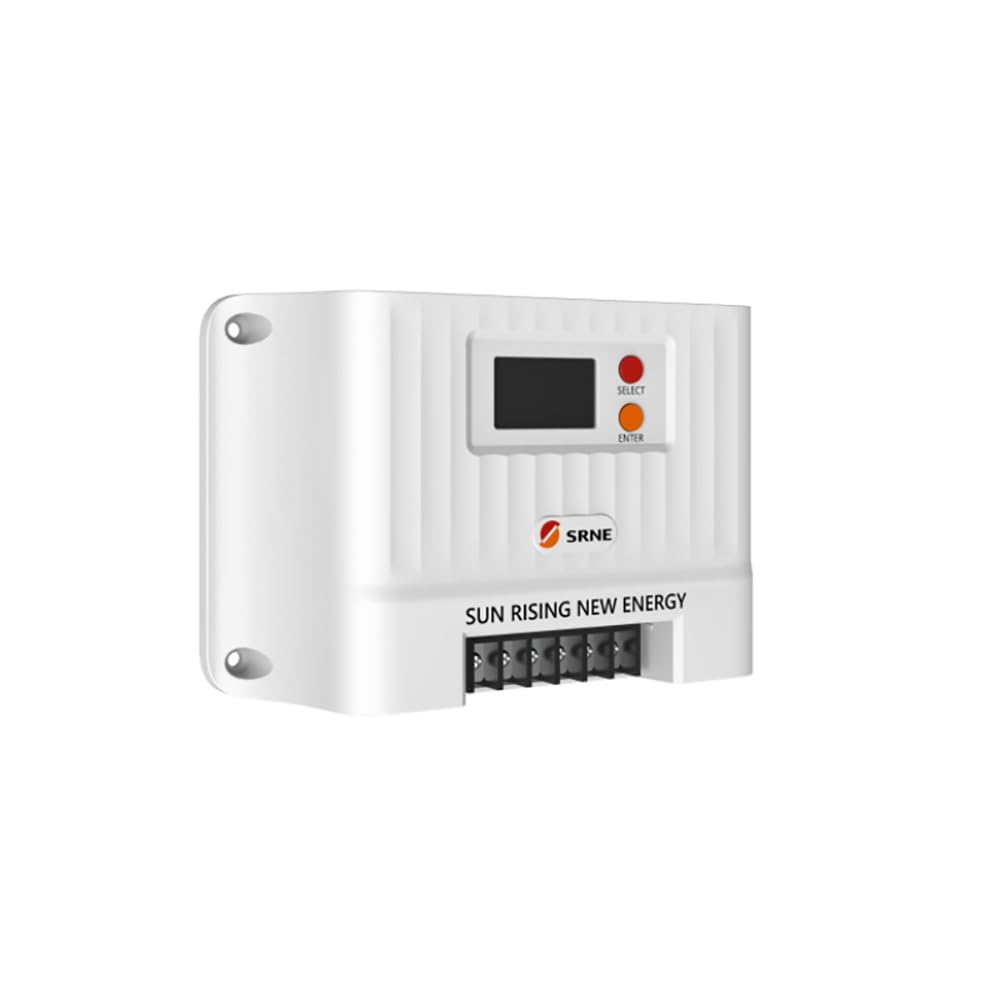
รูปที่ 1: ด้านหน้า view of the SRNE Shiner2440 MPPT Solar Charge Controller, showing the LCD display and control buttons.
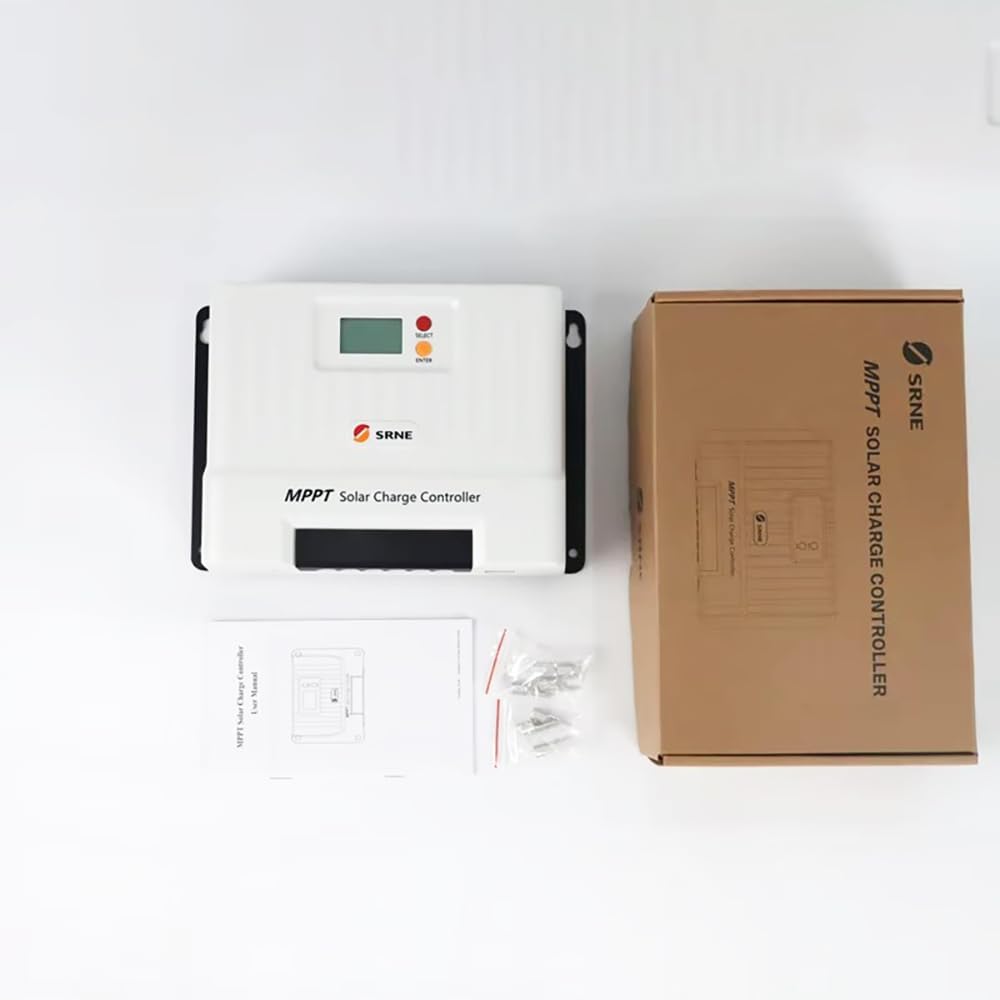
รูปที่ 2: The SRNE Shiner2440 controller alongside its retail packaging and included accessories, such as mounting screws and a user manual.

รูปที่ 3: A summary of key features for the SRNE Shiner series solar charge controllers, highlighting off-grid application, user-friendliness, safety, all-in-one design, efficiency, and intelligent functions.
4. ข้อมูลจำเพาะ
The following table details the technical specifications of the SRNE Shiner2440 MPPT Solar Charge Controller:
| พารามิเตอร์ | ค่า |
|---|---|
| แบบอย่าง | Shiner2440 |
| จัดอันดับแบตเตอรี่Voltage | 12V/24V (Auto-recognition) |
| จัดอันดับการชาร์จปัจจุบัน | 40เอ |
| จัดอันดับโหลดปัจจุบัน | 20เอ |
| แม็กซ์ PV Open Circuit Voltage | 100โวลต์ดีซี |
| ประสิทธิภาพการติดตาม MPPT | มากกว่า 99% |
| กำลังไฟฟ้าขาเข้าสูงสุดจากแผงโซลาร์เซลล์ (แบตเตอรี่ 12V) | 520วัตต์ |
| กำลังไฟฟ้าขาเข้าสูงสุดจากแผงโซลาร์เซลล์ (แบตเตอรี่ 24V) | 1040วัตต์ |
| รองรับประเภทแบตเตอรี่ | Lead-acid, Li-ion, User Defined |
| การสื่อสาร | TTL RS485 (default), CAN (optional), Bluetooth (optional via external module) |
| ขนาด (กว้าง*ยาว*สูง) | 228มม. * 160มม. * 72มม. (8.98นิ้ว * 6.30นิ้ว * 2.83นิ้ว) |
| น้ำหนัก | 1.75 กก. (3.86 ปอนด์) |
| ระดับการป้องกัน | IP32 |
| ช่วงอุณหภูมิในการทำงาน | -35°C ถึง 65°C (-31°F ถึง 149°F) |

รูปที่ 4: Comprehensive technical specifications for the Shiner series, including the Shiner2440, and a general connection diagram for the MPPT controller in an off-grid system.
5. การตั้งค่าและการติดตั้ง
5.1 การติดตั้งคอนโทรลเลอร์
- Mount the controller vertically on a non-flammable surface in a dry, well-ventilated indoor location.
- Ensure adequate clearance around the controller for natural cooling. Avoid enclosed spaces.
- Use appropriate screws to secure the controller to the mounting surface.
5.2 การเชื่อมต่อสายไฟ
Follow the wiring sequence below to ensure safe and correct installation. Refer to Figure 4 for a visual representation of the connection diagram.
- เชื่อมต่อแบตเตอรี่: Connect the battery to the controller's battery terminals. Ensure correct polarity (+ to + and - to -). The controller will automatically detect the battery voltagอี (12V หรือ 24V)
- เชื่อมต่อแผงโซล่าเซลล์: Connect the solar panel array to the controller's PV terminals. Ensure correct polarity. Do not exceed the maximum open circuit voltage (100Vdc) or maximum input power (520W for 12V battery, 1040W for 24V battery).
- เชื่อมต่อโหลด DC: Connect the DC load to the controller's load terminals. Ensure correct polarity. Do not exceed the rated load current (20A).
สำคัญ: Always connect the battery first, then the solar panel, and finally the load. Disconnect in the reverse order: load, then solar panel, then battery.
6. คู่มือการใช้งาน
6.1 ฟังก์ชันการแสดงผลและปุ่มต่างๆ
The controller features an LCD display and two buttons: "SELECT" and "ENTER".
- ปุ่มเลือก: Used to navigate through different display screens and menu options.
- ปุ่ม ENTER: Used to confirm selections or enter a menu for parameter settings.
6.2 การตั้งค่าพารามิเตอร์
To adjust parameters such as battery type or load operating mode:
- Press the "ENTER" button to enter the main menu.
- Use the "SELECT" button to scroll through the menu options.
- Press "ENTER" to select a parameter for adjustment.
- Use "SELECT" to change the value or option.
- Press "ENTER" again to confirm and save the setting.
6.3 โหมดการทำงานของการโหลด
The controller supports multiple load operating modes, which can be configured via the menu:
- Normal Open: Load is always on when battery voltage ก็เพียงพอแล้ว
- การควบคุมแสง: เครื่องจะเปิดใช้งานโดยอัตโนมัติเมื่อพลบค่ำและปิดเมื่อรุ่งเช้า
- การควบคุมเวลา: อุปกรณ์จะเริ่มทำงานเมื่อพลบค่ำและทำงานต่อเนื่องเป็นระยะเวลาที่กำหนดไว้
- Light Control + Time Control: Load turns on at dusk and stays on for a set duration, then turns off.
- Debugging Mode: เพื่อวัตถุประสงค์ในการทดสอบ
6.4 การเลือกประเภทแบตเตอรี่
The controller supports various battery types. Select the correct battery type in the settings to ensure proper charging algorithms and protection:
- Lead-acid (e.g., Sealed, Gel, Flooded)
- ลิเธียมไอออน
- User Defined (for custom battery parameters)
6.5 การเชื่อมต่อบลูทูธ
The Shiner2440 supports Bluetooth connectivity via an optional external module. Once connected, you can monitor system status and adjust parameters using a mobile application.
7. การบำรุงรักษา
- ตรวจสอบการเชื่อมต่อสายไฟทั้งหมดเป็นระยะๆ เพื่อให้แน่ใจว่าแน่นหนาและไม่มีการกัดกร่อน
- รักษาตัวควบคุมให้สะอาด ปราศจากฝุ่นและเศษขยะ ใช้ผ้าแห้งเช็ดทำความสะอาด
- Ensure the ventilation openings are not obstructed to maintain proper cooling.
- Monitor the system's performance regularly through the display or mobile app.
8 การแก้ไขปัญหา
If you encounter issues with your SRNE Shiner2440 controller, refer to the following common troubleshooting steps:
- ไม่มีจอแสดงผล/ไม่มีพลังงาน: ตรวจสอบการเชื่อมต่อแบตเตอรี่และตรวจสอบปริมาณแบตเตอรี่tage is within the operating range. Verify that the battery fuse or circuit breaker is not tripped.
- ไม่มีการชาร์จ: Check solar panel connections and ensure they are receiving sunlight. Verify that the solar panel fuse or circuit breaker is not tripped. Ensure the PV open circuit voltage is within the controller's limits.
- โหลดไม่ทำงาน: Check load connections and ensure the load fuse or circuit breaker is not tripped. Verify the load operating mode settings. Ensure battery voltage อยู่เหนือระดับต่ำtagเกณฑ์การตัดการเชื่อมต่อ
- การอ่านไม่ถูกต้อง: Ensure all parameters, especially battery type, are correctly set in the controller's menu.
For persistent issues or error codes not listed, please consult the manufacturer's support or a qualified technician.
9. การรับประกันและการสนับสนุน
Warranty information for the SRNE Shiner2440 MPPT Solar Charge Controller is typically provided with the product packaging or can be obtained directly from the manufacturer, YXSMPS, or your authorized dealer. Please retain your proof of purchase for warranty claims.
For technical support, product inquiries, or service, please contact the manufacturer or your local distributor.