
Bmax B9 Power
Bmax Mini PC B9 Power User Manual
Model: B9 Power | Brand: Bmax
การแนะนำ
This manual provides comprehensive instructions for setting up, operating, and maintaining your Bmax Mini PC B9 Power. This high-performance mini desktop computer is equipped with an Intel Core i9-12900HK processor, 32GB DDR4 RAM, and a 1TB NVMe SSD, designed for efficient multitasking, gaming, and multimedia consumption. It supports triple 4K/60Hz display output and features advanced cooling technology.

ภาพ: ด้านหน้าและด้านหลัง view of the Bmax Mini PC B9 Power, showcasinด้วยการออกแบบที่กะทัดรัดและพอร์ตต่างๆ
มีอะไรอยู่ในกล่อง
- 1 x B9 Power MINI PC
- 1 x สาย HDMI
- 1 x คู่มือผู้ใช้ (เอกสารนี้)
- 1 x แหล่งจ่ายไฟของสหรัฐฯ
- 1 x ขาตั้ง VESA พร้อมสกรู
คู่มือการติดตั้ง
1. การเชื่อมต่อมินิพีซีของคุณ
Follow these steps to connect your Bmax Mini PC B9 Power to your display and peripherals:
- เชื่อมต่อกับจอแสดงผล: Use the provided HDMI cable to connect the Mini PC's HDMI port to your monitor or TV. Alternatively, you can use the DisplayPort (DP) or Type-C port for video output. This Mini PC supports up to three 4K/60Hz displays simultaneously.
- เชื่อมต่ออุปกรณ์ต่อพ่วง: เสียบคีย์บอร์ดและเมาส์ USB ของคุณเข้ากับพอร์ต USB 3.2 หรือ USB 2.0 ที่ว่างอยู่
- เชื่อมต่อกับเครือข่าย: For wired internet, connect an Ethernet cable to the RJ45 port. For wireless internet, the device supports WiFi 6.
- การเชื่อมต่อไฟฟ้า: Connect the US Power Adapter to the DC Power Port on the Mini PC, then plug the adapter into a power outlet.

ภาพ: รายละเอียด view of the Bmax Mini PC's ports, including USB 3.2, USB 2.0, Type-C, HDMI 2.1, DisplayPort 1.4a, RJ45, 3.5mm Audio Jack, and DC Power In.
2. เปิดเครื่องครั้งแรก
After connecting all necessary cables, press the power button located on the front of the Mini PC. The system will boot up, and you will see the operating system interface on your connected display.
3. การติดตั้งฐานยึด VESA (ไม่บังคับ)
The Bmax Mini PC B9 Power comes with a VESA mount, allowing you to attach it to the back of a compatible monitor or to a wall, saving desk space.
- Attach the VESA mount bracket to the back of your monitor or desired wall location using the provided screws.
- เลื่อนมินิพีซีเข้าไปในฐานยึด VESA จนกระทั่งได้ยินเสียงคลิกและล็อคเข้าที่อย่างแน่นหนา

Image: Demonstrates various space-saving installation options, including mounting behind a monitor or placing on a desk.
คำแนะนำการใช้งาน
หมดระบบview
The Bmax Mini PC B9 Power is pre-installed with an operating system (OS) and is ready for use upon initial setup. It features a powerful Intel Core i9-12900HK processor, 32GB DDR4 RAM, and a 1TB NVMe SSD for high-speed performance and ampที่เก็บของ
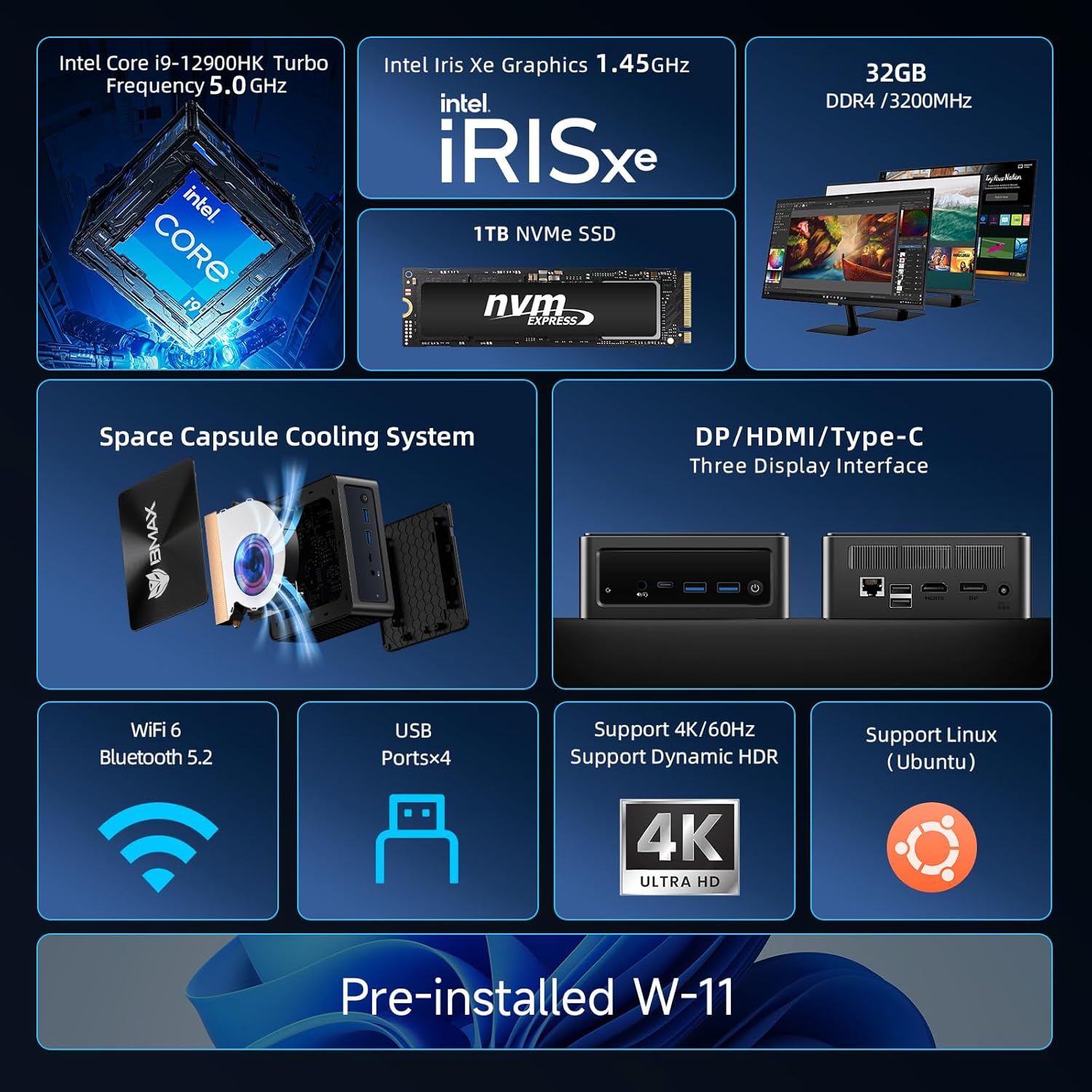
Image: An infographic highlighting key features such as Intel Core i9-12900HK, Intel Iris Xe Graphics, 32GB DDR4, 1TB NVMe SSD, Space Capsule Cooling System, triple display support, WiFi 6, Bluetooth 5.2, USB ports, 4K/60Hz support, Linux (Ubuntu) support, and pre-installed Windows 11.
หน่วยประมวลผลและประสิทธิภาพ
Equipped with the Intel Core i9-12900HK processor, featuring 14 cores and 20 threads with a max turbo frequency of 5.00GHz, this Mini PC delivers exceptional performance for demanding applications, multitasking, and gaming. The 32GB DDR4 memory ensures smooth operation even with multiple applications running simultaneously.

Image: Visual representation of the Intel Core i9-12900HK processor's specifications, including 14 cores, 20 threads, Intel 7 lithography, 24MB Intel Smart Cache, and 5.00GHz Max Turbo Frequency. Also shows a performance comparison chart.
การเก็บข้อมูลและหน่วยความจำ
The 1TB NVMe SSD provides rapid boot times and quick application loading, significantly faster than traditional SSDs. The 32GB DDR4 RAM (3200MHz) ensures ample memory for all your computing needs, from office tasks to creative work and entertainment.
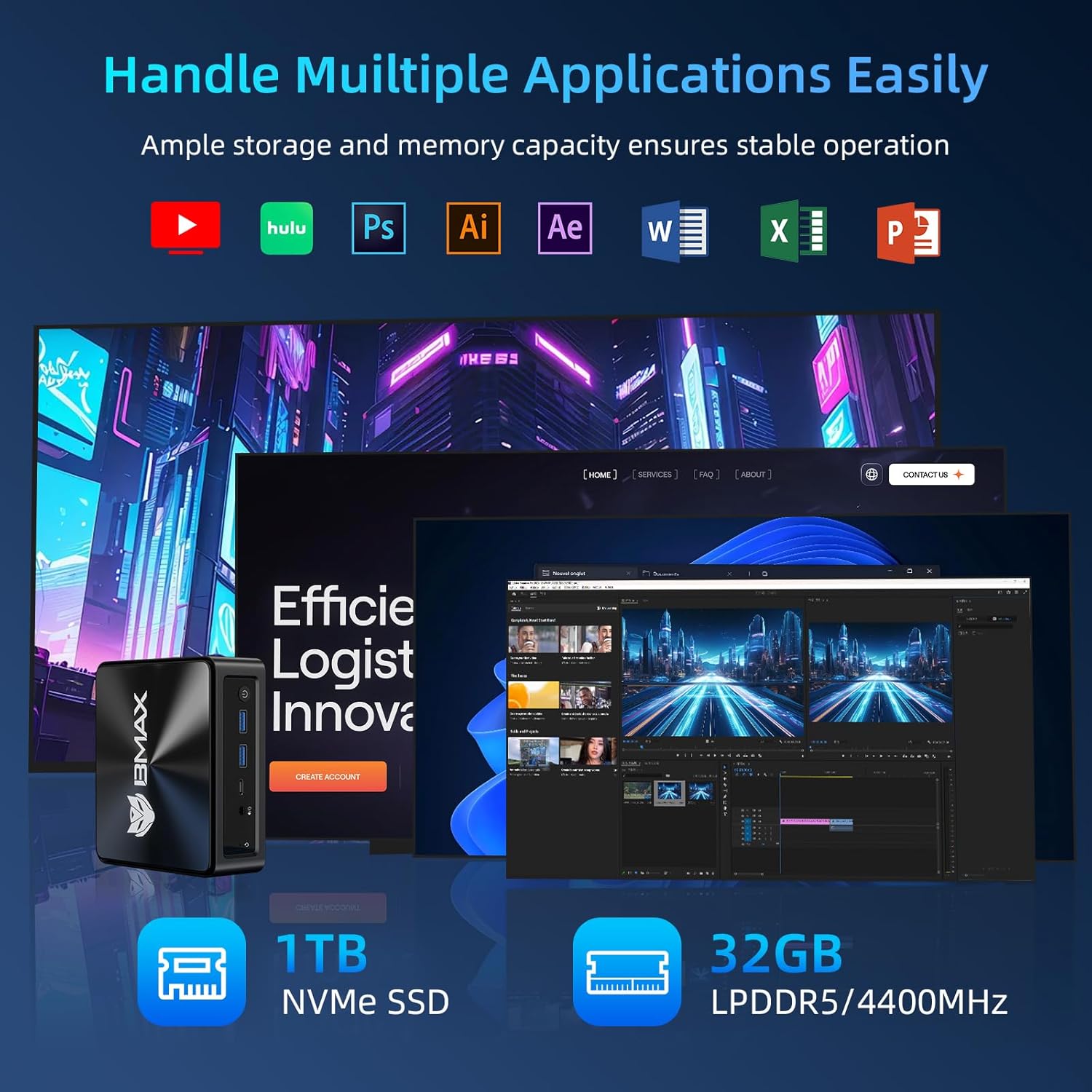
Image: Depicts the Mini PC handling various applications like Hulu, Photoshop, AI, After Effects, Word, Excel, and PowerPoint, alongside multimedia tasks such as listening to music, playing games, and watching movies, emphasizing its ability to accommodate massive files.
ความสามารถในการแสดงผล
The Mini PC supports triple 4K@60Hz display outputs via HDMI 2.1, USB-C (full features), and DisplayPort. This allows for an expansive workspace, ideal for professional use, multi-monitor gaming, or a home theater setup.

Image: Shows the Mini PC connected to three monitors, demonstrating its triple 4K@60Hz output capability for an enhanced visual experience.
การเชื่อมต่อ
The B9 Power features built-in 802.11a/b/g/n/ac/ax WiFi 6 for high-speed wireless networking and Bluetooth 5.2 for connecting wireless peripherals like headsets, mice, and keyboards.

Image: A comparison chart illustrating the speed advantages of WiFi 6 over WiFi 5, showing faster speeds, higher throughput, and lower latency.
วิดีโอผลิตภัณฑ์อย่างเป็นทางการ
Video: An official product video from BMAX Tech showcasing the features and capabilities of the Bmax Mini PC B9 Power, including its processor, memory, storage, cooling, and connectivity options. (Duration: 0:40)
การซ่อมบำรุง
ระบบระบายความร้อน
The B9 Power features a "Space Capsule Cooling System" with an enlarged double copper heat pipe and a high-performance turbo smart fan. This design ensures efficient heat dissipation, maintaining stable performance even under heavy workloads.

Image: Illustrates the internal cooling components, including the giant turbo smart fan and enlarged double copper cooling pipe, highlighting the efficient heat dissipation design.
การดูแลทั่วไป
- Keep the Mini PC in a well-ventilated area to ensure optimal airflow.
- หลีกเลี่ยงการอุดรูระบายอากาศบนอุปกรณ์
- Clean the exterior of the Mini PC regularly with a soft, dry cloth. Do not use liquid cleaners.
- Periodically check for dust accumulation in the vents and gently clean with compressed air if necessary.
การแก้ไขปัญหา
Smart Recovery System
The Bmax Mini PC B9 Power includes a unique "Smart Recovery" feature to help resolve operating system issues, such as crashes, slow response, or problems during OS upgrades. This allows you to quickly reset your system to its factory settings.
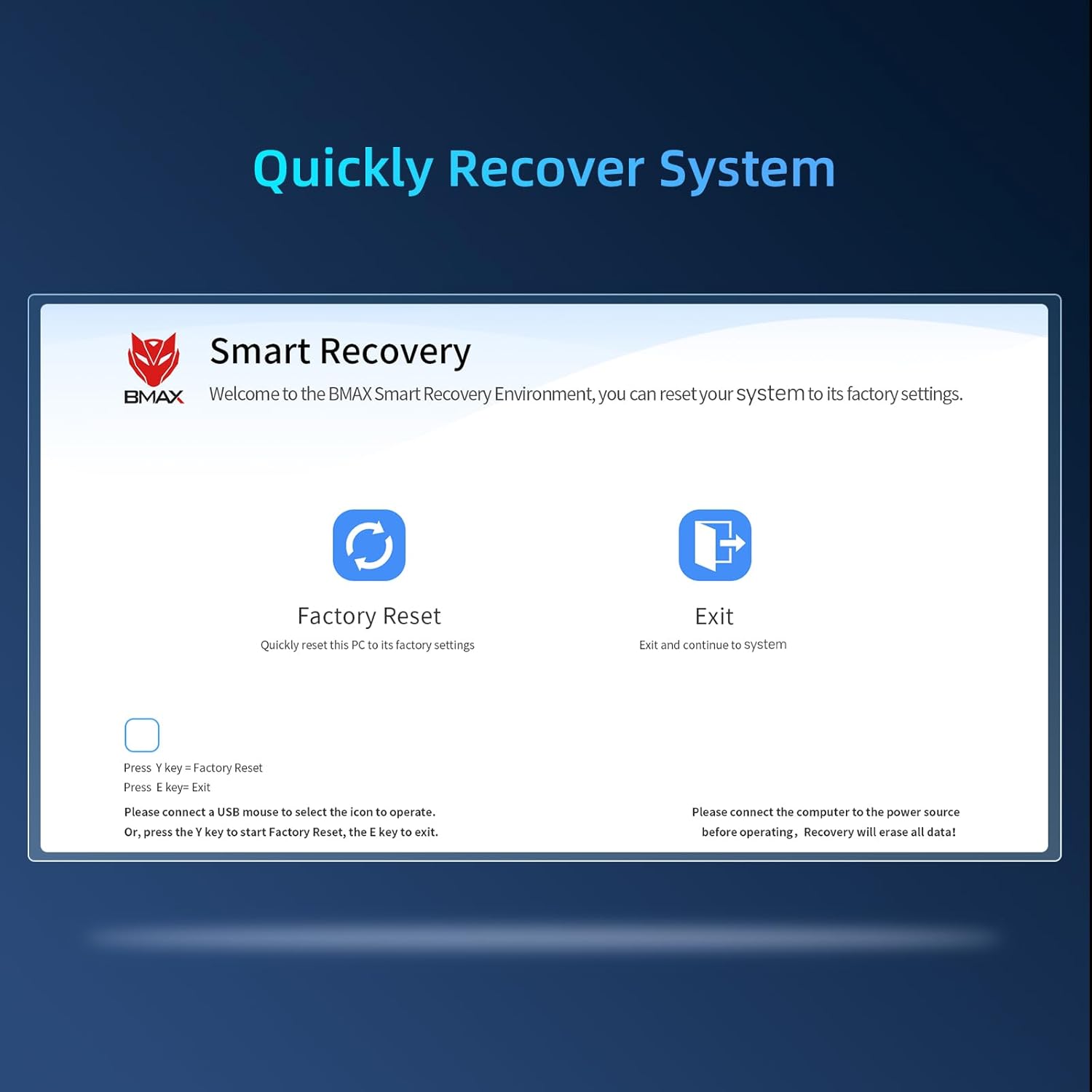
Image: The Smart Recovery screen, offering options for "Factory Reset" and "Exit". Instructions indicate connecting a USB mouse or pressing 'Y' for factory reset and 'E' to exit. A warning notes that recovery will erase all data and requires power connection.
To access the Smart Recovery Environment:
- Ensure the Mini PC is connected to a power source.
- Connect a USB mouse to navigate the recovery menu.
- Follow the on-screen instructions to perform a "Factory Reset" or "Exit" to the system.
- คำเตือน: A factory reset will erase all data on the drive. Back up important fileก่อนดำเนินการต่อ
ปัญหาทั่วไปและแนวทางแก้ไข
| ปัญหา | สาเหตุที่เป็นไปได้ | สารละลาย |
|---|---|---|
| ไม่มีเอาต์พุตแสดงผล | Incorrect cable connection, monitor input not selected, power issue. | Check HDMI/DP/Type-C cable connections. Ensure monitor is on and set to correct input source. Verify power adapter is securely connected. |
| ไม่มีไฟฟ้า | Power adapter not connected, faulty outlet. | ตรวจสอบให้แน่ใจว่าเสียบอะแดปเตอร์แปลงไฟเข้ากับมินิพีซีอย่างแน่นหนาและเสียบเข้ากับเต้ารับไฟฟ้าที่ใช้งานได้ ลองเสียบเข้ากับเต้ารับอื่นดู |
| เชื่อมต่อ Wi-Fi ไม่ได้ | Incorrect Wi-Fi password, router issue, driver problem. | Verify Wi-Fi password. Restart your router. Check device manager for Wi-Fi driver status. |
| System slow/unresponsive | Too many applications running, low disk space, malware. | Close unnecessary applications. Free up disk space. Run a system scan for malware. Consider using the Smart Recovery feature if issues persist. |
ข้อมูลจำเพาะ
| คุณสมบัติ | รายละเอียด |
|---|---|
| โปรเซสเซอร์ | Intel Core i9-12900HK (up to 5.0GHz, 14 Cores/20 Threads) |
| กราฟฟิก | Intel Iris Xe Graphics (1.45Ghz) |
| แรม | หน่วยความจำ 32GB DDR4 (3200MHz) |
| พื้นที่จัดเก็บ | 1TB NVMe SSD |
| เอาท์พุตวิดีโอ | HDMI 2.1 (4K@60Hz), DisplayPort (DP), Type-C (full features) - Supports Triple Display |
| การเชื่อมต่อแบบไร้สาย | WiFi 6 (802.11a/b/g/n/ac/ax), Bluetooth 5.2 |
| การเชื่อมต่อแบบมีสาย | อีเทอร์เน็ต RJ45 |
| พอร์ต USB | 2 x USB 3.2, 2 x USB 2.0, 1 x Type-C (full features) |
| เสียง | 1 x 3.5-mm Stereo Headset Jack |
| ระบบปฏิบัติการ | Pre-installed OS (as per product description, likely Windows 11) |
| ระบบระบายความร้อน | Space Capsule Cooling System (Giant Turbo Smart Fan, Enlarged Double Copper Heat Pipe) |
| ขนาด | 11.02 x 6.18 x 2.91 นิ้ว (ขนาดบรรจุภัณฑ์) |
| น้ำหนัก | 1.83 ปอนด์ |
การรับประกันและการสนับสนุน
Bmax offers a 12-month warranty for the B9 Power Mini PC. For technical support, warranty claims, or any product-related inquiries, please contact Bmax customer service through their official channels or the retailer where the product was purchased.
You can visit the official Bmax store on Amazon for more information and support resources: Bmax Amazon Store
Ask a question about this manual
Ask about setup, troubleshooting, compatibility, parts, safety, or missing instructions. Manuals+ will review the question and use this page’s manual context to help answer it.