
1. บทนำ
The Sony WH-1000XM6 are over-ear wireless Bluetooth headphones designed to provide an immersive audio experience with advanced noise-cancelling capabilities. This manual provides essential information for the proper setup, operation, and maintenance of your headphones.
Key features include the HD Noise Cancelling Processor QN3, Multi Noise Sensor Technology, High-Resolution Audio support, DSEE Extreme, and a foldable design for portability. The headphones also offer up to 30 hours of battery life and support multipoint connection.
2. อะไรอยู่ในกล่อง
ตรวจสอบว่ามีสินค้าทั้งหมดอยู่ในบรรจุภัณฑ์:
- หูฟัง Sony WH-1000XM6
- Compact Protective Carrying Case
- สาย USB-C
- เอกสารประกอบ (คู่มือนี้และคำแนะนำอื่นๆ)
3. สินค้าหมดview
The WH-1000XM6 headphones feature a lightweight design with soft, cushioned ear pads and an adjustable headband for comfort during extended listening sessions. The headphones are foldable for easy storage and transport in the included carrying case.
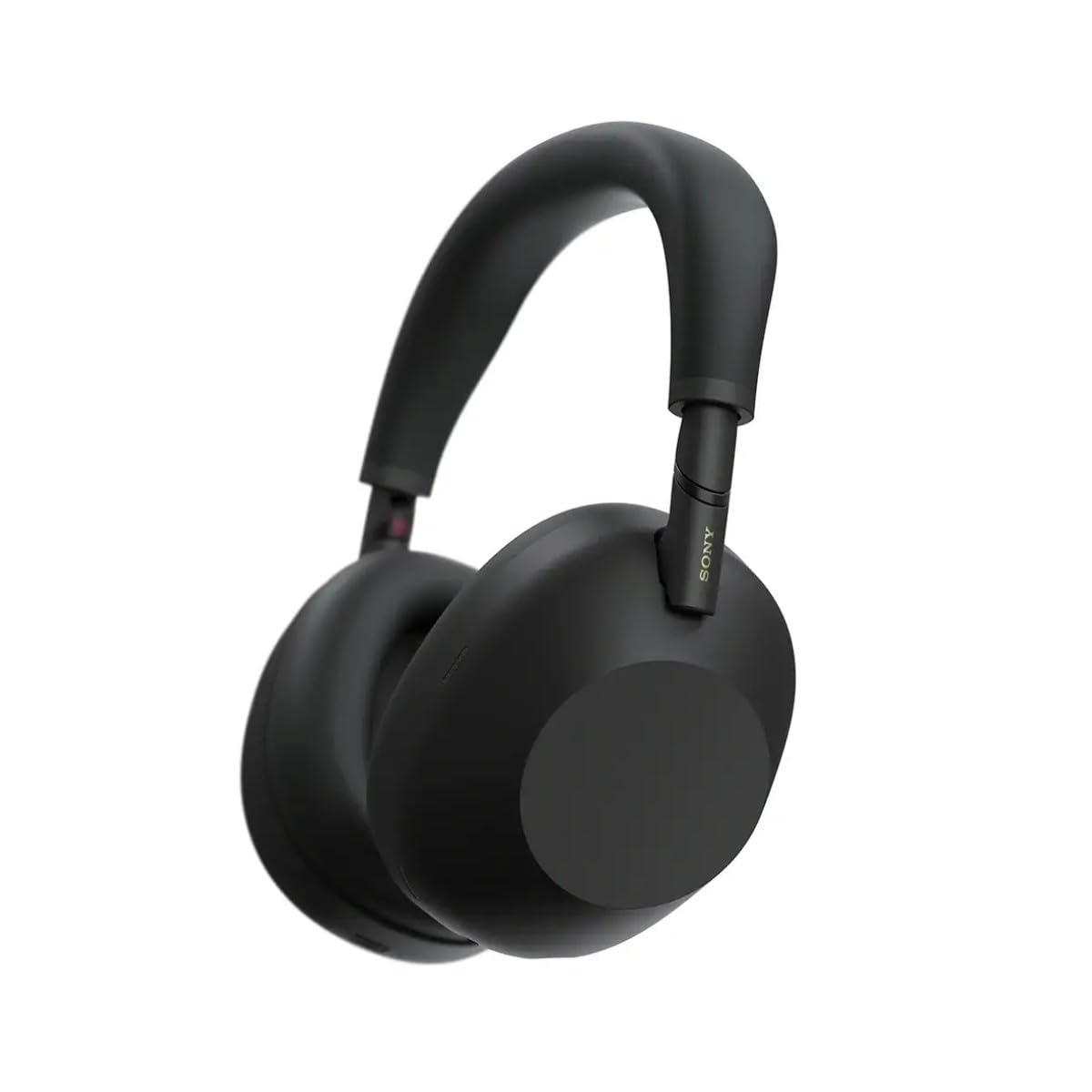
รูปที่ 3.1 : ด้านหน้า view of the Sony WH-1000XM6 headphones in black.
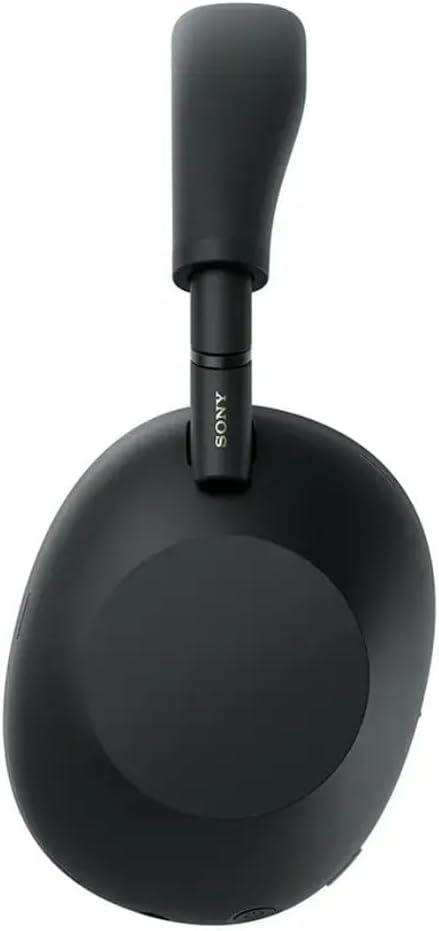
รูปที่ 3.2: ด้านข้าง view of the Sony WH-1000XM6 headphones.

Figure 3.3: WH-1000XM6 headphones stored in their protective carrying case.
4. การตั้งค่า
4.1. การชาร์จหูฟัง
Before initial use, fully charge the headphones. Connect the supplied USB-C cable to the charging port on the headphones and to a USB power source. A full charge provides up to 30 hours of playback. A quick 3-minute charge can provide approximately 3 hours of playback. The headphones can be used while charging.
4.2. เปิด/ปิดเครื่อง
- การเปิดเครื่อง: กดปุ่มเปิด/ปิดค้างไว้จนกว่าไฟแสดงสถานะจะสว่างขึ้น
- วิธีปิดเครื่อง: กดปุ่มเปิด/ปิดค้างไว้จนกว่าไฟแสดงสถานะจะดับ
4.3. การจับคู่บลูทู ธ
ในการเชื่อมต่อหูฟังของคุณกับอุปกรณ์บลูทูธ:
- ตรวจสอบให้แน่ใจว่าหูฟังปิดอยู่
- Press and hold the power button for approximately 7 seconds until the indicator light flashes blue rapidly and a voice guidance announces "Bluetooth pairing mode."
- บนอุปกรณ์ของคุณ (สมาร์ทโฟน แท็บเล็ต คอมพิวเตอร์) เปิดใช้งาน Bluetooth และค้นหาอุปกรณ์ที่มีอยู่
- เลือก "WH-1000XM6" จากรายการอุปกรณ์ที่ตรวจพบ
- Once connected, the indicator light will flash slowly, and a voice guidance will announce "Bluetooth connected."
4.4. โซนี่ | แอป Headphones Connect
Download the Sony | Headphones Connect app from your device's app store. This app allows you to customize sound settings, manage noise cancellation, update firmware, and access additional features for your WH-1000XM6 headphones.
5. คู่มือการใช้งาน
5.1. Noise Cancelling and Ambient Sound Mode
The WH-1000XM6 features advanced noise cancellation powered by the HD Noise Cancelling Processor QN3 and Multi Noise Sensor Technology. The Auto NC Optimizer adapts to your environment for optimal performance.
- การตัดเสียงรบกวน: ลดเสียงรบกวนรอบข้างเพื่อประสบการณ์การฟังที่สมจริง
- โหมดเสียงรอบข้าง: Allows you to hear surrounding sounds while listening to music, enhancing situational awareness. The Auto Ambient Sound Mode adjusts the level based on your environment.
- โหมดการแจ้งเตือนด่วน: Cover the right earcup with your hand to instantly lower music volume and allow ambient sound in, useful for quick conversations.
5.2. การเล่นเสียง
The headphones feature 30mm driver units, support High-Resolution Audio, and include DSEE Extreme for upscaling compressed digital music files. Audio playback can be controlled via the touch panel on the right earcup:
- เล่น/หยุดชั่วคราว: แตะสองครั้งที่แผงสัมผัส
- เพลงถัดไป: ปัดไปข้างหน้า
- แทร็กก่อนหน้า: ปัดไปข้างหลัง
- ปรับระดับเสียงขึ้น: ปัดขึ้น
- ลดเสียงลง: เลื่อนลง.
ปรับแต่งระบบเสียงของคุณfile using the 10-band equalizer in the Sony | Headphones Connect app.
5.3. ฟังก์ชันการโทร
The WH-1000XM6 features 6 AI-powered beam-forming microphones and AI Noise Reduction for clear call quality, even in noisy environments.
- รับ/วางสาย: แตะสองครั้งที่แผงสัมผัส
- ปฏิเสธสาย: Press and hold the touch panel.
- ปิดเสียงไมโครโฟน: Double-press the ANC button during a call.
5.4. การเชื่อมต่อแบบหลายจุด
The Multipoint Connection feature allows you to connect the headphones to two Bluetooth devices simultaneously. This enables seamless switching between devices, such as a smartphone and a laptop, without needing to manually reconnect.
5.5. Adaptive Sound Control
Adaptive Sound Control automatically detects your activity (e.g., sitting, walking, traveling) and adjusts the noise cancellation or ambient sound settings accordingly. This feature can be configured via the Sony | Headphones Connect app.
5.6. Specialized Audio Features
- 360 Upmix for Cinema: Transforms stereo content into an immersive surround sound experience.
- Game EQ: Enhances clarity and detail in gaming audio.
- Personalized Spatial Sound: Available through the app for an optimized listening experience.
6. การบำรุงรักษา
6.1. การทำความสะอาด
- เช็ดหูฟังด้วยผ้าแห้งและนุ่ม
- ห้ามใช้แอลกอฮอล์ เบนซีน ทินเนอร์ หรือสารเคมีทำความสะอาดอื่นๆ เพราะอาจทำให้พื้นผิวเสียหายได้
- Clean the ear pads and headband gently to remove any buildup.
6.2. การจัดเก็บ
When not in use, store the headphones in their compact protective carrying case to prevent damage from dust, scratches, and impacts. Avoid storing in direct sunlight or in excessively hot or humid environments.
7 การแก้ไขปัญหา
If you encounter issues with your WH-1000XM6 headphones, try the following steps:
- ไม่มีไฟฟ้า: ตรวจสอบให้แน่ใจว่าหูฟังชาร์จเต็มแล้ว เชื่อมต่อกับแหล่งจ่ายไฟโดยใช้สาย USB-C
- ไม่มีเสียง: Check the volume level on both the headphones and the connected device. Ensure the headphones are properly paired via Bluetooth.
- คุณภาพเสียงไม่ดี: Verify that the audio source is of good quality. Try moving closer to the connected device to avoid interference. Check equalizer settings in the Sony | Headphones Connect app.
- ปัญหาการจับคู่บลูทูธ: Ensure the headphones are in pairing mode. Turn off and on Bluetooth on your device. Delete the headphones from your device's Bluetooth list and attempt to pair again.
- ระบบตัดเสียงรบกวนไม่ได้ผล: Ensure the headphones are properly seated on your ears. Use the Auto NC Optimizer feature via the app.
- Headphones Unresponsive: Perform a factory reset if available (refer to the Sony | Headphones Connect app or Sony support webเว็บไซต์สำหรับคำแนะนำเฉพาะ)
For further assistance, refer to the Sony | Headphones Connect app or the official Sony support webเว็บไซต์.
8. ข้อมูลจำเพาะ
| ยี่ห้อ | โซนี่ |
| ชื่อรุ่น | WH-1000XM6 |
| สี | สีดำ |
| การวางตำแหน่งหู | ครอบหู |
| เทคโนโลยีการเชื่อมต่อ | ไร้สาย (บลูทูธ 5.1) |
| การควบคุมเสียงรบกวน | ระบบตัดเสียงรบกวนแบบแอคทีฟ |
| ประเภทไดร์เวอร์เสียง | ไดร์เวอร์แบบไดนามิก |
| การตอบสนองความถี่ | 20 เฮิรตซ์ - 40,000 เฮิรตซ์ |
| อิมพีแดนซ์ | 48 โอห์ม |
| อายุการใช้งานแบตเตอรี่โดยเฉลี่ย | 30 ชั่วโมง |
| เวลาในการชาร์จแบตเตอรี่ | 3 นาที เล่นได้ 3 ชั่วโมง |
| น้ำหนักสินค้า | 250 กรัม |
| วัสดุ | Aluminum (Enclosure) |
| ประเภทการควบคุม | การควบคุมด้วยเสียง, แอป |
| ระดับความต้านทานต่อน้ำ | ไม่ทนน้ำ |
9. การรับประกันและการสนับสนุน
สำหรับข้อมูลการรับประกันโดยละเอียด โปรดดูบัตรรับประกันที่รวมอยู่ในผลิตภัณฑ์ของคุณหรือเยี่ยมชมฝ่ายสนับสนุนอย่างเป็นทางการของ Sony website. For technical support, product registration, or service inquiries, please contact Sony customer service or visit their online support resources.