
Tuya Smart Video Doorbell Camera (Model: B0F2M9J84R)
Tuya Smart Video Doorbell Camera User Manual
Model: B0F2M9J84R
1. บทนำ
This manual provides detailed instructions for the installation, operation, and maintenance of your Tuya Smart Video Doorbell Camera. This device offers 1080P full HD video, two-way audio, and smart features like PIR motion detection and compatibility with smart home ecosystems such as Google Assistant and Amazon Echo Show.
The doorbell is designed for low power consumption, featuring a built-in 4400mAh lithium battery, and supports local recording to a Micro SD card up to 64GB.
2. ข้อมูลด้านความปลอดภัย
- อย่าให้เครื่องสัมผัสกับอุณหภูมิที่สูงหรือต่ำเกินไปหรือโดนแสงแดดโดยตรงเป็นเวลานาน
- Ensure the device is installed securely to prevent accidental falls.
- Use only the specified charging method (Micro-USB) for the built-in battery.
- Keep the device away from water and moisture to prevent damage, despite its waterproof design.
- อย่าพยายามถอดประกอบหรือซ่อมแซมอุปกรณ์ด้วยตนเอง โปรดติดต่อฝ่ายสนับสนุนเพื่อขอความช่วยเหลือ
3. เนื้อหาบรรจุภัณฑ์
ตรวจสอบว่ามีรายการทั้งหมดอยู่ในแพ็คเกจของคุณ:
- Tuya Smart Video Doorbell Camera
- ตัวยึด
- สายชาร์จ USB
- คู่มือการใช้งาน
- Chime (USB version, black)
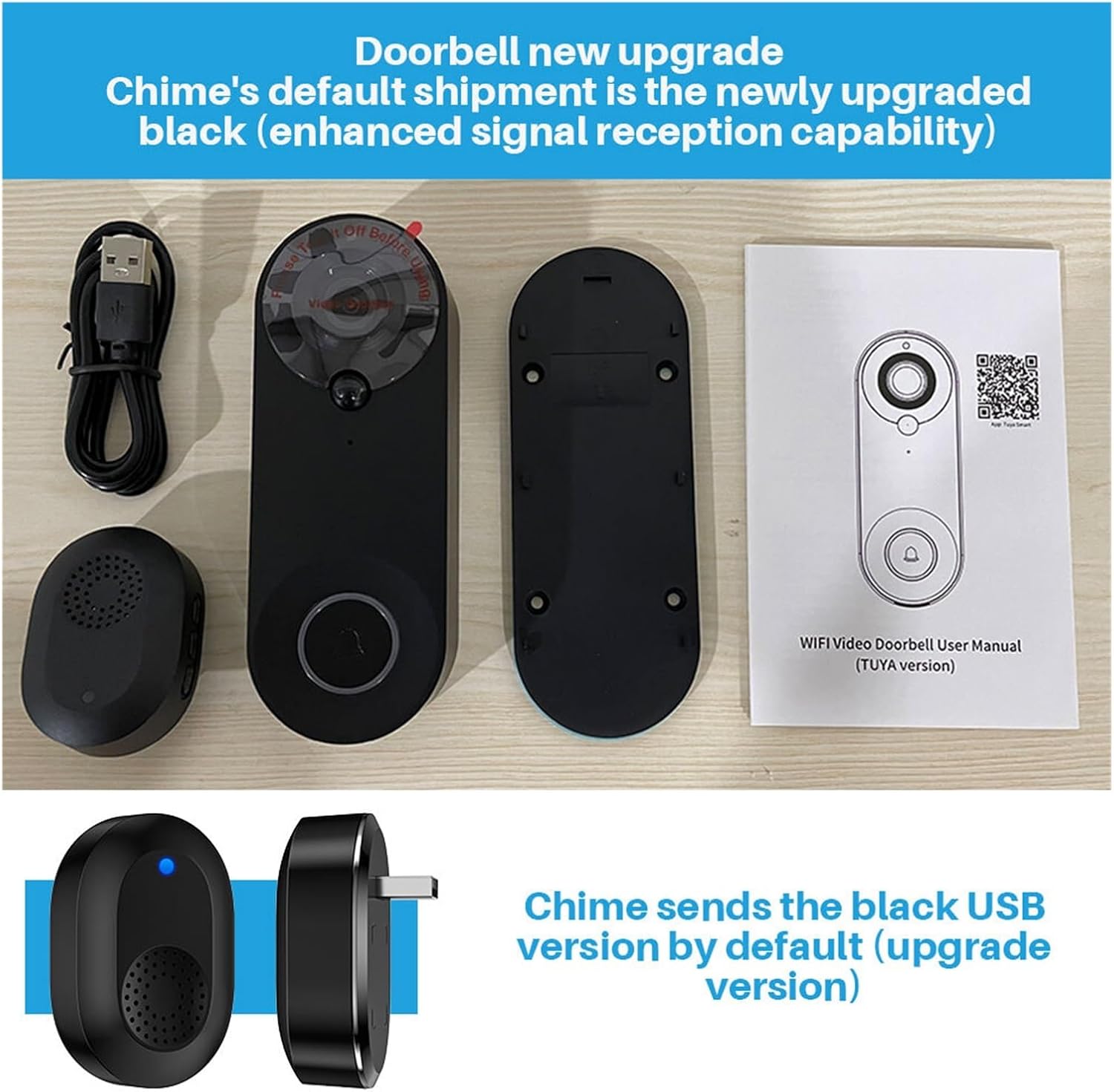
Image: Contents of the product package, showing the doorbell unit, mounting plate, USB charging cable, user manual, and the included black USB chime.
4. สินค้าหมดview
The Tuya Smart Video Doorbell Camera features a 1080P COMS sensor, a 150-degree wide-angle lens, and infrared LEDs for night vision. It includes a built-in speaker and microphone for two-way audio communication.

ภาพ: ด้านหน้า view of the doorbell, highlighting the camera lens, PIR sensor, and the main doorbell button with an illuminated ring.
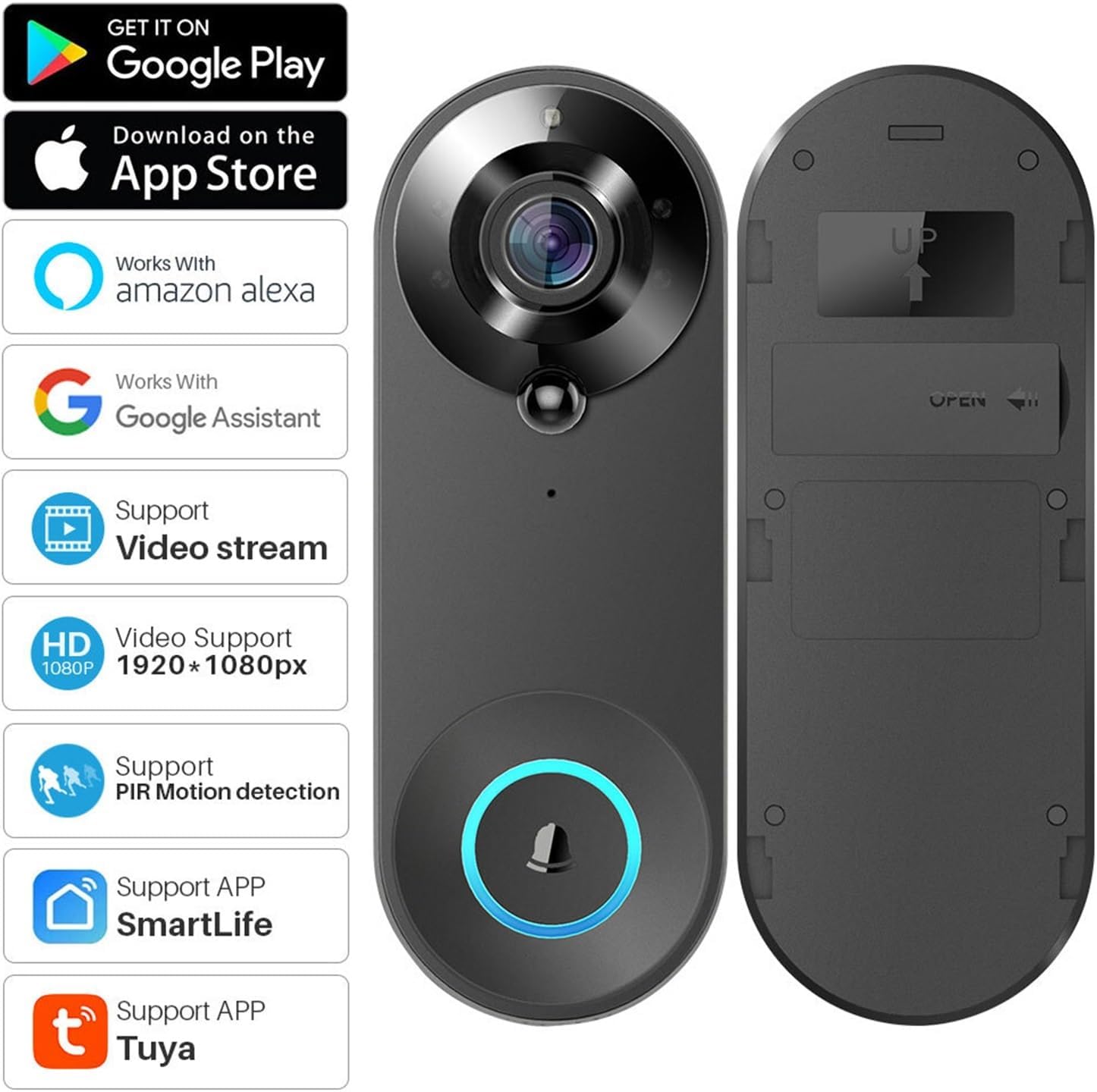
ภาพ: ด้านหน้าและด้านหลัง views of the doorbell, illustrating its compatibility with various smart home platforms and features.
5. การตั้งค่า
5.1 การชาร์จแบตเตอรี่
Before first use, fully charge the doorbell's built-in 4400mAh lithium battery using the provided Micro-USB cable. Connect the cable to the doorbell and a 5V/1A USB power adapter (not included). The charging indicator will show the charging status.
5.2 การติดตั้งแอพ
Download either the ตุยย่า สมาร์ท แอปหรือ ชีวิตที่ชาญฉลาด app from the Google Play Store or Apple App Store. These apps are required for device setup and remote control.
5.3 การจับคู่อุปกรณ์
- Ensure your smartphone is connected to a 2.4 GHz Wi-Fi network (IEEE 802.11 b/g/n).
- Open the Tuya Smart or Smart Life app and create an account or log in.
- Follow the in-app instructions to add a new device. Select 'Security & Video Surveillance' > 'Smart Doorbell'.
- Power on the doorbell. The app will guide you to scan a QR code displayed on your phone with the doorbell's camera to establish a connection.
- Once connected, you can name your doorbell and complete the setup process.
5.4 การติดตั้งทางกายภาพ
Mount the doorbell at your desired location using the provided mounting bracket and screws. Ensure the camera has a clear view of the area you wish to monitor. The doorbell is designed to be weather-resistant.
6. คู่มือการใช้งาน
6.1 เสียงสองทาง
When a visitor presses the doorbell, you will receive a notification on your smartphone. Open the app to view the live feed and engage in two-way communication with the visitor using the built-in microphone and speaker.

Image: Illustration of the remote visual two-way intercom feature, allowing communication with visitors via the app.
6.2 การตรวจจับการเคลื่อนไหวด้วย PIR
The doorbell features Passive Infrared (PIR) motion detection. When motion is detected, the doorbell will trigger an alarm and push a notification to your mobile phone. You can adjust the sensitivity (High/Medium/Low/Off) in the app settings.
6.3 การมองเห็นตอนกลางคืน
Equipped with 4pcs infrared LEDs (850mm) and an IRCUT double filter, the doorbell automatically switches to night vision mode in low-light conditions, providing clear images even in complete darkness.
6.4 การบันทึกและการเก็บรักษา
The doorbell supports local recording to a Micro SD card (8GB/16GB/32GB/64GB, sold separately). You can configure recording settings in the app, including optional recording time between 15s-45s once the doorbell is triggered. Recorded videos can be played back from your smartphone.
6.5 การบูรณาการการควบคุมด้วยเสียง
The doorbell is compatible with Google Assistant and Amazon Echo Show. You can use voice commands to view รับชมภาพสดได้บนจอแสดงผลอัจฉริยะที่รองรับ

Image: Demonstrates voice control functionality with Amazon Echo Show, allowing users to view the doorbell feed hands-free.
6.6 การเข้าถึงระยะไกลและการแจ้งเตือน
Receive instant mobile notifications when someone presses your doorbell or when motion is detected. You can access the live view and recordings remotely from anywhere using your smartphone.
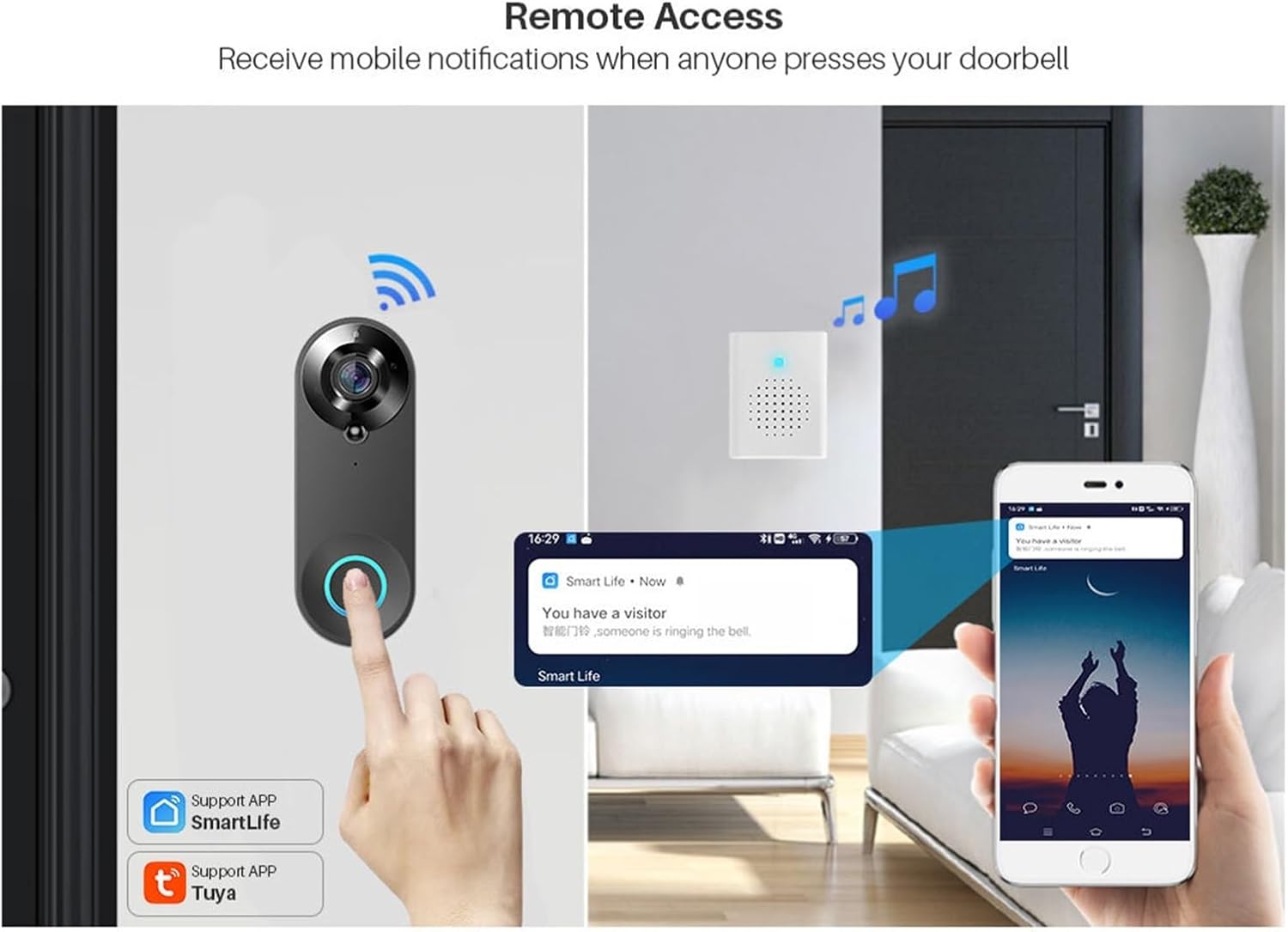
Image: Shows how the doorbell sends mobile notifications for remote access when a visitor arrives.
6.7 การแชร์อุปกรณ์
You can share access to your doorbell with family members or trusted individuals through the app's QR code sharing feature. The system supports a maximum of 7 authenticated users, with up to 3 users viewพร้อมกัน
7. การบำรุงรักษา
7.1 การจัดการแบตเตอรี่
The built-in 4400mAh battery provides approximately 30 days of standby time with 10 awakenings per day (15 seconds each). Recharge the doorbell when the battery level is low, indicated by the app or a specific LED indicator on the device.
7.2 การทำความสะอาด
เช็ดทำความสะอาดด้านนอกของกริ่งประตูด้วยผ้าเนื้อนุ่มและแห้งamp cloth. Do not use harsh chemicals or abrasive cleaners, as they may damage the finish or electronic components.
7.3 การจัดการการ์ด SD
Periodically check the status of your Micro SD card in the app. If the card is full, older recordings may be overwritten. You can format the SD card through the app if needed.
8 การแก้ไขปัญหา
- อุปกรณ์ไม่เชื่อมต่อกับ Wi-Fi: Ensure your Wi-Fi is 2.4 GHz. Check Wi-Fi password. Move the doorbell closer to the router.
- ไม่มีการแจ้งเตือน: Check app notification settings on your phone and within the doorbell app. Ensure the app has necessary permissions.
- คุณภาพวิดีโอไม่ดี: ตรวจสอบความแรงของสัญญาณ Wi-Fi ตรวจสอบให้แน่ใจว่าเลนส์กล้องสะอาดและไม่มีสิ่งกีดขวาง
- แบตเตอรี่หมดเร็ว: Reduce PIR motion detection sensitivity or frequency of awakenings. Ensure the doorbell is not in an area with constant motion.
- ปัญหาเสียงสองทาง: Check your phone's microphone and speaker settings. Ensure the doorbell's microphone and speaker are not obstructed.
9. ข้อมูลจำเพาะ
| ปณิธาน | 1080p (1920 * 1080) |
| เซ็นเซอร์ | GC1054 COMS Sensor |
| View มุม | 150 degrees Horizontal |
| เสียง | Two-way voice, Built-in speaker, Built-in Microphone |
| การมองเห็นตอนกลางคืน | 4pcs infrared LED 850mm, IRCUT double filter |
| การเชื่อมต่อ Wi-Fi | 2.4 GHz, IEEE 802.11 b/g/n |
| พื้นที่จัดเก็บ | Micro SD card (8G/16G/32G/64G) |
| แบตเตอรี่ | 2*18650 Lithium battery (4400mAh built-in) |
| Power Supply (Chime) | ยูเอสบี 5V/1A |
| การตรวจจับการเคลื่อนไหว | PIR (High/Medium/Low/Off sensitivity) |
| ความเข้ากันได้ | Tuya APP, SmartLife APP, Google Assistant, Amazon Echo Show |
10. การรับประกันและการสนับสนุน
ผลิตภัณฑ์นี้มาพร้อมกับการรับประกันมาตรฐานจากผู้ผลิต สำหรับเงื่อนไขและข้อกำหนดการรับประกันโดยละเอียด โปรดดูเอกสารที่แนบมากับการซื้อของคุณ หรือติดต่อผู้ขายโดยตรง
For technical support, troubleshooting assistance, or any inquiries regarding your Tuya Smart Video Doorbell Camera, please contact the seller or manufacturer through the platform where you purchased the product.
Ask a question about this manual
Ask about setup, troubleshooting, compatibility, parts, safety, or missing instructions. Manuals+ will review the question and use this page’s manual context to help answer it.