
Tuya Outdoor Wireless Doorbell
Tuya Outdoor Wireless Doorbell User Manual
Model: Tuya Outdoor Wireless Doorbell
1. สินค้าหมดview
The Tuya Outdoor Wireless Doorbell is a smart home security device featuring a 4.3-inch video display, night vision capabilities, and WiFi connectivity. It allows for remote monitoring, two-way audio communication via a mobile app, and motion detection to enhance your home security. This device is designed for easy installation and integrates with the Tuya Smart APP.
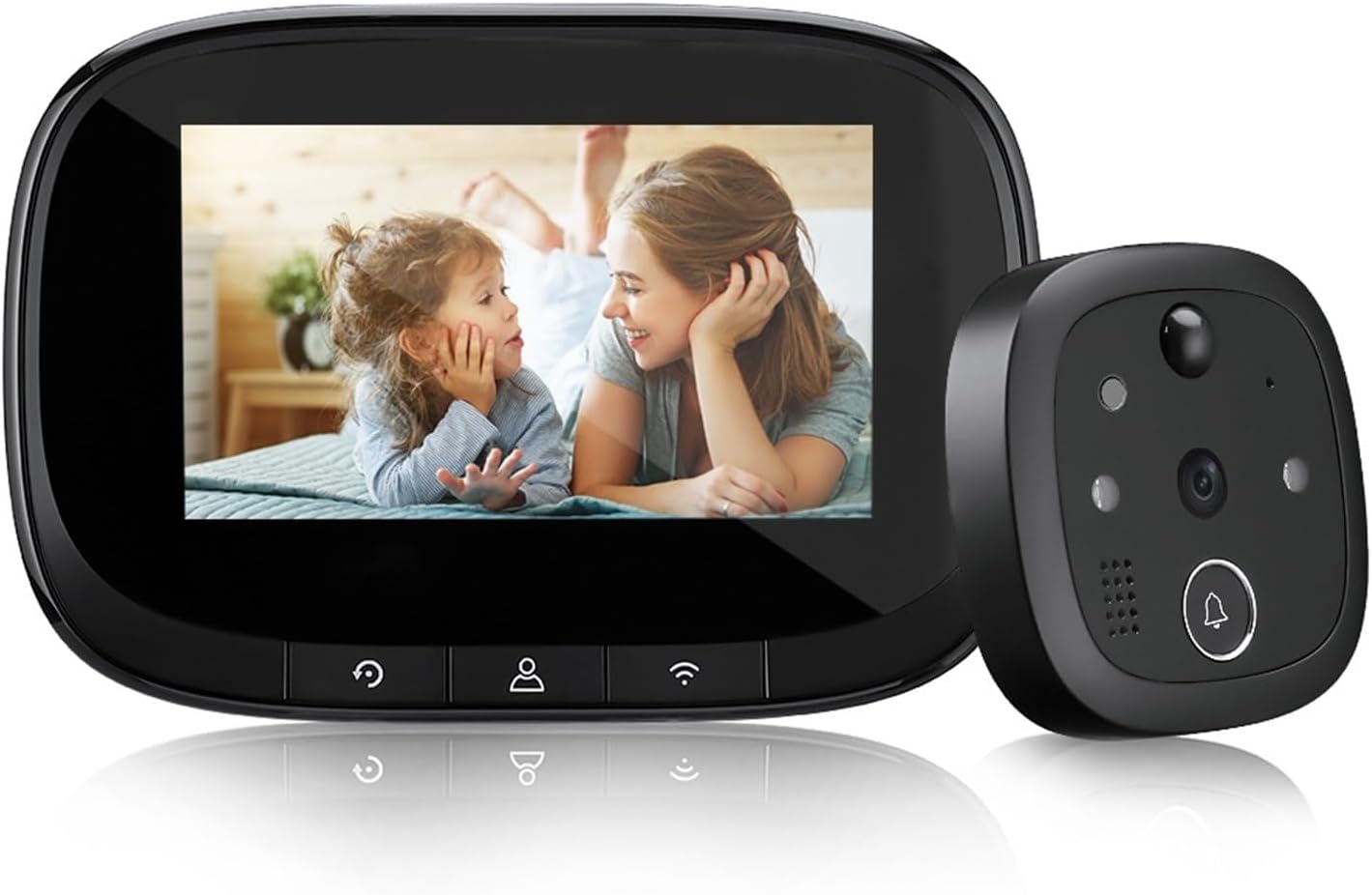
Image: The Tuya Outdoor Wireless Doorbell system, showing the indoor display unit and the outdoor camera unit.
2. เนื้อหาบรรจุภัณฑ์
Please ensure all components are present before installation:
- Outdoor Camera Unit
- Indoor Display Unit (4.3-inch IPS screen)
- ตัวยึด
- สกรูและน็อตสำหรับติดตั้ง
- USB Charging Cable (for 5V/2A charger, not included)
- คู่มือการใช้งาน
3. การตั้งค่าและการติดตั้ง
Follow these steps to install your Tuya Wireless Doorbell:
- ชาร์จแบตเตอรี่: Ensure the indoor display unit's built-in 3000mAh battery is fully charged using a 5V/2A charger (not supplied).
- ใส่การ์ด Micro SD: If desired, insert a Micro SD card (up to 128GB, not included) into the designated slot on the indoor unit for local storage of recordings.
- Prepare Door Hole: Verify your door has a peephole with a diameter between 14-35 mm and a thickness between 35-100 mm.
- ติดตั้งชุดภายนอก: Select screws of suitable length based on your door's thickness. Twist the screw into the rod nut of the outdoor unit.
- Secure Outdoor Unit: Pass the outdoor unit's cable through the door hole. Position the outdoor unit flush against the door.
- Attach Indoor Unit: Connect the cable from the outdoor unit to the indoor display unit. Secure the indoor unit to the mounting bracket on the inside of the door.
- เชื่อมต่อกับ WiFi: Power on the indoor unit. Follow the on-screen prompts or refer to the Tuya Smart APP instructions to connect the doorbell to your 2.4GHz WiFi network (5GHz WiFi is not supported).

Image: Highlights key features like Tuya Smart APP compatibility, 720P HD resolution, WiFi, 3000mAh battery, and Micro SD card support.
4. คู่มือการใช้งาน
4.1. การทำงานพื้นฐาน
- Viewผู้เข้าชม: When a visitor presses the doorbell button on the outdoor unit, the indoor display will activate, showing a live view ของผู้มาเยือน
- คู่มือ View: You can manually activate the indoor display at any time to view the outside area.
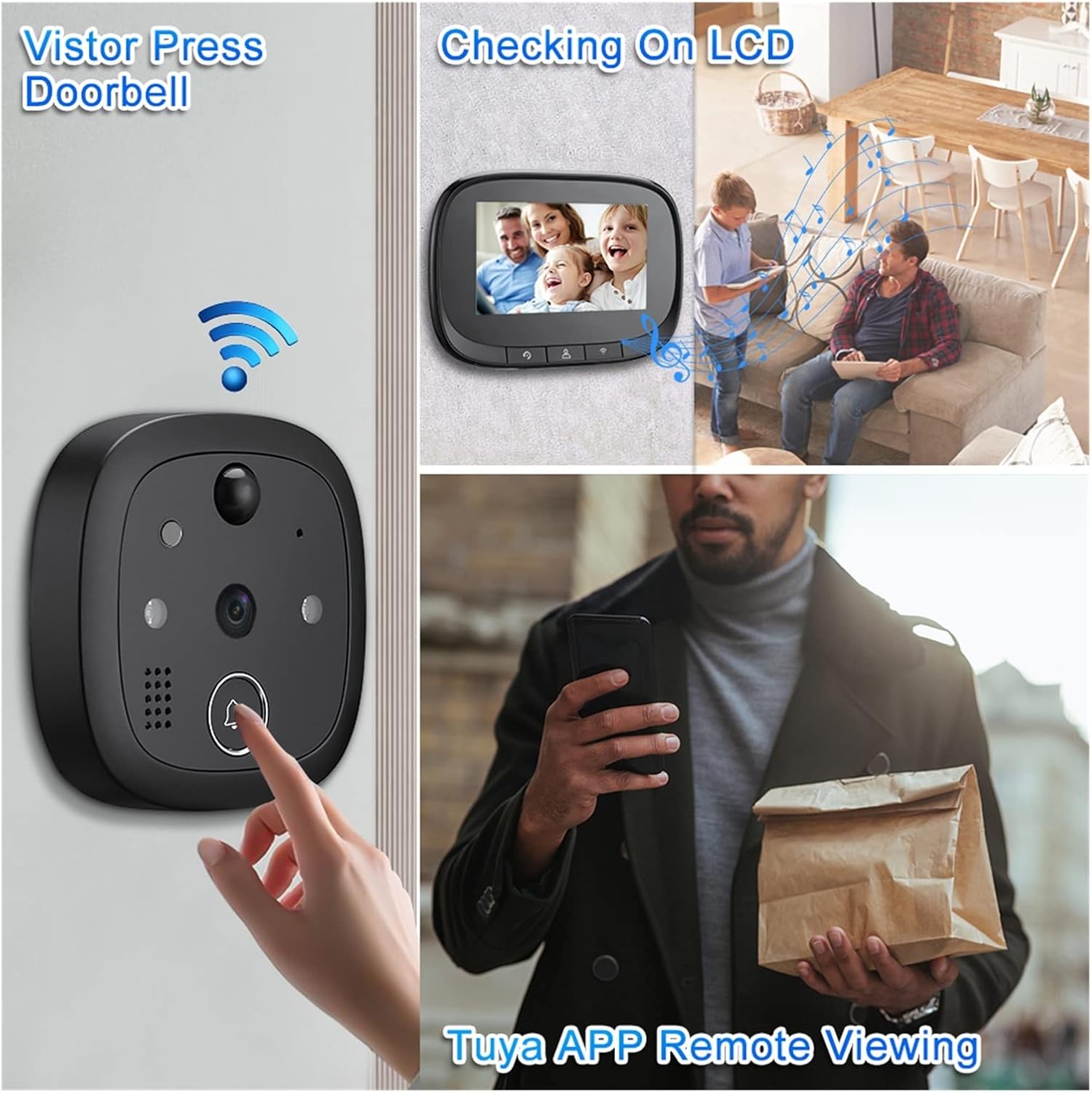
Image: Illustrates the process of a visitor pressing the doorbell, viewing on the LCD screen, and remote viewing via the Tuya APP.
4.2. Tuya Smart APP Features
Download the Tuya Smart APP from your mobile app store to unlock advanced functionalities:
- ระยะไกล Viewการลง: Access live video feed from your doorbell camera anytime, anywhere.
- เสียงสองทาง: Communicate with visitors in real-time through the app. The display screen does not support two-way audio.
- การตรวจจับการเคลื่อนไหว PIR: Receive instant notifications on your phone when motion is detected outside your door. The system can automatically record video or take photos upon detection.
- Video Recording & Photo Capture: Record video clips or capture still images directly from the app.
- พุชข้อความ: Get alerts for doorbell presses, motion detection, and other events.
- การเข้าถึงหลายผู้ใช้: Up to 8 mobile phones can be linked to the doorbell simultaneously for shared access.

Image: A visual representation of the doorbell's various smart functions, including video calls, remote monitoring, motion detection, and night vision.

Image: Demonstrates remote access and two-way audio capabilities, highlighting mobile notifications for motion detection and the ability to link up to 8 mobile phones.
4.3. การมองเห็นในเวลากลางคืน
The doorbell is equipped with 940nm invisible infrared night vision. It automatically switches to night mode in low-light conditions, providing clear visibility even in complete darkness.

Image: Illustrates the clear visibility provided by the 720P HD WiFi Night Vision Doorbell during both day and night conditions.
4.4. มุมกว้าง View
The 130° ultra-wide-angle lens provides a broad field of view, allowing you to see a wider area outside your door.

ภาพ: แสดงให้เห็นเลนส์มุมกว้าง 130 องศา view of the doorbell camera, highlighting its ability to capture a broad area and detect motion.
5. การบำรุงรักษา
- การทำความสะอาด: Use a soft, dry cloth to clean the display screen and camera lens. Do not use liquid cleaners or abrasive materials.
- อายุการใช้งานแบตเตอรี่: Recharge the indoor unit's battery when the low battery indicator appears. Battery life varies based on usage.
- การจัดการการ์ด SD: Periodically check the Micro SD card for storage space. Format the card through the device settings or app if needed to clear old recordings.
- อัพเดตเฟิร์มแวร์: Check the Tuya Smart APP regularly for any available firmware updates to ensure optimal performance and security.
6 การแก้ไขปัญหา
- อุปกรณ์ไม่ได้เปิดเครื่อง: Ensure the indoor unit's battery is charged. Connect it to a 5V/2A charger and try again.
- ไม่มีการเชื่อมต่อ WiFi:
- ตรวจสอบให้แน่ใจว่าเครือข่าย WiFi ของคุณคือ 2.4GHz ไม่รองรับเครือข่าย 5GHz
- ตรวจสอบรหัสผ่าน WiFi ของคุณ
- Move the doorbell closer to your WiFi router or consider a WiFi extender.
- รีสตาร์ทเราเตอร์และกริ่งประตู
- คุณภาพวิดีโอไม่ดี:
- Check your WiFi signal strength. A weak signal can affect video quality.
- ตรวจสอบให้แน่ใจว่าเลนส์กล้องสะอาดและไม่มีสิ่งกีดขวาง
- เสียงสองทางไม่ทำงาน:
- Remember that two-way audio is only supported via the Tuya Smart APP, not the indoor display screen.
- Ensure your phone's microphone is enabled for the Tuya Smart APP.
- ตรวจสอบการเชื่อมต่ออินเตอร์เน็ตของคุณ
- ระบบตรวจจับการเคลื่อนไหวไม่ทำงาน:
- Adjust the motion detection sensitivity settings in the Tuya Smart APP.
- Ensure there are no physical obstructions blocking the sensor.
7. ข้อมูลจำเพาะ
| โปรเซสเซอร์ | Hi3518E |
| หน่วยความจำ | RAM 512M |
| ระบบปฏิบัติการ | liveOS |
| Imaging Chip | 720p |
| ข้อมูลจำเพาะของหน้าจอ | 4.3 inches, IPS, 480*272 |
| ความจุของแบตเตอรี่ | 3000mAh |
| Night Vision Wavelength | 940nm (แสงที่มองไม่เห็น) |
| อินพุตเครื่องชาร์จ | 5V/2A |
| Suitable Door Hole Diameter | 14-35 มม. |
| ความหนาของประตูที่ใช้งานได้ | 35-100 มม. |
| Wireless WiFi | IEEE802.11b/G/N 2.4GHz (Does not support 5G WiFi) |
| การจัดเก็บข้อมูลภายนอก | การ์ด Micro SD (รองรับสูงสุด 128GB) |
| ผู้ผลิต | YUD5DAS |
| ประเทศต้นกำเนิด | จีน |
8. การรับประกันและการสนับสนุน
ผลิตภัณฑ์นี้มาพร้อมกับ รับประกัน 3 เดือน from the date of purchase. For any technical support or warranty claims, please refer to the contact information provided by your retailer or the product packaging.
Ask a question about this manual
Ask about setup, troubleshooting, compatibility, parts, safety, or missing instructions. Manuals+ will review the question and use this page’s manual context to help answer it.