
DARAN NEO
DARAN Portable Power Station User Manual
Model: NEO
การแนะนำ
This manual provides essential information for the safe and efficient operation of your DARAN Portable Power Station. Please read it thoroughly before use and retain it for future reference. This power station is designed to provide reliable power for various applications, including outdoor activities, RV use, and emergency home backup.
1. การตั้งค่า
1.1 เนื้อหาบรรจุภัณฑ์
ตรวจสอบว่ามีรายการทั้งหมดอยู่ในแพ็คเกจ:
- 1 × NEOS Power Station
- 1 × AC Charging Cable
- 1 × คู่มือผู้ใช้
1.2 การชาร์จเริ่มต้น
Before first use, it is recommended to fully charge the power station. The unit supports multiple charging methods:
- เต้ารับไฟฟ้ากระแสสลับ: Connect the provided AC charging cable to the power station's AC input port and then to a standard wall outlet. The unit can recharge to 80% in approximately 2 hours.
- แผงโซล่าเซลล์ (ตัวเลือก): Connect a compatible solar panel (not included) to the DC input port. The power station supports solar input for charging.
- Car Charger (Optional): The unit can be charged via a car charging cable (not included) through the DC input port.
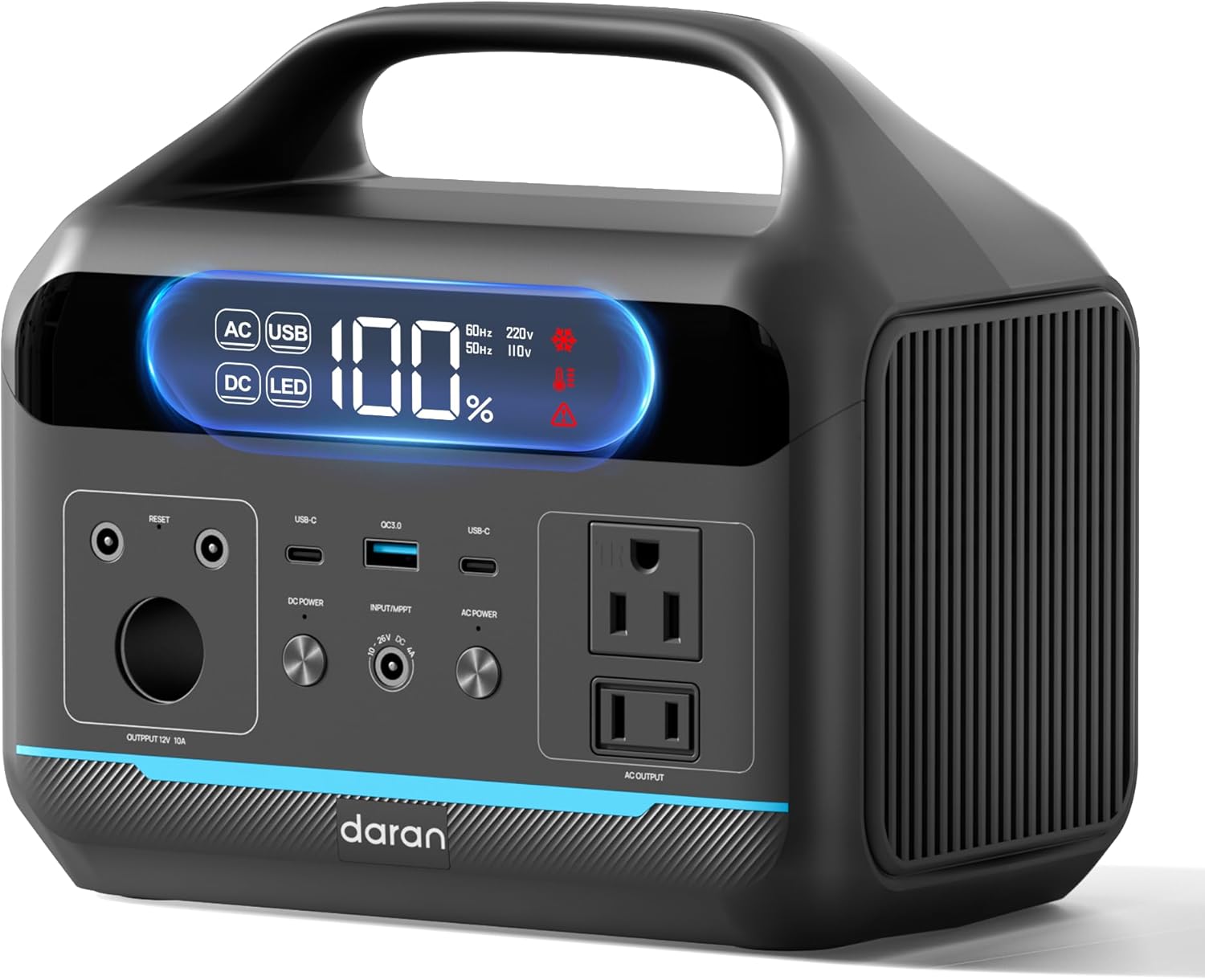
รูปที่ 1 : ด้านหน้า view of the DARAN Portable Power Station NEO, showing the display and various output ports.
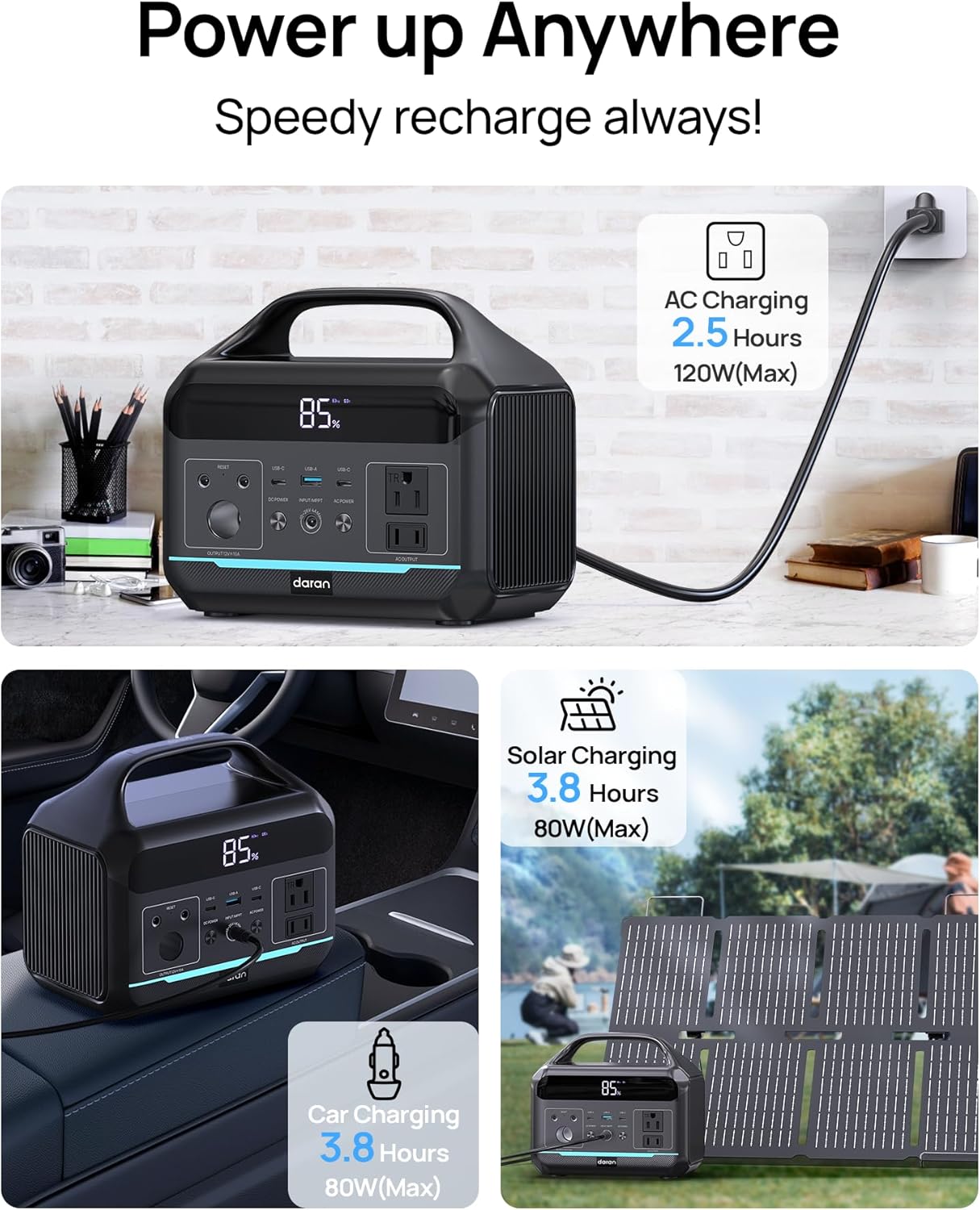
Figure 2: Illustration of the various charging methods for the power station, including AC wall charging, solar charging, and car charging.
2. การดำเนินการ
2.1 การเปิด/ปิดเครื่อง
To power on the unit, press and hold the main power button. The digital display will illuminate, showing the battery status and output information. To power off, press and hold the main power button again.
2.2 พอร์ตเอาต์พุต
The DARAN Portable Power Station features multiple output ports to power various devices:
- เต้ารับไฟฟ้ากระแสสลับ (x2): Provides 600W continuous power (1200W surge). Suitable for appliances like car refrigerators and CPAP machines.
- USB-C PD60W (x1): สำหรับอุปกรณ์ USB-C ที่รองรับการชาร์จเร็ว
- USB-A (x2): Provides 18W output for charging smartphones, tablets, and other USB-powered devices.
- เอาต์พุต DC: For devices requiring DC power.
บันทึก: Ensure that the total power consumption of connected devices does not exceed 600W to prevent overload.

Figure 3: The power station connected to various devices, demonstrating its multi-port functionality for campไอเอ็นจีและการใช้งานกลางแจ้ง
2.3 ไฟ LED แบบบูรณาการ
The power station includes an integrated LED light with multiple modes:
- Normal Illumination: Provides steady light for general use.
- โหมด SOS: Activates a flashing SOS signal for emergency situations.
To activate the LED light, press the dedicated LED button. Press again to cycle through modes or turn off.
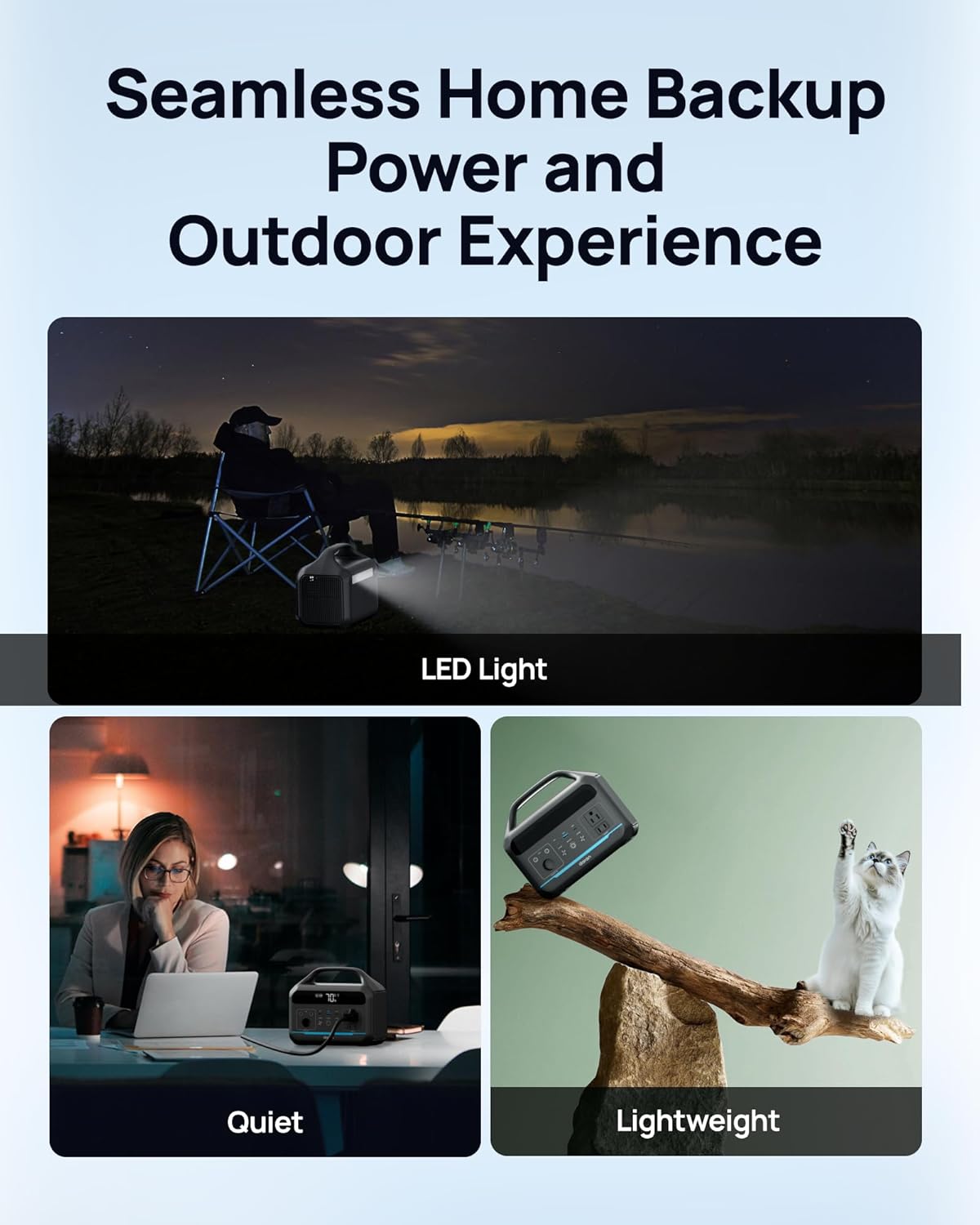
Figure 4: The power station providing illumination via its integrated LED light during an outdoor evening setting.
3. การบำรุงรักษา
3.1 การดูแลแบตเตอรี่
The power station uses a LiFePO4 battery, known for its long lifespan and safety. It is designed for 3500+ charge cycles, maintaining approximately 80% of its original capacity after this period.
- เพื่อสุขภาพแบตเตอรี่ที่ดีที่สุด ควรหลีกเลี่ยงการใช้แบตเตอรี่จนหมดเกลี้ยงบ่อยๆ
- เก็บอุปกรณ์ไว้ในที่แห้งและเย็น หลีกเลี่ยงแสงแดดโดยตรงและอุณหภูมิที่สูงหรือต่ำเกินไป
- หากเก็บรักษาเป็นเวลานาน ควรชาร์จแบตเตอรี่ให้ได้ประมาณ 50-80% ทุกๆ 3-6 เดือน

รูปที่ 5: แผนภาพภายใน view illustration highlighting the LiFePO4 battery technology and its long cycle life.
3.2 การทำความสะอาด
Use a soft, dry cloth to clean the exterior of the power station. Do not use abrasive cleaners or immerse the unit in water.
4 การแก้ไขปัญหา
4.1 ปัญหาทั่วไป
- หน่วยไม่เปิด:
Ensure the battery is charged. Connect to an AC outlet for at least 30 minutes to see if it powers on.
- เอาต์พุต AC ไม่ทำงาน:
If the battery level is below 10%, the AC port will automatically turn off to prevent battery damage. DC/USB ports will remain available. Check if the connected device exceeds the 600W output limit.
- การชาร์จช้า:
Ensure the charging cable is securely connected. If using solar, verify the solar panel is in direct sunlight and correctly oriented. Check the input wattage แสดงบนหน้าจอ
- ระบบป้องกันการโอเวอร์โหลด:
The unit has built-in overload protection. If an overload occurs, the unit may shut down. Disconnect the overloaded device, wait a few minutes, and then restart the power station.
4.2 ติดต่อฝ่ายสนับสนุน
If you encounter issues not covered in this section, or if troubleshooting steps do not resolve the problem, please contact DARAN customer service for assistance. Refer to the "Warranty & Support" section for contact information.
5. ข้อมูลจำเพาะ
| คุณสมบัติ | รายละเอียด |
|---|---|
| หมายเลขรุ่น | นีโอ |
| ความจุ | 288 วัตต์ชั่วโมง (90,000mAh, 3.2V) |
| เอาท์พุตไฟฟ้ากระแสสลับ | 600W (ไฟกระชาก 1200W) |
| ประเภทแบตเตอรี่ | LiFePO4 (ลิเธียมเหล็กฟอสเฟต) |
| วงจรชีวิต | 3500+ รอบถึง 80% ของความจุ |
| ขนาดสินค้า | 8 x 3 x 12 นิ้ว |
| น้ำหนักสินค้า | 13.77 ปอนด์ |
| เวลาในการชาร์จ (AC) | Approx. 2 hours to 80% |
| ผู้ผลิต | Dongguan Menche Electronics Co., Ltd. |
| วันที่พร้อมใช้งานครั้งแรก | 28 กรกฎาคม 2025 |
6. การรับประกันและการสนับสนุน
6.1 ข้อมูลการรับประกัน
For detailed warranty terms and conditions, please refer to the warranty card included with your product or visit the official DARAN website. The warranty typically covers manufacturing defects and malfunctions under normal use.
6.2 การสนับสนุนลูกค้า
If you have any questions, require technical assistance, or need to report an issue, please contact DARAN customer service. Contact information can typically be found on the product packaging, the official DARAN webเว็บไซต์ หรือในเอกสารที่แนบมาด้วย
When contacting support, please have your product model number (NEO) and purchase date available.
Ask a question about this manual
Ask about setup, troubleshooting, compatibility, parts, safety, or missing instructions. Manuals+ will review the question and use this page’s manual context to help answer it.