
การแนะนำ
The Metz MPE7300Z is a 24-inch portable smart television designed for versatility and high-quality viewing. It features a built-in battery, 12V car charging capability, and an anti-glare LED FHD display, making it suitable for various environments including campers, trains, boats, and outdoor activities. This manual provides essential information for setting up, operating, maintaining, and troubleshooting your device.
Key features of the Metz MPE7300Z include:
- ความสามารถในการพกพา: Equipped with a carrying handle and internal battery for mobile use.
- หน้าจอป้องกันแสงสะท้อน: Provides clear, reflection-free viewใช้งานได้แม้ในแสงแดดจัด
- การออกแบบที่ได้รับรางวัล: Recognized for its elegant and functional design.
- การใช้งานอเนกประสงค์: Adaptable for office, home, and outdoor settings.
- ภาพที่เหนือกว่า: Offers high-quality images with HDMI and USB connectivity.
- แบตเตอรี่ใช้งานได้ยาวนาน: Up to 3 hours of autonomy on a single charge, with 12V car charging support.
- เหมาะสมที่สุด Viewไอเอ็นจีระยะทาง: ที่แนะนำ viewing distance between 0.8 and 1.5 meters for a 24-inch screen.
เนื้อหาแพ็คเกจ
Before proceeding with the setup, please ensure all components are present in the box:
- Metz MPE7300Z Portable TV
- รีโมทคอนโทรล
- แบตเตอรี่ AAA 2 ก้อน (สำหรับรีโมท)
- คู่มือการใช้งาน (เอกสารนี้)
- อะแดปเตอร์แปลงไฟ (12V, 5A)
- สายไฟ (ยาว 1.5 เมตร)

การตั้งค่า
1. การเปิดเครื่องและการชาร์จครั้งแรก
For the first use, the TV must be connected to a power source to turn on, even if it has an internal battery. Use the provided power adapter to connect the TV to a standard electrical outlet. For portable use, the TV supports 12V car charging. The internal battery provides up to 3 hours of viewเวลาไอเอ็นจี
2. การตั้งค่าการควบคุมระยะไกล
Insert the two AAA batteries (included) into the remote control, ensuring correct polarity.
3. การเชื่อมต่อเสาอากาศ
Connect your antenna cable to the appropriate antenna input port on the TV for receiving broadcast channels (DVB-T/T2, DVB-C, DVB-S/S2).
4. Network and Google TV Setup
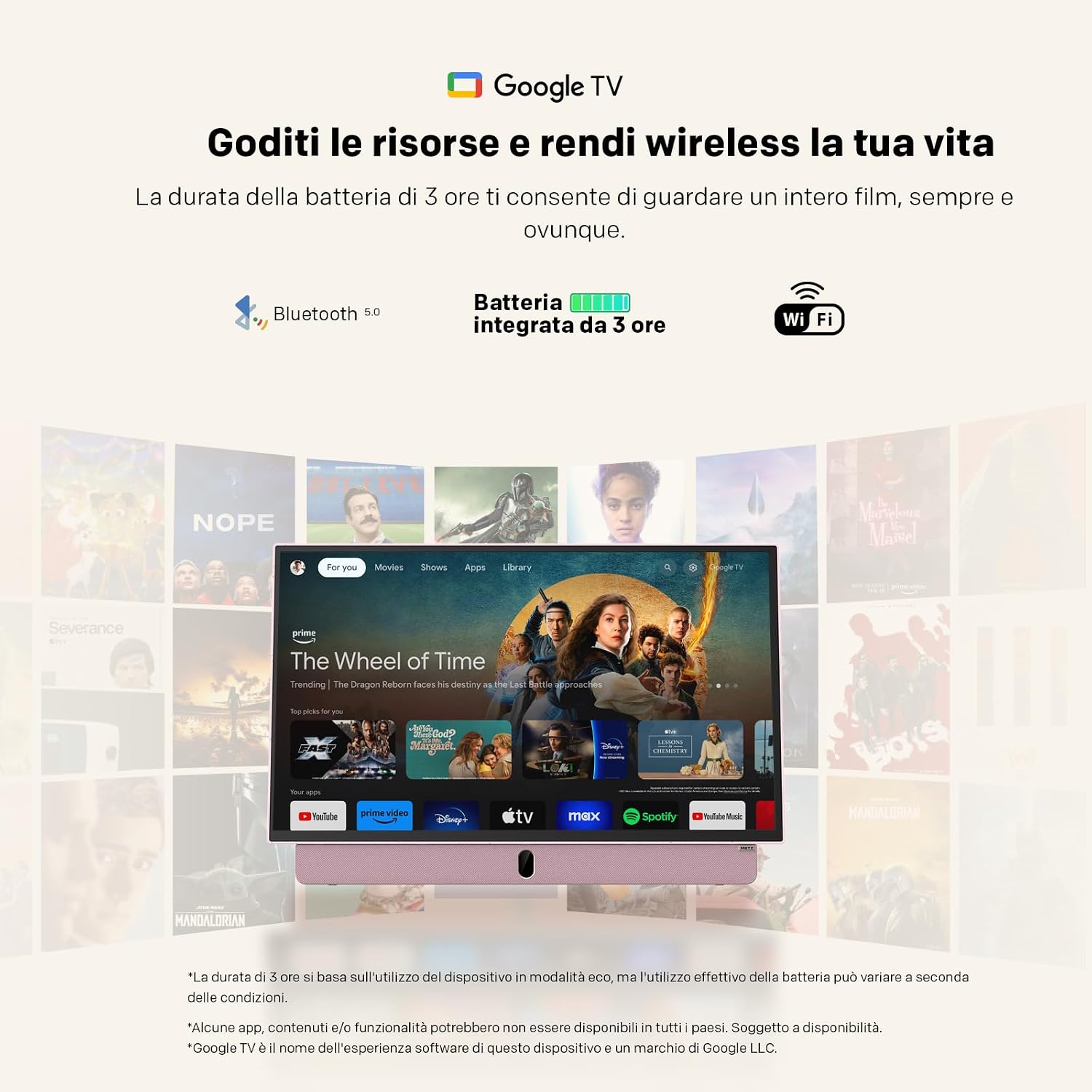
Upon first power-on, the TV will guide you through the initial setup process for Google TV. This requires an internet connection (Wi-Fi 5 or LAN) and a Google account. Follow the on-screen instructions to connect to your Wi-Fi network and log in to your Google account. This step is mandatory for full functionality, including accessing smart features and apps.
คำแนะนำการใช้งาน
การทำงานพื้นฐาน
- เปิด/ปิดเครื่อง: Press the power button on the remote control or the TV. Initial power-on requires a connected power source.
- การควบคุมระดับเสียง: ใช้ปุ่มเพิ่ม/ลดระดับเสียงบนรีโมท
- การนำทางช่อง: Use the number buttons or the program up/down buttons on the remote to change channels.
- การเลือกแหล่งที่มา: Press the "Source" button on the remote to switch between inputs (HDMI, USB, TV, etc.).
การเชื่อมต่อ
- ช่องต่อ HDMI: Connect external devices like gaming consoles, Blu-ray players, or laptops using an HDMI cable.
- ยูเอสบี: เสียบอุปกรณ์ USB เข้าไป view photos, play videos, or listen to music. The USB port provides 5V/500mA.
- บลูทูธ: Pair Bluetooth-enabled devices such as headphones or speakers for wireless audio.
- Wi-Fi 5 / LAN: Connect to your network for internet access, streaming services, and Google TV features.
คุณสมบัติของ Google TV
Navigate the Google TV interface using the remote control's directional pad and select button. Access a wide range of streaming applications, live TV, and personalized content recommendations. A stable internet connection is required for optimal performance of smart features.

การซ่อมบำรุง
การทำความสะอาดทีวี
ในการทำความสะอาดหน้าจอ ให้เช็ดเบาๆ ด้วยผ้านุ่มที่ไม่เป็นขุย สำหรับรอยฝังแน่น ให้เช็ดเบาๆampชุบผ้าด้วยน้ำหรือน้ำยาทำความสะอาดหน้าจอ หลีกเลี่ยงการใช้สารเคมีรุนแรงหรือวัสดุที่มีฤทธิ์กัดกร่อน สำหรับตัวทีวี ให้ใช้ผ้าแห้งและนุ่ม
การดูแลแบตเตอรี่
- เพื่อยืดอายุการใช้งานแบตเตอรี่ ควรหลีกเลี่ยงการปล่อยแบตเตอรี่จนหมดบ่อยครั้ง
- Store the TV in a cool, dry place when not in use for extended periods.
- หากจะจัดเก็บเป็นเวลานาน ควรชาร์จแบตเตอรี่ให้เหลือประมาณ 50% ก่อนจัดเก็บ
การแก้ไขปัญหา
- TV does not turn on: Ensure the TV is connected to a power source for the initial power-on. Check if the power adapter is securely connected to both the TV and the electrical outlet. If using battery, ensure it is charged.
- No picture/sound: Verify that the correct input source is selected (e.g., HDMI 1, TV). Check all cable connections. For broadcast TV, ensure the antenna is properly connected and positioned.
- ปัญหาการเชื่อมต่อ Wi-Fi: The TV may not remember Wi-Fi settings after a power cycle, requiring manual reconnection to your hotspot each time. Ensure your Wi-Fi network is active and within range. Try restarting your router.
- การควบคุมระยะไกลไม่ทำงาน: ตรวจสอบและเปลี่ยนแบตเตอรี่ในรีโมทคอนโทรล ตรวจสอบให้แน่ใจว่าไม่มีสิ่งกีดขวางระหว่างรีโมทและเซ็นเซอร์อินฟราเรดของทีวี
- ประสิทธิภาพช้า: Ensure your internet connection is stable. Close any unused applications running in the background on Google TV.
- Adhesives on screen: If you encounter stubborn screen adhesives, gently warm them with a hairdryer on a low setting before peeling. Clean any residue with a soft cloth and screen cleaner.
ข้อมูลจำเพาะ
| คุณสมบัติ | ข้อมูลจำเพาะ |
|---|---|
| ยี่ห้อ | เมตซ์ |
| แบบอย่าง | MPE7300Z |
| ขนาดหน้าจอ | 24 นิ้ว |
| เทคโนโลยีการแสดงผล | นำ |
| ปณิธาน | 1080p (FHD) |
| อัตราการรีเฟรช | 60 เฮิรตซ์ |
| คุณสมบัติพิเศษ | Portable, Anti-glare, Google TV |
| เทคโนโลยีการเชื่อมต่อ | HDMI, USB, Bluetooth, Wi-Fi 5 |
| ขนาดสินค้า (ลึก x กว้าง x สูง) | 8P x 55l x 37H ซม. (ประมาณ 8 x 55 x 37 ซม.) |
| พอร์ต HDMI ทั้งหมด | 1 |
| แบตเตอรี่ | 1 Lithium Ion battery (included), up to 3 hours autonomy |
| รุ่นปี | 2025 |
| การเข้ารหัสวิดีโอ | HEVC หลัก 10 |
ข้อมูลการรับประกัน
The Metz MPE7300Z Portable Smart TV comes with a การรับประกันจากผู้ผลิต 2 ปี. Please retain your proof of purchase for warranty claims. For detailed terms and conditions, refer to the official Metz webไซต์หรือติดต่อฝ่ายสนับสนุนลูกค้า
สนับสนุน
For further assistance, please refer to the digital user manual available on the product page or visit the official Metz support website. You can also contact Metz customer service for technical support or service inquiries.
คู่มือผู้ใช้อย่างเป็นทางการ (PDF): ดาวน์โหลดคู่มือ PDF
Metz Store on Amazon: Visit Metz Store
วิดีโอที่เกี่ยวข้อง
August DA383 10-inch Portable TV Overview
วิดีโอนี้มีเนื้อหาเกี่ยวกับview of the August DA383 10-inch Portable TV, demonstrating its features such as DVD playback and multimedia storage options. While not the Metz MPE7300Z, it illustrates general portable TV functionalities that may be similar.