
การแนะนำ
This manual provides detailed instructions for the setup, operation, and maintenance of your Generic Gym Timer 1.5in LED Display Wall Clock. This versatile timer is designed for various applications, including fitness training, competition timing, and general timekeeping in home, gym, or office environments.

Image: The LED Fitness Timer with its remote control, shown in a gym setting.
คุณสมบัติผลิตภัณฑ์
- 1.5-inch LED Display: Clear and bright digits with a visible range of up to 20 meters.
- โหมดการทำงานหลายโหมด: Includes 12/24 hour clock, countdown/count-up, stopwatch, and 6 fitness training modes (EMOM, TABATA, FGB, custom interval).
- การทำงานของรีโมทคอนโทรล: ปรับการตั้งค่าจากระยะไกลได้อย่างสะดวก
- ปรับความสว่าง: 5 levels of display brightness to suit various lighting conditions.
- ปริมาณที่ปรับได้: 4-speed volume control and mute function for alerts.
- โครงสร้างทนทาน: Aluminum alloy outer frame for longevity.
- การติดตั้งแบบยืดหยุ่น: Designed for placement on a surface or wall suspension.
เนื้อหาแพ็คเกจ
กรุณาตรวจสอบแพ็คเกจสำหรับรายการต่อไปนี้:
- Gym Timer Unit
- รีโมทคอนโทรล
- สายไฟ USB
- อะแดปเตอร์แปลงไฟ
- Mounting Hardware (e.g., strong adhesive hooks)
- คู่มือการใช้งาน (เอกสารนี้)

Image: All components included in the product package: the timer, remote control, USB cable, power adapter, and mounting accessories.
การตั้งค่า
- การเชื่อมต่อไฟฟ้า: Connect the USB power cable to the timer and plug the power adapter into a standard electrical outlet. The timer display will illuminate.
- รีโมทคอนโทรล: Insert batteries into the remote control if not already installed. Ensure the remote has a clear line of sight to the timer for optimal operation.
- การติดตั้ง:
- การจัดวาง: Place the timer on a stable, flat surface.
- Wall Suspension: Use the provided strong adhesive hooks to mount the timer on a smooth wall or glass surface. Ensure the surface is clean and dry before applying the hooks.
โหมดการทำงาน
The timer offers several modes for various timing needs. Use the remote control to switch between modes and adjust settings.

Image: Visual representation of the timer displaying different modes: Positive/Countdown, Stopwatch, Clock, and Metronome.
1. Clock Mode (12/24 Hour)
Displays the current time. You can switch between 12-hour and 24-hour formats using the remote control.
2. Positive Countdown / Stopwatch Function
- Count-Up (Positive Countdown): Starts counting up from 00:00. Ideal for tracking elapsed time.
- นับถอยหลัง: Set a specific time, and the timer will count down to zero. Useful for exams, meetings, or specific task durations.
3. Fitness Interval Training Modes (F1-F6)
The timer includes 6 pre-programmed or customizable fitness modes for interval training. These modes typically involve alternating between exercise (F) and rest (C) periods over a set number of cycles (L).
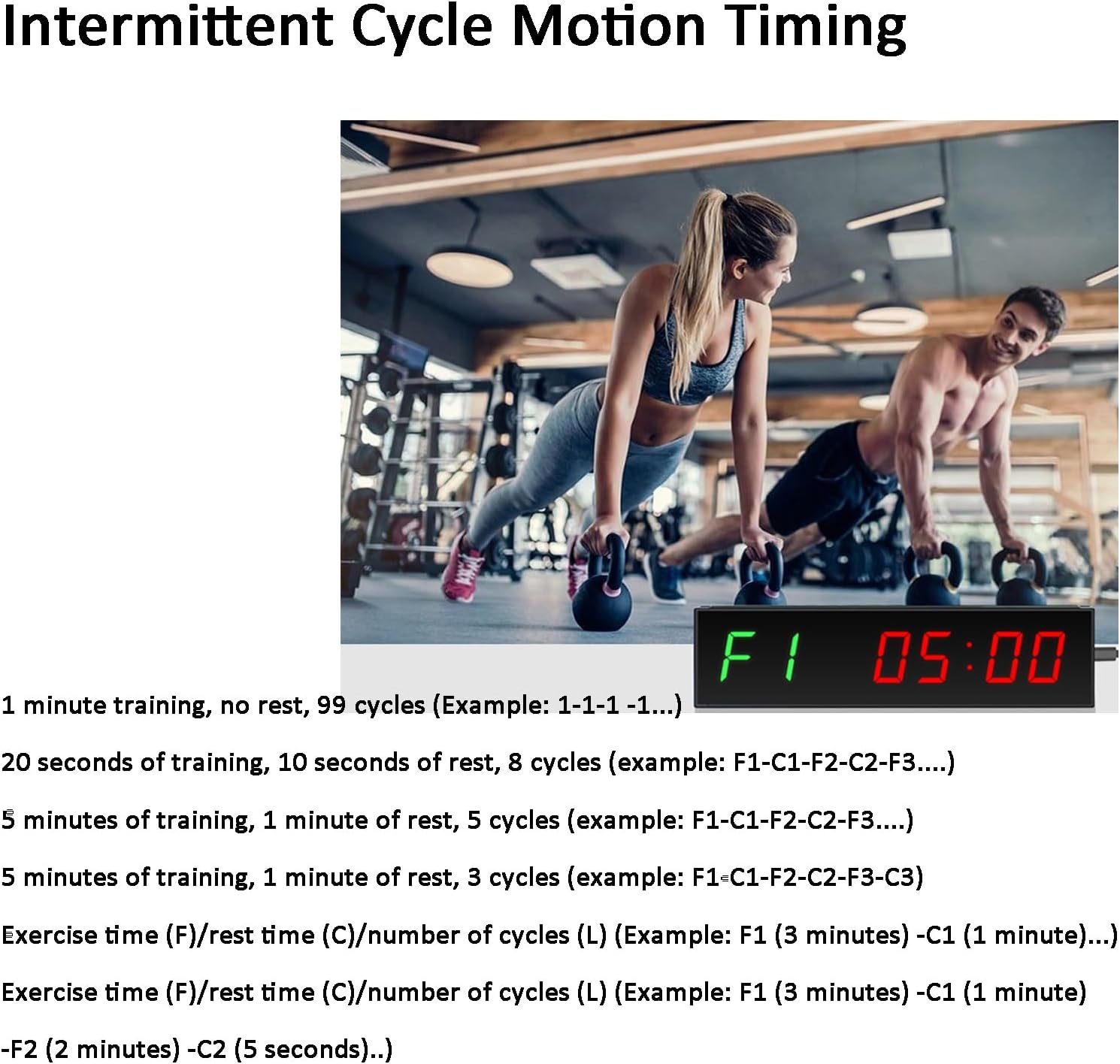
Image: The gym timer displaying "F1 05:00" during an intermittent cycle motion timing session, indicating an exercise period.
- Exampเลอ 1: 1 minute training, no rest, 99 cycles (e.g., 1-1-1 ...).
- Exampเลอ 2: 20 seconds training, 10 seconds rest, 8 cycles (e.g., F1-C1-F2-C2-F3...).
- Exampเลอ 3: 5 minutes training, 1 minute rest, 5 cycles (e.g., F1-C1-F2-C2-F3...).
- Custom Training/Break Time: The timer allows for custom setting of exercise time (F), rest time (C), and number of cycles (L). For example, F1 (3 minutes) - C1 (1 minute) means 3 minutes of exercise followed by 1 minute of rest.
4. โหมดเมโทรนอม
Provides a rhythmic beat to help maintain a consistent pace during workouts or other activities.
การควบคุมการทำงานด้วยรีโมทคอนโทรล
The included remote control allows for easy adjustment of all timer functions. Ensure the remote is pointed towards the timer within a 10-meter range for effective communication.

Image: A hand holding the wireless remote control, demonstrating its use with the gym timer mounted on a wall.
Familiarize yourself with the buttons on the remote for mode selection, time setting, start/stop, volume, and brightness adjustments.
Display Brightness and Volume Adjustment
- ความสว่าง: The timer features 5 adjustable display brightness levels. Use the dedicated brightness buttons on the remote control to cycle through the settings.
- ปริมาณ: The timer has 4 adjustable volume levels for its alerts, along with a mute option. Use the volume buttons on the remote control to set your preferred sound level.
การซ่อมบำรุง
- การทำความสะอาด: เช็ดตัวจับเวลาด้วยผ้านุ่มและแห้ง ห้ามใช้น้ำยาทำความสะอาดที่มีฤทธิ์กัดกร่อนหรือตัวทำละลาย
- พลัง: Disconnect power when the timer is not in use for extended periods.
- แบตเตอรี่ควบคุมระยะไกล: Replace batteries in the remote control when its range or responsiveness decreases.
- สิ่งแวดล้อม: Avoid exposing the timer to extreme temperatures, direct sunlight, or high humidity.
การแก้ไขปัญหา
| ปัญหา | สาเหตุที่เป็นไปได้ | สารละลาย |
|---|---|---|
| ตัวจับเวลาไม่ทำงาน | Power cable not connected, power adapter faulty, or outlet issue. | Ensure power cable is securely connected. Try a different power adapter or outlet. |
| รีโมทคอนโทรลไม่ทำงาน | Batteries low/dead, incorrect orientation, or obstruction. | Replace remote control batteries. Ensure correct battery polarity. Remove any obstructions between remote and timer. Point remote directly at the timer. |
| จอภาพมืดหรือสว่างเกินไป | Brightness setting is not optimal for ambient light. | Use the brightness adjustment buttons on the remote control to cycle through the 5 levels. |
| No sound or sound is too low/high. | Volume setting is muted or set incorrectly. | Use the volume adjustment buttons on the remote control to set the desired sound level or unmute. |
ข้อมูลจำเพาะ
- ชื่อสินค้า : ตัวจับเวลาในยิม
- แบบอย่าง: B0F1DHY4P7
- ประเภทจอภาพ: 1.5-inch LED Digital Tube
- Visible Range: <20 เมตร
- Font Height: 40มม.
- โหมดการควบคุม: รีโมทคอนโทรล
- วิธีการติดตั้ง: Placement / Suspension
- ขนาดสินค้า : 290mm (Length) x 75mm (Height) x 26mm (Depth)
- กำลังไฟเข้า: USB (via power adapter)
- วัสดุ: Aluminum alloy outer frame

Image: Diagram showing the physical dimensions of the gym timer: 290mm length, 75mm height, and 26mm depth.
การรับประกันและการสนับสนุน
This product comes with a standard manufacturer's warranty. For specific warranty details, please refer to the documentation included with your purchase or contact the retailer. For technical support or inquiries, please reach out to the seller through your purchase platform.