
สินค้าเกินview
The ATTACK SHARK R5Ultra is a high-performance wireless gaming mouse designed for speed and precision. It features an ultra-lightweight carbon fiber composite construction, weighing only 39g, ensuring durability and comfort during extended use. Equipped with the advanced PixArt PAW3950 MAX sensor and Nordic 52840 MCU chip, it offers exceptional accuracy and a high polling rate for competitive gaming.
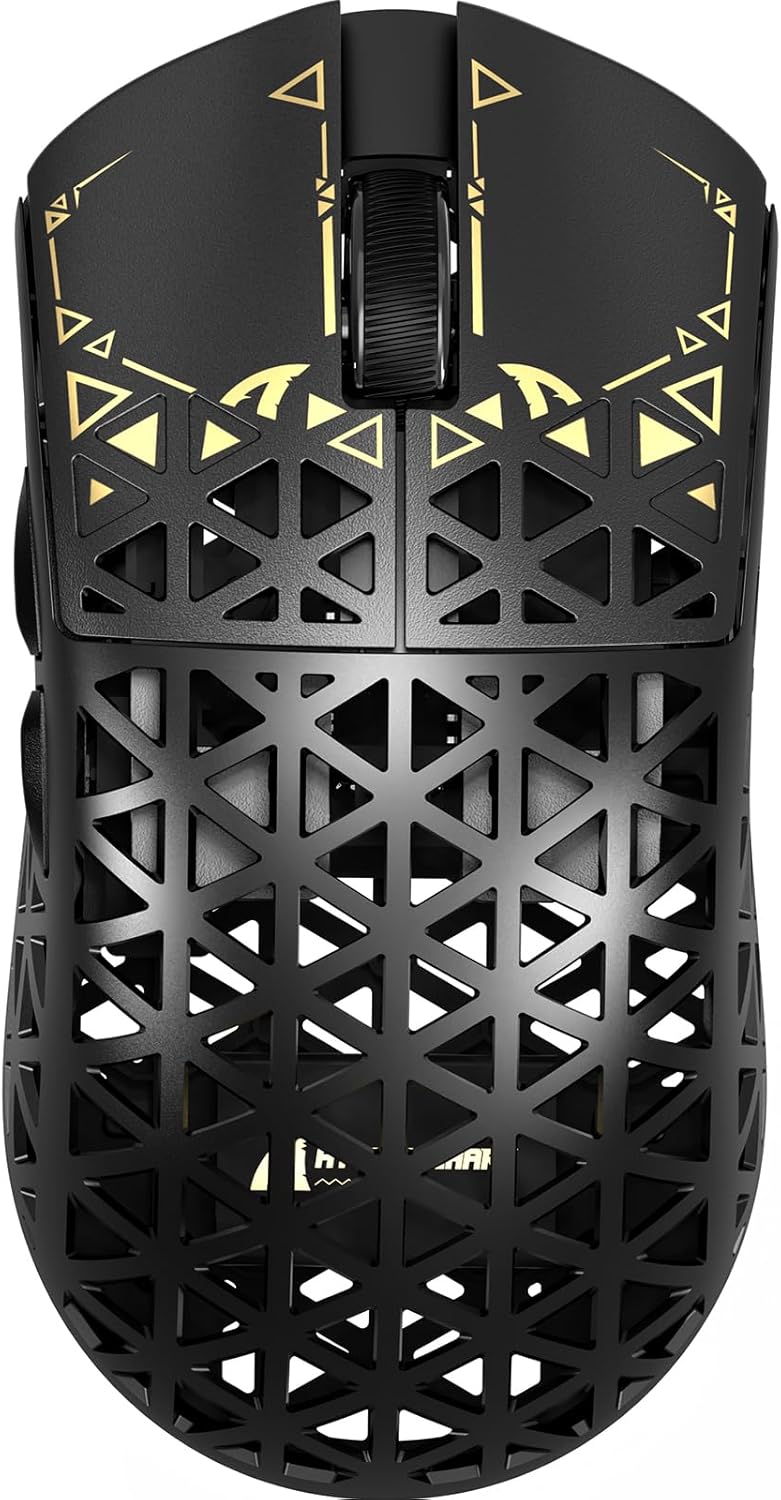
ภาพ: ด้านบน view of the ATTACK SHARK R5Ultra gaming mouse, showcasing its lightweight carbon fiber design and intricate patterns.
This mouse supports tri-mode connectivity, allowing seamless switching between 2.4GHz wireless, Bluetooth, and wired USB connections. Its programmable features are managed via an innovative cloud-driven webpage, eliminating the need for traditional software installations.
เนื้อหาแพ็คเกจ
- ATTACK SHARK R5Ultra Wireless Gaming Mouse
- สายชาร์จ USB-C
- 8K Mini Receiver (USB Dongle)
- คู่มือการใช้งาน (เอกสารนี้)
- Additional PTFE feet (may be included)
คู่มือการติดตั้ง
1. การชาร์จครั้งแรก
Before first use, it is recommended to fully charge the mouse. Connect the provided USB-C cable to the mouse's charging port and the other end to a USB power source (e.g., computer USB port, USB wall adapter).
2. โหมดการเชื่อมต่อ
The R5Ultra mouse supports three connection modes: 2.4GHz Wireless, Bluetooth, and Wired USB. A switch on the back of the mouse allows you to select your preferred mode.

Image: Diagram illustrating the tri-mode connectivity options: 2.4G Wireless with receiver, Bluetooth, and USB-C wired connection, along with charging.
2.1. โหมดไร้สาย 2.4GHz
- Locate the 8K Mini Receiver (USB dongle) included in the package.
- เสียบตัวรับสัญญาณ USB เข้ากับพอร์ต USB ที่พร้อมใช้งานบนคอมพิวเตอร์ของคุณ
- เปลี่ยนตัวเลือกโหมดที่ด้านล่างของเมาส์ไปที่ไอคอนไร้สาย 2.4GHz
- เมาส์ควรเชื่อมต่อกับตัวรับสัญญาณโดยอัตโนมัติ
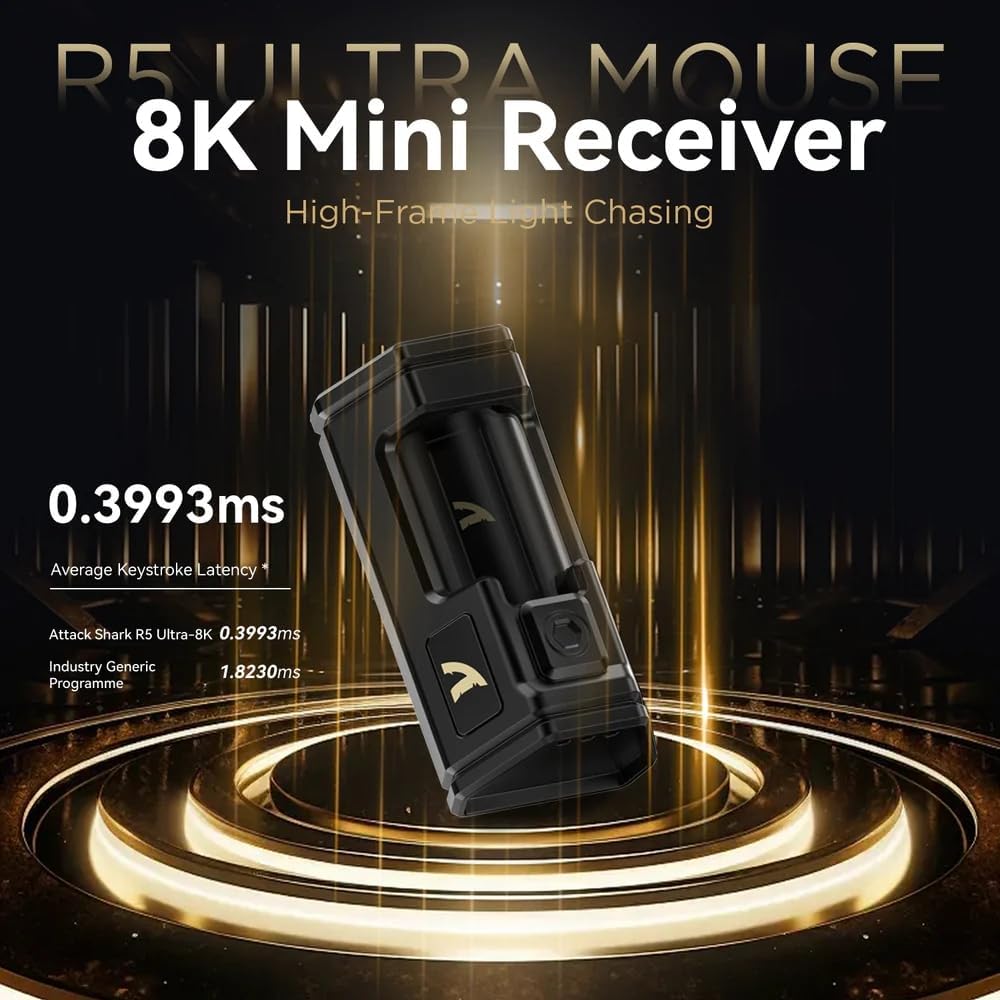
Image: Close-up of the compact 8K Mini Receiver, highlighting its low latency capabilities.
2.2. โหมดบลูทู ธ
- สลับตัวเลือกโหมดที่ด้านล่างของเมาส์ไปที่ไอคอนบลูทูธ
- บนคอมพิวเตอร์หรืออุปกรณ์ของคุณ เปิดการตั้งค่าบลูทูธและค้นหาอุปกรณ์ใหม่
- Select "ATTACK SHARK R5Ultra" from the list of available devices to pair.
2.3. โหมด USB แบบมีสาย
- เชื่อมต่อสาย USB-C ที่ให้มากับเมาส์ และเชื่อมต่อปลายอีกด้านหนึ่งเข้ากับพอร์ต USB บนคอมพิวเตอร์ของคุณ
- เมาส์จะเปลี่ยนเป็นโหมดสายโดยอัตโนมัติและเริ่มชาร์จ
3. Driver and Customization
The R5Ultra utilizes an AI-designed cloud-driven webpage for customization, eliminating the need for traditional software downloads. Access the customization options by visiting the official ATTACK SHARK website and navigating to the R5Ultra product page or driver section. The webpage will automatically detect your system.
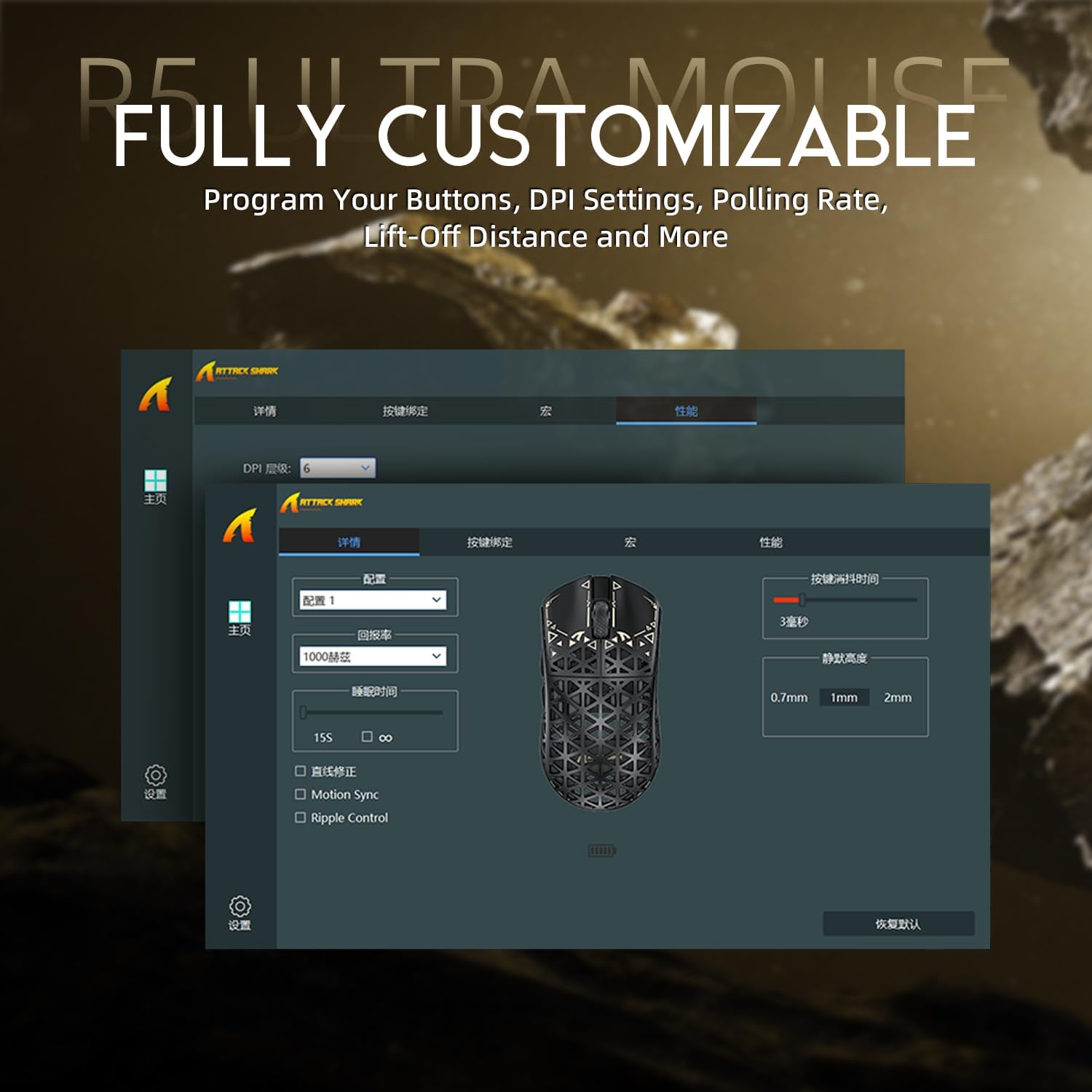
Image: Screenshot of the R5Ultra's web-based customization interface, showing options for DPI, polling rate, and button mapping.
คำแนะนำการใช้งาน
การปรับ DPI
The R5Ultra mouse features a PixArt PAW3950 MAX sensor capable of up to 42,000 programmable DPI. DPI settings can be adjusted through the cloud-driven customization webpage. You can set multiple DPI stages and switch between them using a dedicated button on the mouse (if configured) or through the software.

ภาพ: รายละเอียด view of the PixArt PAW3950 MAX sensor, highlighting its advanced capabilities for high DPI and acceleration.
อัตราการสำรวจความคิดเห็น
The mouse supports an 8KHz wireless polling rate, providing extremely low latency and fast data transmission. In wired mode, a 1KHz polling rate is maintained. Higher polling rates consume more battery power. You can adjust the polling rate via the customization webpage to balance performance and battery life.
ปุ่มที่สามารถตั้งโปรแกรมได้
The R5Ultra features multiple programmable buttons. Through the cloud-driven customization webหน้าคุณสามารถ:
- ปรับเปลี่ยนฟังก์ชันของปุ่ม
- สร้างและกำหนดมาโคร
- Adjust lift-off distance.
- Configure competitive modes.
การจัดการแบตเตอรี่
To optimize battery life, consider adjusting the polling rate to a lower setting (e.g., 1KHz or 2KHz) when not engaged in competitive gaming. The mouse can be charged while in wired mode, allowing continuous use.
คุณสมบัติหลัก
- ดีไซน์น้ำหนักเบาเป็นพิเศษ: Weighing only 39g, constructed from injection-molded carbon fiber material with a hollow design for enhanced durability and reduced weight.

ภาพ: หลายภาพ views of the R5Ultra mouse, showcasing its carbon fiber composite housing and lightweight structure.
- เซ็นเซอร์ขั้นสูง: Features the PixArt PAW3950 MAX sensor, offering up to 42,000 DPI, 750 IPS speed, and 50g acceleration for precise tracking.
- อัตราการสำรวจสูง: Supports an 8KHz wireless polling rate for minimal latency and rapid response, crucial for competitive gaming.
- การเชื่อมต่อสามโหมด: Seamlessly switch between 2.4GHz wireless, Bluetooth, and wired USB connections for versatile use across various devices and platforms.
- สวิตช์ที่ทนทาน: Equipped with OMRON microswitches, rated for over 100 million clicks, ensuring long-lasting performance and crisp feedback.
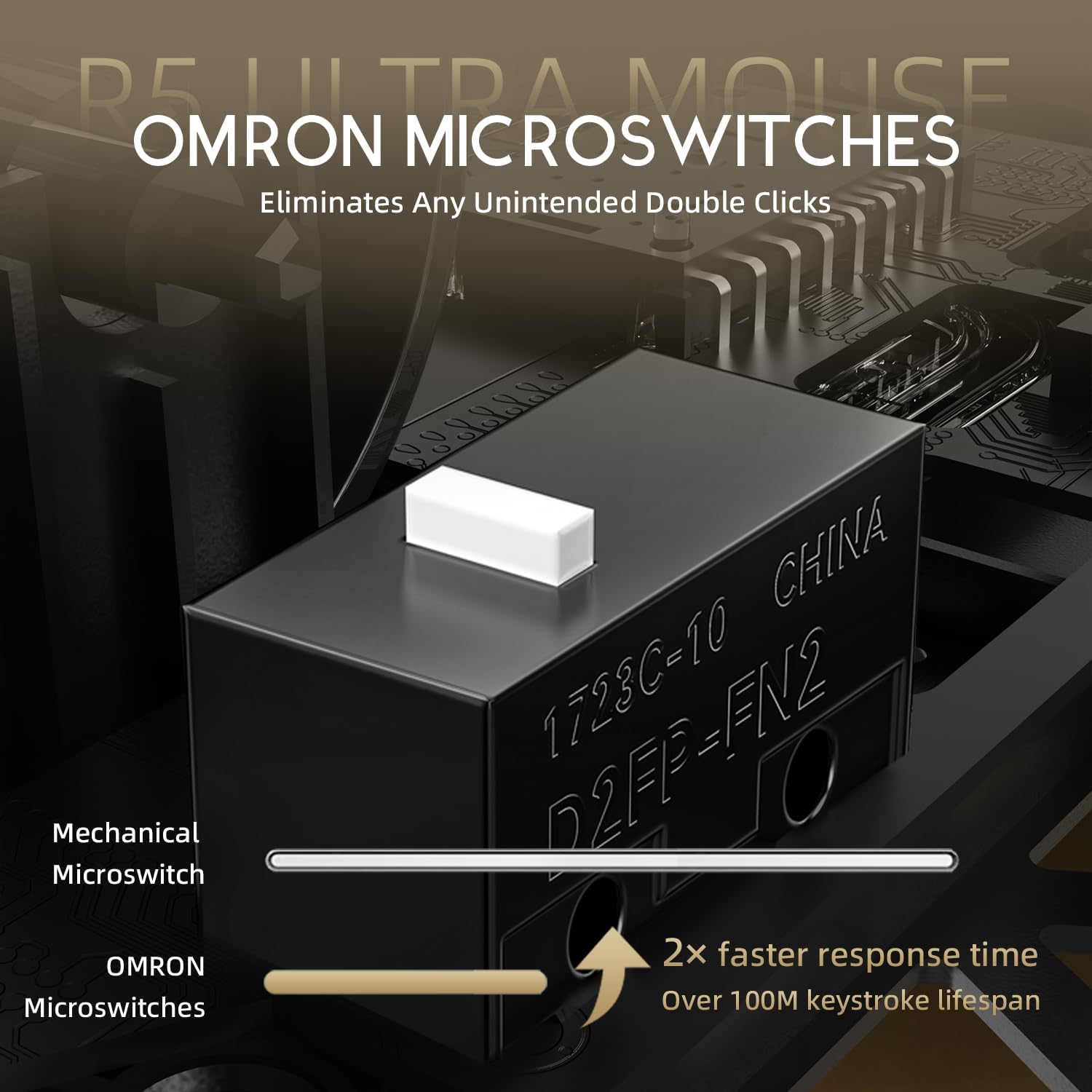
Image: Close-up of the OMRON microswitches, illustrating their mechanical design and durability for over 100 million clicks.
- Cloud-Based Driver: Innovative AI-designed driver accessible via a webpage, allowing for comprehensive customization without software installation.
- ฟุตเทฟล่อน: 100% Virgin Grade PTFE feet provide consistent and smooth glide for optimal mouse movement.
การบำรุงรักษาและการดูแล
- การทำความสะอาด: ใช้ผ้านุ่มและแห้งเช็ดพื้นผิวของเมาส์ สำหรับคราบสกปรกฝังแน่น ให้เช็ดเบาๆamp สามารถใช้ผ้าเช็ดทำความสะอาดได้ เพื่อให้แน่ใจว่าไม่มีของเหลวเข้าไปในตัวหนู หลีกเลี่ยงสารเคมีรุนแรงหรือวัสดุที่มีฤทธิ์กัดกร่อน
- การบำรุงรักษาเซ็นเซอร์: รักษาบริเวณเซ็นเซอร์แสงที่ด้านล่างของเมาส์ให้สะอาด ปราศจากฝุ่นหรือสิ่งสกปรก เพื่อให้การติดตามแม่นยำยิ่งขึ้น
- พื้นที่จัดเก็บ: เก็บเมาส์ไว้ในที่แห้งและเย็น หลีกเลี่ยงแสงแดดโดยตรงและอุณหภูมิที่สูงหรือต่ำเกินไป
- การดูแลแบตเตอรี่ Avoid fully discharging the battery frequently. For long-term storage, charge the mouse to about 50% to prolong battery life.
การแก้ไขปัญหา
ปัญหาการเชื่อมต่อ
- ไร้สาย 2.4GHz: Ensure the USB receiver is securely plugged in and the mouse is switched to 2.4GHz mode. Try plugging the receiver into a different USB port.
- บลูทูธ: Verify Bluetooth is enabled on your device and the mouse is in Bluetooth pairing mode. Remove previous pairings and re-pair if necessary.
- มีสาย: Check the USB-C cable connection at both ends. Try a different USB port or cable if available.
ปัญหาการติดตาม
- ทำความสะอาดเซ็นเซอร์ออปติคอลที่ด้านล่างของเมาส์
- โปรดตรวจสอบให้แน่ใจว่าคุณใช้เมาส์บนพื้นผิวที่เหมาะสม (เช่น แผ่นรองเมาส์) พื้นผิวที่มีการสะท้อนแสงสูงหรือพื้นผิวที่ไม่เรียบอาจส่งผลต่อการติดตามการเคลื่อนไหวได้
- If experiencing issues at higher polling rates (e.g., 8KHz), try reducing the polling rate via the customization webpage to 1KHz, 2KHz, or 4KHz to see if performance improves.
- Check the mouse feet (PTFE skates) for wear or damage. Worn feet can affect glide and tracking consistency.
แบตเตอรี่หมดเร็ว
- Higher polling rates (e.g., 8KHz) consume more power. Reduce the polling rate if extended battery life is desired.
- ตรวจสอบให้แน่ใจว่าเมาส์ชาร์จเต็มแล้ว
- หากปัญหายังคงอยู่ โปรดติดต่อฝ่ายสนับสนุนลูกค้า
ข้อมูลจำเพาะ
| คุณสมบัติ | รายละเอียด |
|---|---|
| หมายเลขรุ่น | R5 |
| การเชื่อมต่อ | 2.4G ไร้สาย, บลูทูธ, ต่อสาย USB |
| เซ็นเซอร์ | PixArt PAW3950 MAX Optical Sensor |
| ช่วง DPI | ความละเอียดสูงสุด 42,000 DPI (ตั้งโปรแกรมได้) |
| อัตราการสำรวจความคิดเห็น | 8000Hz Wireless, 1000Hz Wired |
| การเร่งความเร็ว | 50กรัม |
| ความเร็ว IPS | 750 IPS |
| สวิตซ์ | OMRON Microswitches (100 Million Clicks Lifespan) |
| น้ำหนัก | Approximately 39g (Ultra-lightweight) |
| วัสดุ | คาร์บอนไฟเบอร์คอมโพสิต |
| วัสดุของเท้า | PTFE เกรดบริสุทธิ์ 100% |
| ขนาด | 6.85 x 4.21 x 2.8 นิ้ว (ขนาดบรรจุภัณฑ์) |
| ความเข้ากันได้ | Windows, macOS, PCs, Laptops, Mac, Tablet Devices, Consoles |
การรับประกันและการสนับสนุน
For warranty information, please refer to the warranty card included with your product or visit the official ATTACK SHARK website. If you encounter any issues not covered in this manual or require further assistance, please contact ATTACK SHARK customer support through their official webเว็บไซต์หรือข้อมูลการติดต่อที่ให้มาพร้อมกับการซื้อของคุณ
You can visit the ATTACK SHARK Store for more information and support: ร้าน ATTACK SHARK บน Amazon