
1. บทนำ
Thank you for choosing SUNJOM Freepods Over-Ear Headphones. These headphones are designed to provide a high-quality audio experience with advanced features such as Active Noise Cancellation (ANC), Bluetooth 5.4 connectivity, and extended battery life. This manual will guide you through the setup, operation, and maintenance of your new headphones.

Image: SUNJOM Freepods Over-Ear Headphones in Silver.
2. อะไรอยู่ในกล่อง
กรุณาตรวจสอบเนื้อหาในแพ็คเกจเพื่อให้แน่ใจว่ามีสินค้าครบทั้งหมด:
- SUNJOM Freepods Over-Ear Headphones
- สายชาร์จ (Type-C)
- สายสัญญาณเสียงขนาด 3.5 มม.
- คู่มือการใช้งาน
3. สินค้าหมดview
The SUNJOM Freepods headphones feature an ergonomic design for comfortable wear and intuitive controls for easy operation. Familiarize yourself with the main components and controls:

Image: Detailed diagram of headphone controls for playback, volume, and ANC.
วิดีโอ: ผลิตภัณฑ์อย่างเป็นทางการเสร็จสิ้นview of SUNJOM Freepods 120H Playtime Wireless Over-Ear Headphones, highlighting key features and design.
คุณสมบัติหลัก:
- การตัดเสียงรบกวนแบบแอคทีฟ (ANC): Reduces external environmental noise for an immersive listening experience.
- โหมดความโปร่งใส: ช่วยให้คุณได้ยินเสียงรอบข้างขณะเพลิดเพลินไปกับเสียง
- Bluetooth 5.4: Ensures stable and seamless wireless connection with a range of up to 33 feet (10 meters).
- เวลาเล่น 120 ชั่วโมง: Extended battery life for long listening sessions (ANC off, 50% volume).
- ไมโครโฟนในตัว: Provides clear audio for hands-free calls and video conferences.
- การเชื่อมต่อแบบหลายจุด: เชื่อมต่อกับอุปกรณ์สองเครื่องพร้อมกัน ทำให้สามารถสลับใช้งานระหว่างอุปกรณ์ได้อย่างราบรื่น
- ไดรเวอร์ไดนามิกขนาด 40 มม.: Delivers hi-fi stereo audio with rich bass and clear sound.
4. การตั้งค่า
4.1 การชาร์จหูฟัง
Before first use, fully charge your headphones. A full charge takes approximately 4 hours and provides up to 120 hours of playtime (with ANC off at 50% volume).
- เชื่อมต่อสายชาร์จ Type-C ที่ให้มาเข้ากับพอร์ตชาร์จบนหูฟัง
- เชื่อมต่อปลายอีกด้านของสายเคเบิลเข้ากับแหล่งจ่ายไฟ USB (เช่น คอมพิวเตอร์ อะแดปเตอร์ติดผนัง)
- The LED indicator will show the charging status and turn off when fully charged.

Image: Graphic illustrating the 120-hour battery life of SUNJOM Freepods headphones.
4.2 การจับคู่บลูทูธ
Pair your headphones with your device using Bluetooth 5.4 technology for a stable connection.
- ตรวจสอบให้แน่ใจว่าหูฟังได้รับการชาร์จและปิดเครื่องแล้ว
- Press and hold the power button (refer to Product Overview for button location) until the LED indicator flashes, indicating pairing mode.
- บนอุปกรณ์ของคุณ (สมาร์ทโฟน แท็บเล็ต แล็ปท็อป) เปิดใช้งาน Bluetooth และค้นหาอุปกรณ์ที่มีอยู่
- Select "Freepods" from the list of devices.
- เมื่อเชื่อมต่อแล้วไฟ LED จะเปลี่ยนเป็นไฟคงที่หรือกะพริบช้าๆ

Image: The SUNJOM Freepods headphones connected wirelessly to a smartphone, demonstrating Bluetooth 5.4 technology.
5. คู่มือการใช้งาน
5.1 เปิด/ปิดเครื่อง
- เปิดเครื่อง: กดปุ่มเปิด/ปิดค้างไว้ประมาณ 3 วินาที จนกระทั่งไฟแสดงสถานะ LED ติดสว่าง
- หมดแรง: กดปุ่มเปิด/ปิดค้างไว้ประมาณ 5 วินาที จนกระทั่งไฟ LED ดับ
5.2 การเล่นเพลง
- เล่น/หยุดชั่วคราว: กดปุ่มมัลติฟังก์ชั่นหนึ่งครั้ง
- เพลงถัดไป: กดปุ่มมัลติฟังก์ชันสองครั้ง
- แทร็กก่อนหน้า: กดปุ่มมัลติฟังก์ชันสามครั้ง
- เพิ่ม/ลดระดับเสียง: Use the volume dial (refer to Product Overview สำหรับสถานที่)
5.3 การตัดเสียงรบกวนแบบแอคทีฟ (ANC) และโหมดโปร่งใส
The headphones offer two distinct listening modes:
- เปิดใช้งาน ANC: Press the ANC button once to enable Active Noise Cancellation. This mode reduces ambient noise.
- เปิดใช้งานโหมดโปร่งใส: Press the ANC button again to switch to Transparency Mode, allowing you to hear your surroundings.
- Deactivate ANC/Transparency: Press the ANC button a third time to turn off both modes.
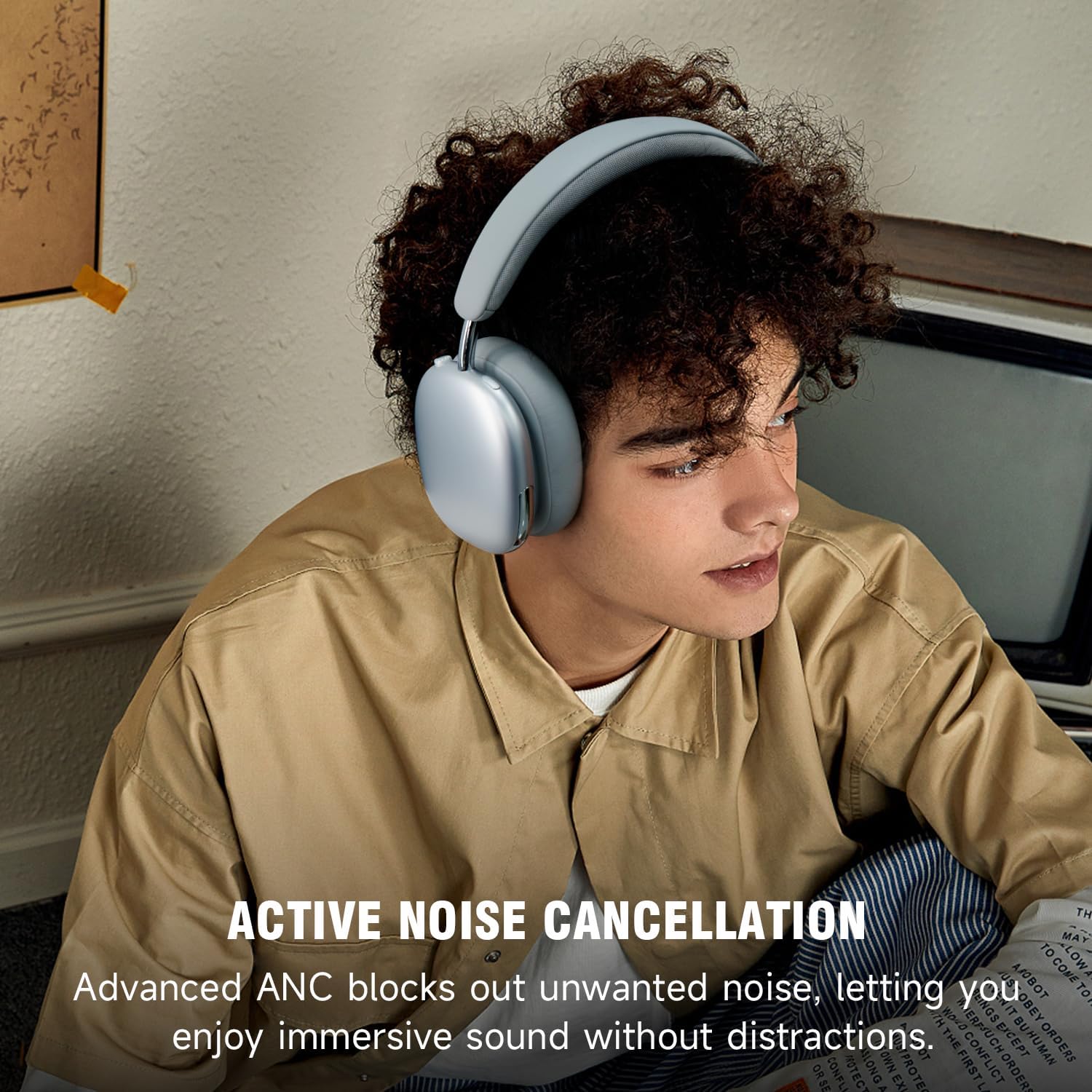
Image: A person wearing SUNJOM Freepods headphones, illustrating the active noise cancellation feature.
5.4 การจัดการการโทร
- รับ/วางสาย: กดปุ่มมัลติฟังก์ชั่นหนึ่งครั้ง
- ปฏิเสธสาย: กดปุ่มมัลติฟังก์ชั่นค้างไว้ 2 วินาที
5.5 การเชื่อมต่อหลายจุด
หูฟังรุ่นนี้สามารถเชื่อมต่อกับอุปกรณ์บลูทูธได้พร้อมกันสองเครื่อง ช่วยให้คุณสลับใช้งานระหว่างอุปกรณ์ได้อย่างราบรื่น
- Pair the headphones with the first device (e.g., smartphone) as described in Section 4.2.
- ตัดการเชื่อมต่อบลูทูธบนอุปกรณ์ตัวแรก
- Pair the headphones with the second device (e.g., laptop).
- เชื่อมต่อบลูทูธบนอุปกรณ์เครื่องแรกอีกครั้ง ตอนนี้หูฟังจะเชื่อมต่อกับอุปกรณ์ทั้งสองแล้ว
- Audio will automatically switch to the device that is actively playing sound or receiving a call.

Image: SUNJOM Freepods headphones connected to a smartphone and a laptop, demonstrating multipoint connection.
5.6 โหมดแบบมีสาย
If the battery runs out or for wired connection, use the included 3.5mm audio cable.
- ต่อปลายด้านหนึ่งของสายสัญญาณเสียงขนาด 3.5 มม. เข้ากับแจ็คเสียบหูฟัง
- ต่อปลายอีกด้านหนึ่งเข้ากับพอร์ต 3.5 มม. ของแหล่งกำเนิดเสียงของคุณ
6. การบำรุงรักษา
- การทำความสะอาด: ใช้ผ้านุ่มและแห้งเช็ดทำความสะอาดหูฟัง ห้ามใช้น้ำยาทำความสะอาดหรือสารละลายที่มีฤทธิ์กัดกร่อน
- พื้นที่จัดเก็บ: เก็บหูฟังไว้ในที่แห้งและเย็น หลีกเลี่ยงแสงแดดโดยตรงและอุณหภูมิที่สูงหรือต่ำเกินไป
- หลีกเลี่ยงน้ำ: อย่าให้หูฟังโดนน้ำหรือความชื้นมากเกินไป
7 การแก้ไขปัญหา
| ปัญหา | สารละลาย |
|---|---|
| หูฟังไม่สามารถเปิดเครื่องได้ | ตรวจสอบให้แน่ใจว่าหูฟังชาร์จเต็มแล้ว เสียบปลั๊กแล้วลองอีกครั้ง |
| ไม่สามารถจับคู่กับอุปกรณ์ได้ |
|
| ไม่มีเสียงหรือเสียงเบา |
|
| พรรค ANC ไม่ได้ทำงานอย่างมีประสิทธิภาพ | Ensure the ANC mode is activated. Check that the earcups form a good seal around your ears. |
8. ข้อมูลจำเพาะ
| คุณสมบัติ | รายละเอียด |
|---|---|
| ชื่อรุ่น | Freepods |
| การควบคุมเสียงรบกวน | ระบบตัดเสียงรบกวนแบบแอคทีฟ, โหมดโปร่งใส |
| เทคโนโลยีการเชื่อมต่อ | แบบมีสาย, ไร้สาย (บลูทูธ) |
| เทคโนโลยีการสื่อสารไร้สาย | บลูทูธ 5.4 |
| ช่วงบลูทูธ | 10 เมตร (33 ฟุต) |
| ประเภทไดร์เวอร์เสียง | ไดร์เวอร์แบบไดนามิก |
| ขนาดไดร์เวอร์เสียง | 40 มิลลิเมตร |
| การตอบสนองความถี่ | 2.48 กิกะเฮิรตซ์ |
| ความไวต่อความรู้สึก | 120 เดซิเบล |
| อิมพีแดนซ์ | 32 โอห์ม |
| อายุการใช้งานแบตเตอรี่ | Up to 120 Hours (ANC off, 50% volume) |
| เวลาในการชาร์จ | 4 ชั่วโมง |
| แจ็คหูฟัง | แจ็ค 3.5 มม. |
| ประเภทการควบคุม | ปุ่มควบคุม |
| วัสดุ | หนัง, โลหะ, พลาสติก |
| น้ำหนักสินค้า | 8.5 ออนซ์ (0.53 ปอนด์) |
| ขนาดสินค้า | 8.27 x 7.48 x 1.97 นิ้ว |
9. การรับประกันและการสนับสนุน
SUNJOM products are designed and manufactured to the highest quality standards. For detailed warranty information and customer support, please refer to the warranty card included in your package or visit the official SUNJOM webเว็บไซต์.
If you encounter any issues or have questions regarding your Freepods headphones, please contact SUNJOM customer service for assistance.