
การแนะนำ
This manual provides essential information for setting up, operating, maintaining, and troubleshooting your Google Pixel 9 smartphone. The Pixel 9 is designed to offer a powerful and intuitive user experience, powered by the Google Tensor G4 processor and running on Android 14.
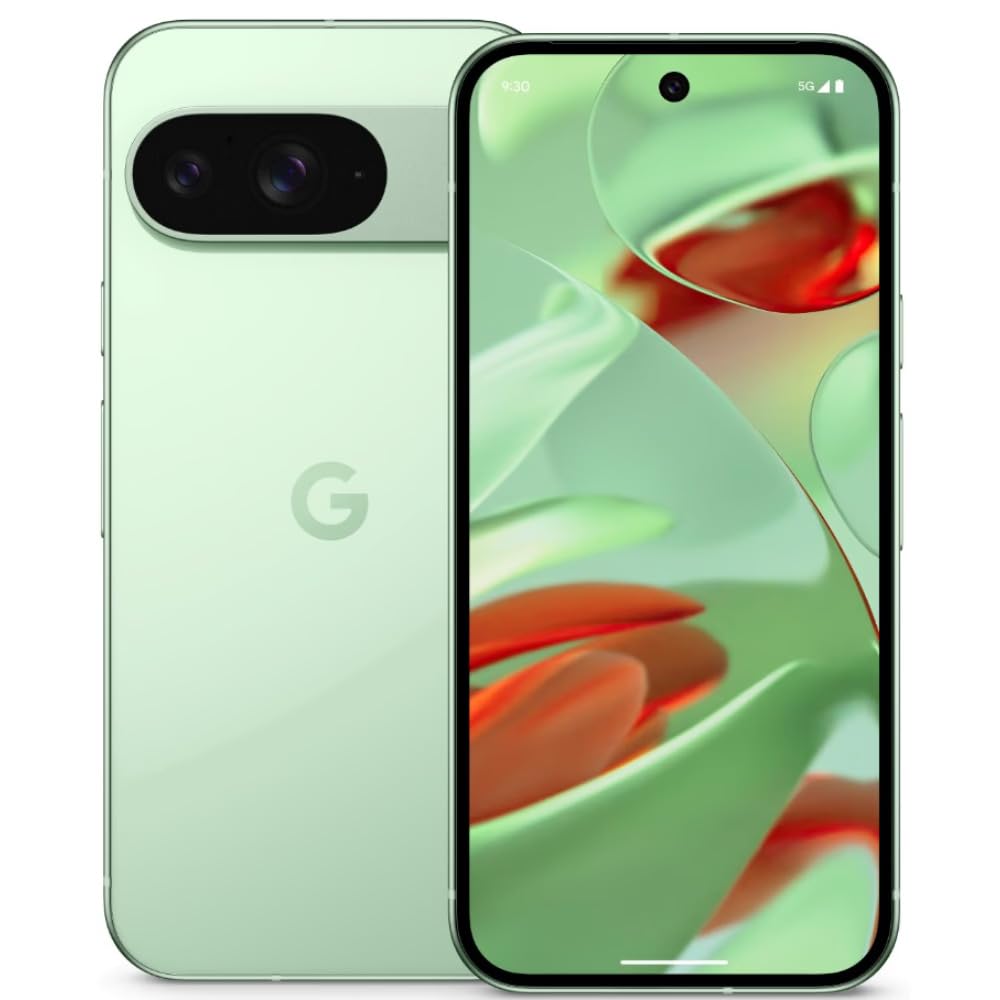
Image: Google Pixel 9 smartphone, rear view, in Wintergreen color.
มีอะไรอยู่ในกล่อง
Upon unboxing your Google Pixel 9, verify that all standard components are present:
- สมาร์ทโฟน Google Pixel 9
- สาย USB-C ถึง USB-C
- เครื่องมือถอดถาดซิม

Image: Contents of the Google Pixel 9 retail box.
การตั้งค่า
1. การใส่ซิมการ์ด
- หาช่องใส่ซิมการ์ดที่ด้านข้างของโทรศัพท์ Pixel 9 ของคุณ
- ใส่เครื่องมือถอดถาดซิมเข้าไปในรูเล็ก ๆ ข้างถาดแล้วกดให้แน่นจนกว่าถาดจะดีดออกมา
- Place your Nano SIM card(s) into the tray with the gold contacts facing down. The Pixel 9 supports Dual SIM functionality.
- ค่อยๆ ดันถาดกลับเข้าไปในช่องจนกระทั่งแนบสนิทกับด้านข้างของโทรศัพท์
2. การเปิด/ปิดเครื่อง
- การเปิดเครื่อง: กดปุ่มเปิด/ปิด (อยู่ด้านขวา) ค้างไว้จนกว่าโลโก้ Google จะปรากฏขึ้น
- วิธีปิดเครื่อง: Press and hold the Power button and Volume Up button simultaneously, then tap 'Power off' on the screen. Alternatively, swipe down from the top of the screen twice to open Quick Settings, then tap the power icon and select 'Power off'.
3. การตั้งค่าอุปกรณ์เริ่มต้น
Follow the on-screen prompts to complete the initial setup process. This includes connecting to Wi-Fi, signing in with your Google account, setting up security features (Face Recognition), and transferring data from an old device.
การใช้งาน Pixel 9 ของคุณ
คุณสมบัติการแสดงผล
The Pixel 9 features a 6.3-inch OLED display with a 1080 x 2424 pixel resolution and a dynamic refresh rate up to 120Hz for smooth visuals. It offers up to 1800 nits brightness in HDR mode and peaks at 2700 nits for clear visibility in various lighting conditions.
การใช้กล้อง
The device is equipped with a dual rear camera system: a 50 MP main sensor and a 48 MP ultrawide lens (123° field of view). The front camera is 10.5 MP. Advanced AI features enhance photography, allowing for detailed and expansive images.

Image: AI-enhanced camera features of the Google Pixel 9.
ผลงาน
Powered by Google's Tensor G4 processor and 12 GB of RAM, the Pixel 9 ensures efficient multitasking and fast performance for applications and gaming. It runs on Android 14, providing a secure and up-to-date operating environment.
แบตเตอรี่และการชาร์จ
The Pixel 9 includes a 4700 mAh battery. It supports 45W USB-PD fast charging and 15W wireless charging for convenient power replenishment. Average battery life is approximately 24 hours, with up to 26.5 hours of phone talk time.
คุณสมบัติ AI
Leverage integrated AI features such as Gemini for assistance, Real Screenshots for enhanced screen capture, and Circle to ค้นหา quick information retrieval directly from your screen.

Image: Google Pixel 9 showcasing AI capabilities.
การซ่อมบำรุง
ความทนทาน
The Pixel 9 is built with Corning Gorilla Glass Victus 2 for display protection and features a water-resistant design, offering protection against spills and dust.
การอัพเดตซอฟต์แวร์
Google provides a commitment of seven years of OS and security updates for the Pixel 9, ensuring long-term support and access to the latest features and security enhancements.
ทำความสะอาดอุปกรณ์ของคุณ
To clean your Pixel 9, use a soft, lint-free cloth. Avoid abrasive materials or harsh chemicals. For stubborn smudges, slightly dampชุบผ้าให้เปียก ตรวจสอบให้แน่ใจว่าพอร์ตทั้งหมดแห้งสนิทก่อนชาร์จ
การแก้ไขปัญหา
If you encounter issues with your Pixel 9, consider the following general troubleshooting steps:
- รีสตาร์ทอุปกรณ์: การรีสตาร์ทเพียงครั้งเดียวสามารถแก้ไขข้อผิดพลาดซอฟต์แวร์เล็กๆ น้อยๆ ได้หลายประการ
- ตรวจสอบการอัปเดตซอฟต์แวร์: Ensure your device is running the latest software version. Go to Settings > System > System update.
- ล้างแคชแอป: If a specific app is causing issues, try clearing its cache (Settings > Apps > See all apps > [App Name] > Storage & cache > Clear cache).
- รีเซ็ตเป็นค่าเริ่มต้นจากโรงงาน: As a last resort, if problems persist, you may need to perform a factory reset. คำเตือน: การดำเนินการนี้จะลบข้อมูลทั้งหมดในอุปกรณ์ของคุณ โปรดสำรองข้อมูลสำคัญก่อนดำเนินการต่อ (Settings > System > Reset options > Erase all data (factory reset)).
- ความร้อนสูงเกินไป: The device may experience increased temperature during intensive use or charging. If overheating becomes excessive or persistent, reduce usage of demanding applications and ensure proper ventilation.
ข้อมูลจำเพาะ
| คุณสมบัติ | ข้อมูลจำเพาะ |
|---|---|
| ยี่ห้อ | |
| แบบอย่าง | พิกเซล 9 |
| ระบบปฏิบัติการ | แอนดรอยด์ 14 |
| โปรเซสเซอร์ | กูเกิล เทนเซอร์ G4 |
| แรม | 12GB |
| การจัดเก็บข้อมูลภายใน | 256GB |
| แสดง | 6.3-inch OLED, 1080 x 2424 pixels, 120Hz Refresh Rate |
| กล้องหลัง | 50 MP Main, 48 MP Ultrawide |
| กล้องหน้า | 10.5 MP |
| ความจุของแบตเตอรี่ | 4700 มิลลิแอมป์ |
| การชาร์จไฟ | 45W USB-PD Fast Charging, 15W Wireless Charging |
| ประเภทซิมการ์ด | นาโนซิม (ใช้งานได้สองซิม) |
| การเชื่อมต่อ | 5G, Wi-Fi, Bluetooth, GSM, LTE |
| ความปลอดภัย | การจดจำใบหน้า |
| ความทนทาน | Corning Gorilla Glass Victus 2, Water Resistant |
| ขนาด | 7.2 x 0.8 x 15.2 เซนติเมตร |
| น้ำหนัก | 198 กรัม |
การรับประกันและการสนับสนุน
ข้อมูลการรับประกัน
The Google Pixel 9 comes with a 1-year manufacturer's warranty. This warranty covers defects in materials and workmanship under normal use. Please retain your proof of purchase for warranty claims.
การสนับสนุนลูกค้า
For further assistance, technical support, or warranty claims, please visit the official Google Support website or contact Google customer service. Refer to the documentation included with your device for specific contact details in your region.
การสนับสนุนทางออนไลน์: support.google.com/pixelphone