
1. บทนำ
Thank you for choosing the I3 4K Thumb Action Sports Camera. This compact and versatile camera is designed for capturing high-quality video and photos in various environments, from daily life to adventurous sports. Its lightweight, thumb-sized design and multiple mounting options make it an ideal companion for hands-free recording. Please read this manual carefully before using the camera to ensure proper operation and to maximize its potential.
2. สินค้าหมดview
2.1. ส่วนประกอบของกล้อง
The I3 4K Thumb Action Sports Camera features a minimalist design with essential components for easy operation.

รูปที่ 2.1 : ด้านหน้า view of the I3 4K Thumb Action Sports Camera, highlighting its compact size and lens. A skier is visible in the background, demonstrating its use in action sports.
2.2. คุณสมบัติหลัก
- Thumb-Sized Compact Design: Extremely lightweight at 1.25 ounces (35.7 grams), smaller than a thumb, allowing for hands-free and unobtrusive recording.
- ตัวเลือกการติดตั้งหลายตัว: Features a magnetic design for attachment to ferrous surfaces and includes multifunctional accessories like a magnetic lanyard pad and a 360° swivel spring clip for versatile mounting on helmets, bicycles, or clothing.
- อายุการใช้งานแบตเตอรี่ยาวนาน: Equipped with an 800mAh rechargeable lithium-ion battery, providing extended recording time and supporting recording while charging for prolonged use during activities like long rides.
- User-Friendly Hands-Free Operation: Simple one-button operation ensures ease of use for capturing moments without complex controls, suitable for all users.
- การบันทึกภาพความละเอียดสูงระดับ 4K: Capable of capturing video in 4K resolution, ensuring clear and detailed footage.
3. การตั้งค่า
3.1. การชาร์จครั้งแรก
Before first use, fully charge the camera's internal battery. Connect the camera to a USB power source (e.g., computer USB port or wall adapter) using the provided data cable. The charging indicator light will typically show charging status and turn off or change color when fully charged.
3.2. การใส่การ์ดหน่วยความจำ
The camera supports SD flash memory cards. Locate the memory card slot on the camera. Gently insert a compatible SD card into the slot until it clicks into place. Ensure the card is inserted in the correct orientation to avoid damage.
3.3. การติดตั้งกล้อง
The I3 camera offers various mounting solutions:
- การติดแม่เหล็ก: The camera has a magnetic base that allows it to adhere directly to suitable metallic surfaces.
- Using the 360° Rotating Back Clip: Attach the camera to the 360° rotating back clip. This clip can then be secured to clothing, backpack straps, or other thin edges for hands-free recording.
- Using the Cycling Back Cover: For bicycle or motorcycle mounting, attach the camera to the cycling back cover, which can then be secured to handlebars or other appropriate parts of the bike.

Figure 3.1: The I3 camera shown with its clip attachment, demonstrating how it can be worn or mounted.
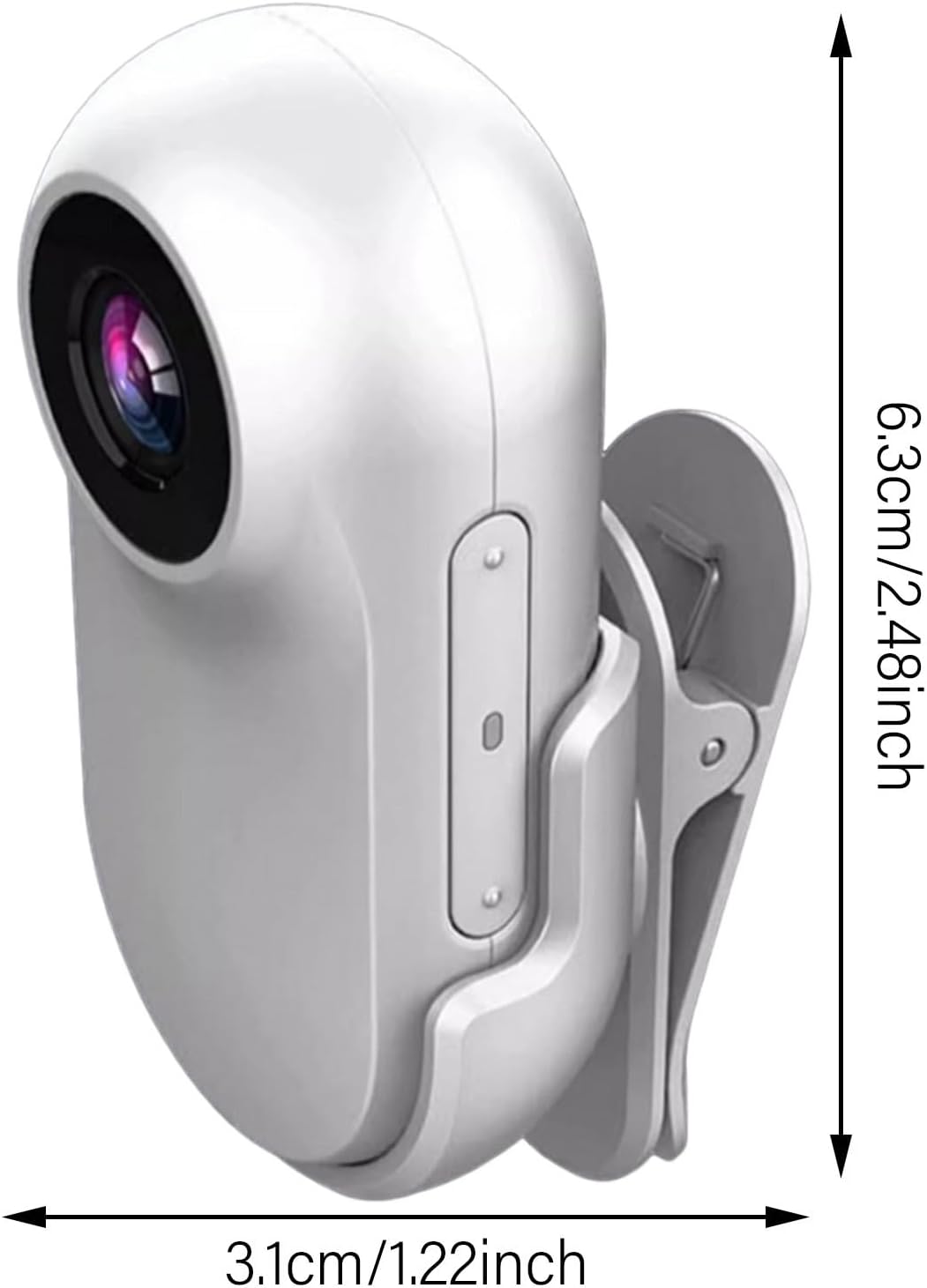
Figure 3.2: Visual representation of the camera's compact dimensions, measuring approximately 6.3cm in height and 3.1cm in width.
4. คู่มือการใช้งาน
4.1. การเปิด/ปิดเครื่อง
To power on the camera, press and hold the main button until the indicator light illuminates. To power off, press and hold the same button until the indicator light turns off.
4.2. การบันทึกวิดีโอ
Once powered on, the camera typically enters standby mode. Press the main button once to start video recording. The indicator light will change to indicate recording is in progress (e.g., blinking). Press the button again to stop recording and save the file.
4.3.การถ่ายภาพ
While in standby mode, a quick double-press of the main button may switch to photo mode (refer to specific indicator light patterns in the included quick start guide). Press the button once to capture a photo.
4.4. การโอน Files
To access recorded videos and photos, connect the camera to a computer using the provided data cable. The camera will appear as a removable storage device. You can then drag and drop files to your computer. Alternatively, remove the SD card and use the provided card reader to transfer files.
5. การบำรุงรักษา
- การทำความสะอาด: ใช้ผ้าแห้งนุ่มเช็ดทำความสะอาดตัวกล้อง สำหรับเลนส์ ให้ใช้ผ้าและน้ำยาทำความสะอาดเลนส์โดยเฉพาะ หลีกเลี่ยงวัสดุที่มีฤทธิ์กัดกร่อนหรือสารเคมีรุนแรง
- พื้นที่จัดเก็บ: เก็บกล้องไว้ในที่แห้งและเย็น หลีกเลี่ยงแสงแดดโดยตรงและอุณหภูมิที่สูงหรือต่ำเกินไป หากเก็บรักษาเป็นเวลานาน ควรตรวจสอบให้แน่ใจว่าแบตเตอรี่มีประจุอยู่บ้าง (ประมาณ 50%) เพื่อยืดอายุการใช้งาน
- การดูแลแบตเตอรี่ Avoid fully discharging the battery frequently. Charge the camera regularly, even if not in use, to maintain battery health.
- ความต้านทานน้ำ: The camera comes with a silicone rainproof case. Ensure this case is properly installed for protection against moisture. The camera itself is not inherently waterproof without the case.
6 การแก้ไขปัญหา
- กล้องไม่เปิด: ตรวจสอบให้แน่ใจว่าแบตเตอรี่ชาร์จเต็มแล้ว เสียบปลั๊กเข้ากับแหล่งจ่ายไฟแล้วลองอีกครั้ง
- ไม่สามารถบันทึกวิดีโอ/ถ่ายภาพได้: Check if a memory card is inserted correctly and if it has sufficient free space. The card might be full or corrupted.
- คุณภาพวิดีโอ/ภาพถ่ายไม่ดี: Ensure the lens is clean. Check lighting conditions. Verify that the camera settings are appropriate for the environment (if adjustable).
- คอมพิวเตอร์ไม่รู้จักกล้อง: Try a different USB port or cable. Ensure the camera is powered on when connected.
- อายุการใช้งานแบตเตอรี่สั้น: Ensure the camera is fully charged before use. Battery performance can degrade over time.
7. ข้อมูลจำเพาะ
| คุณสมบัติ | รายละเอียด |
|---|---|
| ชื่อยี่ห้อ | ทั่วไป |
| หมายเลขรุ่นสินค้า | Thumb Action Sports Camera |
| สี | สีขาว |
| คุณสมบัติพิเศษ | 4K Recording, Long Battery Life, Hands-Free Operation |
| เทคโนโลยีโฟโต้เซนเซอร์ | ซีซีดี |
| ความละเอียดในการจับภาพวิดีโอ | 1280p (Note: Product description mentions 4K, actual capture resolution may vary or be upscaled) |
| ความยาวโฟกัสสูงสุด | 105 มิลลิเมตร |
| ประเภทหน่วยความจำแฟลช | SD |
| รูปแบบการจับภาพวิดีโอ | เอ็มพี 4 |
| ขนาดหน้าจอ | 1 นิ้ว (เส้นทแยงมุมของหน้าจอที่มองเห็นได้) |
| เทคโนโลยีการเชื่อมต่อ | ยูเอสบี |
| ประเทศต้นกำเนิด | จีน |
8. อะไรอยู่ในกล่อง
The I3 4K Thumb Action Sports Camera package typically includes:
- 1 x 16GB Body Camera
- 1 x Silicone Rainproof Case
- 1 x 360° Rotating Back Clip
- 1 x Cycling Back Cover
- เครื่องอ่านบัตร 1 X
- 1 x สายข้อมูล
- 1 x คู่มือการใช้งาน (เอกสารนี้)
9. การรับประกันและการสนับสนุน
สำหรับข้อมูลการรับประกันและการสนับสนุนลูกค้า โปรดดูเอกสารประกอบที่ให้มาพร้อมกับสินค้าที่คุณซื้อ หรือติดต่อผู้ขายโดยตรง โปรดเก็บหลักฐานการซื้อไว้สำหรับการเรียกร้องการรับประกันใดๆ