
1. บทนำ
Thank you for choosing the Pelonis 5L Evaporative Cooler. This 3-in-1 device combines the functions of an air cooler, fan, and humidifier, providing a comfortable environment for your home or office. Please read this manual thoroughly before operation to ensure proper use, maintenance, and safety.
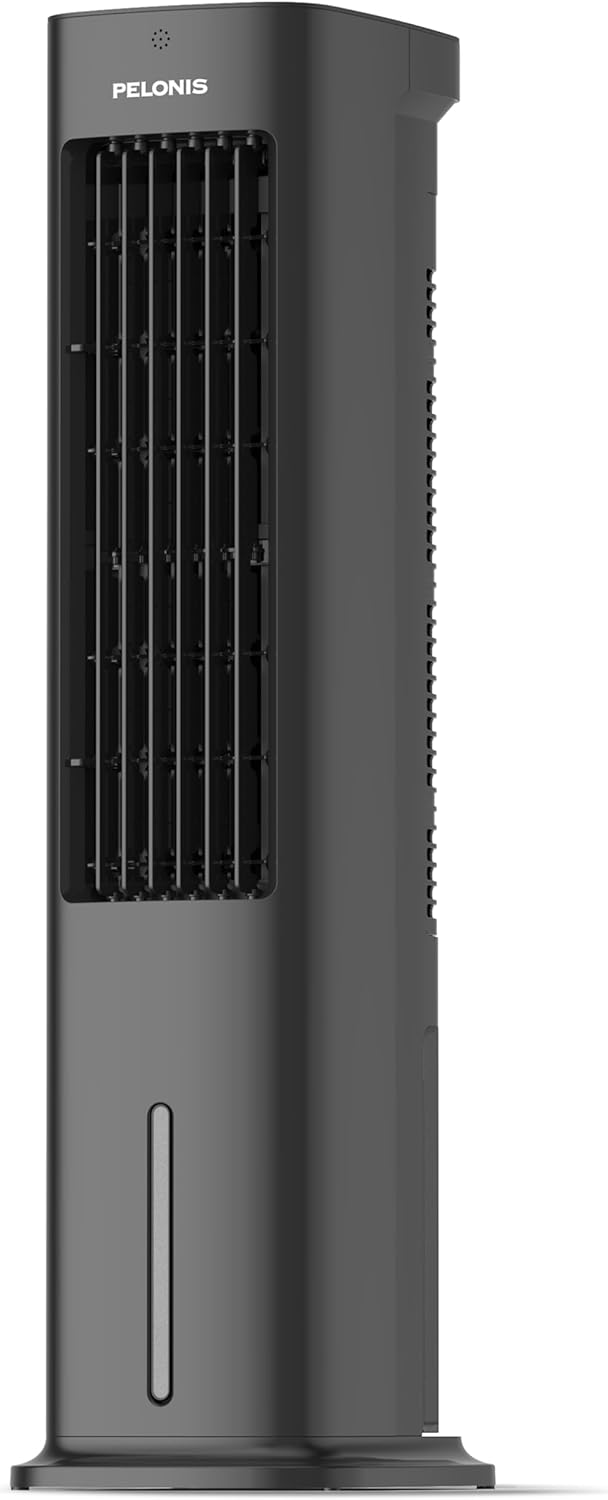
Figure 1.1: Pelonis 5L Evaporative Cooler (Side View)

Figure 1.2: The 3-in-1 functionality of the Pelonis Evaporative Cooler, illustrating its use as a fan, humidifier, and air cooler.
2. คำแนะนำด้านความปลอดภัยที่สำคัญ
เพื่อลดความเสี่ยงจากการเกิดไฟไหม้ ไฟฟ้าช็อต หรือการบาดเจ็บ ควรปฏิบัติตามข้อควรระวังด้านความปลอดภัยพื้นฐานเหล่านี้เสมอ:
- อ่านคำแนะนำทั้งหมดก่อนใช้เครื่องใช้ไฟฟ้านี้
- ห้ามใช้งานพัดลมที่มีสายไฟหรือปลั๊กชำรุด ทิ้งพัดลมหรือส่งกลับไปยังศูนย์บริการที่ได้รับอนุญาตเพื่อตรวจสอบและ/หรือซ่อมแซม
- ห้ามเดินสายไฟใต้พรม ห้ามคลุมสายไฟด้วยพรมเช็ดเท้า พรมยาว หรือวัสดุคลุมที่คล้ายกัน ห้ามเดินสายไฟใต้เฟอร์นิเจอร์หรือเครื่องใช้ไฟฟ้า จัดสายไฟให้ห่างจากบริเวณที่มีคนสัญจรไปมาและบริเวณที่สายไฟจะไม่สะดุดล้ม
- Always unplug the appliance from the power outlet when not in use, when moving it from one location to another, and before cleaning.
- ห้ามจุ่มเครื่องลงในน้ำหรือของเหลวอื่นๆ
- อย่าให้เด็กใช้งานหรือเล่นกับเครื่อง
- ใช้เครื่องใช้ไฟฟ้าเฉพาะเพื่อใช้ในครัวเรือนตามที่อธิบายไว้ในคู่มือนี้
- ให้แน่ใจว่าปริมาตรtage ที่ระบุบนเครื่องสอดคล้องกับปริมาณไฟหลักในพื้นที่ของคุณtage ก่อนเชื่อมต่อเครื่อง
- Do not block air openings or operate near curtains or other objects that may block air intake.
- ควรวางเครื่องไว้บนพื้นผิวที่มั่นคงและเรียบเสมอ
3. เนื้อหาบรรจุภัณฑ์
กรุณาตรวจสอบแพ็คเกจสำหรับรายการต่อไปนี้:
- Pelonis 5L Evaporative Cooler Unit
- รีโมทคอนโทรล (รวมแบตเตอรี่ AAA 2 ก้อน)
- 2 Cooling Pads
- คู่มือการใช้งาน
4. สินค้าหมดview
Familiarize yourself with the main components of your Pelonis Evaporative Cooler.

รูปที่ 4.1 : ด้านหน้า view of the cooler, highlighting its fan, humidification, and cooling functions.

Figure 4.2: Illustration of the 60-degree oscillation feature for wide air distribution.

Figure 4.3: The evaporative cooler being controlled by its remote, emphasizing wireless convenience.
5. การตั้งค่า
Follow these steps to set up your evaporative cooler:
5.1 ฐานประกอบ
- นำเครื่องออกจากบรรจุภัณฑ์อย่างระมัดระวัง
- Attach the base to the bottom of the main unit. Ensure it is securely fastened, typically by screwing it into place.
5.2 การเติมถังเก็บน้ำ
The unit features a 5L water tank for humidification and cooling functions.
- หาตำแหน่งถังเก็บน้ำที่อยู่ด้านล่างของตัวเครื่อง
- ดึงถังน้ำออกอย่างระมัดระวัง
- เติมน้ำสะอาดลงในถัง ไม่เกินบรรทัดเติมสูงสุด
- For enhanced cooling, place the two cooling pads in the freezer until frozen, then place them into the water tank.
- Slide the water tank back into the unit until it clicks into place.

Figure 5.1: Instructions for filling the 5L water tank, showing the maximum fill line and warning against overfilling or tipping.
5.3 การติดตั้งแบตเตอรี่รีโมทคอนโทรล
The remote control requires 2 AAA batteries (included).
- เปิดช่องใส่แบตเตอรี่ที่ด้านหลังของรีโมทคอนโทรล
- ใส่แบตเตอรี่ AAA 2 ก้อน โดยตรวจสอบให้แน่ใจว่าขั้วถูกต้อง (+/-)
- ปิดช่องใส่แบตเตอรี่
6. คู่มือการใช้งาน
Your Pelonis Evaporative Cooler offers multiple functions and settings for optimal comfort.
6.1 เปิด/ปิดเครื่อง
- เสียบสายไฟเข้ากับเต้ารับไฟฟ้าที่เหมาะสม
- กดปุ่ม พลัง ปุ่มบนแผงควบคุมหรือรีโมทคอนโทรลเพื่อเปิดหรือปิดเครื่อง
การเลือกโหมด 6.2
The unit has three primary modes: Fan, Evaporative Cooler, and Humidifier.
- กดปุ่ม โหมด button to cycle through the available modes.
- โหมดพัดลม: Circulates air without humidification or cooling.
- Evaporative Cooler Mode: Uses water and cooling pads to provide a cooling effect. Ensure the water tank is filled.
- โหมดความชื้น: เพิ่มความชื้นในอากาศ ตรวจสอบให้แน่ใจว่าถังเก็บน้ำมีน้ำเต็ม

Figure 6.1: Visual representation of the three operational modes: Humidifier, Air Cooler, and Fan.
6.3 การตั้งค่าความเร็ว
Choose from three fan speeds: Quiet, Standard, or Strong.
- กดปุ่ม ความเร็ว ปุ่มเพื่อปรับความเร็วพัดลม
- The current speed setting will be indicated on the display.
6.4 ฟังก์ชันการแกว่ง
The unit features a 60° automatic oscillation for wider air distribution.
- กดปุ่ม การสั่น button to activate or deactivate the automatic swing function.
- You can also manually adjust the vertical angle of the air outlet.
6.5 ฟังก์ชั่นจับเวลา
Set the unit to automatically turn off after a specified period, up to 7 hours.
- กดปุ่ม ตัวจับเวลา button repeatedly to set the desired operating time in 1-hour increments.
- The timer indicator will show the selected duration.
6.6 โหมดลม
Select from Natural, Sleep, or Normal wind modes for varied airflow patterns.
- กดปุ่ม โหมดลม button to cycle through Natural, Sleep, and Normal modes.
- โหมดธรรมชาติ: จำลองลมธรรมชาติด้วยความเร็วพัดลมที่หลากหลาย
- โหมดสลีป: ทำงานด้วยความเร็วต่ำและเงียบกว่า เพื่อการนอนหลับที่ไม่ถูกรบกวน
- โหมดปกติ: ความเร็วพัดลมคงที่

Figure 6.2: The evaporative cooler operating in a bedroom, emphasizing its quiet night mode for optimal cooling during sleep.
7. การบำรุงรักษา
การบำรุงรักษาตามปกติจะช่วยให้เครื่องทำความเย็นระเหยของคุณมีประสิทธิภาพสูงสุดและมีอายุการใช้งานยาวนาน
7.1 การทำความสะอาดถังเก็บน้ำ
ทำความสะอาดถังน้ำเป็นประจำเพื่อป้องกันการเกิดเชื้อราและราดำ
- ถอดปลั๊กเครื่องออกจากเต้ารับไฟฟ้า
- ถอดถังน้ำออก
- เทน้ำที่เหลือออกให้หมด
- ทำความสะอาดถังด้วยผ้านุ่มและน้ำยาทำความสะอาดอ่อนๆ ล้างออกให้สะอาดด้วยน้ำสะอาด
- ปล่อยให้ถังแห้งสนิทก่อนใส่กลับเข้าไป
7.2 Cleaning the Filter Screen
The removable filter screen should be cleaned periodically.
- ถอดปลั๊กเครื่อง
- ค้นหาและถอดแผ่นกรองออกจากด้านหลังของเครื่อง
- Rinse the filter screen under running water to remove dust and debris. For stubborn dirt, use a soft brush.
- Allow the filter screen to dry completely before reinserting it into the unit.

Figure 7.1: Illustration of the removable filter screen and the process of cleaning it for improved air quality.
7.3 การทำความสะอาดภายนอก
- เช็ดด้านนอกของตัวเครื่องด้วยผ้านุ่มdamp ผ้า.
- ห้ามใช้น้ำยาทำความสะอาดที่มีฤทธิ์กัดกร่อนหรือตัวทำละลาย
7.4 พื้นที่จัดเก็บ
- If storing the unit for an extended period, ensure the water tank is empty and clean, and the filter screen is dry.
- เก็บอุปกรณ์ไว้ในที่แห้งและเย็น หลีกเลี่ยงแสงแดดโดยตรง
8 การแก้ไขปัญหา
If you encounter issues with your Pelonis Evaporative Cooler, refer to the following table for common problems and solutions.
| ปัญหา | สาเหตุที่เป็นไปได้ | สารละลาย |
|---|---|---|
| เครื่องไม่เปิด | ไม่มีแหล่งจ่ายไฟ ปุ่มเปิดปิดไม่ได้กด | ตรวจสอบว่าสายไฟเสียบแน่นดีแล้ว กดปุ่มเปิด/ปิดบนตัวเครื่องหรือรีโมทคอนโทรล |
| ไม่มีลมเย็น / ระบบทำความเย็นอ่อนเกินไป | ถังน้ำว่างเปล่า Cooling pads not frozen Filter screen clogged | เติมน้ำลงในถังน้ำ Freeze the cooling pads before use. ทำความสะอาดหน้าจอตัวกรอง |
| หน่วยมีเสียงดัง | หน่วยไม่อยู่บนพื้นผิวเรียบ วัตถุแปลกปลอมอยู่ข้างใน | วางเครื่องบนพื้นผิวเรียบและมั่นคง ถอดปลั๊กและตรวจสอบดูว่ามีสิ่งกีดขวางหรือไม่ |
| รีโมตคอนโทรลไม่ทำงาน | แบตเตอรี่หมดหรือใส่ไม่ถูกต้อง สิ่งกีดขวางระหว่างรีโมทและตัวเครื่อง | เปลี่ยนแบตเตอรี่และตรวจสอบขั้ว Ensure a clear line of sight to the unit's receiver. |
หากปัญหายังคงมีอยู่หลังจากลองวิธีแก้ไขเหล่านี้แล้ว โปรดติดต่อฝ่ายสนับสนุนลูกค้า
9. ข้อมูลจำเพาะ
| คุณสมบัติ | รายละเอียด |
|---|---|
| หมายเลขรุ่น | PFC50A4AWGBDE |
| ขนาด (กว้าง x ยาว x สูง) | 29.5 x 23 x 85 ซม. |
| น้ำหนัก | 9.06 กิโลกรัม |
| ความจุถังน้ำ | 5 ลิตร |
| เล่มที่tage | 220 โวลต์ |
| ประเภทการควบคุม | รีโมทคอนโทรล |
| คุณสมบัติพิเศษ | Timer, Tower Base, Remote Controlled, Oscillating, Quiet Operation, Safety Certified |
| การรับรอง | ซีอี, โรเอชเอส |
| ส่วนประกอบที่รวมอยู่ | รีโมทคอนโทรล |
10. การรับประกันและการสนับสนุน
This Pelonis Evaporative Cooler comes with a รับประกัน 2 ปี ตั้งแต่วันที่ซื้อ การรับประกันนี้ครอบคลุมถึงข้อบกพร่องในวัสดุและฝีมือการผลิตภายใต้การใช้งานปกติ
For warranty claims, technical support, or any questions regarding your product, please contact Pelonis customer service through the retailer where you purchased the product or visit the official Pelonis webเว็บไซต์สำหรับข้อมูลการติดต่อ
โปรดเก็บหลักฐานการซื้อไว้เพื่อวัตถุประสงค์การรับประกัน