
พีเซียร์ เอส18
คู่มือผู้ใช้หูฟังแบบส่งเสียงผ่านกระดูก PSIER S18
รุ่น : S18
1. บทนำ
Thank you for choosing PSIER S18 Bone Conduction Headphones. These headphones are designed to provide a unique audio experience with an open-ear design, allowing you to stay aware of your surroundings while enjoying music. Featuring IPX8 waterproofing, Bluetooth 5.4 connectivity, and an integrated 32GB MP3 player, the S18 is suitable for various activities, including swimming, running, and daily use.

Image: PSIER S18 Bone Conduction Headphones demonstrating their waterproof design, suitable for use in water.
2. เนื้อหาบรรจุภัณฑ์
ตรวจสอบว่ามีรายการทั้งหมดอยู่ในแพ็คเกจ:
- หูฟังแบบส่งเสียงผ่านกระดูก PSIER S18
- สายชาร์จแม่เหล็ก
- Adjustable Rope
- ที่อุดหู
- คู่มือการใช้งาน

Image: The complete package contents of the PSIER S18 headphones, showing the headphones, charging cable, adjustable strap, and earplugs.
3. การเริ่มต้น
3.1. การชาร์จหูฟัง
Before first use, fully charge the headphones. Use the provided magnetic charging cable.
- ต่อปลายแม่เหล็กของสายชาร์จเข้ากับพอร์ตชาร์จบนหูฟัง
- ต่อปลายสายด้าน USB เข้ากับอะแดปเตอร์แปลงไฟ USB (ไม่ได้รวมอยู่ในชุด) หรือพอร์ต USB ของคอมพิวเตอร์
- ไฟแสดงสถานะจะแสดงสถานะการชาร์จ โดยปกติการชาร์จเต็มจะใช้เวลาประมาณ 2 ชั่วโมง

Image: Illustration of the magnetic charging connection for the PSIER S18 headphones, highlighting the charging port and cable.
3.2. เปิด/ปิดเครื่อง
- เปิดเครื่อง: Press and hold the Power button for 3 seconds. The indicator light will flash.
- หมดแรง: Press and hold the Power button for 5 seconds. The indicator light will turn off.
3.3. การสวมหูฟัง
Proper placement ensures optimal sound and comfort.
- Gently pull the headphones open with your hands to widen the neckband.
- Position the ear hooks over your ears, ensuring the transducers rest on your cheekbones, just in front of your ears.
- Adjust the fit using the included adjustable rope if needed, to ensure stability during activity.

Image: Step-by-step guide on how to properly wear the headphones, including adjusting for a secure fit.
4. โหมดการทำงาน
The PSIER S18 headphones support both Bluetooth and MP3 modes.
4.1. โหมดบลูทู ธ
Bluetooth mode allows wireless connection to your smartphone or other Bluetooth-enabled devices.
- Ensure the headphones are powered on. They will automatically enter pairing mode if not connected to a previously paired device.
- On your device, enable Bluetooth and search for "PSIER S18".
- Select "PSIER S18" to connect. A voice prompt will confirm successful pairing.
- The headphones can connect to two devices simultaneously, allowing seamless switching.
4.2. MP3 Mode (Internal Storage)
The headphones feature 32GB of internal storage for music playback without a connected device.

Image: Visual representation of the 32GB internal MP3 storage, indicating capacity for approximately 4,000 songs.
4.2.1. Transferring Music to MP3 Mode
- เชื่อมต่อหูฟังเข้ากับคอมพิวเตอร์โดยใช้สายชาร์จแม่เหล็ก
- หูฟังจะปรากฏเป็นไดรฟ์แบบถอดได้บนคอมพิวเตอร์ของคุณ
- ลากและวางไฟล์เสียง MP3 ที่คุณต้องการ fileบันทึกไฟล์ลงในโฟลเดอร์เก็บข้อมูลของหูฟัง
- โปรดถอดหูฟังออกจากคอมพิวเตอร์อย่างปลอดภัยก่อนถอดสายเคเบิล
4.2.2. Switching Between Bluetooth and MP3 Mode
To switch between modes, double-click the Power button. A voice prompt will indicate the current mode.
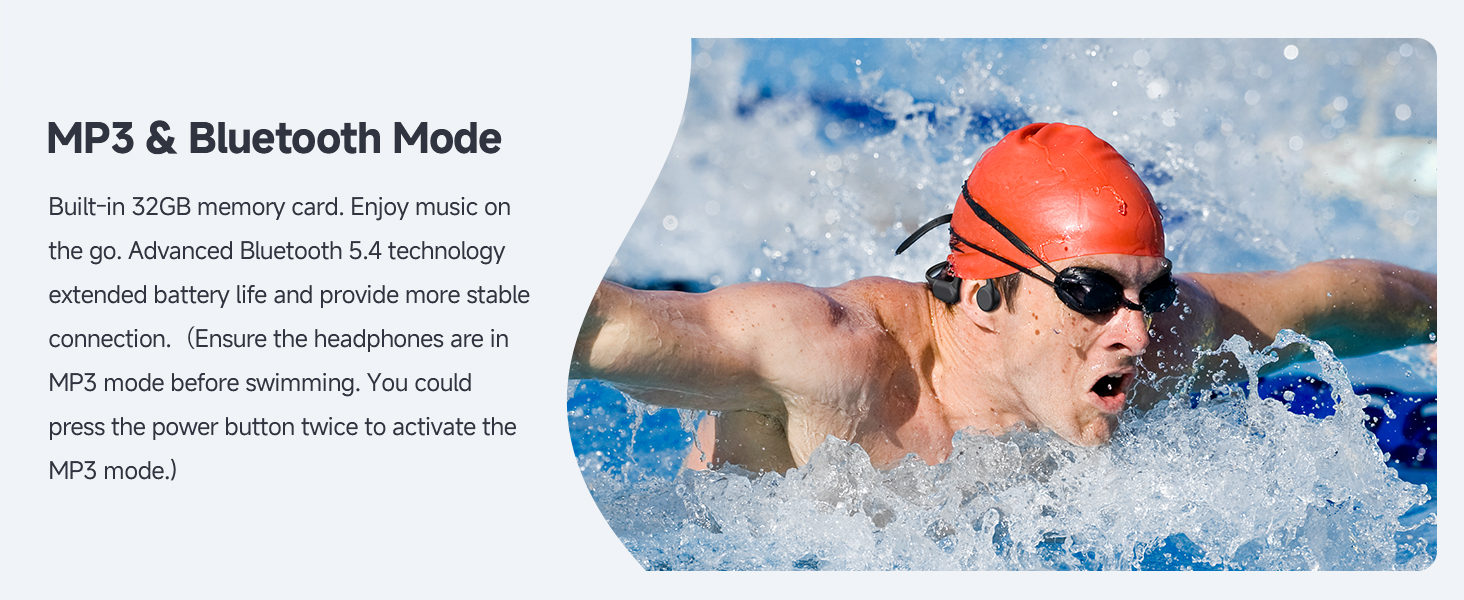
Image: A swimmer using the headphones, emphasizing the importance of MP3 mode for underwater listening due to Bluetooth signal limitations in water.
5. การควบคุม
The headphones feature intuitive buttons for easy operation:

Image: Detailed diagram of the headphone controls, showing button locations and their corresponding functions for music playback and calls.
- ปุ่มเปิดปิด (ปุ่มมัลติฟังก์ชัน):
- Press and hold for 3s: Power On
- กดค้างไว้ 5 วินาที: ปิดเครื่อง
- Double-click: Switch between Bluetooth and MP3 Mode
- Click: Play/Pause music, Answer/End call
- Press and hold for 2s (during call): Reject call
- ปุ่มเพิ่มเสียง (+) / ปุ่มเล่นเพลงถัดไป:
- Click: Increase Volume
- Press and hold for 2s: Next Track
- ปุ่มลดเสียง (-) / ปุ่มเล่นเพลงก่อนหน้า:
- Click: Decrease Volume
- Press and hold for 2s: Previous Track
6. Water Usage Guidelines
The PSIER S18 headphones are IPX8 waterproof, allowing submersion up to 2 meters for 1 hour.

Image: The headphones fully submerged in water, demonstrating their IPX8 waterproof capability for swimming and other water sports.
- สำคัญ: When using the headphones in water (e.g., swimming), ensure they are switched to โหมด MP3. Bluetooth signals do not transmit effectively underwater.
- After use in chlorinated or saltwater, rinse the headphones with fresh water and dry thoroughly before charging.
- The fully sealed coating protects against water ingress.
7. การดูแลรักษา
- การทำความสะอาด: เช็ดหูฟังด้วยผ้านุ่มdamp cloth. Do not use harsh chemicals or abrasive materials. For water use, rinse with fresh water and dry completely.
- พื้นที่จัดเก็บ: เก็บหูฟังไว้ในที่แห้งและเย็น หลีกเลี่ยงแสงแดดโดยตรงและอุณหภูมิที่สูงหรือต่ำเกินไป
- พอร์ตชาร์จ: รักษาหน้าสัมผัสการชาร์จแบบแม่เหล็กให้สะอาดและแห้งเพื่อให้แน่ใจว่าชาร์จได้อย่างถูกต้อง
8 การแก้ไขปัญหา
| ปัญหา | วิธีแก้ปัญหาที่เป็นไปได้ |
|---|---|
| หูฟังไม่สามารถเปิดเครื่องได้ | ตรวจสอบให้แน่ใจว่าหูฟังชาร์จเต็มแล้ว กดปุ่มเปิด/ปิดค้างไว้ 3 วินาที |
| ไม่สามารถจับคู่ผ่านบลูทูธได้ | Ensure headphones are in Bluetooth mode. Turn off and on Bluetooth on your device. Move closer to the device. |
| ไม่มีเสียงในโหมด MP3 | ตรวจสอบให้แน่ใจว่าหูฟังอยู่ในโหมด MP3 แล้ว ตรวจสอบว่าเพลงกำลังเล่นอยู่หรือไม่ files are correctly transferred. Adjust volume. |
| คุณภาพเสียงไม่ดีใต้น้ำ | Ensure headphones are in MP3 mode. Bluetooth does not work underwater. Ensure earplugs are used for optimal underwater sound. |
| ไม่สามารถโอนเพลงได้ files. | Ensure the magnetic charging cable is securely connected to both the headphones and the computer. Try a different USB port. |
9. ข้อมูลจำเพาะ
| คุณสมบัติ | ข้อมูลจำเพาะ |
|---|---|
| ชื่อรุ่น | S18 |
| เทคโนโลยีการเชื่อมต่อ | ไร้สาย (Bluetooth) |
| เทคโนโลยีการสื่อสารไร้สาย | บลูทูธ 5.4 |
| ระดับความต้านทานต่อน้ำ | IPX8 (up to 2 meters for 1 hour) |
| การจัดเก็บข้อมูลภายใน | 32GB (MP3 Mode) |
| อายุการใช้งานแบตเตอรี่ | นานถึง 8 ชั่วโมง |
| เวลาในการชาร์จ | ประมาณ 2 ชั่วโมง |
| ประเภทไดร์เวอร์เสียง | ไดร์เวอร์นำเสียงผ่านกระดูก (14 มม.) |
| ช่วงความถี่ | 20Hz - 20,000Hz |
| น้ำหนักสินค้า | 7.4 ออนซ์ (0.21 กิโลกรัม) |
| การวางตำแหน่งหู | แบบครอบหู (แบบเปิดหู) |
10. ข้อมูลด้านความปลอดภัย
- ห้ามพยายามถอดประกอบหรือดัดแปลงหูฟัง
- Avoid exposing the headphones to extreme temperatures or direct flame.
- เก็บให้พ้นจากมือเด็ก
- อย่าใช้หูฟังในระดับเสียงที่ดังเกินไปเป็นเวลานาน เพื่อป้องกันความเสียหายต่อการได้ยิน
- โปรดระมัดระวังสิ่งรอบข้าง โดยเฉพาะอย่างยิ่งเมื่อใช้หูฟังในบริเวณที่มีการจราจรหรือสภาพแวดล้อมที่อาจเป็นอันตราย
11. การรับประกันและการสนับสนุน
For warranty information or technical support, please refer to the documentation included with your purchase or visit the official PSIER website. Contact information for customer service is typically available on the product packaging or the brand's online support page.
Ask a question about this manual
Ask about setup, troubleshooting, compatibility, parts, safety, or missing instructions. Manuals+ will review the question and use this page’s manual context to help answer it.