
1. บทนำ
This manual provides detailed instructions for the setup, operation, and maintenance of your Bmax B1 Mini PC. Please read this manual thoroughly before using the device to ensure proper functionality and longevity.
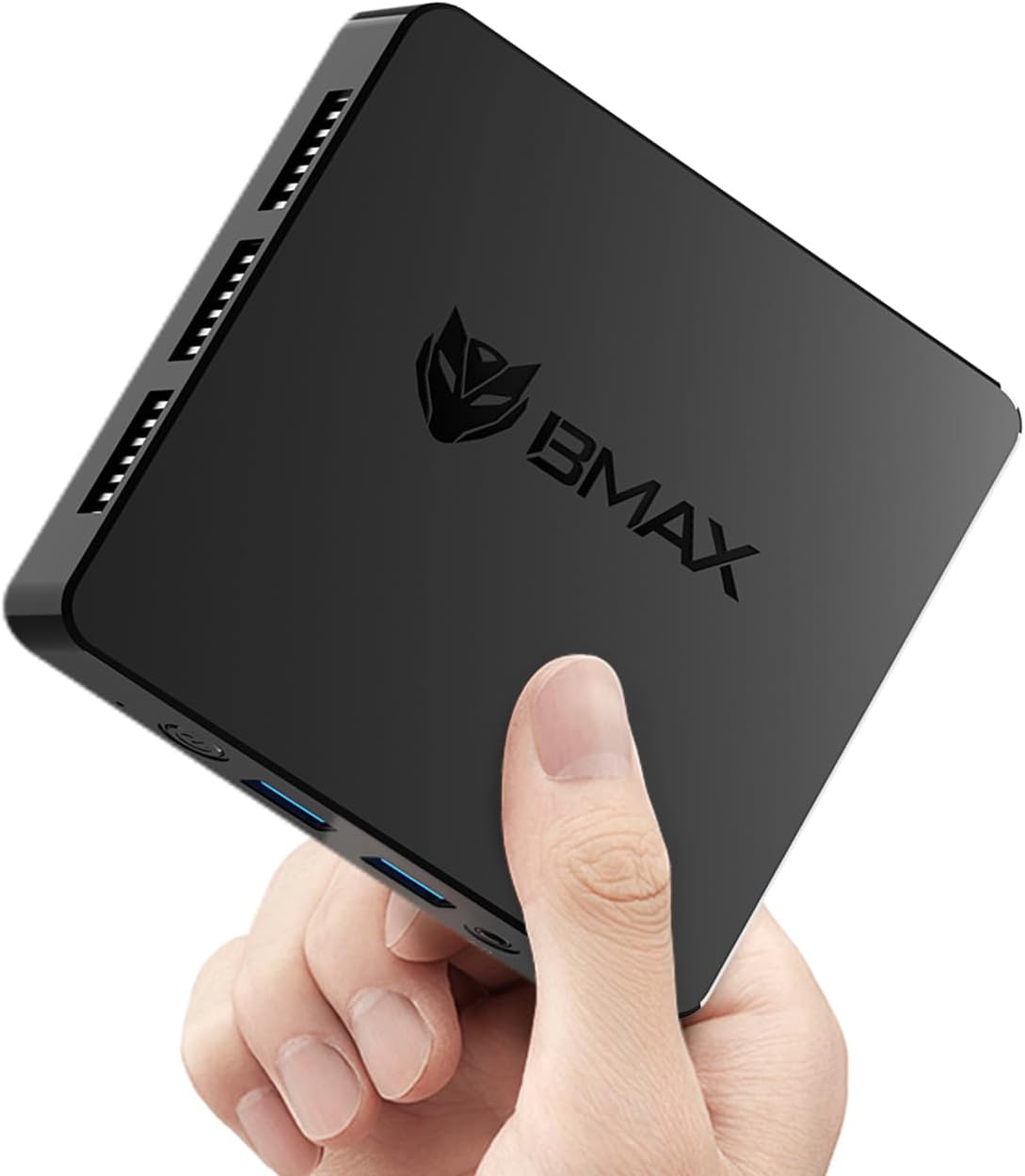
Image 1.1: The Bmax B1 Mini PC, demonstrating its compact and portable design.
เนื้อหาแพ็คเกจ
ตรวจสอบว่ามีรายการทั้งหมดอยู่ในแพ็คเกจ:
- Bmax B1 Mini PC
- อะแดปเตอร์แปลงไฟ
- สาย HDMI
- คู่มือการใช้งาน (เอกสารนี้)
2. สินค้าหมดview
The Bmax B1 Mini PC is a compact desktop computer designed for various applications, from office work to home entertainment. It features an Intel Gemini Lake N4000 processor, 8GB LPDDR4 RAM, and 128GB eMMC storage.

Image 2.1: Key features and specifications of the Bmax B1 Mini PC.
เค้าโครงพอร์ต
Familiarize yourself with the available ports on your Bmax B1 Mini PC:

Image 2.2: Port configuration on the Bmax B1 Mini PC.
- แหล่งจ่ายไฟ DC: เชื่อมต่อกับอะแดปเตอร์ไฟ
- พอร์ต USB 3.0 (x2): สำหรับการถ่ายโอนข้อมูลความเร็วสูงกับอุปกรณ์ที่รองรับ
- พอร์ต USB 2.0 (x2): For connecting peripherals like keyboards, mice, or printers.
- พอร์ต HDMI (x2): Supports dual 4K display output.
- พอร์ตอีเธอร์เน็ต RJ45: For wired network connection (1000Mbps LAN).
- แจ็คหูฟังขนาด 3.5 มม.: สำหรับส่งสัญญาณเสียงออกทางหูฟังหรือลำโพง
- ปุ่มเปิด/ปิด: เพื่อเปิด/ปิดอุปกรณ์
- ไฟแสดงสถานะพลังงาน: ไฟ LED แสดงสถานะการทำงานของเครื่อง
ขนาดและน้ำหนัก

Image 2.3: Physical dimensions and weight of the Bmax B1 Mini PC.
The Bmax B1 Mini PC measures approximately 4.25 (L) x 4.17 (W) x 0.87 (H) inches (10.8 x 10.6 x 2.2 cm) and weighs around 1.37 pounds (0.62 kg), making it highly portable and space-efficient.
3. คู่มือการติดตั้ง
3.1 การเชื่อมต่อเริ่มต้น
- เชื่อมต่อกับจอแสดงผล: Use an HDMI cable to connect the Mini PC to your monitor or TV. The device supports up to two displays simultaneously.
- เชื่อมต่ออุปกรณ์ต่อพ่วง: เสียบแป้นพิมพ์และเมาส์ USB เข้ากับพอร์ต USB ที่ว่างอยู่
- เชื่อมต่อกับเครือข่าย (ทางเลือก): For a wired connection, connect an Ethernet cable to the RJ45 port. For wireless, Wi-Fi 5 (802.11a/b/g/n/ac) is built-in.
- เชื่อมต่อพลังงาน: Plug the power adapter into the DC Power In port on the Mini PC, then connect the adapter to a power outlet.
3.2 การบูตครั้งแรก
- Press the Power Button on the Mini PC. The power indicator light will illuminate.
- The device comes with Windows 11 Pro pre-installed. Follow the on-screen instructions to complete the initial Windows setup, including language, region, and user account creation.
- The Mini PC also supports Linux/Ubuntu operating systems, allowing for flexible OS installation if desired.
3.3 ตัวเลือกการจัดวาง
The compact design of the Bmax B1 Mini PC allows for versatile placement options:

Image 3.1: Various placement options for the Bmax B1 Mini PC.
- ตำแหน่งโต๊ะ: Simply place the Mini PC on your desk.
- All-in-One Setup: Mount the Mini PC behind a compatible monitor using a VESA mount (not included) for a clean, integrated workspace.
- การติดตั้งบนผนัง: Secure the Mini PC to a wall using appropriate mounting hardware (not included) to save desk space.
4. คู่มือการใช้งาน
4.1 การตั้งค่าจอแสดงผลหลายจอ
The Bmax B1 Mini PC supports connecting up to two monitors simultaneously via its two HDMI ports, enabling extended desktop or mirrored display configurations. Ensure your monitors are connected before powering on the device for optimal detection.
4.2 การขยายพื้นที่เก็บข้อมูล
The internal storage can be expanded by adding an M.2 2280 SATA SSD (up to 2TB, not included). This allows for increased storage capacity for applications and data.

Image 4.1: The M.2 SATA 2280 slot for additional storage.

Image 4.2: Steps for installing an M.2 SATA SSD for storage expansion.
To install an M.2 SATA SSD:
- ปิดเครื่องมินิพีซีและถอดสายเคเบิลทั้งหมดออก
- Locate the screws on the bottom cover of the device.
- Carefully remove the screws and open the bottom cover.
- Insert the M.2 2280 SATA SSD into the designated slot.
- Secure the SSD with the provided screw (if applicable).
- Replace the bottom cover and secure it with the screws.
4.3 คุณสมบัติการจัดการพลังงาน
The Mini PC includes several power management features:
- Auto-boot: Configurable to automatically power on when connected to power.
- การปลุกผ่าน LAN (WoL): Allows the device to be powered on remotely via a network signal.
- บูต PXE: Enables booting from a network server.
- Wake-on-RTC: Allows scheduling the device to power on at a specific time.
These settings can typically be configured within the BIOS/UEFI settings of the Mini PC.
5. การบำรุงรักษา
5.1 ระบบทำความเย็น
The Bmax B1 Mini PC features a built-in smart cooling system (fan + heat sink + hard drive cooler) to maintain optimal operating temperatures. Ensure that the ventilation openings are not obstructed to allow for proper airflow.
5.2 การอัปเดตซอฟต์แวร์
Regularly update your operating system and drivers to ensure system stability, security, and performance. For system updates, it is recommended to use a stable wired internet connection to avoid potential wireless issues during the update process. If you encounter difficulties, contact Bmax support for assistance.
6 การแก้ไขปัญหา
6.1 ปัญหาทั่วไป
- ไม่มีจอแสดงผล:
- Ensure the HDMI cable is securely connected to both the Mini PC and the monitor.
- Verify the monitor input source is set correctly (e.g., HDMI 1, HDMI 2).
- Check if the power adapter is properly connected and the power indicator light is on.
- ไม่มีไฟฟ้า:
- Confirm the power adapter is fully plugged into both the Mini PC and the wall outlet.
- ทดสอบปลั๊กไฟด้วยอุปกรณ์อื่นเพื่อให้แน่ใจว่าใช้งานได้ปกติ
- ประสิทธิภาพการทำงานช้า:
- ปิดแอปพลิเคชันที่ไม่จำเป็นซึ่งทำงานอยู่เบื้องหลัง
- ตรวจสอบให้แน่ใจว่ามินิพีซีมีการระบายอากาศที่เพียงพอและไม่ร้อนเกินไป
- Check for available operating system updates.
6.2 One-Click Recovery
The Bmax B1 Mini PC features a one-click smart recovery function. This allows you to restore the device to its factory settings quickly. Refer to the specific instructions provided by Bmax for accessing and utilizing this feature, as it may vary based on the pre-installed operating system configuration.
7. ข้อมูลจำเพาะ
| คุณสมบัติ | รายละเอียด |
|---|---|
| โปรเซสเซอร์ | Intel Celeron N4000 (Dual Core, 1.1 GHz base, up to 2.6 GHz burst) |
| กราฟฟิก | กราฟิก Intel UHD 600 |
| แรม | 8GB LPDDR4 (2133MHz) |
| การจัดเก็บข้อมูลภายใน | 128 GB eMMC SSD |
| พื้นที่เก็บข้อมูลแบบขยายได้ | 1x M.2 2280 SATA SSD slot (up to 2TB, not included) |
| ระบบปฏิบัติการ | Windows 11 Pro (pre-installed), supports Linux/Ubuntu |
| การเชื่อมต่อแบบไร้สาย | Wi-Fi 5 (802.11a/b/g/n/ac Dual-Band), Bluetooth 5.0 |
| การเชื่อมต่อแบบมีสาย | 1x พอร์ต RJ45 Gigabit Ethernet (1000Mbps) |
| พอร์ต USB | พอร์ต USB 2 จำนวน 3.0 พอร์ต, พอร์ต USB 2 จำนวน 2.0 พอร์ต |
| เอาท์พุตวิดีโอ | 2x HDMI (supports dual 4K display) |
| เอาท์พุตเสียง | 1x 3.5mm Headset Jack |
| ขนาด (กว้าง x ยาว x สูง) | 4.25 x 4.17 x 0.87 นิ้ว (10.8 x 10.6 x 2.2 ซม.) |
| น้ำหนัก | ประมาณ 1.37 ปอนด์ (0.62 กก.) |
| แหล่งพลังงาน | อะแดปเตอร์ DC |
8. การรับประกันและการสนับสนุน
The Bmax B1 Mini PC comes with a 12-month warranty. For technical assistance, troubleshooting, or warranty claims, please contact Bmax customer support. They offer 24/7 one-on-one support.
For the latest support information and contact details, please refer to the official Bmax webเว็บไซต์หรือข้อมูลการติดต่อที่ให้มาพร้อมกับการซื้อของคุณ