
1. บทนำ
This manual provides detailed instructions for the safe installation, operation, and maintenance of your Generic 52-inch Low Profile Ceiling Fan with Lights, Model W1367P185623. Please read all instructions carefully before beginning installation and retain this manual for future reference.
This modern black low-profile ceiling fan is designed to provide efficient air circulation and integrated lighting for residential or commercial spaces. It features a DC motor for energy efficiency and an integrated 24-watt LED light kit with adjustable color temperatures (3000K, 4000K, 6000K), all controllable via the included remote.

Image 1.1: The 52-inch low profile ceiling fan with lights, shown installed in a contemporary living space.
2. ข้อมูลด้านความปลอดภัย
คำเตือน: เพื่อลดความเสี่ยงจากไฟไหม้ ไฟฟ้าช็อต หรือการบาดเจ็บ โปรดปฏิบัติตามคำแนะนำด้านความปลอดภัยเหล่านี้เสมอ:
- อ่านคำแนะนำและข้อมูลด้านความปลอดภัยทั้งหมดก่อนติดตั้งพัดลมตัวใหม่ของคุณview the accompanying diagrams thoroughly.
- การเดินสายไฟทั้งหมดต้องเป็นไปตามมาตรฐานไฟฟ้าทั้งระดับชาติและระดับท้องถิ่น หากคุณไม่คุ้นเคยกับการเดินสายไฟ โปรดปรึกษาช่างไฟฟ้าผู้เชี่ยวชาญ
- ก่อนการติดตั้ง ให้ตัดกระแสไฟโดยการปิดเบรกเกอร์ที่กล่องฟิวส์หลัก
- Ensure the installation site can support the fan's weight (approximately 15-20 lbs).
- ห้ามใช้งานพัดลมหากใบพัดหรือตัวเรือนชำรุด
- หลีกเลี่ยงการวางวัตถุขวางทางใบพัด
- This fan is ETL safety listed, indicating compliance with safety standards.
3. คุณสมบัติของผลิตภัณฑ์
The Generic 52-inch Low Profile Ceiling Fan offers a range of features for enhanced comfort and convenience:
- รีโมทคอนโทรล: Full function remote control for fan speed, light dimming, light color temperature, and fan direction.
- มอเตอร์แบบย้อนกลับ: Allows for both downdraft (summer mode) and updraft (winter mode) operation to optimize air circulation year-round.
- 3 Light Color Temperatures: Integrated LED light kit provides Warm White (3000K), Natural White (4000K), and Cool White (6000K) options.
- ไฟ LED หรี่แสงได้: Adjust the brightness of the integrated LED light.
- ฟังก์ชั่นจับเวลา: ตั้งค่าพัดลมให้ปิดอัตโนมัติหลังจากผ่านไป 1, 3 หรือ 6 ชั่วโมง
- ความเร็วพัดลม 6 ระดับ: Choose from six distinct fan speeds for optimal airflow.
- มอเตอร์ DC แบบเงียบ: Energy-efficient DC motor operates quietly.
- โปรต่ำfile ออกแบบ: Ideal for rooms with lower ceilings.
- สีดำด้าน เคลือบ: Modern aesthetic to complement various decor styles.
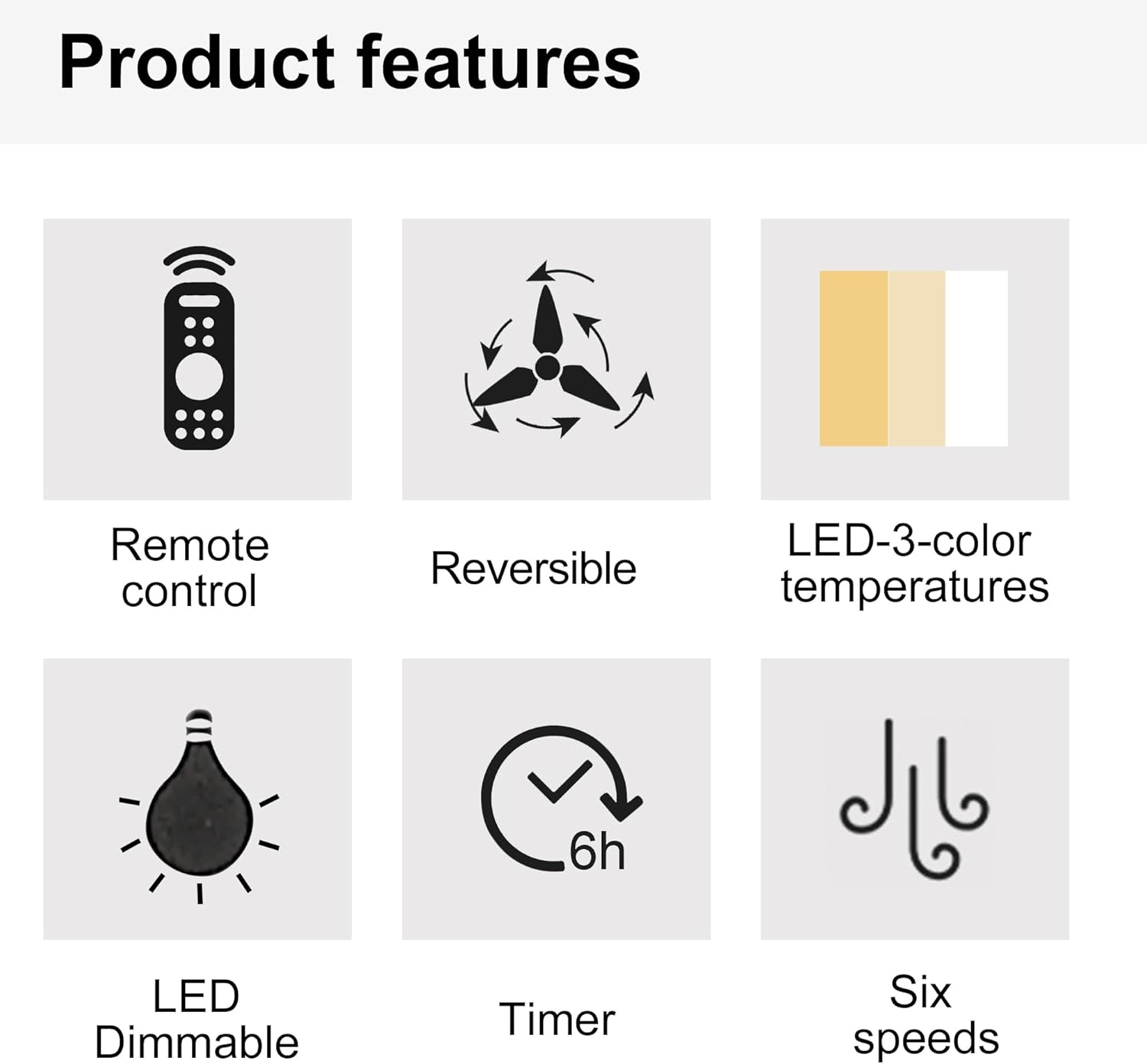
Image 3.1: Visual representation of key product features.

Image 3.2: Details of the fan's canopy and quiet DC motor.

Image 3.3: Details of the light cover and integrated 24W LED light kit.
4. เนื้อหาบรรจุภัณฑ์
Before installation, verify that all components are present and undamaged. If any parts are missing or damaged, contact customer support.
- ชุดมอเตอร์พัดลมเพดาน
- ใบพัดลม (5)
- Light Kit Assembly (Integrated LED)
- รีโมทคอนโทรล
- Wall Cradle for Remote Control
- แบตเตอรี่ AAA สำหรับรีโมทคอนโทรล
- ตัวยึด
- ชุดอุปกรณ์ฮาร์ดแวร์ (สกรู, ตัวเชื่อมสายไฟ, แหวนรอง ฯลฯ)
- คู่มือการใช้งาน
5. การตั้งค่าและการติดตั้ง
สำคัญ: โปรดตรวจสอบให้แน่ใจว่าได้ตัดกระแสไฟที่เบรกเกอร์แล้วก่อนเริ่มการติดตั้ง
- เตรียมสถานที่ติดตั้ง: Securely attach the mounting bracket to a ceiling joist or an outlet box rated for fan support.
- ต่อสายพัดลม: Connect the fan's electrical wires to the household wiring according to the wiring diagram provided in the full installation guide (not included here, but typically in a physical manual). Ensure all connections are secure with wire nuts.
- Attach the Fan Assembly: ยกชุดมอเตอร์พัดลมขึ้นอย่างระมัดระวัง แล้วติดเข้ากับขายึด
- ติดตั้งใบพัดพัดลม: Secure each fan blade to the motor housing using the provided screws.
- ติดตั้งชุดไฟ: Connect the light kit wiring and attach the light kit assembly to the bottom of the fan motor housing.
- ติดตั้งฝาครอบไฟ: Secure the light cover to the light kit.
For detailed wiring diagrams and step-by-step illustrations, refer to the complete installation guide included with your product.
6. คู่มือการใช้งาน
Your ceiling fan is operated using the included remote control. Install the AAA batteries into the remote control before use.

Image 6.1: Remote control functions overview.
6.1 การทำงานของพัดลม
- เปิด/ปิดเครื่อง: Press the power button (usually a circle with a vertical line) to turn the fan on or off.
- ความเร็วพัดลม: Use buttons labeled 1-6 to select the desired fan speed. '1' is the lowest speed, '6' is the highest.
- ปิดพัดลม: Press the dedicated "Fan OFF" button to stop the fan.
- โหมดเดินหน้า/ถอยหลัง: Press the forward/reverse button (often depicted with arrows circulating) to change the fan's direction.
- โหมดฤดูร้อน (ดูดอากาศลง): ใบพัดหมุนทวนเข็มนาฬิกา ดันอากาศลงด้านล่างเพื่อสร้างลมเย็น
- โหมดฤดูหนาว (กระแสลมขึ้น): ใบพัดหมุนตามเข็มนาฬิกา ดูดอากาศขึ้นด้านบนเพื่อหมุนเวียนอากาศอุ่นที่ติดอยู่ใกล้เพดาน
- ฟังก์ชั่นจับเวลา: Press the "1H", "3H", or "6H" buttons to set the fan to turn off automatically after 1, 3, or 6 hours, respectively.

Image 6.2: Understanding Forward/Reverse (Summer/Winter) Modes.
6.2 การทำงานแบบเบา
- เปิด/ปิดไฟ: Press the "LIGHT ON" or "LIGHT OFF" buttons to control the light.
- Adjust Light Color Temperature: Use the "WW" (Warm White), "NW" (Natural White), and "DW" (Cool White) buttons to cycle through the 3000K, 4000K, and 6000K color options.
- Dim the Light: Use the "+" and "-" buttons (often labeled "Dimmable +/-") to increase or decrease the light brightness.
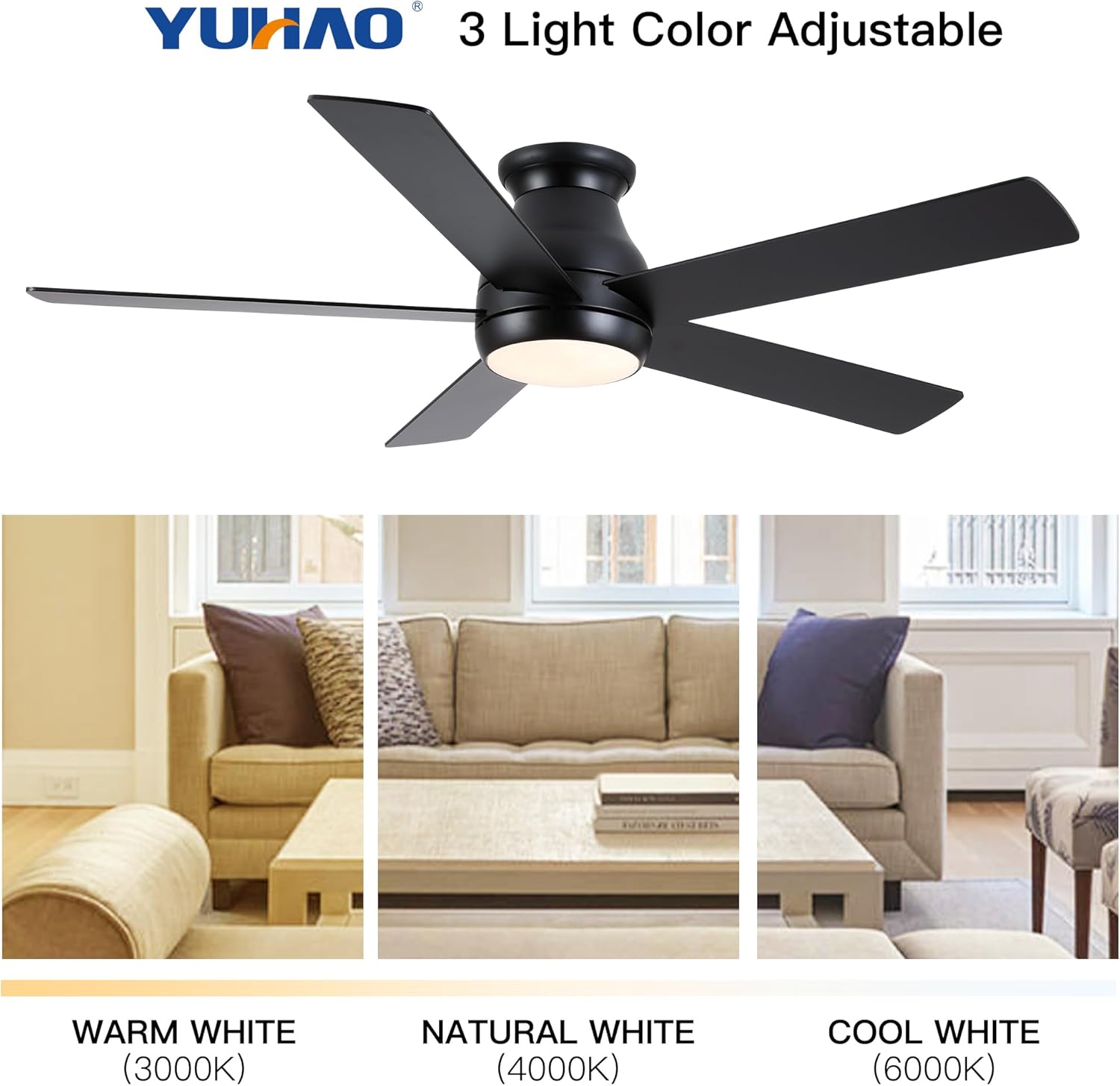
Image 6.3: Adjustable light color temperatures.
7. การบำรุงรักษา
การบำรุงรักษาอย่างสม่ำเสมอจะช่วยให้พัดลมเพดานทำงานได้อย่างมีประสิทธิภาพสูงสุดและยืดอายุการใช้งาน
- การทำความสะอาด: ควรทำความสะอาดใบพัดและตัวมอเตอร์เป็นระยะด้วยผ้าเนื้อนุ่มและแห้งamp ใช้ผ้าเช็ดทำความสะอาด ห้ามใช้สารทำความสะอาดที่มีฤทธิ์กัดกร่อนหรือตัวทำละลาย ตรวจสอบให้แน่ใจว่าพัดลมปิดอยู่และถอดปลั๊กไฟออกก่อนทำความสะอาด
- ขันสกรูให้แน่น: Check all screws and fasteners annually to ensure they are secure. Loose connections can cause noise or wobble.
- ความสมดุลของใบมีด: หากพัดลมสั่นคลอน ให้ตรวจสอบว่าใบพัดทุกใบติดแน่นและสมดุลดีแล้ว อาจใช้ชุดปรับสมดุล (ไม่ได้รวมอยู่ในชุด) หากจำเป็น
- ชุดไฟ: The integrated LED light kit does not require bulb replacement. If the light malfunctions, consult the troubleshooting section or contact customer support.
8 การแก้ไขปัญหา
หากคุณพบปัญหาเกี่ยวกับพัดลมเพดาน โปรดดูปัญหาและวิธีแก้ไขที่พบบ่อยต่อไปนี้:
| ปัญหา | สาเหตุที่เป็นไปได้ | สารละลาย |
|---|---|---|
| พัดลมไม่เริ่มทำงาน | พัดลมไม่มีไฟเข้า; สายไฟหลวม; แบตเตอรี่รีโมทคอนโทรลหมด | ตรวจสอบเบรกเกอร์วงจร ตรวจสอบการเชื่อมต่อสายไฟทั้งหมด เปลี่ยนแบตเตอรี่รีโมทคอนโทรล |
| พัดลมสั่น | Loose blades or mounting bracket; Unbalanced blades. | Ensure all screws are tight; Check blade balance and adjust if necessary. |
| ไฟไม่ทำงาน | Loose wire connection to light kit; Remote control battery dead; Light kit malfunction. | Check light kit wiring; Replace remote control batteries; Contact customer support if LED is faulty. |
| รีโมตคอนโทรลไม่ทำงาน | Dead batteries; Remote not paired (if applicable); Obstruction between remote and receiver. | Replace batteries; Refer to pairing instructions (if any); Ensure clear line of sight. |
หากปัญหายังคงมีอยู่หลังจากพยายามแก้ไขปัญหาเหล่านี้แล้ว โปรดติดต่อฝ่ายสนับสนุนลูกค้า
9. ข้อมูลจำเพาะ
| คุณสมบัติ | รายละเอียด |
|---|---|
| หมายเลขรุ่น | W1367P185623 |
| ขนาดพัดลม | 52 นิ้ว |
| ขนาดสินค้า | ลึก 52 นิ้ว x กว้าง 52 นิ้ว x สูง 10.63 นิ้ว |
| สี | Matte Black (Antique Black) |
| ประเภทมอเตอร์ | มอเตอร์ DC |
| ชุดไฟ | ไฟ LED 24 วัตต์ในตัว |
| อุณหภูมิสีแสง | 3000K (แสงสีขาวนวล), 4000K (แสงสีขาวธรรมชาติ), 6000K (แสงสีขาวเย็น) |
| ประเภทการควบคุม | ควบคุมด้วยรีโมต |
| ประเภทการติดตั้ง | Flush Mount |
| ขนาดห้องที่แนะนำ | 12 ft. x 12 ft. to 18 ft. x 18 ft. (Large Room) |
| การรับรอง | รายการความปลอดภัยของ ETL |
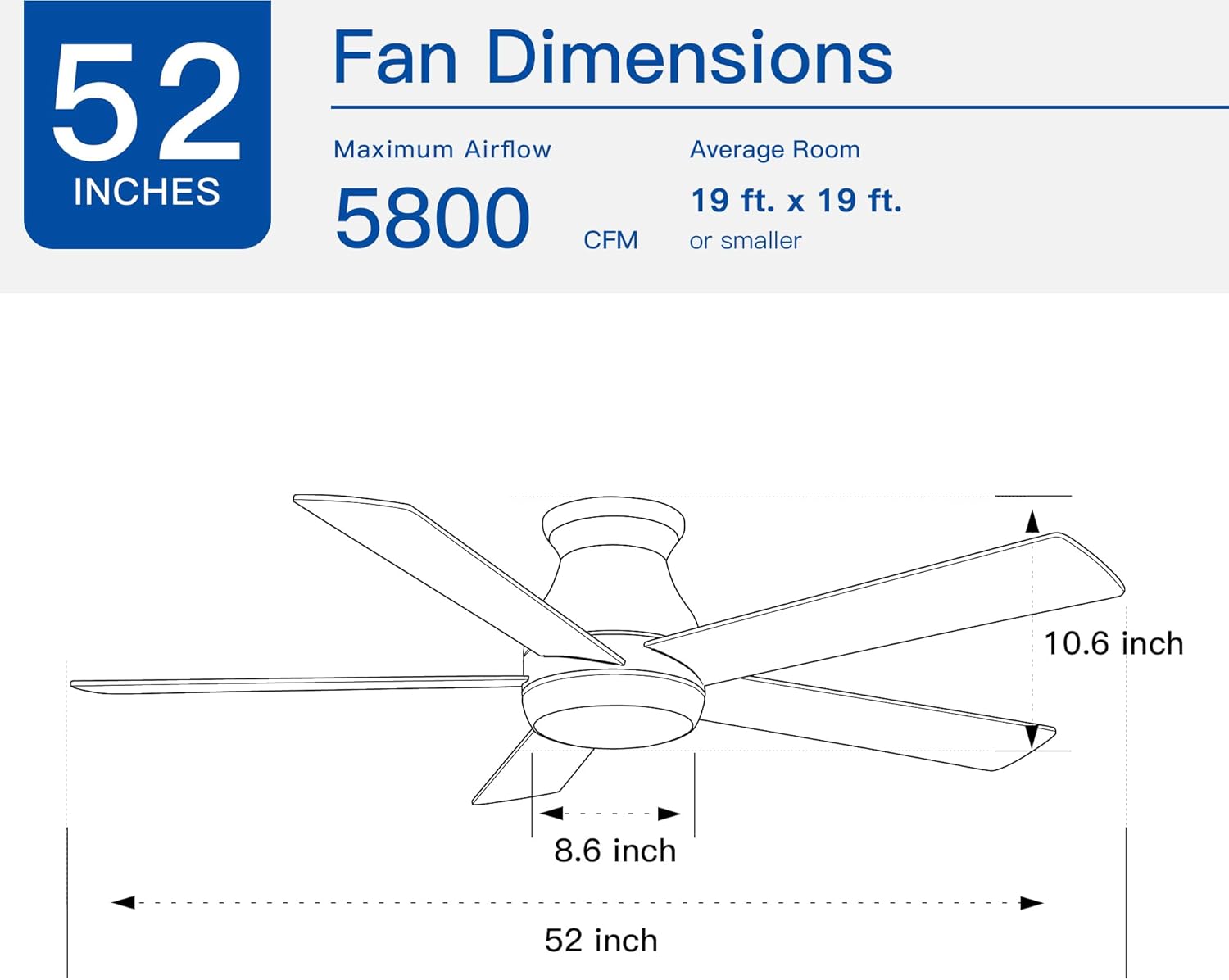
Image 9.1: Fan dimensions and airflow specifications.
10. การรับประกันและการสนับสนุน
This product comes with a standard manufacturer's warranty. For specific warranty details, including duration and coverage, please refer to the warranty card included in your product packaging or contact the retailer where the product was purchased.
For technical support, replacement parts, or any questions not covered in this manual, please contact Generic customer service through the retailer's support channels or the contact information provided in your product documentation.