
การแนะนำ
ขอบคุณสำหรับการซื้อasing the RadioShack 240W Retro Style Bluetooth Vintage Speaker. This manual provides essential information for the safe and efficient use of your speaker. Please read it thoroughly before operation and retain it for future reference.

Figure 1: RadioShack Retro Style Bluetooth Vintage ลำโพง
เนื้อหาแพ็คเกจ
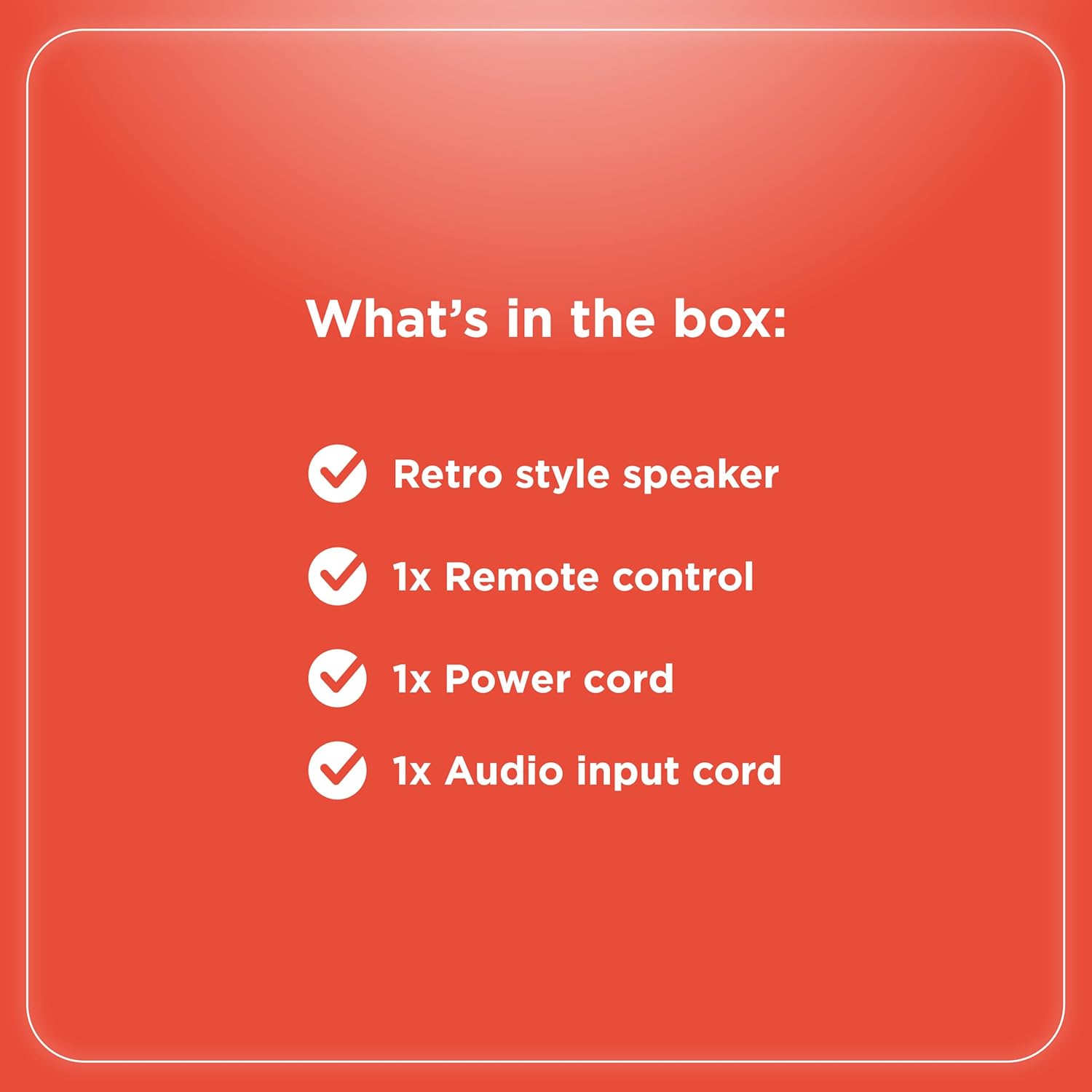
ตรวจสอบว่ามีรายการทั้งหมดอยู่ในแพ็คเกจ:
- Retro style speaker
- 1x รีโมทคอนโทรล
- สายไฟ 1x
- 1x Audio input cord

รูปที่ 2: สิ่งของในบรรจุภัณฑ์
การตั้งค่า
- การเชื่อมต่อไฟฟ้า: Connect the provided power cord to the speaker's power input and then to a standard electrical outlet.
- การจัดวาง: วางลำโพงบนพื้นผิวที่มั่นคงและเรียบ ตรวจสอบให้แน่ใจว่ามีการระบายอากาศที่ดีรอบๆ ตัวเครื่อง
- Antenna (FM Radio): ยืดเสาอากาศวิทยุ FM ออกเพื่อให้รับสัญญาณวิทยุได้ดีที่สุด
- การเชื่อมต่ออุปกรณ์ภายนอก:
- อินพุต AUX: Use the included audio input cord to connect devices via the AUX port.
- ช่องต่อ USB: ใส่ไดร์ฟ USB ที่มี MP3 fileเข้ากับพอร์ต USB เพื่อการเล่น
- Optical/ARC Input: Connect compatible devices using an optical cable or HDMI ARC cable (not included) to the respective ports.
รูปที่ 3: การเชื่อมต่อแผงด้านหลัง

รูปที่ 4: ตัวเลือกการเชื่อมต่อ
คำแนะนำการใช้งาน
ควบคุมมากกว่าview
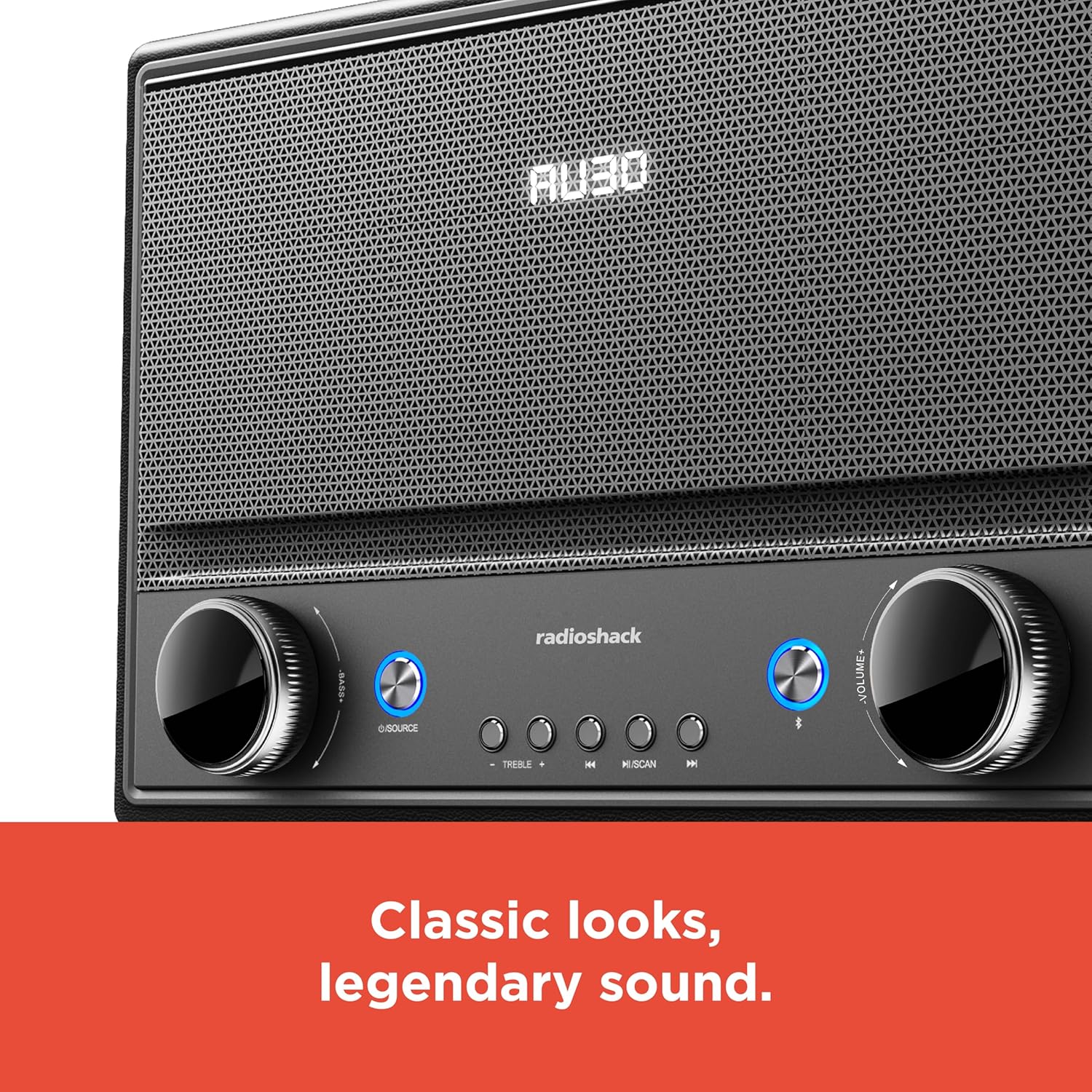
รูปที่ 5: การควบคุมแผงด้านหน้า
- เปิด/ปิดเครื่อง: Press the Power button (usually located on the front panel or remote) to turn the speaker on or off.
- การเลือกแหล่งที่มา: Press the "SOURCE" button repeatedly to cycle through input modes: Bluetooth, FM Radio, USB, AUX, Optical, ARC.
- การปรับระดับเสียง: Rotate the "VOLUME" knob clockwise to increase volume and counter-clockwise to decrease it. Alternatively, use the volume buttons on the remote control.
- การควบคุมเสียง: ใช้ปุ่ม "BASS" และ "TREBLE" เพื่อปรับความถี่ต่ำและสูงของเอาต์พุตเสียง
- การจับคู่บลูทู ธ :
- Select Bluetooth mode using the "SOURCE" button. The speaker will enter pairing mode, indicated by a flashing LED.
- On your device (smartphone, tablet, etc.), enable Bluetooth and search for "RadioShack Speaker".
- Select the speaker from the list to pair. A confirmation tone will sound upon successful connection.
- การใช้งานวิทยุ FM:
- เลือกโหมดวิทยุ FM
- Press the "SCAN" button to automatically scan and save available FM stations.
- Use the "PREV" and "NEXT" buttons to navigate between saved stations or manually tune.
- การเล่น USB:
- เสียบแฟลชไดรฟ์ USB ที่มีไฟล์เสียง MP3 fileลงในพอร์ต USB
- Select USB mode. Playback should begin automatically.
- Use the "PLAY/PAUSE", "PREV", and "NEXT" buttons to control playback.

รูปที่ 6: การควบคุมที่ใช้งานง่าย
การซ่อมบำรุง
- การทำความสะอาด: Use a soft, dry cloth to clean the speaker's exterior. Do not use liquid cleaners or abrasive materials, especially on the leather body and metal grill.
- พื้นที่จัดเก็บ: เมื่อไม่ได้ใช้งานเป็นเวลานาน ควรเก็บลำโพงไว้ในที่แห้งและเย็น หลีกเลี่ยงแสงแดดโดยตรงและอุณหภูมิที่สูงหรือต่ำเกินไป
- หลีกเลี่ยงความชื้น: เก็บลำโพงให้ห่างจากน้ำและความชื้นสูง เพื่อป้องกันไม่ให้ส่วนประกอบภายในได้รับความเสียหาย
การแก้ไขปัญหา
| ปัญหา | สาเหตุที่เป็นไปได้ | สารละลาย |
|---|---|---|
| ไม่มีไฟฟ้า | ไม่ได้เสียบสายไฟ ปลั๊กไฟไม่ทำงาน | ตรวจสอบให้แน่ใจว่าสายไฟเชื่อมต่อกับลำโพงและเต้ารับไฟฟ้าที่ใช้งานได้แน่นหนาแล้ว |
| ไม่มีเสียง | Volume too low; incorrect source selected; device not connected properly. | Increase volume. Select the correct input source. Check all cable connections or Bluetooth pairing. |
| บลูทูธไม่เชื่อมต่อ | ลำโพงไม่ได้อยู่ในโหมดจับคู่ อุปกรณ์อยู่ไกลเกินไป มีสัญญาณรบกวน | Ensure speaker is in Bluetooth pairing mode. Move device closer to speaker. Disconnect other Bluetooth devices. |
| การรับสัญญาณ FM ไม่ดี | เสาอากาศไม่ได้ยืดออก สัญญาณอ่อน | Fully extend the FM antenna. Try repositioning the speaker for better signal. |
ข้อมูลจำเพาะ
- ยี่ห้อ: เรดิโอแช็ค
- หมายเลขรุ่น: 4001974
- กำลังขับ: 240 วัตต์
- เทคโนโลยีการเชื่อมต่อ: Bluetooth, USB, AUX, FM Radio, Optical, ARC
- ขนาดสินค้า (กว้าง x ยาว x สูง) : 8.98" x 15.75" x 10.79"
- แหล่งพลังงาน: สายไฟ
- เทคโนโลยีจูนเนอร์: FM
- รองรับแบนด์วิทยุ: 2 แบนด์
- วัสดุ: หนัง โลหะ
- คุณสมบัติพิเศษ: สไตล์ย้อนยุค
การรับประกัน
The manufacturer's warranty information is not provided in the product details. Please refer to your purchase receipt or contact the retailer for specific warranty terms.
สนับสนุน
For further assistance or inquiries, please visit the official RadioShack website or contact their customer support. Keep your model number (4001974) handy when seeking support.
Official RadioShack Store: RadioShack Store on Amazon