
การแนะนำ
Thank you for choosing the Walfront 2.4G Wireless Gaming Headset B100. This headset offers versatile connectivity options including 2.4G wireless, Bluetooth, and 3.5mm wired connections, designed to provide a low-latency audio experience for gaming and multimedia. This manual provides detailed instructions for setup, operation, and maintenance to ensure optimal performance and longevity of your device.
เนื้อหาแพ็คเกจ
กรุณาตรวจสอบเนื้อหาในแพ็คเกจเพื่อให้แน่ใจว่ามีสินค้าครบทั้งหมด:
- 1 x Walfront 2.4G Wireless Gaming Headset (Model B100)
- 1 x 2.4G USB Adapter
- สายสัญญาณเสียงขนาด 1 มม. 3.5 เส้น
- สายชาร์จ USB 1 เส้น
- 1 x คู่มือผู้ใช้

Image: The Walfront B100 headset shown with its 2.4G USB adapter, 3.5mm audio cable, and USB charging cable.
สินค้าเกินview
The Walfront B100 headset features a robust design with comfortable earcups and an adjustable headband. It integrates a retractable microphone and intuitive controls on the earcup for easy access to volume, mute, and connectivity options. The headset is equipped with 50mm drivers for clear audio output.
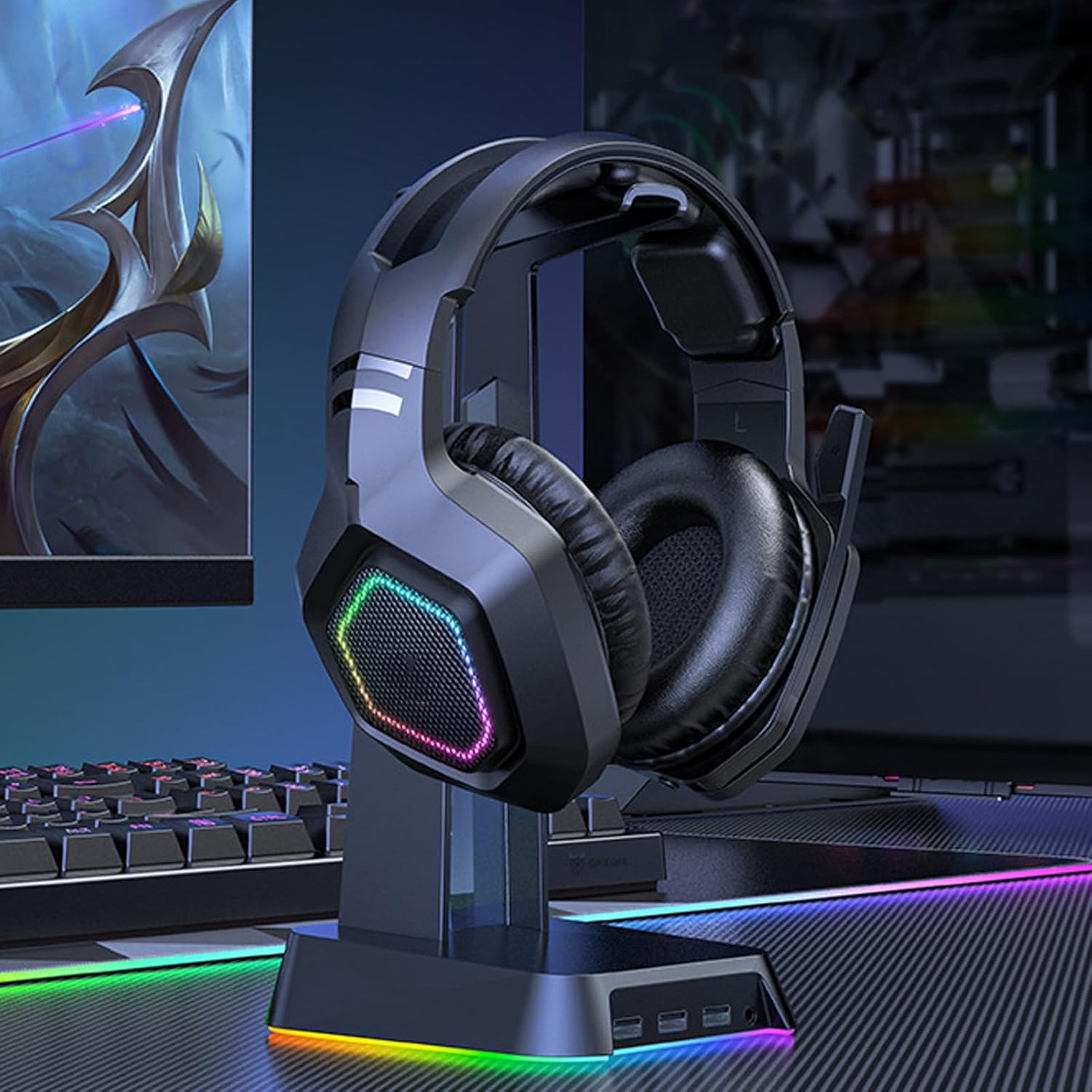
Image: The Walfront B100 gaming headset displayed on a headset stand, showcasing its design and RGB lighting on the earcups.

ภาพ: ระเบิด view diagram of a 50mm diaphragm unit, highlighting its internal structure for balanced sound performance.

ภาพ: รายละเอียด view of the headset's earcup, illustrating the location of the power button and charging port.
การตั้งค่า
2.4G Wireless Connection (USB Adapter)
- Insert the 2.4G USB adapter into an available USB port on your device (PC, PS4, PS5, Switch dock).
- Power on the headset by pressing and holding the power button until the indicator light illuminates.
- The headset will automatically attempt to pair with the USB adapter. A solid indicator light on the headset typically signifies a successful connection.
- On your device, ensure the headset is selected as the default audio input and output device in the sound settings.
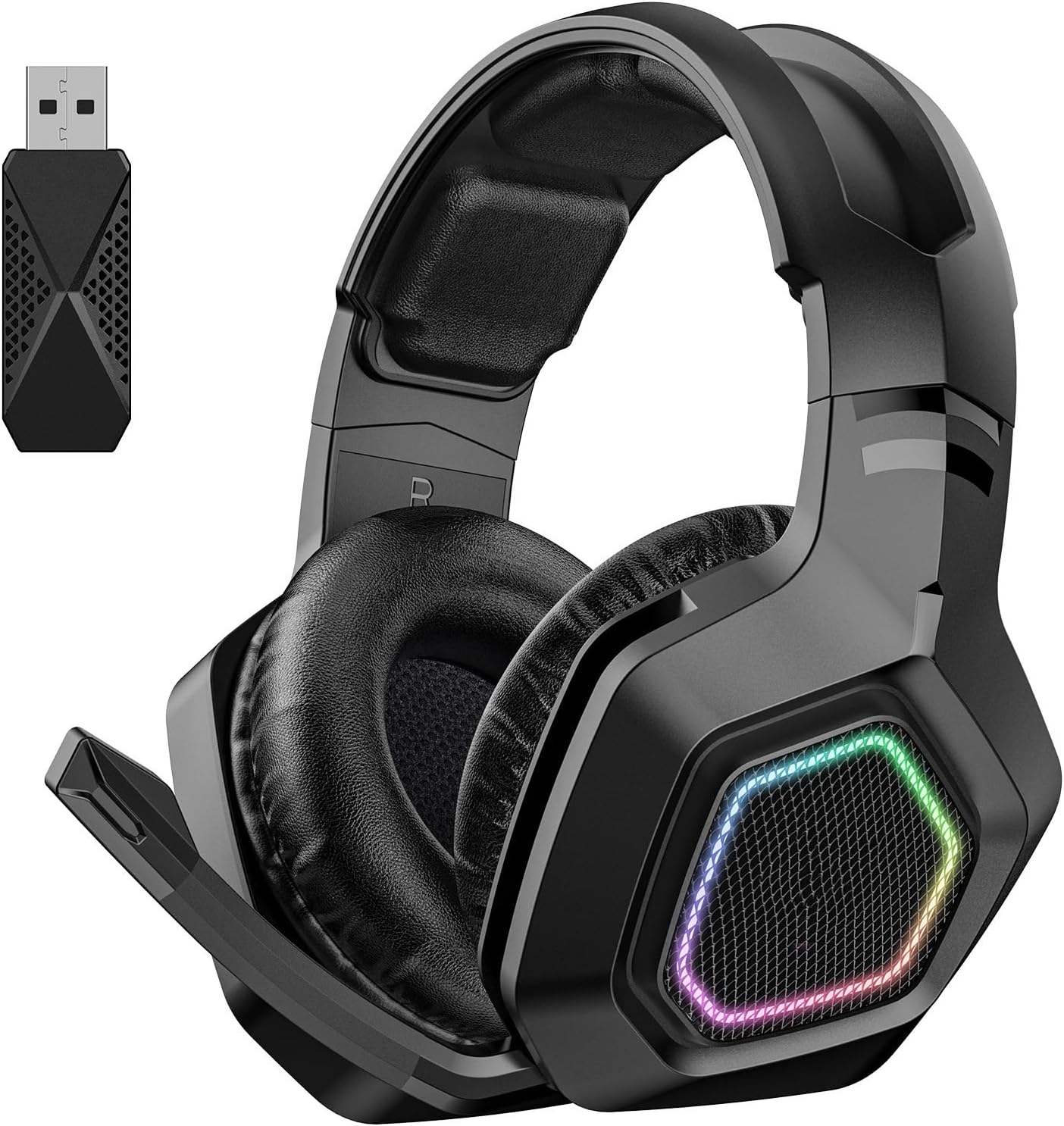
Image: The Walfront B100 headset shown alongside its dedicated 2.4G USB wireless adapter, used for low-latency gaming connections.
การเชื่อมต่อบลูทูธ
- ตรวจสอบว่าชุดหูฟังปิดอยู่
- Press and hold the power button for approximately 5-7 seconds until the indicator light flashes rapidly, indicating pairing mode.
- On your Bluetooth-enabled device (smartphone, tablet, laptop), go to Bluetooth settings and search for available devices.
- Select "Walfront B100" (or similar name) from the list to connect.
- Once connected, the indicator light on the headset will typically become solid or flash slowly.
การเชื่อมต่อแบบมีสายขนาด 3.5 มม.
- Connect one end of the 3.5mm audio cable to the audio jack on the headset.
- ต่อปลายอีกด้านของสายสัญญาณเสียง 3.5 มม. เข้ากับพอร์ตเสียง 3.5 มม. บนอุปกรณ์ของคุณ
- The headset will function in passive wired mode. Power is not required for basic audio playback in this mode, but some features like RGB lighting may require power.
คำแนะนำการใช้งาน
เปิด/ปิดเครื่อง
- เปิดเครื่อง: กดปุ่มเปิดปิดค้างไว้ 2-3 วินาที
- หมดแรง: กดปุ่มเปิดปิดค้างไว้ 3-4 วินาที
การควบคุมระดับเสียง
- หาปุ่มหรือตัวปรับระดับเสียงบนตัวหูฟัง
- เลื่อนนิ้วโป้งขึ้น/กดปุ่ม '+' เพื่อเพิ่มระดับเสียง
- เลื่อนลง/กดปุ่ม '-' เพื่อลดระดับเสียง
ปิดเสียงไมโครโฟน
- Press the microphone mute button (if available) on the earcup to toggle mute on/off.
- Alternatively, retracting the microphone boom may automatically mute the microphone on some models.
การจัดการสายเรียกเข้า (โหมดบลูทูธ)
- รับ/วางสาย: กดปุ่มมัลติฟังก์ชั่นหนึ่งครั้ง
- ปฏิเสธสาย: กดปุ่มมัลติฟังก์ชั่นค้างไว้ 2 วินาที
การเล่นเพลง (โหมดบลูทูธ)
- เล่น/หยุดชั่วคราว: กดปุ่มมัลติฟังก์ชั่นหนึ่งครั้ง
- เพลงถัดไป: กดปุ่มมัลติฟังก์ชันสองครั้ง
- แทร็กก่อนหน้า: กดปุ่มมัลติฟังก์ชันสามครั้ง
การควบคุมแสงสว่าง
- If your headset features RGB lighting, there may be a dedicated button to cycle through lighting modes or turn them off. Refer to the specific button layout on your headset.
การชาร์จไฟ
To charge your Walfront B100 headset:
- เสียบสายชาร์จ USB เข้ากับพอร์ตชาร์จบนหูฟัง
- Connect the other end of the USB charging cable to a DC 5V power source (e.g., computer USB port, USB wall adapter).
- The indicator light on the headset will typically show red during charging and turn off or change color when fully charged.
เวลาในการชาร์จ: ประมาณ 3 ชั่วโมง.
เวลาเล่น: ใช้งานได้นานสูงสุด 20 ชั่วโมงเมื่อชาร์จเต็ม
การซ่อมบำรุง
การบำรุงรักษาอย่างถูกวิธีจะช่วยให้หูฟังของคุณใช้งานได้ยาวนานและมีประสิทธิภาพสูงสุด:
- การทำความสะอาด: ใช้ผ้าแห้งนุ่มเช็ดทำความสะอาดหูฟัง หลีกเลี่ยงการใช้สารเคมีรุนแรงหรือวัสดุที่มีฤทธิ์กัดกร่อน
- พื้นที่จัดเก็บ: เก็บหูฟังไว้ในที่แห้งและเย็น หลีกเลี่ยงแสงแดดโดยตรงและอุณหภูมิที่สูงหรือต่ำเกินไป
- การดูแลแบตเตอรี่ เพื่อให้แบตเตอรี่ใช้งานได้นานที่สุด ควรหลีกเลี่ยงการปล่อยให้แบตเตอรี่หมดจนเกลี้ยงบ่อยๆ ควรชาร์จแบตเตอรี่เป็นประจำ แม้ว่าจะไม่ได้ใช้งานเป็นเวลานานก็ตาม
- หลีกเลี่ยงความชื้น: อย่าให้ชุดหูฟังโดนน้ำหรือความชื้นสูงเกินไป
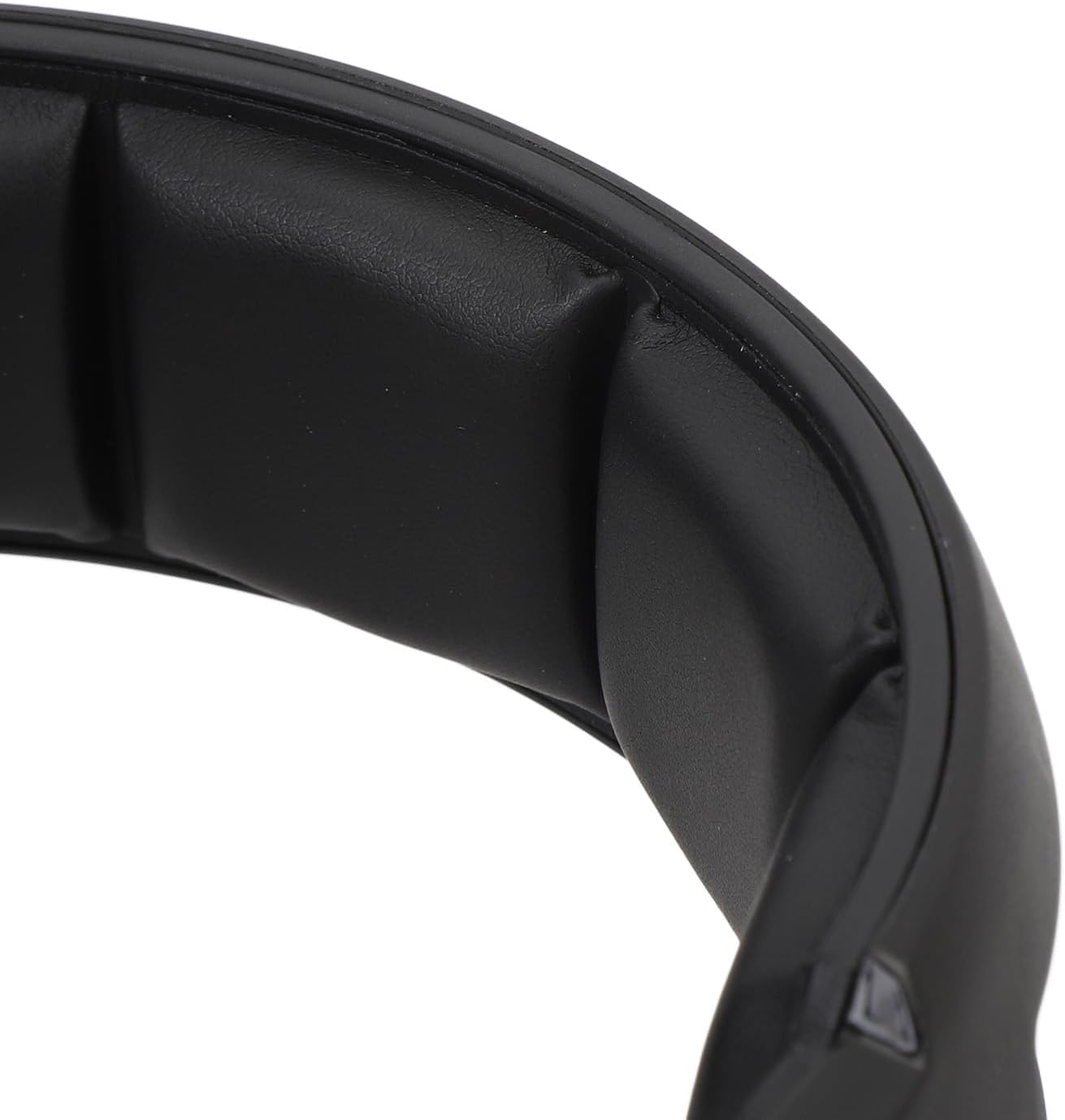
ภาพ: ภาพระยะใกล้ view of the soft padding on the headband, designed for comfort during extended use.
การแก้ไขปัญหา
| ปัญหา | วิธีแก้ปัญหาที่เป็นไปได้ |
|---|---|
| No sound from headset (2.4G/Bluetooth) |
|
| ไมโครโฟนไม่ทำงาน |
|
| หูฟังไม่ชาร์จ |
|
| คุณภาพเสียงไม่ดีหรือการเชื่อมต่อหลุด |
|
ข้อมูลจำเพาะ
| แบบอย่าง | B100 |
| วัสดุ | เอบีเอส |
| แหล่งจ่ายไฟ | 1 Li-Ion Battery 1000mAh (Included) |
| วิธีการชาร์จ | กระแสตรง 5 โวลต์ |
| เส้นผ่านศูนย์กลางไดรเวอร์ | ประมาณ 50 มม. / 1.97 นิ้ว |
| ชิปเซ็ต | JL7018 |
| โปรโตคอลที่รองรับ | AVRCP1.4, A2DP1.2, HFP1.6, HSP1.2 |
| Sound Decoding | WMA, APE, FLAC, AAC, M4A, WAV, AIF, AIFC |
| ระยะทางบลูทู ธ | ประมาณ 10m / 32.8ft |
| อัตราการถ่ายโอน | 2Mbps |
| กำลังขับ RF | 9dBm |
| RX Receiver Sensitivity | -92 เดซิเบลม |
| RF TX Frequency Drift | ±15กิโลเฮิรตซ์ |
| ความถี่ | 2401MHz-2478MHz |
| ความไวของไมโครโฟน | -42 ± 3DB |
| ความไวต่อความรู้สึก | 105 ± 3dB |
| อิมพีแดนซ์ | 32 โอห์ม |
| ช่วงตอบสนองความถี่ | 20HZ-20kHz ความถี่ |
| เวลาการเล่น | 20 ชั่วโมง |
| เวลาในการชาร์จ | 3 ชั่วโมง |
| Sound Latency | 20mS (2.4G Wireless) |
| น้ำหนักสินค้า | 1.16 ปอนด์ |
| ขนาดแพ็คเกจ | 8.66 x 7.48 x 3.94 นิ้ว |
การรับประกันและการสนับสนุน
Walfront products are designed for reliability and performance. For warranty information, technical support, or customer service inquiries, please refer to the contact details provided on the product packaging or the official Walfront webไซต์ โปรดเก็บหลักฐานการซื้อไว้เพื่อใช้ในการเรียกร้องการรับประกัน