
1. บทนำ
This manual provides detailed instructions for the installation, operation, and maintenance of your KERUI 2.4GHz WiFi Water Leak Detector. Please read this manual thoroughly before using the device to ensure proper function and safety. This device is designed to detect water leaks and water levels, providing real-time alerts to help protect your home from water damage.
2. สินค้าหมดview

รูปที่ 2.1: The KERUI Water Leak Detector main unit.
2.1 คุณสมบัติหลัก
- 3-in-1 Advanced Functionality: Equipped with a top sensor, two bottom sensors, and an extra-long detachable detection cable (105cm) for comprehensive water leak and water level detection. Easily switch between modes by connecting or disconnecting the cable.
- การแจ้งเตือนแบบเรียลไทม์: Connects to 2.4GHz WiFi to send instant alerts and notifications to your smartphone via the Tuya Smart app when a leak is detected.
- สัญญาณเตือนภัยดัง 100 เดซิเบล: Emits a continuous 100dB audible alarm for 60 seconds upon detection, ensuring you are alerted even if not near your phone.
- การออกแบบที่กะทัดรัดและหรูหรา: Measuring approximately 65x65x28 mm, the detector is discreet and integrates seamlessly into any home environment.
- ระดับการกันน้ำ IP67: ทนทาน กันน้ำระดับ IP67asing and anti-rust coating ensure long-term use in humid environments.
2.2 เนื้อหาบรรจุภัณฑ์
ตรวจสอบว่ามีรายการทั้งหมดอยู่ในแพ็คเกจของคุณ:
- KERUI Water Leak Detector
- 105cm External Probe
- Hook and Screws for mounting
- คู่มือการใช้งาน
- แบตเตอรี่ AAA 4 ก้อน (รวมอยู่ด้วย)

รูปที่ 2.2: The detector unit with its external detection cable.
3. การตั้งค่า
3.1 การติดตั้งแบตเตอรี่
The device requires 4 AAA alkaline batteries. These are typically pre-installed. To activate, open the battery compartment and remove the protective film from the batteries. Ensure correct polarity when inserting or replacing batteries.

รูปที่ 3.1: Illustration of battery installation. Open the compartment, insert 4 AAA batteries, ensuring correct polarity.
3.2 การดาวน์โหลดและการจับคู่แอป
The KERUI Water Leak Detector operates with the Tuya Smart application. Ensure your smartphone is connected to a 2.4GHz Wi-Fi network before proceeding.
- ดาวน์โหลดแอป: Scan the QR code provided in the manual or search for "Tuya Smart" in your smartphone's app store (Google Play Store for Android, Apple App Store for iOS).
- ลงทะเบียน/เข้าสู่ระบบ: Open the Tuya Smart app and register a new account or log in with an existing one.
- เพิ่มอุปกรณ์:
- Ensure the detector is powered on (batteries installed and protective film removed).
- In the Tuya Smart app, tap the "+" icon to add a device.
- Select "Security & Sensor" then "Water Leak Detector (Wi-Fi)".
- Follow the on-screen instructions to connect the device to your 2.4GHz Wi-Fi network. This usually involves pressing a button on the detector to enter pairing mode.
- Once connected, you can rename the device for easier identification (e.g., "Kitchen Leak Sensor").
รูปที่ 3.2: Steps for app download and Wi-Fi pairing. Scan the QR code to download the Tuya Smart app, then follow in-app instructions to connect to your 2.4GHz Wi-Fi network.
Download the Tuya Smart App: https://smartapp.tuya.com/tuyasmart
4. การดำเนินการ
4.1 โหมดการตรวจจับ
The detector offers three detection methods:
- Water Leak Detection (Default): The two probes on the back of the alarm detect water. When water bridges these probes, the alarm triggers.
- การตรวจจับการหยด: A probe on the front of the alarm is designed to detect small drips. Place it directly under a potential drip source.
- การตรวจสอบระดับน้ำ: Use the included 105cm external detection cable with two probes to monitor specific water levels. Connect the cable to the detector to activate this mode.

รูปที่ 4.1: Three usage options for the water immersion alarm. This includes hanging the external probe, placing the unit on the ground to detect leaks from the back sensors, or placing it to detect drips from the front sensor.
4.2 ฟังก์ชันการแจ้งเตือน
When water is detected by any of the sensors, the device will:
- Emit a loud 100dB audible alarm for 60 seconds.
- Send instant notifications to your smartphone via the Tuya Smart app.
รูปที่ 4.2: The 100dB alarm is designed to be heard across your home, providing immediate awareness of a water event.
4.3 App Notifications and Remote Monitoring
The Tuya Smart app allows for remote monitoring and management:
- Receive real-time push notifications on your phone when a leak is detected, even when you are away from home.
- View the history and timestamps of all alarm events within the app.
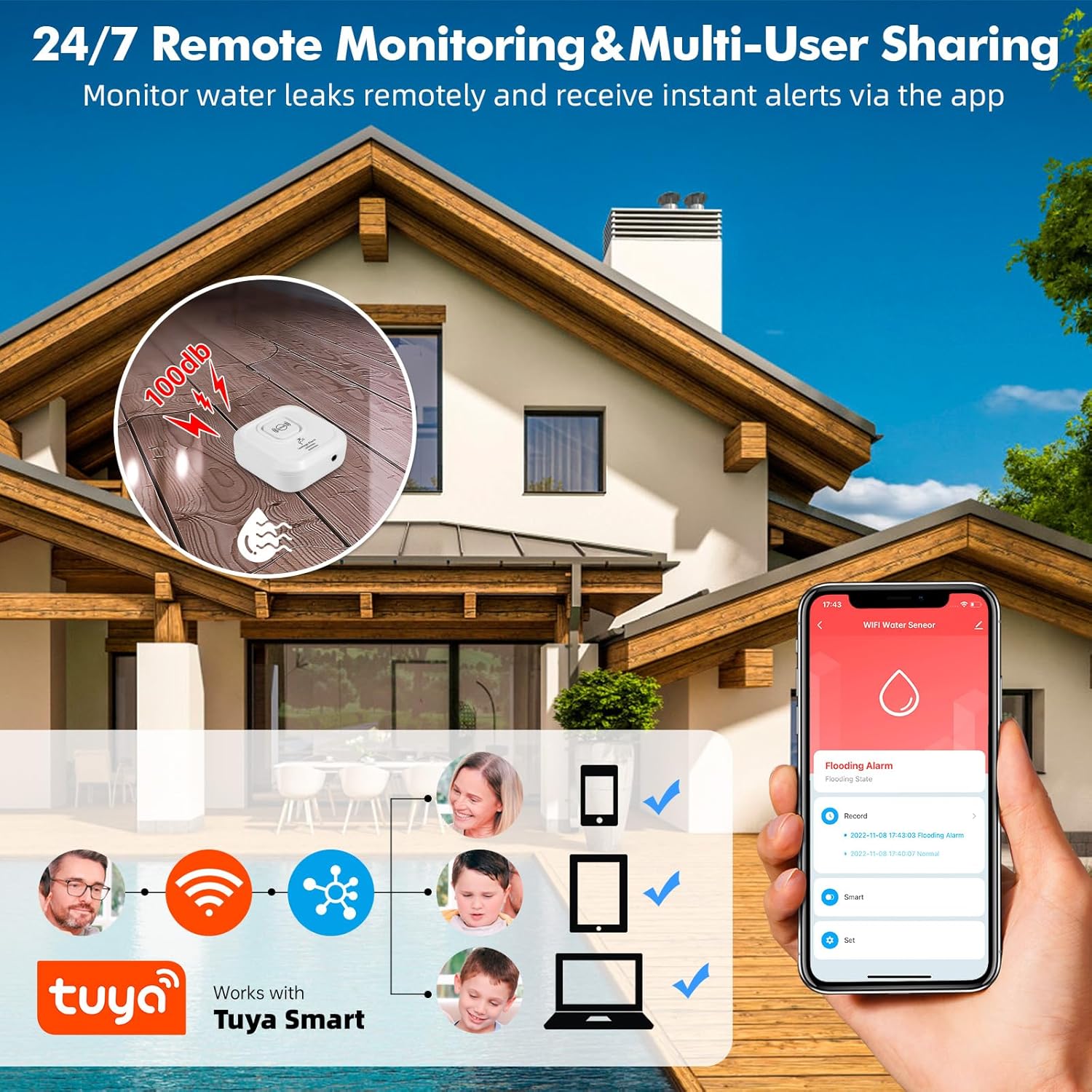
- Share device access with multiple users (family members) through the app.
- App notifications are free. Optional phone call and SMS notifications may incur charges (refer to Tuya app for details).

รูปที่ 4.3: Remote monitoring and multi-user sharing capabilities through the Tuya Smart app, allowing multiple family members to receive alerts.

รูปที่ 4.4: Example of real-time water leak notifications received through the Tuya Smart app.
5. การติดตั้งและการจัดวาง
The compact design and IP67 rating allow for flexible placement in various locations prone to water leaks.
- สถานที่แนะนำ: Near water-containing appliances such as dishwashers, washing machines, water heaters, under sinks, in bathrooms, kitchens, basements, laundry rooms, and near sump pumps.
- ตัวเลือกการติดตั้ง:
- ตำแหน่งการวางพื้น: Simply place the detector on the floor in areas where leaks are likely to occur. Use the back sensors for general leak detection or the front sensor for drip detection.
- Wall Mounting/Hanging: Utilize the included hook and screws to mount the detector on a wall. The 105cm external probe can then be extended to the desired detection point, such as inside a cabinet under a sink.
- การตั้งชื่ออุปกรณ์: Use the Tuya Smart app to name each detector and specify its location (e.g., "Basement Water Heater," "Kitchen Sink") for clear identification of alarm sources.

รูปที่ 5.1: Examples of suitable locations for installing the KERUI Water Leak Detector.
6. การบำรุงรักษา
- การเปลี่ยนแบตเตอรี่: The app will notify you when battery levels are low. Replace all 4 AAA batteries promptly to ensure continuous protection. Always use new alkaline batteries.
- การทำความสะอาดเซ็นเซอร์: Periodically inspect the detection probes for any dirt, dust, or corrosion. Clean them gently with a soft, dry cloth to ensure optimal sensitivity.
- อัพเดตเฟิร์มแวร์: Check the Tuya Smart app regularly for any available firmware updates for your device. Updates can improve performance and add new features.
- สภาพแวดล้อม : While the device is IP67 rated, avoid prolonged submersion or exposure to extreme temperatures outside its operating range.
7 การแก้ไขปัญหา
| ปัญหา | สาเหตุที่เป็นไปได้ | สารละลาย |
|---|---|---|
| อุปกรณ์ไม่เปิดเครื่อง | แบตเตอรี่หมดหรือติดตั้งไม่ถูกต้อง | Ensure batteries are inserted with correct polarity. Replace with new AAA alkaline batteries. |
| ไม่ได้รับการแจ้งเตือนใดๆ จากแอป |
|
|
| Device does not detect water. |
|
|
| เสียงสัญญาณเตือนเบาเกินไปหรือไม่ดังเลย |
|
|
| ไม่สามารถเชื่อมต่อ Wi-Fi 2.4GHz ได้ |
|
|
8. ข้อมูลจำเพาะ
| คุณสมบัติ | รายละเอียด |
|---|---|
| ยี่ห้อ | เคอรุย |
| แบบอย่าง | เครื่องตรวจจับการรั่วไหลของน้ำ |
| การเชื่อมต่อ | ไวไฟ 2.4GHz |
| แหล่งพลังงาน | แบตเตอรี่อัลคาไลน์ 4 x AAA |
| ระดับเสียง | 100 เดซิเบล |
| วิธีการควบคุม | Tuya Smart Application |
| ขนาด (กว้าง x ยาว x สูง) | 8 x 2.5 x 8 cm (approx. 65x65x28 mm for the main unit) |
| น้ำหนัก | 44 กรัม |
| ระดับการกันน้ำ | IP67 |
| External Probe Length | 105 ซม. |
| Max Range (Wireless) | 20 Meters (approximate, depends on environment) |
| เทคโนโลยีเซ็นเซอร์ | เซนเซอร์สัมผัส |
9. ข้อมูลด้านความปลอดภัย
- เก็บอุปกรณ์ให้ห่างจากมือเด็กและสัตว์เลี้ยง
- ห้ามถอดประกอบหรือซ่อมแซมอุปกรณ์ด้วยตนเอง การกระทำดังกล่าวอาจทำให้การรับประกันเป็นโมฆะและก่อให้เกิดความเสียหายได้
- ทิ้งแบตเตอรี่ที่ใช้แล้วตามระเบียบข้อบังคับของท้องถิ่น ห้ามทิ้งแบตเตอรี่ลงในกองไฟ
- ตรวจสอบให้แน่ใจว่าได้วางอุปกรณ์บนพื้นผิวที่มั่นคงหรือติดตั้งอย่างแน่นหนาเพื่อป้องกันการตกหล่นโดยไม่ตั้งใจ
- This device is designed to detect water leaks and levels. It is not a substitute for proper plumbing maintenance or flood prevention measures.
10. การรับประกันและการสนับสนุน
For any questions, suggestions, or technical support regarding your KERUI Water Leak Detector, please contact KERUI customer service. Refer to the product packaging or the official KERUI webเว็บไซต์สำหรับข้อมูลการติดต่อ
Information regarding specific warranty periods or repair services is not available in this manual. Please retain your purchase receipt for warranty claims.