
การแนะนำ
This manual provides essential information for the setup, operation, and maintenance of your PowerA Enhanced Wireless Controller, featuring the unique Pikachu vs. Gengar design. This officially licensed controller is designed to enhance your gaming experience on Nintendo Switch, Nintendo Switch Lite, and Nintendo Switch (OLED Model) consoles.
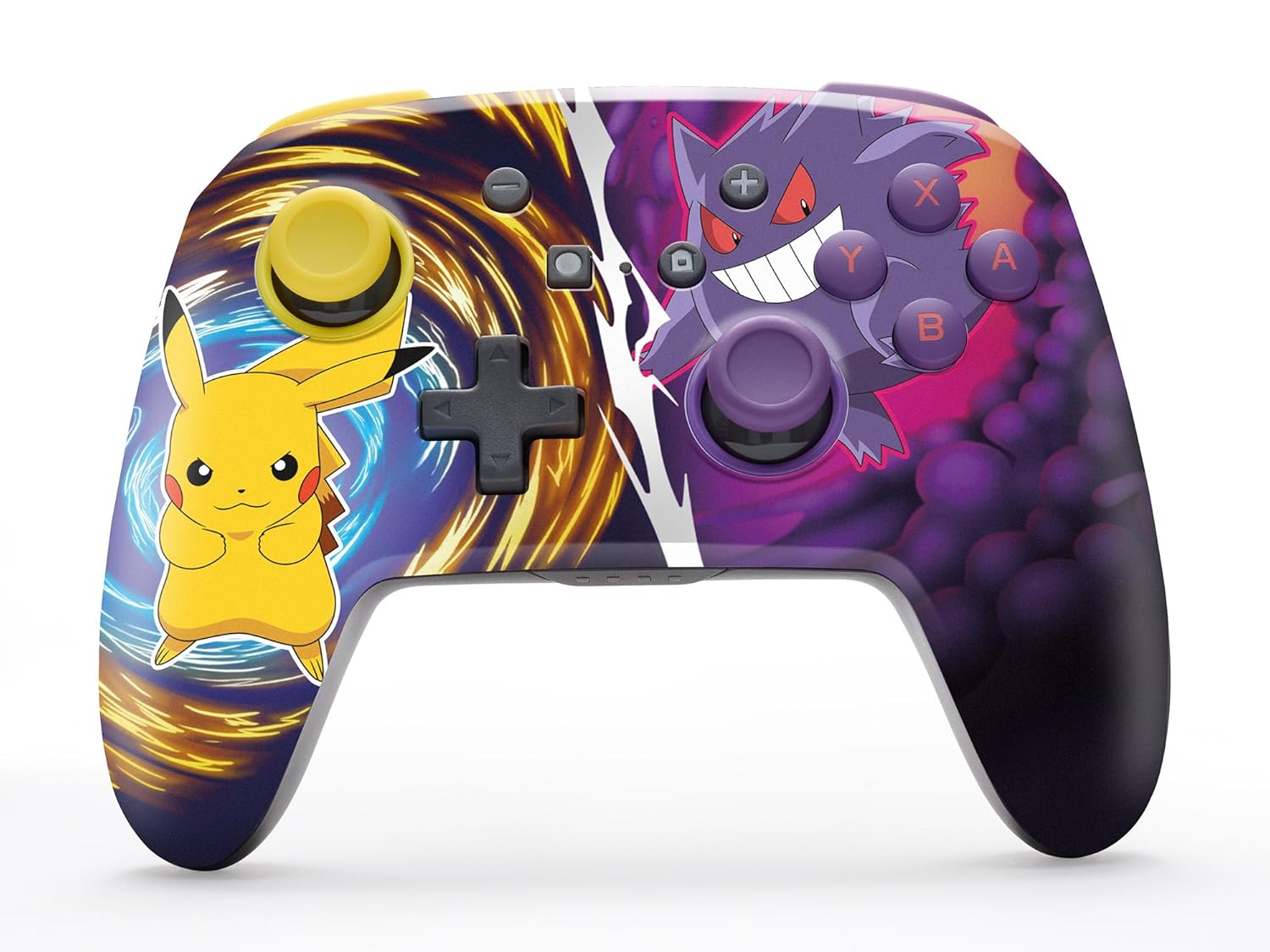
The PowerA Enhanced Wireless Controller with Pikachu vs. Gengar artwork.
คุณสมบัติหลัก
- การเชื่อมต่อไร้สาย: ใช้เทคโนโลยีบลูทูธ 5.0 เพื่อการเชื่อมต่อที่เสถียร
- แบตเตอรี่แบบชาร์จไฟได้: แบตเตอรี่ลิเธียมไอออนในตัวใช้งานได้นานสูงสุด 30 ชั่วโมงต่อการชาร์จหนึ่งครั้ง
- Mappable Advanced Gaming Buttons: Two programmable buttons on the back for custom control.
- การออกแบบตามหลักสรีรศาสตร์: การออกแบบตามหลักสรีรศาสตร์ที่เหนือกว่าเพื่อการเล่นเกมที่สะดวกสบายยาวนานยิ่งขึ้น
- การควบคุมจอยสติ๊กที่ราบรื่น: Embedded anti-friction rings ensure precise and fluid movement.
- การควบคุมการเคลื่อนไหว: Supports intuitive motion controls for compatible games.

Ergonomic design for comfortable gameplay.
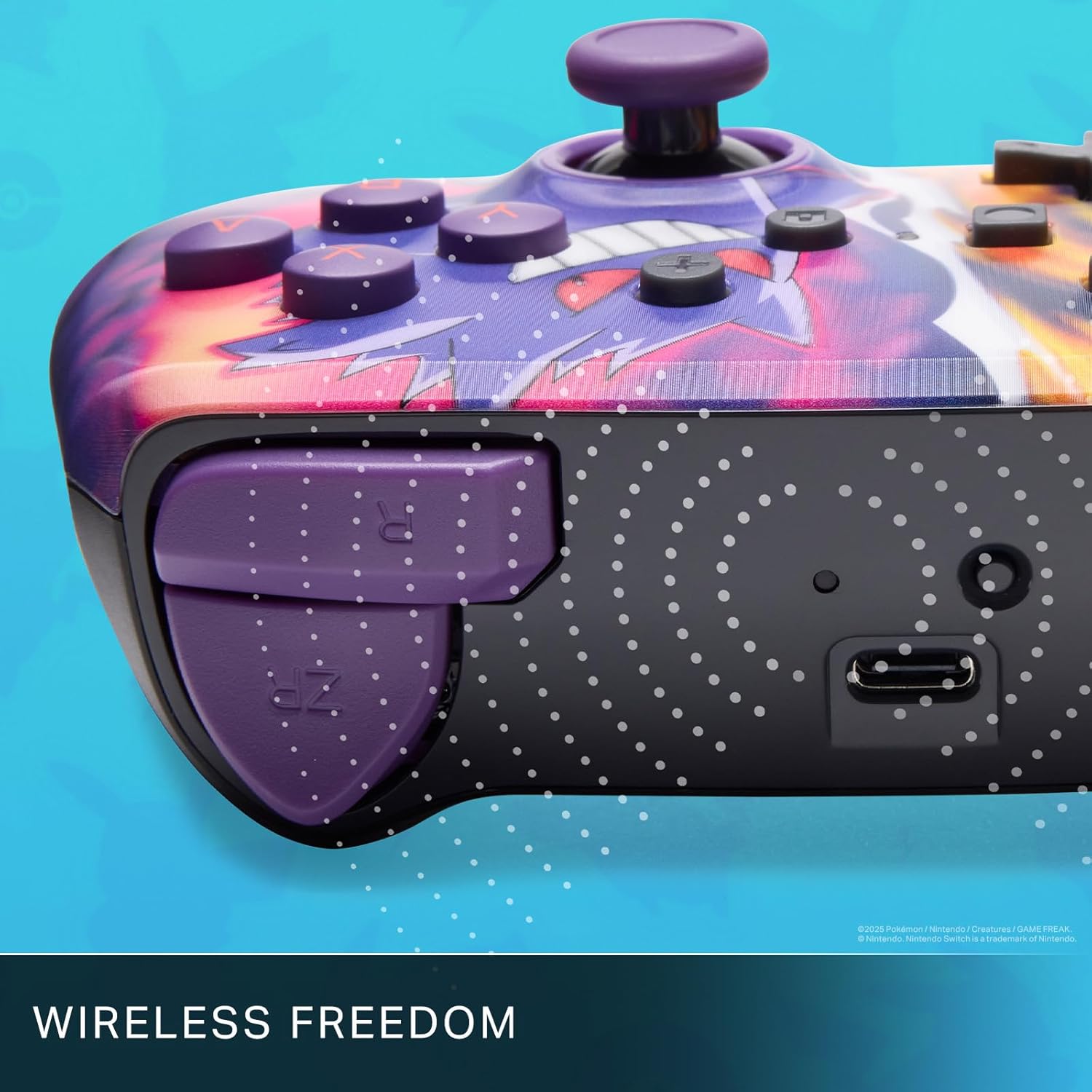
Enjoy wireless freedom with Bluetooth 5.0 technology.
ตั้งค่าและจับคู่
- โปรดตรวจสอบให้แน่ใจว่าเครื่อง Nintendo Switch ของคุณเปิดอยู่และอัปเดตซอฟต์แวร์ระบบเป็นเวอร์ชันล่าสุดแล้ว
- จากเมนู HOME เลือก ตัวควบคุม, แล้ว เปลี่ยนกริป/สั่งซื้อ.
- กดปุ่มค้างไว้ ปุ่ม SYNC on the top edge of your PowerA Enhanced Wireless Controller for at least one second. The Player LED(s) will flash.
- Once paired, the Player LED(s) corresponding to the controller number will remain lit.
- กดปุ่ม ปุ่ม to confirm and exit the menu. Your controller is now ready for use.
การชาร์จคอนโทรลเลอร์
The controller features an internal 900mAh lithium-ion rechargeable battery, providing up to 30 hours of gameplay on a single charge. To charge your controller:
- Connect the included 10ft (3m) USB-C charge cable to the USB-C port on the top of the controller.
- Connect the other end of the USB-C cable to a USB power source (e.g., Nintendo Switch dock, USB wall adapter, or computer USB port).
- The LED indicator on the controller will show charging status. It will typically turn off or change color when fully charged.

Connect the USB-C cable to charge your controller.
ปุ่มเกมมิ่งขั้นสูง
Your PowerA Enhanced Wireless Controller includes two mappable Advanced Gaming Buttons (AGBs) on the back, allowing you to assign specific button functions for quick access during gameplay.
Programming AGBs:
- กดปุ่ม ปุ่มโปรแกรม on the back of the controller. The Program LED will flash, indicating programming mode.
- Press the button you wish to map (A/B/X/Y/L/R/ZL/ZR/Left Stick Click/Right Stick Click/D-Pad). The Program LED will flash rapidly.
- Press the Advanced Gaming Button (AGB L or AGB R) you want to assign the function to. The Program LED will stop flashing, indicating the AGB is now programmed.
Resetting AGBs:
To reset all Advanced Gaming Buttons to their default (no function) state, press and hold the ปุ่มโปรแกรม for five seconds. The Program LED will flash slowly, then turn off, confirming the reset.
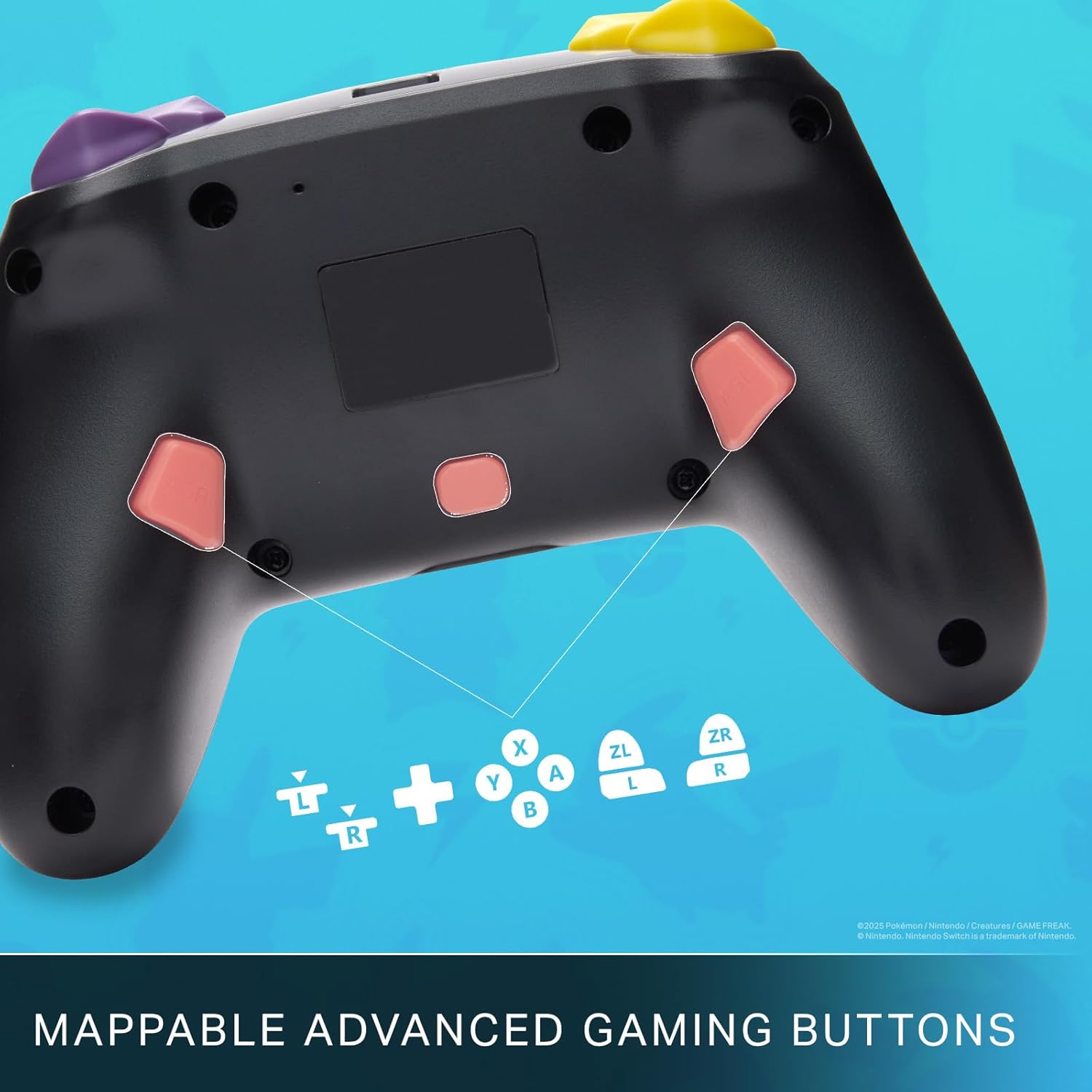
Mappable Advanced Gaming Buttons for personalized control.
ความเข้ากันได้
This PowerA Enhanced Wireless Controller is compatible with the following Nintendo consoles:
- นินเทนโดสวิตช์
- นินเทนโด สวิตซ์ ไลท์
- Nintendo Switch (OLED Model)
- Nintendo Switch 2 (Note: C button not available)

The controller is compatible with Nintendo Switch 2, though the C button functionality is not available.
ข้อมูลจำเพาะ
| คุณสมบัติ | รายละเอียด |
|---|---|
| อุปกรณ์ที่รองรับ | นินเทนโดสวิตช์ |
| ประเภทตัวควบคุม | แป้นเกม |
| เทคโนโลยีการเชื่อมต่อ | บลูทูธ, ยูเอสบี |
| คุณสมบัติเพิ่มเติม | Ergonomic, Wireless |
| จำนวนปุ่ม | 12 |
| แพลตฟอร์มฮาร์ดแวร์ | คอนโซลเกม |
| แหล่งพลังงาน | ใช้แบตเตอรี่ (ลิเธียมไอออนแบบชาร์จไฟได้) |
| รุ่นเครื่องเล่นเกมคอนโซลที่ใช้งานร่วมกันได้ | นินเทนโดสวิตช์, นินเทนโดสวิตช์ไลต์ |
| น้ำหนักสินค้า | 0.68 ปอนด์ |
| ขนาดรายการ | 6.02 x 4.41 x 2.48 นิ้ว |
| สี | Pikachu vs Gengar |
| ชื่อรุ่น | Pikachu vs. Gengar |
| หมายเลขรุ่น | NSGP0420-01R |
การดูแลรักษา
- ควรเก็บตัวควบคุมให้แห้ง หลีกเลี่ยงการสัมผัสกับความชื้นหรืออุณหภูมิที่สูงหรือต่ำเกินไป
- ทำความสะอาดคอนโทรลเลอร์ด้วยผ้านุ่มและแห้ง ห้ามใช้สารเคมีรุนแรงหรือวัสดุที่มีฤทธิ์กัดกร่อน
- เก็บตัวควบคุมไว้ในสถานที่ปลอดภัยเมื่อไม่ได้ใช้งานเพื่อป้องกันความเสียหาย
การแก้ไขปัญหา
ตัวควบคุมไม่เชื่อมต่อ:
- ตรวจสอบให้แน่ใจว่าตัวควบคุมมีประจุไฟเต็ม
- Verify the controller is within the Bluetooth range of your Nintendo Switch console.
- Attempt to re-pair the controller following the "Setup and Pairing" instructions.
ปุ่ม/จอยสติ๊กไม่ตอบสนอง:
- ตรวจสอบสิ่งกีดขวางทางกายภาพหรือเศษซากรอบปุ่มหรือจอยสติ๊ก
- Perform a hard reset by holding the SYNC button for 10 seconds, then attempt to re-pair.
- Ensure the controller's firmware is up to date (check PowerA's official web(ดูเว็บไซต์สำหรับการอัปเดต)
การรับประกันและการสนับสนุน
This PowerA Enhanced Wireless Controller comes with a การรับประกันแบบ จำกัด สองปี. For detailed warranty information, product support, and troubleshooting assistance, please visit the official PowerA support webเว็บไซต์: