
Insoma SGW10-T
Insoma Sprinkler Timer SGW10-T Instruction Manual
Model: SGW10-T
แบรนด์: อินโซมา
การแนะนำ
Thank you for choosing the Insoma Sprinkler Timer. This programmable irrigation hose timer is designed to simplify your garden and lawn watering, ensuring your plants receive optimal hydration with minimal effort. It features automatic scheduling, a rain delay function, and a manual watering option for complete control. Please read this manual carefully before use to ensure proper installation and operation.

Image: The Insoma Sprinkler Timer enables automatic watering, eliminating the need for manual watering.
ส่วนประกอบของผลิตภัณฑ์
The Insoma Sprinkler Timer package includes the following items:
- Insoma Sprinkler Timer Unit
- Reducing Hex Bushing (for different faucet sizes)
- เทปพันเกลียว
- คู่มือการใช้งาน (เอกสารนี้)
Note: 2 AA alkaline batteries are required and are not included.
คำแนะนำการตั้งค่า
- ติดตั้งแบตเตอรี่: Open the battery compartment on the back of the timer. Insert two (2) new AA alkaline batteries, ensuring correct polarity. Close the compartment securely. The display will activate.
- ใช้เทปปิดผนึกเกลียว: For a leak-free connection, wrap the included thread seal tape around the threads of your outdoor faucet.
- Attach Timer to Faucet: Screw the timer's brass inlet connector onto your outdoor faucet. Hand-tighten only. If your faucet size requires it, use the reducing hex bushing provided.
- เชื่อมต่อท่อ: Attach your garden hose to the plastic outlet of the sprinkler timer. Ensure a tight connection to prevent leaks.
- ตั้งเวลาปัจจุบัน: หมุนแป้นหมุนไปที่ 'ตั้งเวลา' ใช้ปุ่ม '+' และ '-' เพื่อปรับเวลาปัจจุบัน กด 'ตกลง' เพื่อยืนยัน

Image: The Insoma Sprinkler Timer installed on a faucet, ready for use.

Image: The timer features an upgraded anti-leakage design for a secure connection.
คำแนะนำการใช้งาน
โหมดรดน้ำอัตโนมัติ
This mode allows you to set a recurring watering schedule.
- ตั้งเวลาเริ่มต้น: Turn the dial to 'START TIME'. Use '+' and '-' to set the desired watering start time. Press 'OK'.
- ตั้งค่าระยะเวลา (Duration): Turn the dial to 'HOW LONG'. Use '+' and '-' to set the watering duration from 1 minute to 5 hours 59 minutes. Press 'OK'.
- ตั้งค่าความถี่ (ระยะเวลา): Turn the dial to 'HOW OFTEN'. Use '+' and '-' to set the watering frequency (every 1-24 hours or every 1-7 days). Press 'OK'.
- เปิดใช้งานโหมดอัตโนมัติ: Turn the dial to 'AUTO'. The timer will now operate according to your programmed schedule.

Image: Setting the watering duration and frequency for automatic operation.
ฟังก์ชั่นหน่วงเวลาฝน
To conserve water during rainy periods, you can temporarily pause your watering schedule.
- While in 'AUTO' mode, press the 'RAIN DELAY' button (often combined with 'SET/MANU' or a dedicated button).
- Use '+' and '-' to select the delay duration (1 to 7 days).
- Press 'OK' to confirm. The timer will pause for the selected period and resume the schedule automatically afterward.
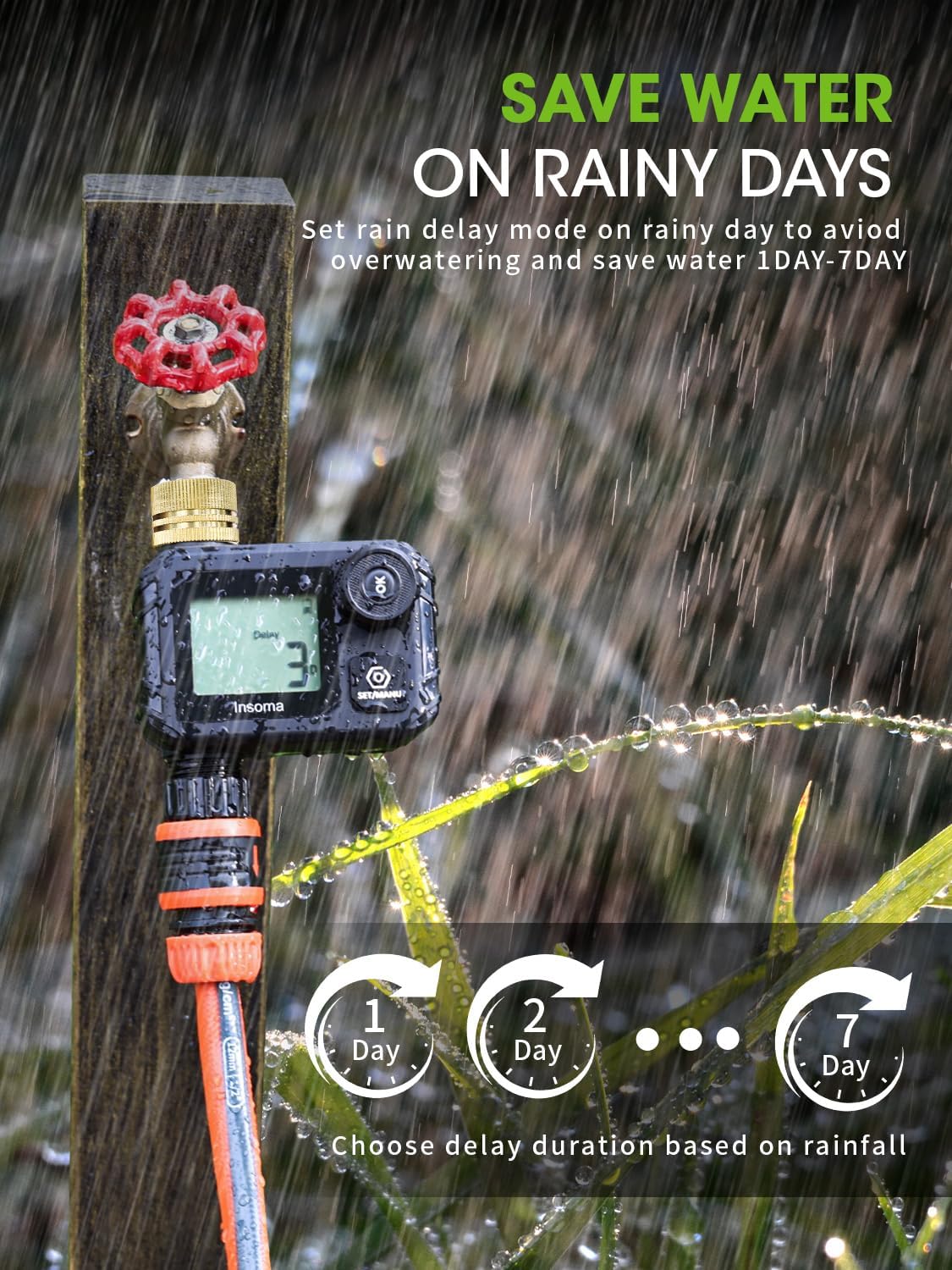
Image: The rain delay feature allows pausing watering for 1 to 7 days.
โหมดรดน้ำด้วยตนเอง
For immediate, unscheduled watering without affecting your programmed schedule.
- Turn the dial to 'MANUAL' or press the 'SET/MANU' button.
- Use '+' and '-' to set the desired manual watering duration (1 to 59 minutes).
- Press 'OK' to start manual watering. The timer will run for the set duration and then return to 'AUTO' mode.

Image: Manual watering allows for immediate, temporary watering without altering the schedule.
การซ่อมบำรุง
การเปลี่ยนแบตเตอรี่
The timer is powered by 2 AA alkaline batteries. A low battery indicator will appear on the display when power is low. When the battery is critically low, the valve will automatically close to prevent water waste. Replace batteries promptly to ensure continuous operation.

Image: The timer features low power auto-shutoff and a 365-day battery life with proper battery care.
การทำความสะอาดตัวกรองตาข่าย
The timer includes a built-in mesh filter to prevent debris from entering your irrigation system. Periodically check and clean the filter to ensure optimal water flow and prevent blockages.

Image: The built-in mesh filter prevents debris from entering the system.
ระดับการกันน้ำ
The Insoma Sprinkler Timer has an IP55 waterproof rating, meaning it is protected against dust and low-pressure water jets. The sealed battery cover and display screen with a rubber sealing ring provide enhanced protection against moisture.

Image: The IP55 waterproof design ensures durability in outdoor conditions.
การแก้ไขปัญหา
| ปัญหา | สาเหตุที่เป็นไปได้ | สารละลาย |
|---|---|---|
| ตัวตั้งเวลาไม่รดน้ำ | Low batteries; Incorrect program settings; Faucet off; Rain delay active. | Replace batteries; Check program (start time, duration, frequency); Ensure faucet is open; Cancel rain delay or wait for it to expire. |
| น้ำรั่วจากการเชื่อมต่อ | Loose connections; Worn out washer; Missing thread seal tape. | Tighten connections; Check and replace rubber washers; Reapply thread seal tape. |
| ไม่มีจอแสดงผลหรือจอแสดงผลมืด | Dead or low batteries; Batteries inserted incorrectly. | Replace batteries with new ones; Check battery polarity. |
| น้ำไหลอ่อน | Clogged mesh filter; Low water pressure. | Clean the mesh filter; Check household water pressure. |
ข้อมูลจำเพาะ
- หมายเลขรุ่น: SGW10-T
- ยี่ห้อ: อินโซมา
- สี: สีดำ
- วัสดุ: อะคริโลไนไตรล์ บิวทาไดอีน สไตรีน (ABS)
- ขนาดสินค้า (ลึก x กว้าง x สูง): 1.96" x 4.13" x 4.52"
- แหล่งพลังงาน: แบตเตอรี่อัลคาไลน์ขนาด AA 2 ก้อน (ไม่รวม)
- ช่วงแรงดันน้ำ: 7.25 ถึง 116 ปอนด์ต่อตารางนิ้ว
- ระดับการกันน้ำ: IP55
- ระยะเวลาการรดน้ำ: 1 นาทีถึง 5 ชั่วโมง 59 นาที
- ความถี่ในการรดน้ำ: ทุก 1-24 ชั่วโมง หรือ ทุก 1-7 วัน
- ฝนล่าช้า: 1 ถึง 7 วัน
ข้อมูลการรับประกัน
Insoma products are designed for durability and performance. For specific warranty details, please refer to the product packaging or contact Insoma customer support. Generally, products are covered against defects in materials and workmanship under normal use.
การสนับสนุนลูกค้า
If you have any questions, require assistance with setup, or encounter issues with your Insoma Sprinkler Timer, please contact our customer support team. You can find more information and contact details by visiting the official Insoma store on Amazon:
Ask a question about this manual
Ask about setup, troubleshooting, compatibility, parts, safety, or missing instructions. Manuals+ will review the question and use this page’s manual context to help answer it.