
การแนะนำ
The Trust Gaming GXT 498B Forta Gaming Headset is officially licensed for PlayStation 5 and PlayStation 4 consoles, designed to provide an immersive audio experience. This wired over-ear headset features 50mm drivers for powerful sound, a detachable microphone with a pop filter for clear communication, and comfortable ear pads for extended gaming sessions. This manual provides instructions for setup, operation, maintenance, and troubleshooting to ensure optimal performance of your headset.
มีอะไรอยู่ในกล่อง
- Trust Gaming GXT 498B Forta Gaming Headset
- Detachable Microphone with Pop Filter
- 1.2m Audio Cable (3.5mm jack)
- คู่มือการใช้งาน

Image: The retail packaging for the Trust Gaming GXT 498B Forta Gaming Headset, showing the headset and included accessories.
คำแนะนำการตั้งค่า
- เชื่อมต่อสายสัญญาณเสียง: Locate the 3.5mm audio jack on your PlayStation 5 DualSense wireless controller or PlayStation 4 DualShock 4 wireless controller. Insert the 3.5mm audio cable from the headset firmly into the controller's audio jack.
- ติดไมโครโฟน: The microphone is detachable. Align the microphone's connector with the port on the left earcup of the headset and push it in until it clicks securely into place. Ensure the pop filter is correctly positioned over the microphone for optimal voice clarity.
- ปรับความพอดีของชุดหูฟัง: Extend or retract the adjustable padded headband to fit comfortably over your head. The earcups are moveable to ensure a snug fit over your ears.
- Configure Audio Settings (PlayStation):
- สำหรับ PS5: ไปที่ การตั้งค่า > เสียง > เอาท์พุตเสียง. เลือก หูฟัง as the output device. Adjust the volume and microphone levels as needed.
- สำหรับ PS4: ไปที่ การตั้งค่า > อุปกรณ์ > อุปกรณ์เสียง. เลือก ชุดหูฟังเชื่อมต่อกับคอนโทรลเลอร์ as the input and output device. Adjust the volume and microphone levels.
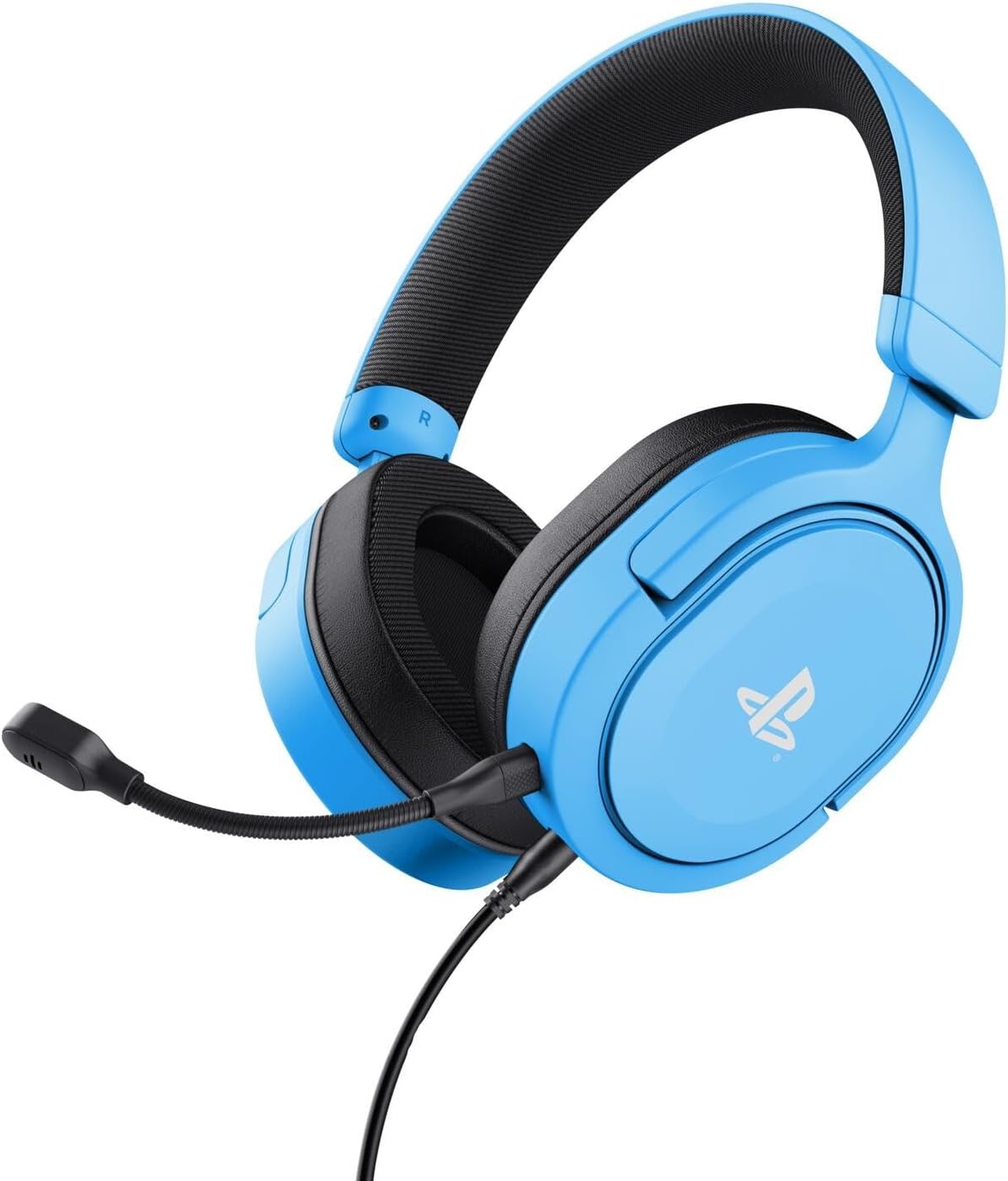
Image: The Trust Gaming GXT 498B Forta Gaming Headset, showcasinด้วยดีไซน์และไมโครโฟนแบบถอดได้
คำแนะนำการใช้งาน
- การควบคุมระดับเสียง: The headset features an in-line volume control wheel on the audio cable. Rotate the wheel up or down to adjust the audio output level.
- ปิดเสียงไมโครโฟน: An in-line mute switch is located on the audio cable. Slide the switch to mute or unmute the microphone.
- เสียง 3 มิติ: The headset supports 3D Audio on compatible PlayStation 5 games, providing an enhanced spatial sound experience. Ensure 3D Audio is enabled in your PS5 sound settings for optimal immersion.
- ไมโครโฟนที่ถอดออกได้: The microphone can be detached when not in use for a more streamlined headset profile. Store it safely to prevent loss or damage.

ภาพ: ภาพระยะใกล้ view of the Trust Gaming GXT 498B Forta headset, highlighting the earcups and the attached audio cable with controls.
การซ่อมบำรุง
- การทำความสะอาด: ใช้ผ้าแห้งนุ่มๆ เช็ดทำความสะอาดหูฟัง สำหรับแผ่นรองหูฟัง ให้ใช้ผ้าที่นุ่มกว่าเล็กน้อยamp สามารถใช้ผ้าได้ แต่ต้องแน่ใจว่าไม่มีความชื้นเข้าไปในตะแกรงลำโพง ห้ามใช้สารเคมีรุนแรงหรือน้ำยาทำความสะอาดที่มีฤทธิ์กัดกร่อน
- พื้นที่จัดเก็บ: เก็บหูฟังไว้ในที่แห้งและเย็น หลีกเลี่ยงแสงแดดโดยตรงและอุณหภูมิที่สูงหรือต่ำเกินไป หลีกเลี่ยงการวางของหนักบนหูฟัง
- การดูแลสายเคเบิล: Avoid sharp bends or kinks in the audio cable. Do not pull the cable forcefully when disconnecting.
- การดูแลไมโครโฟน: Handle the detachable microphone with care. When not in use, detach it and store it safely to prevent damage.
การแก้ไขปัญหา
- ไม่มีเสียงจากหูฟัง:
- Ensure the 3.5mm audio cable is fully inserted into both the headset and the controller.
- Check the in-line volume control wheel on the cable and turn it up.
- Verify audio settings on your PlayStation console (refer to "Setup Instructions" section).
- Test the headset with another device (e.g., smartphone, PC) to determine if the issue is with the headset or the console.
- ไมโครโฟนไม่ทำงาน:
- ตรวจสอบให้แน่ใจว่าไมโครโฟนแบบถอดได้ติดเข้ากับชุดหูฟังอย่างแน่นหนา
- ตรวจสอบสวิตช์ปิดเสียงไมโครโฟนแบบอินไลน์ และตรวจสอบให้แน่ใจว่าอยู่ในตำแหน่ง "เปิดเสียง"
- Verify microphone input settings on your PlayStation console (refer to "Setup Instructions" section).
- Ensure the pop filter is not obstructing the microphone's input.
- Sound Quality Issues (Distortion, Low Volume):
- Adjust the volume levels on both the headset's in-line control and your console's settings.
- ตรวจสอบให้แน่ใจว่าสายสัญญาณเสียงไม่ชำรุดหรือบิดงอ
- Try connecting the headset to a different audio source to rule out console-specific issues.
ข้อมูลจำเพาะ
| ชื่อรุ่น | GXT 498B Forta |
| หมายเลขรุ่น | 25556 |
| การเชื่อมต่อ | ต่อสาย (แจ็ค 3.5 มม.) |
| ความยาวสายเคเบิล | 1.2 เมตร |
| ขนาดไดร์เวอร์ | 50 มม. |
| ช่วงความถี่ | 20 เฮิรตซ์ - 20,000 เฮิรตซ์ |
| อิมพีแดนซ์ | 32 โอห์ม |
| ความไวต่อความรู้สึก | 90 เดซิเบล |
| ประเภทไมโครโฟน | Detachable with Pop Filter |
| การวางตำแหน่งหู | ครอบหู |
| น้ำหนักสินค้า | 253 กรัม |
| อุปกรณ์ที่รองรับ | PlayStation 5, PlayStation 4, PC |
| วัสดุ | Plastic (up to 65% recycled) |
การรับประกันและการสนับสนุน
This Trust Gaming GXT 498B Forta Gaming Headset is covered by the manufacturer's standard warranty. For detailed warranty information, please refer to the documentation included with your purchase or visit the official GXTrust website. For technical support, troubleshooting assistance beyond this manual, or warranty claims, please contact GXTrust customer service through their official support channels.
โปรดเก็บหลักฐานการซื้อไว้เพื่อวัตถุประสงค์การรับประกัน