
การแนะนำ
The BL R69 Plus Android 14.0 TV Box is a high-performance multimedia device designed to enhance your home entertainment experience. Equipped with the latest Android 14.0 OS and an Allwinner H728 octa-core processor, it offers smooth performance for streaming, gaming, and various applications. This manual provides essential information for setting up, operating, and maintaining your device.
มีอะไรอยู่ในกล่อง
โปรดตรวจสอบสิ่งของภายในบรรจุภัณฑ์อย่างละเอียด หากมีสินค้าใดสูญหายหรือเสียหาย โปรดติดต่อฝ่ายสนับสนุนลูกค้า
- Android 14.0 TV Box (R69 Plus)
- US/CA Power Adapter
- สาย HD
- การควบคุมด้วยเสียงผ่าน Bluetooth
- คู่มือการใช้งาน
- คีย์บอร์ดไร้สายขนาดเล็ก
สินค้าเกินview และคุณสมบัติ
The R69 Plus Android TV Box offers a range of advanced features for a superior viewing and interactive experience.
คุณสมบัติหลัก:
- Android 14.0 & H728 Processor: Latest Android 14.0 OS with Allwinner H728 octa-core high-speed processor for enhanced multitasking and responsiveness.
- Ample Capacity & USB 3.0: 4GB RAM and 64GB ROM for daily applications and data storage. Features a USB 3.0 interface for 5Gbps high-speed data transfer, supporting 128GB SD card expansion and 1TB hard drive expansion.
- 4K 8K TV Box: Supports 4K display with HDR10 3D technology, and a decoder up to 4K@60fps or 8K@24fps. Includes H.265 decoding technology for improved compression efficiency.
- 1000M Ethernet & Wi-Fi 6: Supports 2.4G/5.8G Wi-Fi 6 and Gigabit Ethernet (1000Mbps) for stable, high-speed internet. Bluetooth 5.0 for wireless connectivity with headphones, speakers, and other smart devices.
- ง่ายต่อการใช้: Equipped with a Bluetooth voice remote control and supports seamless casting from mobile phones and tablets. Includes a backlit mini wireless keyboard.
อินเทอร์เฟซอุปกรณ์:

- DC/5V Power Input
- เอาต์พุตเสียงออปติคัล
- ปุ่มรีเซ็ต
- HD (HDMI) Output
- Ethernet (1000M) Port
- พอร์ต USB 3.0
- พอร์ต USB 2.0
- ช่องเสียบการ์ด SD
คู่มือการติดตั้ง
Follow these steps for initial setup of your BL R69 Plus Android TV Box.
- เชื่อมต่อกับทีวี: Connect one end of the provided HD cable (HDMI) to the HDMI port on your TV Box and the other end to an available HDMI input on your television.
- เชื่อมต่อพลังงาน: Plug the US/CA power adapter into the DC/5V port on the TV Box, then plug the adapter into a power outlet.
- เชื่อมต่อกับเครือข่าย: For optimal performance, connect an Ethernet cable from your router to the Ethernet port on the TV Box. Alternatively, you can connect via Wi-Fi during the initial setup process.
- เปิดเครื่อง: Turn on your television and select the correct HDMI input source. The TV Box should power on automatically.
- การตั้งค่ารีโมทคอนโทรล: Insert two AAA batteries (not included) into the Bluetooth Voice Remote Control. Follow the on-screen instructions to pair the remote with your TV Box.
- การกำหนดค่าเริ่มต้น: Follow the on-screen prompts to complete the initial setup, including language selection, Wi-Fi connection (if not using Ethernet), Google account login, and app installations.

คำแนะนำการใช้งาน
การนำทางอินเทอร์เฟซ
The BL R69 Plus runs on Android 14.0 TV OS, providing a user-friendly interface.
- ใช้ปุ่มควบคุมทิศทางบนรีโมทเพื่อเลื่อนดูเมนูและเลือกรายการต่างๆ
- The "Home" button returns you to the main screen.
- ปุ่ม "ย้อนกลับ" จะพาคุณกลับไปยังหน้าจอก่อนหน้า
- The "Voice" button activates the voice assistant for searching content or controlling the device.
Using the Mini Wireless Keyboard
The included mini wireless keyboard provides an alternative for text input and navigation.
- Connect the USB receiver of the keyboard to one of the USB ports on the TV Box.
- Use the QWERTY keyboard for typing and the touchpad for mouse-like navigation.
- To change the 7-color backlight, hold the "Fn" key and scroll left/right at the touchpad bottom.

การมิเรอร์หน้าจอ
The device supports AirScreen and Miracast for casting content from your mobile phone or tablet to the TV.

การเชื่อมต่อ
Wi-Fi และอีเธอร์เน็ต
The R69 Plus supports dual-band Wi-Fi 6 (2.4G/5.8G) and Gigabit Ethernet (1000Mbps) for fast and stable internet access.
- หากต้องการเชื่อมต่อผ่าน Wi-Fi ให้ไปที่
Settings > Network & Internetเลือกเครือข่าย Wi-Fi ของคุณ แล้วป้อนรหัสผ่าน - For Ethernet, simply plug an Ethernet cable into the device and your router.
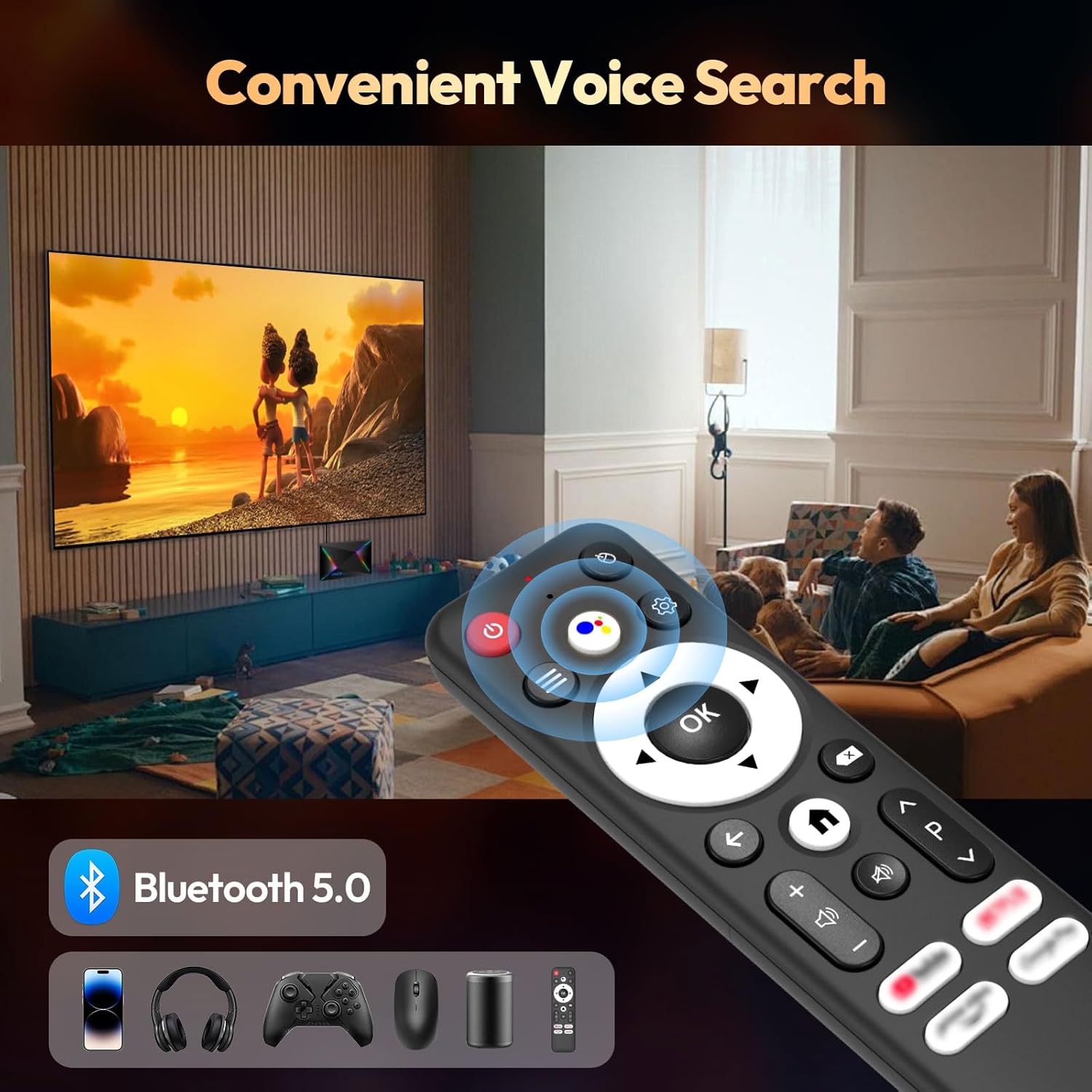
บลูทูธ 5.0
Connect Bluetooth-enabled devices such as headphones, speakers, game controllers, and mice.
- ไปที่
Settings > Remotes & Accessories > Add accessoryto pair new Bluetooth devices.
การตั้งค่าการแสดงผลและเสียง
Resolution and HDR
The device supports up to 8K resolution and HDR10+ for vivid visuals.
- นำทางไปที่
Settings > Display & Sound > Resolutionto adjust the display resolution. - For HDR content, ensure your TV supports HDR10 or HDR10+ and enable it in
Settings > Display & Sound > Dynamic range & Color format.

การตั้งค่าเสียง
The R69 Plus supports advanced audio formats for an immersive sound experience.
- Adjust audio output settings in
Settings > Display & Sound > Advanced sound settings. - Ensure your audio receiver or soundbar supports Dolby Atmos or DTSX for the best experience.
การจัดการการจัดเก็บข้อมูล
Your device comes with 4GB RAM and 64GB ROM. You can expand storage using an SD card or external hard drive.
- หากต้องการตรวจสอบการใช้งานพื้นที่จัดเก็บข้อมูล ให้ไปที่
Settings > System > Storage. - Insert an SD card into the designated slot for additional storage.
- Connect a USB hard drive to the USB 3.0 port for high-speed data transfer and storage expansion.
การแก้ไขปัญหา
ไม่มีไฟฟ้า
- ตรวจสอบให้แน่ใจว่าได้เสียบอะแดปเตอร์แปลงไฟเข้ากับกล่องทีวีและเต้ารับไฟฟ้าที่ใช้งานได้สนิทแล้ว
- ตรวจสอบว่าเต้ารับไฟฟ้าใช้งานได้หรือไม่โดยเสียบอุปกรณ์อื่นเข้าไป
ไม่มีรูปภาพ
- ตรวจสอบให้แน่ใจว่าได้เสียบสาย HDMI เข้ากับกล่องรับสัญญาณทีวีและทีวีอย่างถูกต้องแล้ว
- ตรวจสอบให้แน่ใจว่าทีวีของคุณตั้งค่าเป็นแหล่งอินพุต HDMI ที่ถูกต้อง
- ลองใช้สาย HDMI เส้นอื่น หรือพอร์ต HDMI อื่นบนทีวีของคุณดู
รีโมทคอนโทรลไม่ตอบสนอง
- ตรวจสอบและเปลี่ยนแบตเตอรี่ในรีโมทคอนโทรล
- ตรวจสอบให้แน่ใจว่าไม่มีสิ่งกีดขวางระหว่างรีโมทและกล่องทีวี
- Re-pair the Bluetooth remote control via
Settings > Remotes & Accessories.
ปัญหาการเชื่อมต่อเครือข่าย
- For Wi-Fi, check your router and ensure it's broadcasting a signal. Re-enter the Wi-Fi password if necessary.
- For Ethernet, ensure the cable is securely connected and your router's Ethernet port is active.
- รีสตาร์ทเราเตอร์และกล่องทีวีของคุณ
Apps Freezing or Crashing
- ปิดและเริ่มต้นแอปพลิเคชันที่มีปัญหาใหม่อีกครั้ง
- ล้างแคชของแอป:
Settings > Apps > [Select App] > Clear cache. - Ensure the TV Box firmware and apps are updated to the latest versions.
ข้อมูลจำเพาะ
| คุณสมบัติ | รายละเอียด |
|---|---|
| แบบอย่าง | อาร์ทูพลัส |
| ระบบปฏิบัติการ | แอนดรอยด์ 14.0 |
| โปรเซสเซอร์ | Allwinner H728 Octa-core CPU |
| แรม | 4GB |
| การจัดเก็บข้อมูลภายใน | 64GB |
| ความละเอียดสูงสุด | 8K |
| รองรับ HDR | HDR10, HDR10+, ดอลบี้วิชั่น |
| ไวไฟ | Wi-Fi 6 (2.4G/5.8G) |
| อีเธอร์เน็ต | 1000M Gigabit Ethernet |
| บลูทูธ | บลูทูธ 5.0 |
| พอร์ต USB | พอร์ต USB 1 จำนวน 3.0 พอร์ต, พอร์ต USB 1 จำนวน 2.0 พอร์ต |
| การถอดรหัสวิดีโอ | เอช.265 |
| ขนาด | 22.8 x 19.4 x 9.9 ซม. |
| น้ำหนัก | 640 กรัม |
การซ่อมบำรุง
- รักษาความสะอาด: Regularly wipe the device with a soft, dry cloth. Avoid using liquid cleaners.
- การระบายอากาศ: Ensure the TV Box is placed in a well-ventilated area to prevent overheating. Do not cover ventilation openings.
- การอัพเดตซอฟต์แวร์: Periodically check for system updates in
Settings > System > About > System updateเพื่อให้มั่นใจถึงประสิทธิภาพและความปลอดภัยที่เหมาะสมที่สุด - หลีกเลี่ยงเงื่อนไขที่รุนแรง: Do not expose the device to extreme temperatures, humidity, or direct sunlight.
การรับประกันและการสนับสนุน
Your BL R69 Plus Android 14.0 TV Box comes with a standard manufacturer's warranty. Please refer to the warranty card included in your package for specific terms and conditions.
For technical support, product inquiries, or warranty claims, please contact the seller or manufacturer directly.
Manufacturer: Shenzhen Xing he shi xun Co., Ltd
หากต้องการความช่วยเหลือเพิ่มเติม โปรดไปที่ BL Store on Amazon.
วิดีโอผลิตภัณฑ์อย่างเป็นทางการ
วิดีโอนี้จะให้ข้อมูลสรุปสั้นๆview of the Android Box 2025, highlighting its 4GB RAM, 64GB ROM, and the included mini keyboard.
วิดีโอสั้นๆ แสดงให้เห็นasing the Android TV Box 13.0, featuring 4GB RAM, 64GB ROM, 8K support, and the mini keyboard.
This video demonstrates the Xiaomi Android TV Box S 3.0 4K UHD, highlighting its features and capabilities.