
1. สินค้าหมดview
The Rosewill Helium Flow is a mid-tower computer case designed for optimal airflow and ease of assembly. It features a mesh panel design for enhanced cooling and tool-free access for convenient component installation and maintenance.
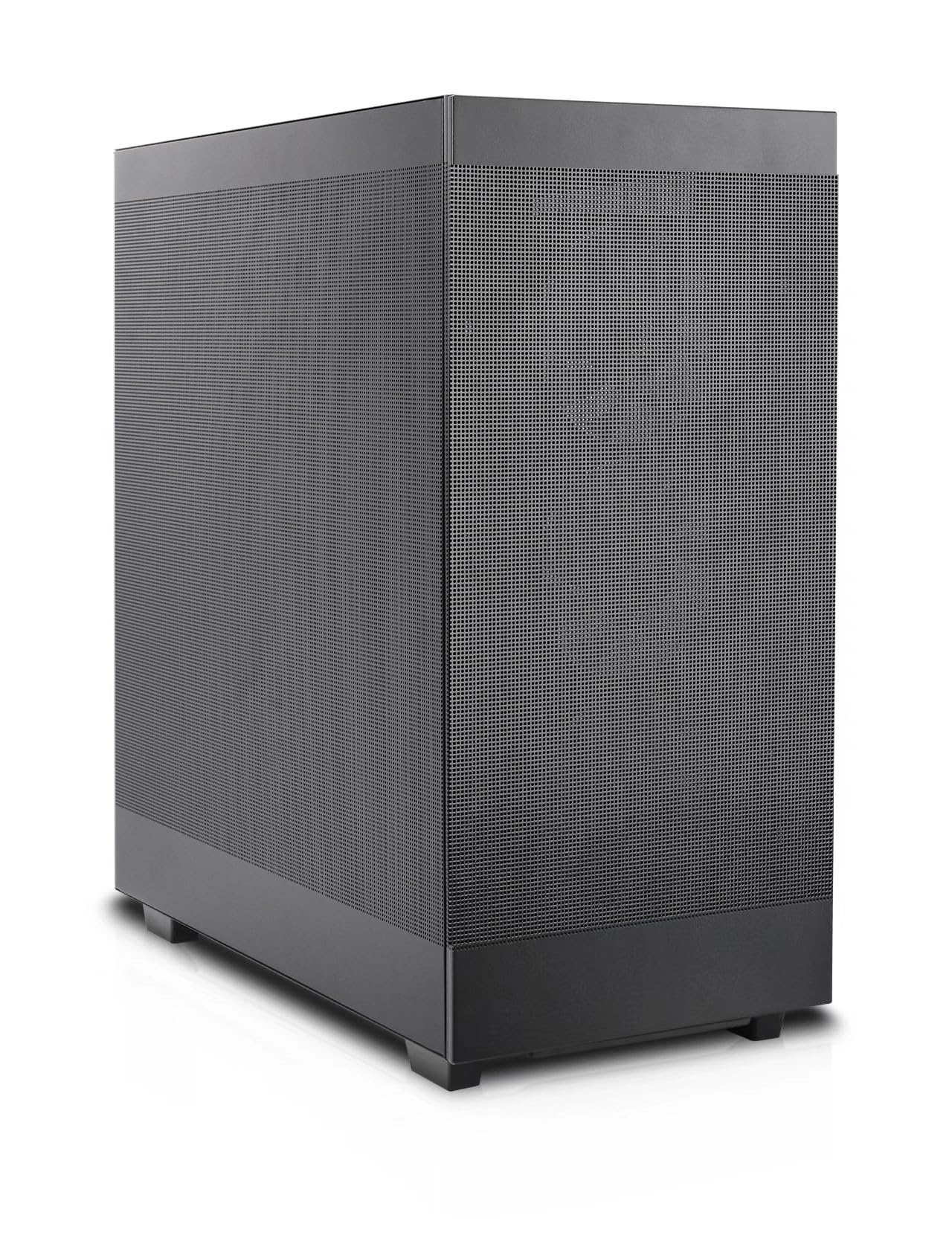
Figure 1: Rosewill Helium Flow Mid Tower Computer Case, angled view showing the mesh side panel.
คุณสมบัติหลัก:
- Tool-Free Disassembly: Side panels can be removed without tools for quick access and maintenance.
- Versatile Modular Design: Supports various configurations and dual 360mm liquid cooling solutions.
- Enhanced Cooling System: Features 1mm mesh ventilation holes for optimal airflow and dust resistance, ensuring efficient heat dissipation.
- ภายในกว้างขวาง: Accommodates GPUs up to 390mm with 40mm clearance from the side panel, suitable for high-end components and 12VHPWR cables.
- การประกอบที่ใช้งานง่าย: Designed for straightforward building, suitable for both new and experienced PC builders.
2. การตั้งค่าและการติดตั้ง
2.1 การเตรียมคดี
Before installing components, ensure the case is placed on a stable, flat surface. Remove the side panels by unscrewing the thumb screws at the rear and sliding the panels off. The tool-free design allows for easy access to the interior.

รูปที่ 2 : ภายใน view โดยเน้นที่การออกแบบพื้นที่ภายในที่กว้างขวางสำหรับการติดตั้งชิ้นส่วนต่างๆ
2.2 การติดตั้งส่วนประกอบ
- เมนบอร์ด : Install your ATX motherboard onto the pre-installed standoffs. Secure it with the provided screws.
- หน่วยจ่ายไฟ (PSU): The PSU mounts at the bottom of the case. Slide the PSU into its designated bay and secure it with screws from the rear.
- ไดรฟ์จัดเก็บข้อมูล: The case supports 2.5" and 3.5" drives. Utilize the mounting points behind the motherboard tray for installation.
- การ์ดจอ (GPU): Install your GPU into the appropriate PCIe slot. The spacious interior supports cards up to 390mm in length. A GPU support bracket is included and adjustable to prevent sag for larger cards.
- Cooling Fans and Radiators: The case supports up to ten 120mm cooling fans. Radiators up to 360mm can be installed at the top and front. An included 120mm PWM fan is pre-installed at the rear.
2.3 การจัดการสายเคเบิล
The case provides 28mm of space behind the motherboard tray for cable routing. Utilize the cable tie-down points and channels to organize cables, ensuring optimal airflow and a clean build appearance.

Figure 3: Cable management space behind the motherboard tray for a tidy build.
2.4 I/O ที่แผงด้านหน้า
The front panel provides convenient access to essential ports:
- พอร์ต USB 3.1 Type-C จำนวน 1 พอร์ต
- พอร์ต USB 1 3.0x
- Combination audio/microphone jack
- ปุ่มเปิดปิด
- ปุ่มรีเซ็ต

Figure 4: Front panel I/O for easy peripheral connection.
3. Operating and Cooling
The Rosewill Helium Flow case is designed for high-airflow operation, ensuring your components remain cool under load. The 1mm mesh panels on the front, top, and sides facilitate unrestricted air intake and exhaust.

Figure 5: Airflow diagram demonstrating the case's cooling potential.
For optimal cooling performance, ensure that fans are installed to create a balanced airflow, typically with intake fans at the front and exhaust fans at the rear and top.
4. การบำรุงรักษา
Regular maintenance helps prolong the life of your components and ensures consistent performance. The mesh panels act as a dust filter, but periodic cleaning is recommended.
4.1 การทำความสะอาดเคส
- ภายนอก: เช็ดพื้นผิวภายนอกด้วยผ้านุ่ม damp ผ้า. หลีกเลี่ยงน้ำยาทำความสะอาดที่มีฤทธิ์กัดกร่อน
- Interior and Mesh Panels: Use compressed air to remove dust from the mesh panels and internal components. For stubborn dust, the side panels can be easily removed for thorough cleaning.
- แฟนๆ: ทำความสะอาดใบพัดลมอย่างเบามือด้วยแปรงขนนุ่มหรือลมเป่า เพื่อป้องกันฝุ่นละอองสะสม ซึ่งอาจขัดขวางการไหลเวียนของอากาศ
5 การแก้ไขปัญหา
หากคุณพบปัญหาในระหว่างหรือหลังการประกอบ โปรดพิจารณาขั้นตอนการแก้ไขปัญหาทั่วไปต่อไปนี้:
- ระบบไม่เปิดเครื่อง: Double-check all power connections, including the 24-pin ATX, 8-pin CPU, and GPU power cables. Ensure the PSU switch is in the 'ON' position. Verify front panel header connections (power switch, reset switch).
- ความร้อนสูงเกินไป: Confirm all fans are spinning correctly and installed in the correct orientation for optimal airflow (intake/exhaust). Ensure CPU cooler and GPU fans are functioning. Check for dust buildup on mesh panels and components.
- ไม่มีการแสดงผล: Ensure the monitor is connected to the graphics card (not the motherboard integrated graphics, unless no dedicated GPU is present). Reseat the graphics card and RAM modules.
- การเชื่อมต่อหลวม: During transport or after initial build, components can sometimes become loose. Reseat all major components and cables.
6. ข้อมูลจำเพาะ
| คุณสมบัติ | ข้อมูลจำเพาะ |
|---|---|
| ยี่ห้อ | โรสวิลล์ |
| ชุด | Helium Flow |
| ชื่อรุ่น | Helium Flow |
| ประเภทเคส | มิดทาวเวอร์ |
| ความเข้ากันได้ของเมนบอร์ด | เอทีเอ็กซ์ |
| สี | สีดำ |
| วัสดุ | เหล็กอัลลอยด์ |
| ขนาดสินค้า (กxยxส) | 17.5 x 9.05 x 19.44 นิ้ว (444.5 x 230 x 494 มม.) |
| น้ำหนักสินค้า | 20.2 ปอนด์ |
| จำนวนพอร์ต USB 3.0 | 1 |
| ประเภทการติดตั้งแหล่งจ่ายไฟ | การติดตั้งด้านล่าง |
| วิธีการทำความเย็น | อากาศ |
| ความยาวสูงสุดของ GPU | 390มม. |
| ความสูงสูงสุดของตัวระบายความร้อนซีพียู | 165มม. |
| ฐานรองหม้อน้ำ | Dual 360mm (Top and Side) |
7. วิดีโอผลิตภัณฑ์
วิดีโอ 1: ผลิตภัณฑ์อย่างเป็นทางการเสร็จสิ้นview of the Rosewill Helium Flow case, demonstrating its features and design. (Duration: 1:01)
8. การรับประกันและการสนับสนุน
Rosewill products are designed for reliability and performance. For specific warranty details, please refer to the warranty card included with your product or visit the official Rosewill website. For technical support, product inquiries, or assistance with your Rosewill Helium Flow case, please contact Rosewill customer service through their official channels.
Rosewill Inc.
Webเว็บไซต์: Rosewill Store on Amazon