
TOPBULL d13acba1-c391-48cc-ac30-5e435a6d4e56
TOPBULL 3000W Pure Sine Wave Power Inverter User Manual
Model: d13acba1-c391-48cc-ac30-5e435a6d4e56
1. บทนำ
This user manual provides essential information for the safe and efficient operation of your TOPBULL 3000W Pure Sine Wave Power Inverter. This inverter is designed to convert 12V DC power from a battery source to 110V/120V AC power, suitable for various electronic devices and home appliances. It offers a continuous output of 3000W and a peak power of 6000W, making it ideal for vehicle, home, RV, truck, and off-grid solar system applications.

Figure 1: TOPBULL 3000W Pure Sine Wave Power Inverter and accessories.
The inverter utilizes advanced pure sine wave technology, ensuring a stable and clean power output comparable to utility power, which helps protect your sensitive electronics from damage. Its robust aircraft aluminum housing and intelligent cooling system contribute to its durability and efficient performance.
2. คำแนะนำด้านความปลอดภัย
Always prioritize safety when installing and operating the power inverter. Failure to follow these instructions may result in serious injury or damage to the equipment.
- การระบายอากาศที่เหมาะสม: Ensure the inverter is installed in a well-ventilated area to prevent overheating. Do not block the cooling fans or air passages.
- ขั้วที่ถูกต้อง: Always connect the battery cables with the correct polarity (positive to positive, negative to negative). Incorrect connections can cause severe damage to the inverter and battery.
- ขนาดสายเคเบิล: Use appropriately sized, high-quality pure copper cables for connecting the inverter to the battery. Undersized or poor-quality cables can overheat and pose a fire hazard, especially under heavy loads.
- Pre-charging Capacitors: Before making the final positive connection to the battery, briefly touch the positive cable to the battery terminal to pre-charge the inverter's capacitors. This prevents a large spark.
- คุณสมบัติการป้องกัน: The inverter includes built-in protections against overload, overvoltage, อันเดอร์โวลtage, high temperature, short circuit, leakage, and reverse polarity. While these features enhance safety, proper installation and operation are still crucial.
- สภาพแวดล้อมที่แห้ง: Install the inverter in a dry location, away from water, moisture, and flammable materials.
- การจัดการโหลด: Do not exceed the inverter's continuous power rating (3000W) or peak power rating (6000W). Overloading can trigger protection shutdowns or damage the unit.
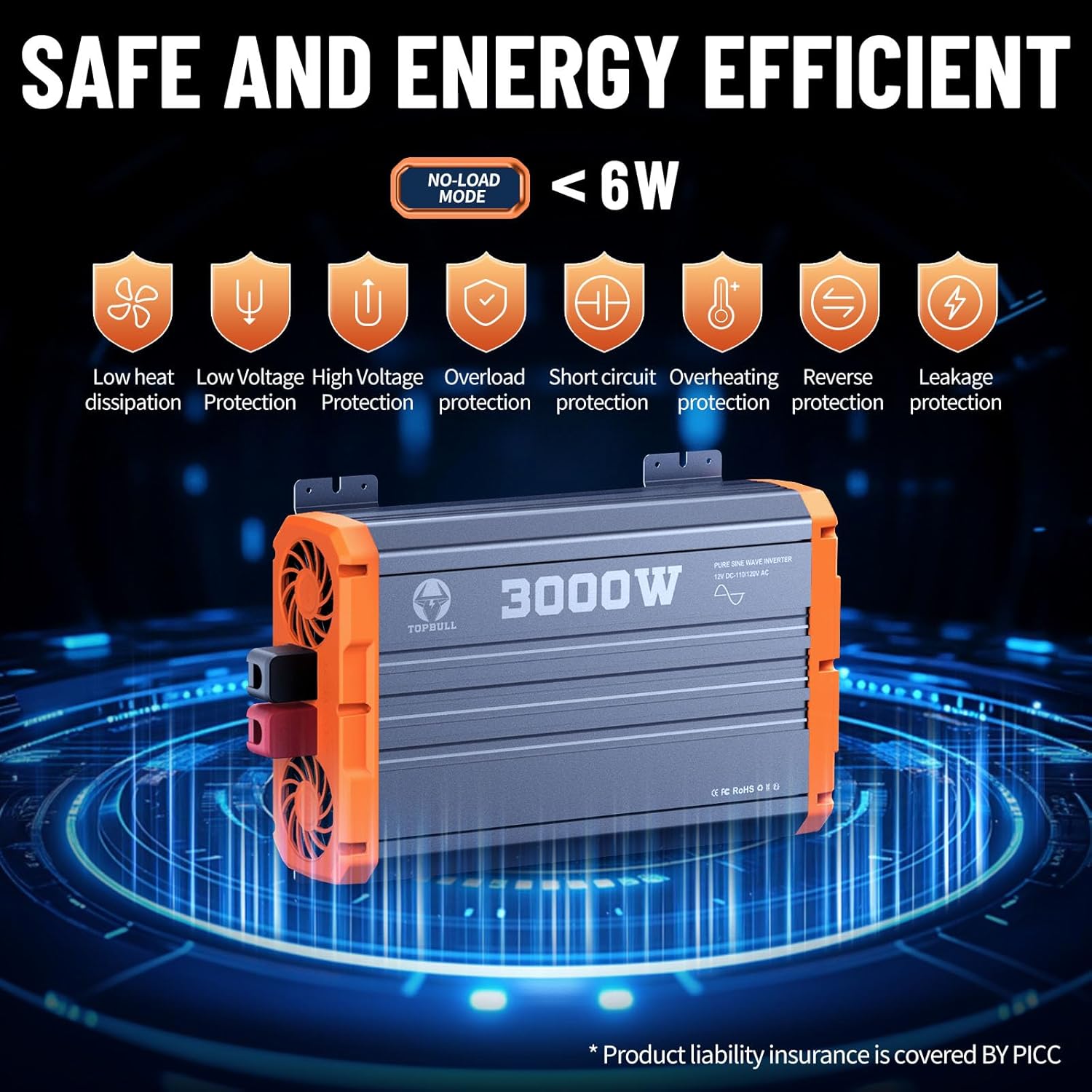
Figure 2: Inverter's comprehensive safety protection features.
3. เนื้อหาบรรจุภัณฑ์
Upon unpacking your TOPBULL 3000W Pure Sine Wave Power Inverter, please verify that all the following items are included and in good condition:
- 1 x TOPBULL 3000W Pure Sine Wave Power Inverter Unit
- 1 x คู่มือผู้ใช้
- 2 x Battery Cables (1 Red for Positive, 1 Black for Negative)
- 1 x Remote Controller with Display
- 1 x Remote Control Cable (16.5 feet)
- ฟิวส์สำรอง 12 ชิ้น (30A)

รูปที่ 3: รายการทั้งหมดที่รวมอยู่ในแพ็คเกจผลิตภัณฑ์
If any items are missing or damaged, please contact TOPBULL customer support immediately.
4. สินค้าหมดview
Familiarize yourself with the various components and ports of your inverter for optimal use.

Figure 4: Labeled diagram of the inverter's features and ports.
คุณสมบัติแผงด้านหน้า:
- เต้ารับไฟฟ้ากระแสสลับ: Two U.S. standard AC outlets (110V/120V) for connecting your appliances.
- พอร์ต USB: Standard USB-A port for charging compatible devices.
- พอร์ต Type-C: USB Type-C fast charging port for modern devices.
- จอแสดงผล LCD: Shows real-time operational status, including wattage, ปริมาณการส่งออกtage, ปริมาณแบตเตอรี่tage, temperature, and battery capacity. It also displays error codes.
- สวิตช์เปิด/ปิด: สวิตซ์ไฟหลักสำหรับอินเวอร์เตอร์
- พอร์ตการควบคุมระยะไกล: Connects the wired remote controller for convenient operation from a distance.
คุณสมบัติแผงด้านหลัง:
- ขั้วต่ออินพุต DC: Large positive (red) and negative (black) terminals for connecting to your 12V DC battery bank.
- พัดลมระบายความร้อน: Dual intelligent temperature-controlled cooling fans to dissipate heat and maintain optimal operating temperature.

Figure 5: The wired remote controller for convenient operation.
5. การตั้งค่า
Proper setup is critical for the safe and efficient performance of your inverter.
5.1. การเชื่อมต่อกับแบตเตอรี่
- เตรียมสายเคเบิล: Ensure you are using high-quality, appropriately sized pure copper cables for your battery connections. The included cables are suitable for initial testing, but for sustained high-power applications, consider upgrading to thicker gauge pure copper cables to minimize heat generation and maximize efficiency.
- การเชื่อมต่อที่ปลอดภัย: Loosen the nuts on the inverter's DC input terminals. Connect the red battery cable to the positive (+) terminal of the inverter and the black battery cable to the negative (-) terminal. Tighten the nuts securely.
- Pre-charge Capacitors: Before connecting the positive cable to the battery, briefly touch the positive cable's terminal to the positive battery post. This will create a small spark as the inverter's internal capacitors pre-charge. This is a normal and necessary step to prevent a larger spark when making the final connection.
- การเชื่อมต่อแบตเตอรี่ขั้นสุดท้าย: Connect the black battery cable to the negative (-) terminal of your 12V battery. Then, securely connect the red battery cable to the positive (+) terminal of your 12V battery.

Figure 6: Inverter connected to a 12V battery.
5.2. การติดตั้งอินเวอร์เตอร์
The inverter features integrated mounting brackets for secure installation. Choose a stable, dry, and well-ventilated location. Ensure there is sufficient clearance around the cooling fans for proper airflow.
6. คู่มือการใช้งาน
6.1. การเปิด/ปิดเครื่อง
- สวิตช์หลัก: Flip the ON/OFF switch on the inverter's front panel to the "ON" position. The internal cooling fans will briefly activate upon startup and then turn off if no significant load is detected, or if the unit is cool.
- รีโมทคอนโทรล: Connect the remote control cable to the dedicated port on the inverter. Ensure the main ON/OFF switch on the inverter is in the "OFF" position to enable remote control functionality. Press the button on the remote controller to power the inverter on or off.
6.2. ทำความเข้าใจเกี่ยวกับจอแสดงผล LCD
The dual LCD displays (on the inverter and remote controller) provide real-time feedback on the inverter's status:
- เอาท์พุต วัดtagอี (W): Displays the current power consumption of connected devices.
- ปริมาณการส่งออกtagอี (วี): แสดงปริมาณไฟฟ้ากระแสสลับขาออกtage (เช่น 110V/120V)
- ปริมาณแบตเตอรี่tagอี (วี): Indicates the current DC voltagของแบตเตอรี่ของคุณ
- อุณหภูมิ (°C/°F): ตรวจสอบอุณหภูมิภายในของอินเวอร์เตอร์
- ตัวบ่งชี้ความจุแบตเตอรี่: Provides a visual representation of the remaining battery charge.
- Error Codes/Symbols: Flashing symbols or messages will appear to notify you of any issues (e.g., overload, low voltagเช่น อุณหภูมิสูง)
6.3. การเชื่อมต่อเครื่องใช้ไฟฟ้า
Once the inverter is powered on, you can connect your AC appliances to the two standard AC outlets. For charging smaller devices, use the USB-A or Type-C ports.

รูปที่ 7: อดีตamples of appliances that can be powered by the inverter.
The inverter is capable of powering a wide range of US electrical equipment up to 3000W, including electric drills, car washers, refrigerators, air conditioners, and various electronic devices. Always ensure the total wattage of your connected devices does not exceed the inverter's capacity.
7. การบำรุงรักษา
Regular maintenance ensures the longevity and reliable performance of your inverter.
- รักษาความสะอาด: Periodically clean the exterior of the inverter, especially the cooling fan vents, to prevent dust and debris buildup. Use a soft, dry cloth.
- ตรวจสอบสายเคเบิล: Regularly check the battery cables and connections for any signs of wear, corrosion, or loose connections. Tighten connections as needed.
- การเปลี่ยนฟิวส์: If the inverter stops functioning due to an overload or short circuit, a fuse may have blown. Refer to the user manual for specific instructions on how to safely replace the internal fuses. Use only the specified 30A fuses.
- พื้นที่จัดเก็บ: When not in use for extended periods, store the inverter in a cool, dry place. Disconnect it from the battery.
8 การแก้ไขปัญหา
If your inverter is not functioning as expected, refer to the LCD display for error indications and consult the following common troubleshooting steps:
| ปัญหา | สาเหตุที่เป็นไปได้ | สารละลาย |
|---|---|---|
| อินเวอร์เตอร์ไม่เปิด | การเชื่อมต่อแบตเตอรี่หลวม, ปริมาณแบตเตอรี่ต่ำtagเช่น ฟิวส์ขาด | Check and tighten all battery connections. Charge or replace battery. Check and replace fuses if necessary. |
| Overload warning on display | โหลดที่เชื่อมต่อเกินความสามารถของอินเวอร์เตอร์ | ลดปริมาณน้ำรวมtage of connected appliances. Disconnect some devices. |
| คำเตือนอุณหภูมิสูง | การระบายอากาศไม่ดี โหลดมากเกินไป อุณหภูมิแวดล้อมสูง | Ensure proper airflow around the inverter. Reduce load. Move to a cooler environment. |
| ปริมาณต่ำ/สูงtagอีคำเตือน | ปริมาณแบตเตอรี่tage อยู่นอกช่วงที่ยอมรับได้ | Charge the battery if voltage is low. Check battery health if voltage is consistently high or unstable. |
| ไม่มีเอาท์พุต AC | Inverter is off, fault condition, or appliance issue. | Ensure inverter is on. Check for error codes. Test appliance with another power source. |
For persistent issues, contact TOPBULL technical support.
9. ข้อมูลจำเพาะ
| คุณสมบัติ | รายละเอียด |
|---|---|
| ยี่ห้อ | ท็อปบูล |
| ชื่อรุ่น | New-3000W Pure Sine Wave |
| หมายเลขรุ่น | d13acba1-c391-48cc-ac30-5e435a6d4e56 |
| กำลังขับต่อเนื่อง | 3000 วัตต์ |
| พลังสูงสุด | 6000 วัตต์ |
| อินพุต DC Voltage | กระแสตรง 12 โวลต์ |
| เอาต์พุต AC Voltage | กระแสไฟสลับ 110V/120V |
| รูปคลื่นเอาท์พุต | เพียวไซน์เวฟ |
| แหล่งพลังงาน | ใช้พลังงานแสงอาทิตย์และแบตเตอรี่ |
| ขนาดสินค้า | 14.57 x 9.06 x 3.86 นิ้ว |
| น้ำหนักสินค้า | 12.45 ปอนด์ |
| ผู้ผลิต | ท็อปบูล |

Figure 8: Pure Sine Wave Technology ensures stable and clean power.
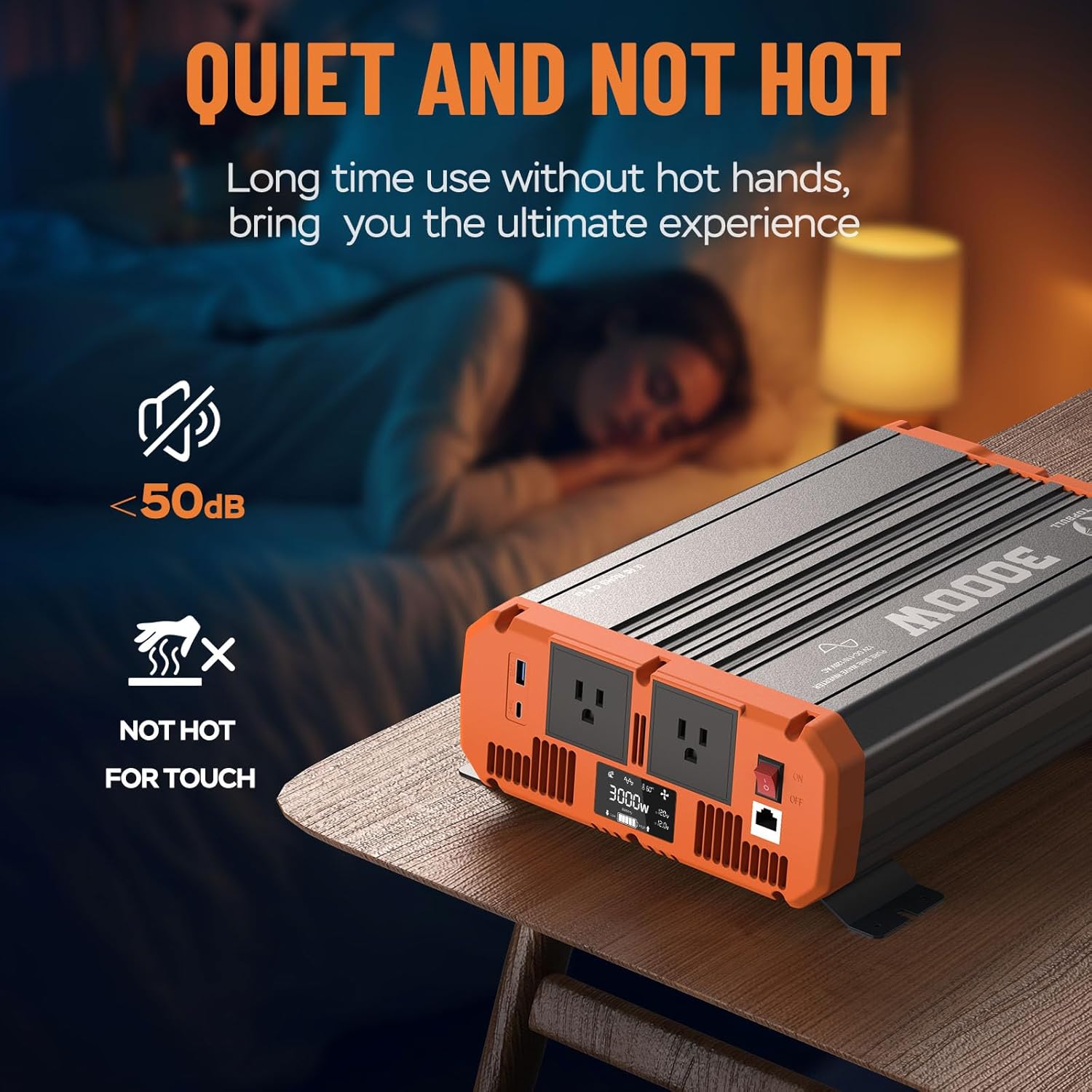
Figure 9: Inverter operates quietly and remains cool during use.
10. การรับประกันและการสนับสนุน
TOPBULL is committed to providing high-quality products and excellent customer service.
- การสนับสนุนด้านเทคนิค: TOPBULL offers 24/7 technical support to assist you with any questions or issues regarding your inverter.
- ความรับผิดชอบต่อผลิตภัณฑ์: Product liability insurance is covered by PICC, ensuring an additional layer of protection.
- ข้อมูลการรับประกัน: For detailed warranty terms and conditions, please refer to the product packaging or visit the official TOPBULL webเว็บไซต์.
Ask a question about this manual
Ask about setup, troubleshooting, compatibility, parts, safety, or missing instructions. Manuals+ will review the question and use this page’s manual context to help answer it.