
แอนเซล DS300
ANCEL DS300 Bidirectional Scan Tool Bundle
คู่มือการใช้งาน
1. บทนำ
The ANCEL DS300 is a state-of-the-art bidirectional scan tool designed for comprehensive vehicle diagnostics. This 2024 generation scanner offers full system diagnosis, active tests, and over 30 reset services. It is bundled with a protective OBD case for convenient storage and transport.
Equipped with an enhanced Android 10 operating system, a lightning-fast quad-core CPU, and a built-in 6300mAh battery, the DS300 ensures smooth and efficient performance. Its user-friendly design features both traditional buttons and a 7-inch touchscreen for intuitive operation.

Image: The ANCEL DS300 Bidirectional Scan Tool shown alongside its protective OBD case.
2. เนื้อหาบรรจุภัณฑ์
โปรดตรวจสอบว่าสินค้าทั้งหมดมีอยู่ในแพ็คเกจของคุณ:
- 1 x ANCEL DS300 Professional Bidirectional Scanner
- 1 x ANCEL Protective Waterproof Shockproof Eva Bag Storage Box
- Necessary cables and accessories (e.g., OBDII cable, power adapter)


Image: The ANCEL DS300 scan tool (left) and the protective storage case (right).
3. การตั้งค่าเริ่มต้น
The DS300 is designed for quick and easy setup. Follow these simple steps to get started:
- Select Your Language: Upon first boot-up, choose your preferred language from the available options.
- เชื่อมต่อกับ Wi-Fi: Connect the device to a stable Wi-Fi network to enable updates and online features.
- ยอมรับข้อกำหนดและเงื่อนไข: Review and accept the terms and conditions to proceed with device activation.
Once these steps are completed, the 10-in-1 interface will provide easy access to essential information and functions. The flat-back stand allows for convenient use in various settings.
4. Operating the DS300 Scan Tool
4.1. การวินิจฉัยระบบแบบเต็มรูปแบบ
The DS300 provides comprehensive access to all vehicle systems, including but not limited to:
- เครื่องยนต์
- การแพร่เชื้อ
- ระบบป้องกันล้อล็อกขณะเบรก (ABS)
- Supplemental Restraint System (SRS) / Airbag
- ระบบเบรกจอดรถแบบอิเล็กทรอนิกส์ (EPB)
- ระบบตรวจสอบความดันลมยาง (TPMS)
- เซ็นเซอร์มุมบังคับเลี้ยว (SAS)
ฟังก์ชันการวินิจฉัยที่สำคัญ ได้แก่:
- Read and Clear Codes: เรียกดูรหัสข้อผิดพลาดในการวินิจฉัย (DTC) และล้างรหัสเหล่านั้นหลังจากซ่อมแซมเสร็จแล้ว
- ข้อมูลแบบเรียลไทม์: Display real-time data in various formats (text, graph) for monitoring vehicle performance.
- Active Tests (Bi-directional Control): Send commands to vehicle systems to test component functionality (e.g., turn on/off fuel pump, cycle ABS solenoids).
- ตรึงข้อมูลเฟรม: View ภาพถ่ายแสดงสภาพรถในขณะที่รหัสข้อผิดพลาด (DTC) ถูกตั้งค่า
- รองรับโปรโตคอล: Supports various protocols including CAN and KWP for broad vehicle compatibility.
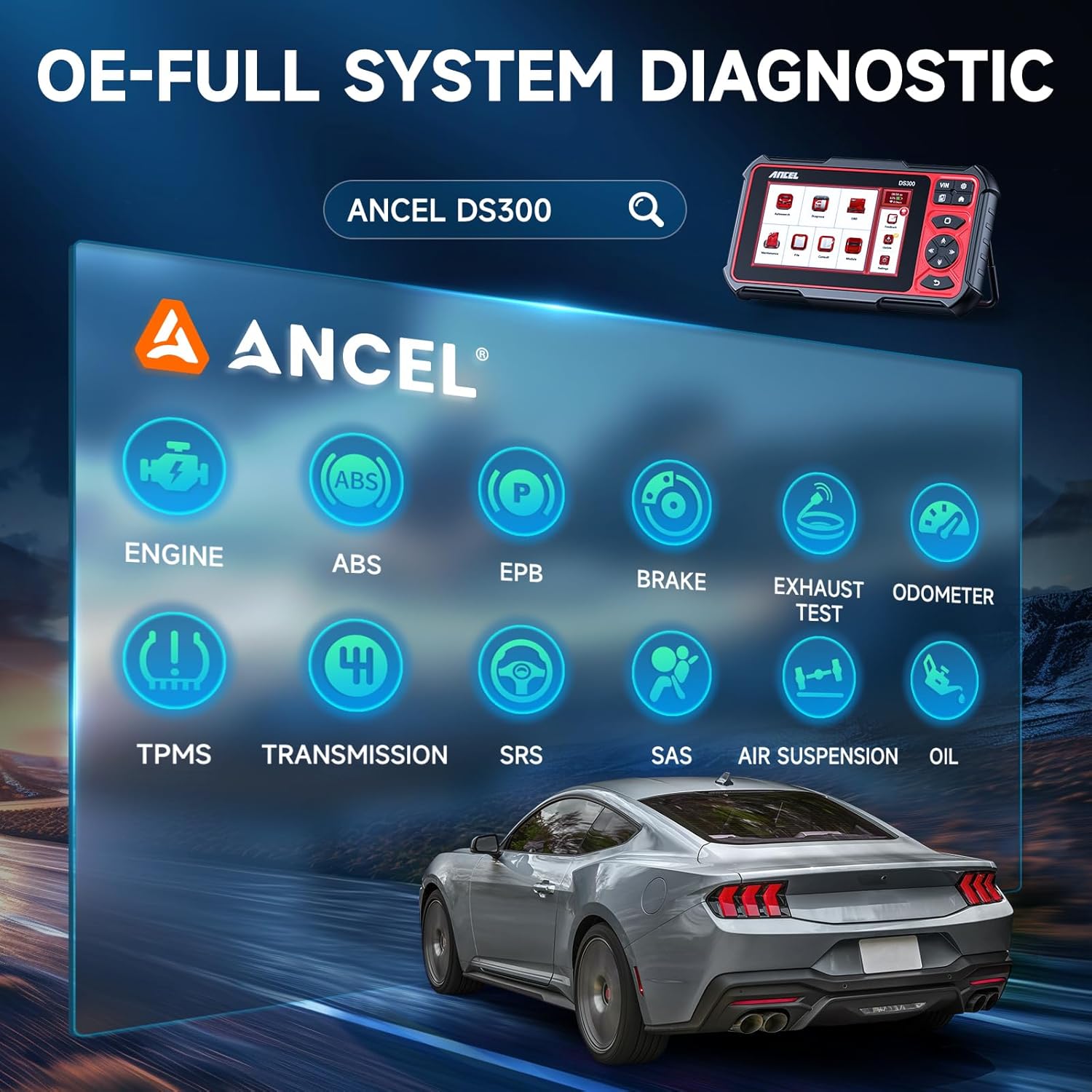
Image: Visual representation of the ANCEL DS300's OE-level full system diagnostic capabilities, including Engine, ABS, EPB, Brake, Exhaust Test, Odometer, TPMS, Transmission, SRS, SAS, Air Suspension, and Oil systems.
4.2. รีเซ็ตบริการ
The DS300 offers over 30 hot reset services to address common vehicle maintenance and repair needs. These services help in resetting various vehicle systems after component replacement or repair.
Examples of supported reset services include:
- รีเซ็ตน้ำมัน
- การจับคู่คันเร่ง
- Tire Pressure Reset
- Headlight Matching
- การจับคู่เกียร์
- การเรียนรู้เกียร์
- Suspension Level Calibration
- รีเซ็ต ODO
- รีเซ็ตถุงลมนิรภัย
- รีเซ็ตมุมบังคับเลี้ยว
- การจับคู่แบตเตอรี่
- การฟื้นฟู DPF
- การเข้ารหัสหัวฉีด

ภาพ: โอเวอร์view of the 30+ hot reset services available with the ANCEL DS300, including Oil, Injector, EGR, DPF, Brake, and TPMS resets.
5. การดูแลรักษา
To ensure the longevity and optimal performance of your ANCEL DS300 and its protective case, follow these guidelines:
- การทำความสะอาด: ใช้แบบนุ่มๆamp cloth to clean the device and case. Avoid abrasive cleaners or solvents.
- พื้นที่จัดเก็บ: Store the device in its protective case when not in use to prevent damage from dust, moisture, and impacts. The case is designed to be waterproof and shockproof.
- อุณหภูมิ: หลีกเลี่ยงการวางอุปกรณ์ไว้ในอุณหภูมิที่สูงหรือต่ำเกินไป (ร้อนหรือเย็นเกินไป) หรือโดนแสงแดดโดยตรงเป็นเวลานาน
- การดูแลแบตเตอรี่ เพื่อให้แบตเตอรี่ใช้งานได้นานที่สุด ควรหลีกเลี่ยงการปล่อยให้แบตเตอรี่หมดจนเกลี้ยงบ่อยๆ และควรชาร์จอุปกรณ์เป็นประจำ

Image: The ANCEL protective case demonstrating its waterproof capability, with water splashing over it.
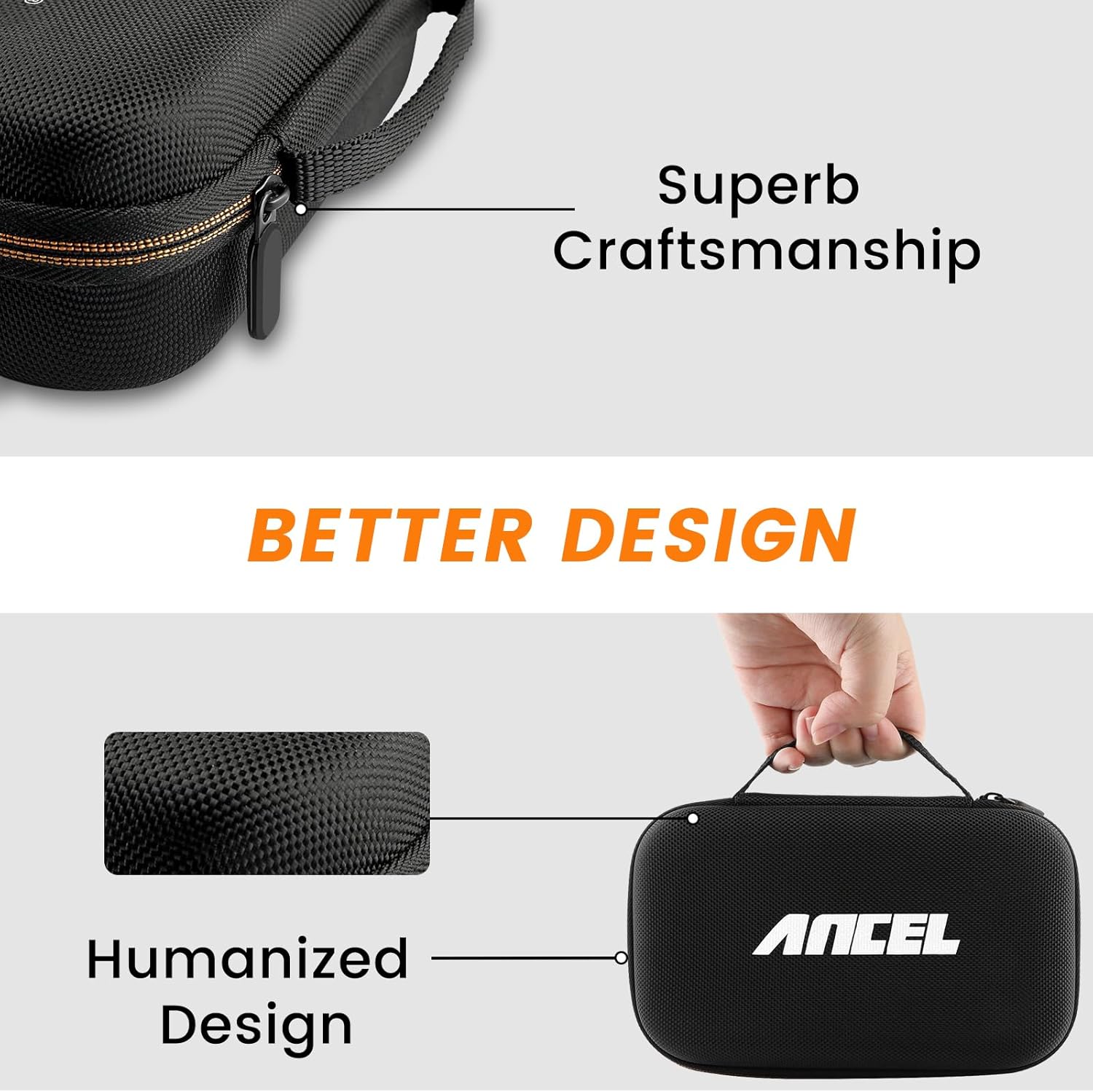
Image: Details highlighting the superb craftsmanship and humanized design of the ANCEL protective case.
6 การแก้ไขปัญหา
If you encounter issues with your ANCEL DS300, please refer to the following common solutions before contacting support:
- อุปกรณ์ไม่ได้เปิดเครื่อง: Ensure the device is fully charged or connected to a power source. Check the power button.
- ปัญหาการเชื่อมต่อ: Verify that the OBDII cable is securely connected to both the vehicle's OBDII port and the DS300. Ensure the vehicle's ignition is on.
- ซอฟต์แวร์ค้าง/ทำงานช้า: Restart the device. Ensure you have a stable Wi-Fi connection for updates.
- ข้อผิดพลาดในการวินิจฉัย: Confirm the vehicle's make, model, and year are correctly selected in the software. Ensure the vehicle's battery is adequately charged.
For more complex issues, please utilize the 24-hour online support feature.

Image: A visual representation of ANCEL's 24-hour online chat support, showing a conversation between a user and ANCEL service.
7. ข้อมูลจำเพาะทางเทคนิค
| คุณสมบัติ | คำอธิบาย |
|---|---|
| แบบอย่าง | DS300 |
| ระบบปฏิบัติการ | แอนดรอยด์ 10 |
| โปรเซสเซอร์ | ซีพียู 4 คอร์ |
| แสดง | หน้าจอสัมผัสขนาด 7 นิ้ว |
| แบตเตอรี่ | 6300mAh |
| การเชื่อมต่อ | Wi-Fi, Bluetooth (for certain functions) |
| ขนาดเคส | 8.1 x 5.8 x 2.8 นิ้ว (โดยประมาณ) |

Image: Diagram showing the dimensions of the ANCEL protective storage case: 8.1 inches (length), 5.8 inches (width), and 2.8 inches (height).
8. การรับประกันและการสนับสนุน
Your ANCEL DS300 comes with a commitment to ongoing support and updates:
- การอัปเดตซอฟต์แวร์: Enjoy 3 years of free software updates to ensure your tool remains compatible with the latest vehicle models and diagnostic protocols.
- การสนับสนุนทางออนไลน์: Benefit from efficient 24-hour online customer support for any queries or technical assistance you may require.
For support, please refer to the contact information provided within the device's software or on the official ANCEL webเว็บไซต์.