
1. บทนำ
This manual provides instructions for the BoxWave DirectSync PD 100W USB-C to USB-C Cable (10ft). This cable is designed for efficient power delivery and high-speed data transfer between compatible USB-C devices. It features a durable braided nylon construction and reinforced strain reliefs for enhanced longevity.
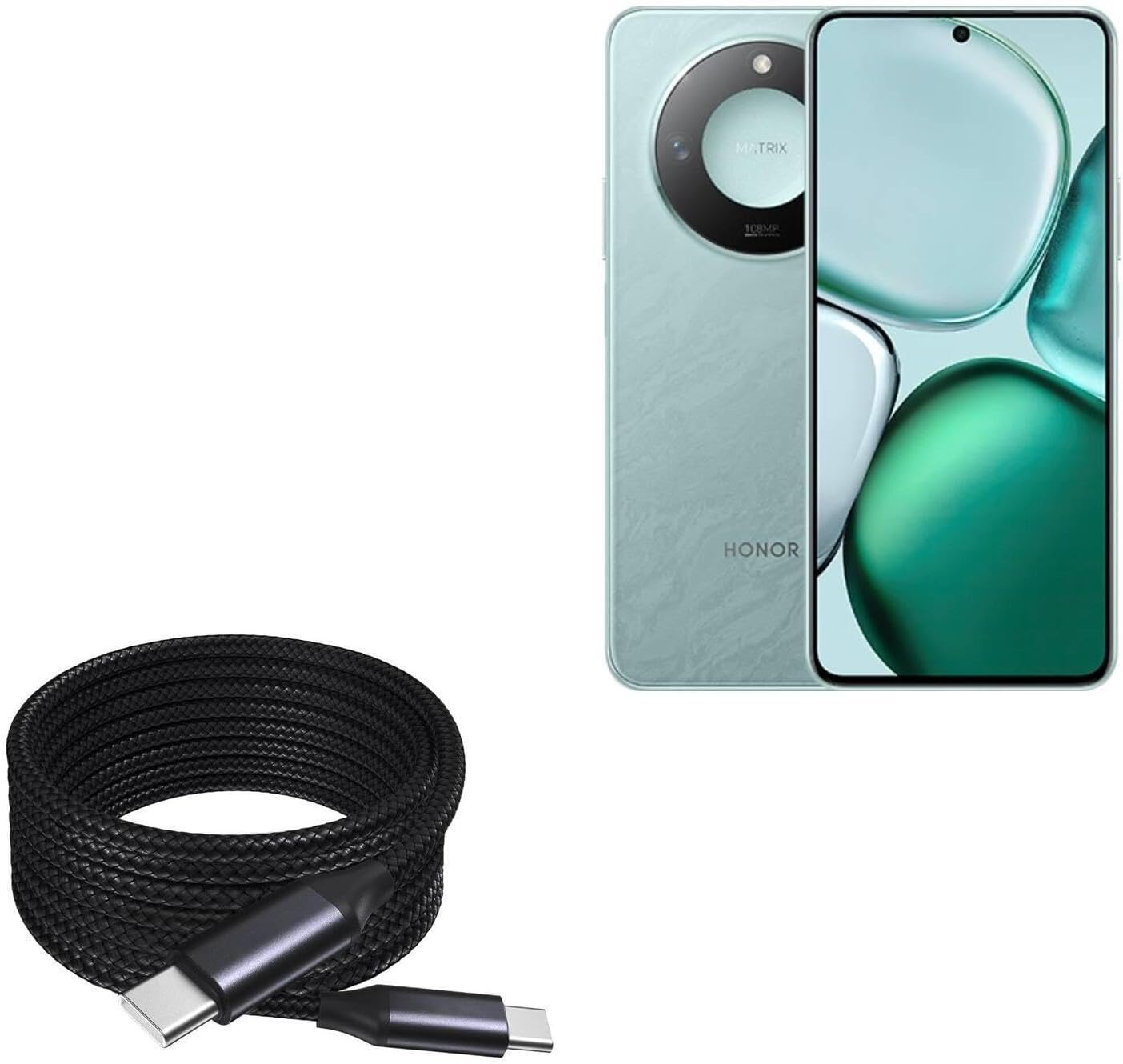
Image 1: The BoxWave DirectSync PD 100W USB-C to USB-C Cable (10ft) shown coiled next to a compatible smartphone, illustrating its design and intended use.
2. การตั้งค่าและการเชื่อมต่อ
The DirectSync PD Cable is designed for simple plug-and-play functionality. No software installation is required.
- ระบุพอร์ต: Ensure both your charging adapter/power source and your device have USB-C ports.
- เชื่อมต่อเพื่อชาร์จ: Insert one end of the USB-C cable into a compatible USB-C power adapter or power bank. Insert the other end into the USB-C charging port of your device (e.g., smartphone, tablet, laptop).
- เชื่อมต่อเพื่อถ่ายโอนข้อมูล: Insert one end of the USB-C cable into the USB-C port of your computer. Insert the other end into the USB-C port of your device. Your device should appear as a connected storage device on your computer.

ภาพที่ 2: ภาพระยะใกล้ view of the coiled braided nylon cable, highlighting the robust USB-C connectors at each end.
3. คู่มือการใช้งาน
3.1 การชาร์จพลังงานแบบจ่ายไฟ (PD)
The DirectSync PD Cable supports up to 100W Power Delivery, allowing for rapid charging of compatible devices, including laptops, tablets, and smartphones. For optimal charging speeds, ensure your power adapter also supports 100W PD or a wattage suitable for your device.
- เชื่อมต่อสายเคเบิลตามที่อธิบายไว้ในหัวข้อ 2
- The charging indicator on your device should activate, confirming power delivery.

Image 3: The DirectSync PD cable connected to a laptop, demonstrating its capability for high-wattagระบบจ่ายพลังงานไฟฟ้า
3.2 การถ่ายโอนข้อมูล
This cable facilitates high-speed data transfers up to 480Mbps, allowing you to sync files, photos, and videos between your devices and computer efficiently.
- Connect the cable between your device and computer as described in Section 2.
- Once connected, your device should be recognized by your computer, allowing you to access and transfer files.

Image 4: The cable simultaneously charging a smartphone and connected to a laptop, demonstrating its dual function for charging and data synchronization.
4. การบำรุงรักษา
Proper care will extend the life of your BoxWave DirectSync PD Cable.
- พื้นที่จัดเก็บ: Store the cable in a clean, dry place. Avoid tightly coiling or bending the cable at sharp angles, especially near the connectors.
- การทำความสะอาด: ใช้ผ้าแห้งนุ่มๆ เช็ดทำความสะอาดสายเคเบิลและขั้วต่อ ห้ามใช้สารเคมีรุนแรงหรือวัสดุที่มีฤทธิ์กัดกร่อน
- การจัดการ: Always grasp the connector head when plugging or unplugging the cable, rather than pulling on the cable itself. This prevents stress on the internal wires and reinforced strain reliefs.

ภาพที่ 5: รายละเอียด view of the braided nylon exterior, highlighting the cable's durable construction designed to resist tangles and fraying.

Image 6: A close-up of the rubberized grommet strain relief at the connector, designed to prevent cable fraying and enhance durability.
5 การแก้ไขปัญหา
- อุปกรณ์ไม่ชาร์จ:
- ตรวจสอบให้แน่ใจว่าปลายทั้งสองข้างของสายเคเบิลเชื่อมต่ออย่างแน่นหนา
- ตรวจสอบให้แน่ใจว่าอะแดปเตอร์แปลงไฟของคุณทำงานได้อย่างถูกต้องและเข้ากันได้กับข้อกำหนดการชาร์จของอุปกรณ์ของคุณ
- ตรวจสอบว่าพอร์ตชาร์จอุปกรณ์ของคุณสะอาดและไม่มีเศษขยะหรือไม่
- Confirm your power adapter supports Power Delivery (PD) for fast charging.
- การชาร์จช้า:
- ตรวจสอบให้แน่ใจว่าอะแดปเตอร์ไฟฟ้าของคุณมีกำลังไฟเพียงพอtage for your device. For 100W charging, a 100W PD adapter is required.
- Some devices may limit charging speed based on battery level or temperature.
- ปัญหาการโอนข้อมูล:
- ตรวจสอบให้แน่ใจว่าสายเคเบิลเชื่อมต่อกับทั้งอุปกรณ์และคอมพิวเตอร์อย่างแน่นหนาแล้ว
- Verify that your device is set to 'File Transfer' or 'MTP' mode when connected to a computer, if applicable.
- ลองเสียบเข้ากับพอร์ต USB-C อื่นบนคอมพิวเตอร์ของคุณดู
6. ข้อมูลจำเพาะ
| คุณสมบัติ | ข้อมูลจำเพาะ |
|---|---|
| ชื่อสินค้า | BoxWave DirectSync PD Cable |
| แบบอย่าง | DirectSync PD Cable |
| ประเภทขั้วต่อ | USB-C ถึง USB-C |
| การส่งกำลัง | สูงสุดถึง 100W |
| ความเร็วในการถ่ายโอนข้อมูล | สูงสุดถึง 480Mbps |
| ความยาวสายเคเบิล | 10 ฟุต (ประมาณ 3 เมตร) |
| วัสดุ | Braided Nylon, Rubberized Grommet Strain Relief |
| สี | สีดำเจ็ทแบล็ค |
| น้ำหนักสินค้า | 6 ออนซ์ |
7. การรับประกันและการสนับสนุน
For warranty information or technical support regarding your BoxWave DirectSync PD Cable, please refer to the official BoxWave webหรือติดต่อฝ่ายบริการลูกค้าโดยตรง โดยปกติแล้ว ข้อมูลการติดต่อจะอยู่ที่บรรจุภัณฑ์ของผลิตภัณฑ์หรือเว็บไซต์ของผู้ผลิต webเว็บไซต์.
Webเว็บไซต์: www.boxwave.com