
Wellspeed DC1154-8B/72
Wellspeed 72 Inch Ceiling Fan with Lights and Remote
Model: DC1154-8B/72 - Instruction Manual
ข้อมูลด้านความปลอดภัยที่สำคัญ
Read all instructions carefully before beginning installation. Failure to follow these instructions could result in electric shock, fire, or serious personal injury. Ensure all wiring is in accordance with national and local electrical codes.
- ตัดกระแสไฟที่เบรกเกอร์ก่อนทำการติดตั้งหรือซ่อมบำรุง
- การเชื่อมต่อไฟฟ้าทั้งหมดจะต้องทำโดยช่างไฟฟ้าที่มีคุณสมบัติเหมาะสม
- โครงสร้างสำหรับติดตั้งต้องสามารถรับน้ำหนักของพัดลมได้ (ประมาณ 27.7 ปอนด์)
- ห้ามใช้งานพัดลมหากใบพัดชำรุด
- Ensure proper clearance between fan blades and any obstacles.
เนื้อหาแพ็คเกจ
Verify that all components are present before beginning assembly. If any parts are missing or damaged, contact Wellspped customer service.

ภาพ: เหนือview of all included components, including fan motor, blades, downrods, remote control, and hardware.
- ชุดมอเตอร์พัดลม
- ใบพัดพัดลม (8 ใบ)
- Blade Brackets (8x)
- ก้านต่อ (มีให้เลือก 6 นิ้ว, 12 นิ้ว, 24 นิ้ว)
- หลังคาและโครงยึด
- ชุดไฟ LED
- รีโมทคอนโทรลพร้อมขาติดผนัง
- ชุดอุปกรณ์ฮาร์ดแวร์ (สกรู แหวนรอง ตัวเชื่อมสายไฟ)
- คู่มือการใช้งาน
การติดตั้งและการตั้งค่า
Follow these steps for proper assembly and installation of your Wellspped ceiling fan. A detailed installation video is available for visual guidance.
1. การประกอบใบมีด
- Attach each fan blade to a blade bracket using the provided screws and washers. Ensure screws are tightened securely.
- Attach the assembled blade and bracket to the fan motor housing. Repeat for all 8 blades.

Image: Assembly of fan blade to its mounting bracket.

Image: Securing a fan blade assembly to the motor unit.
2. LED Light Kit Installation
- Connect the LED light panel wires to the corresponding wires from the fan motor.
- Secure the LED light panel to the bottom of the fan motor housing with screws.
- Attach the light diffuser cover by twisting it into place.
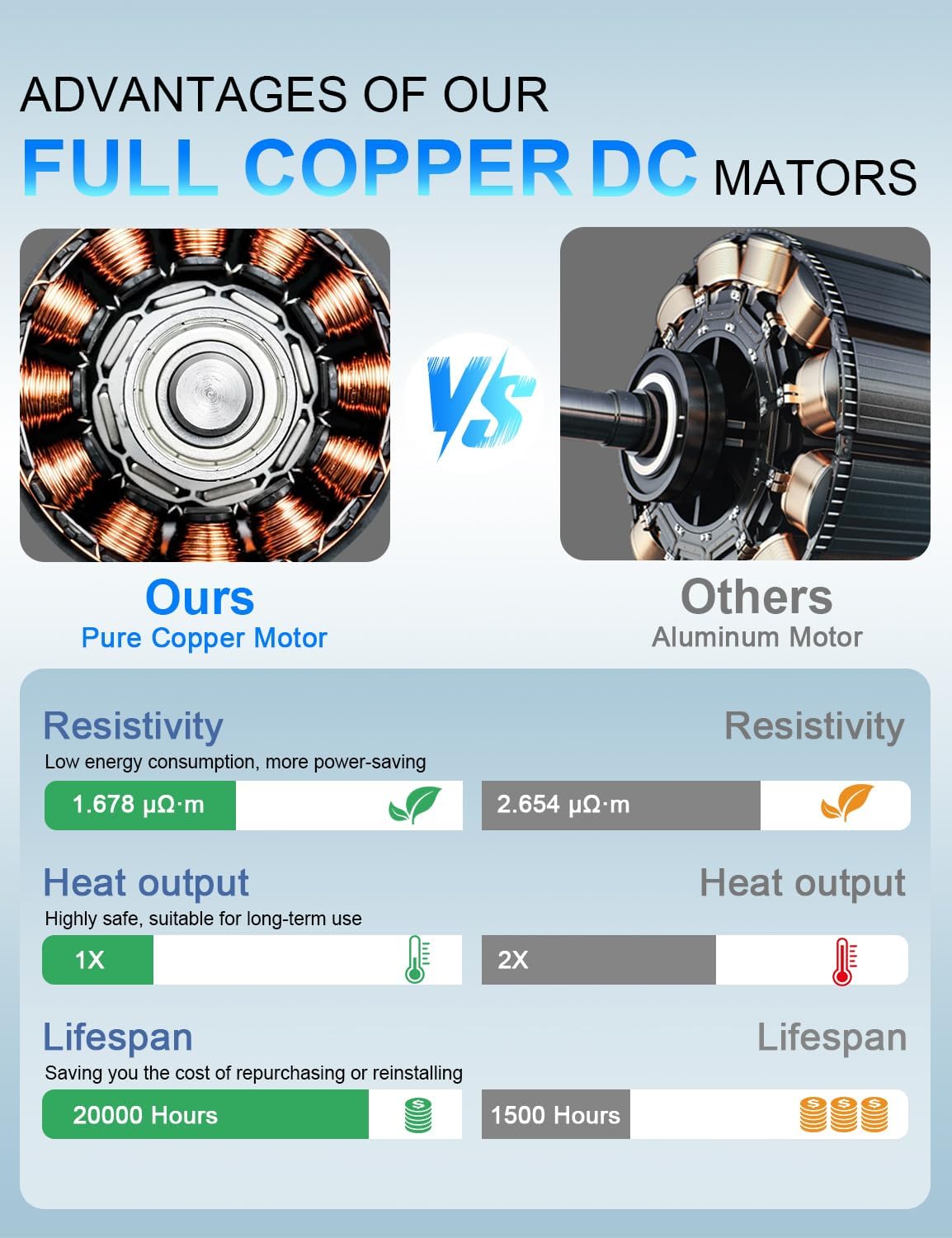
Image: Installation of the LED light panel and diffuser.
3. Downrod and Canopy Assembly
- Select the appropriate downrod length (6, 12, or 24 inches) for your ceiling height.
- Thread the fan wires and safety cable through the chosen downrod.
- Secure the downrod to the fan motor assembly using the provided pin and screws.
- Slide the canopy over the downrod.

Image: Downrod options and ceiling mounting types.
4. การติดตั้งและการเดินสายไฟ
- Install the mounting bracket to your ceiling junction box. Ensure it is securely fastened to a structural beam.
- แขวนชุดพัดลมเข้ากับขายึด
- Connect the electrical wires (Live, Neutral, Ground) from the fan to your household wiring using wire nuts. Connect the safety cable to the mounting bracket.
- Tuck all wires neatly into the junction box and slide the canopy up to cover the wiring and mounting bracket. Secure the canopy with screws.

Image: Electrical wiring connections for the ceiling fan.
Video: Detailed installation guide for the Wellspped large ceiling fan. This video demonstrates the unboxing, blade assembly, light kit installation, downrod attachment, and final wiring and mounting steps.
คำแนะนำการใช้งาน
Your Wellspped ceiling fan is controlled by the included remote. Ensure the remote has 2 AAA batteries installed (included).
ฟังก์ชั่นการควบคุมระยะไกล:

Image: Remote control layout and function guide.
- พัดลม เปิด/ปิด: กดปุ่มเปิด/ปิดพัดลมเพื่อเปิดหรือปิด
- ความเร็วพัดลม (1-6): ใช้ปุ่มหมายเลข 1-6 เพื่อเลือกความเร็วพัดลมที่ต้องการ โดยหมายเลข 1 คือความเร็วต่ำสุด และหมายเลข 6 คือความเร็วสูงสุด
- เปิด/ปิดไฟ: Press the light bulb button to turn the LED light on or off.
- Color Temperature (WW/NW/DW): Cycle through Warm White (3000K), Natural White (4000K), and Daylight White (6500K) settings.
- Brightness (+/-): ปรับความสว่างของแสงได้ตั้งแต่ 20% ถึง 100%
- ไปข้างหน้า/ย้อนกลับ: Change the direction of fan rotation for summer (downward airflow) or winter (upward airflow) modes.
- ตัวจับเวลา (1 ชั่วโมง/3 ชั่วโมง/6 ชั่วโมง): ตั้งค่าพัดลมให้ปิดอัตโนมัติหลังจากผ่านไป 1, 3 หรือ 6 ชั่วโมง
Airflow Modes:

Image: Summer and Winter airflow modes explained.
- โหมดฤดูร้อน (การไหลเวียนของอากาศลงด้านล่าง): Blades rotate counter-clockwise, pushing cool air down. Ideal for cooling.
- โหมดฤดูหนาว (การไหลเวียนของอากาศขึ้นด้านบน): Blades rotate clockwise, drawing cool air up and circulating warm air down the walls. Ideal for distributing heat.
การซ่อมบำรุง
การบำรุงรักษาตามปกติจะช่วยให้พัดลมเพดานของคุณมีประสิทธิภาพสูงสุดและมีอายุการใช้งานยาวนาน
- การทำความสะอาด: ใช้แบบนุ่มๆamp ผ้าสำหรับทำความสะอาดใบพัดลมและตัวเรือนมอเตอร์ ห้ามใช้น้ำยาทำความสะอาดที่มีฤทธิ์กัดกร่อนหรือตัวทำละลาย
- ความแน่นของใบมีด: Periodically check all blade screws for tightness. Loose screws can cause noise and wobble.
- แหล่งกำเนิดแสง: The integrated LED light source is designed for long life. If replacement is needed, contact Wellspped customer service for compatible parts.
การแก้ไขปัญหา
| ปัญหา | สาเหตุที่เป็นไปได้ | สารละลาย |
|---|---|---|
| พัดลมไม่เริ่มทำงาน | พัดลมไม่มีไฟเข้า; สายไฟหลวม; รีโมทคอนโทรลมีปัญหา | Check circuit breaker. Ensure all wire connections are secure. Replace remote batteries. |
| พัดลมสั่น | สกรูยึดใบใบพัดหลวม; ใบใบพัดไม่สมดุล; ตัวยึดหลวม | Tighten all blade screws. Ensure blades are installed correctly. Check mounting bracket for secure installation. |
| ไฟไม่ทำงาน | Loose wire connection; LED panel failure; remote control issue. | Check light kit wiring connections. Replace remote batteries. Contact customer service if LED panel is faulty. |
| การทำงานมีเสียงดัง | Loose screws; motor issue; blades hitting an obstruction. | Check and tighten all screws. Ensure no obstructions are near the blades. If noise persists, contact customer service. |
ข้อมูลจำเพาะ
- ชื่อรุ่น : DC1154-8B/72
- ขนาด: 72 นิ้ว
- ประเภทมอเตอร์: มอเตอร์ DC ทองแดงบริสุทธิ์
- ความจุการไหลของอากาศ: 6900 ลูกบาศก์ฟุตต่อนาที (CFM)
- ความเร็ว: 6 (Remote Controlled)
- แหล่งกำเนิดแสง: 18W LED, Dimmable (20%-100%)
- อุณหภูมิสี: 3000K (สีขาวอุ่น), 4000K (สีขาวธรรมชาติ), 6500K (สีขาวกลางวัน)
- วิธีการควบคุม: รีโมทคอนโทรล
- การใช้งานในร่ม/กลางแจ้ง: Indoor (Suitable for covered outdoor patios, avoid direct rain exposure)
- น้ำหนักสินค้า: 27.7 ปอนด์
- ขนาดสินค้า : 62"D x 62"W x 18.9"H (Note: 72-inch fan diameter, dimensions might refer to a specific configuration or packaging)
- แบตเตอรี่: 2 AAA batteries required for remote (included)
การรับประกันและการสนับสนุน
Wellspeed offers a comprehensive warranty for its products. If you experience a malfunction of accessories during use, such as lampshades, LED panels, or remote controls, Wellspped will replace your parts in brand new condition without any cost.
For further assistance, troubleshooting, or warranty claims, please contact Wellspped customer service. You can find contact information on the official Wellspped webเว็บไซต์หรือผ่านแพลตฟอร์มการซื้อของคุณ
Visit the official Wellspped Store for more information: Wellspeed Store
Ask a question about this manual
Ask about setup, troubleshooting, compatibility, parts, safety, or missing instructions. Manuals+ will review the question and use this page’s manual context to help answer it.