
Fisher FBX852K
Fisher FBX852K Bluetooth PA Stereo Speakers System Instruction Manual
Model: FBX852K
การแนะนำ
ขอบคุณสำหรับการซื้อasing the Fisher FBX852K Bluetooth PA Stereo Speakers System. This manual provides essential information for the safe and efficient operation of your speaker system. Please read it thoroughly before use and retain it for future reference.
ข้อมูลด้านความปลอดภัย
- อย่าให้เครื่องโดนฝนหรือความชื้นเพื่อป้องกันไฟไหม้หรือไฟฟ้าช็อต
- อย่าเปิดcasinก. ไม่มีชิ้นส่วนใดที่ผู้ใช้สามารถซ่อมบำรุงเองได้ภายใน แนะนำให้ช่างผู้ชำนาญการซ่อมบำรุงเป็นผู้รับผิดชอบ
- ตรวจสอบให้แน่ใจว่ามีการระบายอากาศที่เหมาะสม อย่าปิดกั้นช่องระบายอากาศใดๆ
- Use only the power cable provided by the manufacturer.
- เก็บเครื่องให้ห่างจากแหล่งความร้อน เช่น หม้อน้ำ เครื่องทำความร้อน เตา หรืออุปกรณ์อื่นๆ ที่ผลิตความร้อน
- ปกป้องสายไฟไม่ให้ถูกเหยียบหรือถูกหนีบ โดยเฉพาะที่ปลั๊ก เต้ารับไฟฟ้า และจุดที่สายไฟออกจากเครื่อง
เนื้อหาแพ็คเกจ
ตรวจสอบว่ารายการทั้งหมดที่ระบุไว้ด้านล่างนี้รวมอยู่ในแพ็คเกจของคุณ:
- Fisher FBX852K Bluetooth PA Stereo Speaker System
- สายไฟ
- บัตรรับประกัน
สินค้าเกินview
The Fisher FBX852K is a portable Bluetooth PA stereo speaker system designed for various audio applications, including karaoke, DJ performances, and parties. It features dual 8-inch speakers, 80W peak power output, LED lights, and multiple connectivity options.
แผงควบคุมโอเวอร์view
The control panel provides access to all functions and settings of the speaker system. Familiarize yourself with the layout before operation.
ภาพ: รายละเอียด view of the speaker's control panel, indicating inputs for TF card, AUX, DC 9V, USB, GT IN, MIC1, MIC2, and various control knobs and buttons for volume, echo, delay, mode, playback, X-BASS, power, treble, bass, and LED light functions.
ปุ่มควบคุมหลักประกอบด้วย:
- เปิด/ปิดเครื่อง: เปิดหรือปิดเครื่อง
- ปริมาณหลัก: ปรับระดับเสียงโดยรวม
- ระดับเสียงไมค์: ปรับระดับเสียงอินพุตไมโครโฟน
- เอฟเฟ็กต์เสียงสะท้อน/หน่วงเวลา: Controls the echo and delay effects for microphone input.
- เสียงแหลม/เบส: Adjusts the high and low frequencies of the audio output.
- โหมด: Switches between input sources (Bluetooth, FM, AUX, USB, TF Card).
- เอ็กซ์-เบส: ช่วยเพิ่มความถี่เสียงเบส
- LED ON/OFF / M.LED: Controls the LED light show.
- USB/TF Card Slot: For playing audio from USB flash drives or Micro SD cards.
- ช่องรับสัญญาณเสียงเข้า: อินพุต 3.5 มม. สำหรับอุปกรณ์เสียงภายนอก
- MIC Input (MIC1, MIC2): 6.35mm inputs for microphones.
- GT ใน: Input for guitar or other instruments.
การตั้งค่า
การชาร์จลำโพง
The speaker features a built-in rechargeable battery (3600mAh 7.4V) providing approximately 3 hours of playtime. Before first use, fully charge the speaker.
- Connect the provided power cable to the DC 9V input port on the speaker.
- เสียบปลายอีกด้านของสายไฟเข้ากับเต้ารับไฟฟ้ามาตรฐาน
- The charge indicator light will illuminate (typically red) during charging. It will change color or turn off when fully charged.
A battery level indicator light is present to monitor the charge status.

Image: The speaker highlighting its rechargeable battery and approximately 3 hours of playback time.
การเปิด/ปิดเครื่อง
กดปุ่มค้างไว้ เปิด/ปิดเครื่อง กดปุ่มบนแผงควบคุมเพื่อเปิดหรือปิดลำโพง
การดำเนินการ
จับคู่บลูทู ธ
The speaker uses Bluetooth 5.3 for wireless connectivity with a range of up to 33 feet.
- Turn on the speaker. It will automatically enter Bluetooth pairing mode, indicated by a flashing Bluetooth icon or voice prompt.
- บนอุปกรณ์เคลื่อนที่ของคุณ (สมาร์ทโฟน แท็บเล็ต ฯลฯ) เปิดใช้งานบลูทูธและค้นหาอุปกรณ์ที่มีอยู่
- Select "FBX852K" from the list of devices.
- Once paired, the speaker will confirm the connection, and the Bluetooth indicator will stop flashing.
ฟังก์ชัน True Wireless Stereo (TWS)
TWS allows you to connect two FBX852K speakers wirelessly for a stereo sound experience.

Image: Two speakers demonstrating the True Wireless Stereo (TWS) feature for expanded sound.
- Ensure both FBX852K speakers are powered on and not connected to any Bluetooth device.
- บนลำโพงตัวใดตัวหนึ่ง (ซึ่งจะเป็นลำโพงหลัก) ให้กดปุ่มค้างไว้ ทไวซ์ button (often combined with the Play/Pause button).
- ลำโพงหลักจะค้นหาลำโพงรอง เมื่อเชื่อมต่อแล้ว คุณจะได้ยินเสียงยืนยัน
- Now, connect your mobile device to the primary speaker via Bluetooth as described above. Both speakers will play audio in stereo.
การทำงานของวิทยุ FM
The speaker includes an FM radio with a digital LED display.
- กดปุ่ม โหมด ปุ่มเพื่อสลับไปยังโหมดวิทยุ FM
- กดปุ่ม เล่น/หยุดชั่วคราว ปุ่มสแกนและบันทึกสถานี FM ที่มีอยู่โดยอัตโนมัติ
- ใช้ ก่อนหน้า/ถัดไป ปุ่มสำหรับนำทางระหว่างสถานีที่บันทึกไว้
การเล่นไฟล์ผ่าน USB/Micro SD Card
Insert a USB flash drive or Micro SD card (TF card) into the respective slot on the control panel. The speaker will automatically detect the media and begin playback of compatible audio files (เช่น MP3)
- ใช้ ก่อนหน้า/ถัดไป ปุ่มสำหรับข้ามเพลง
- ใช้ เล่น/หยุดชั่วคราว ปุ่มเพื่อหยุดชั่วคราวหรือเล่นต่อ
Microphone and Karaoke Mode
Connect a microphone to either the MIC1 or MIC2 input for karaoke or public address.

Image: A microphone cable being inserted into one of the microphone input jacks on the speaker.
- ปรับแต่ง ระดับเสียงไมค์ ปุ่มควบคุมระดับเอาต์พุตของไมโครโฟน
- ใช้ เอคโค่ และ ล่าช้า knobs to add vocal effects.
การปรับการตั้งค่าเสียง
- ปริมาณหลัก: Rotate the main volume knob to increase or decrease the overall sound.
- เสียงแหลม/เบส: Use the dedicated knobs to fine-tune the high and low frequencies.
- เอ็กซ์-เบส: กดปุ่ม เอ็กซ์-เบส ปุ่มสำหรับเปิดหรือปิดใช้งานคุณสมบัติเพิ่มเสียงเบส
การแสดงแสงไฟ LED
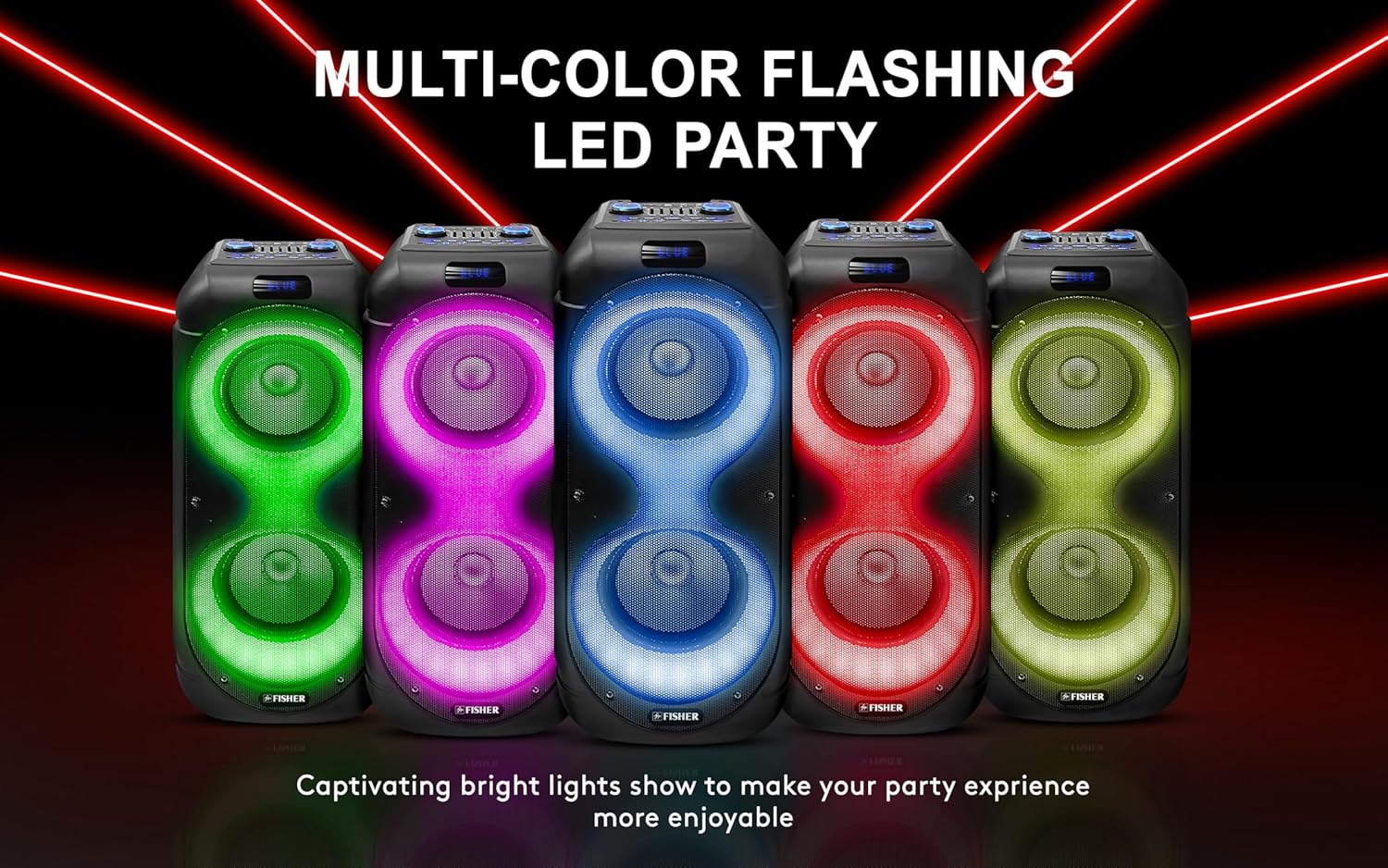
The speaker features 9 Light FX Show Modes that synchronize with your music.

Image: Several speakers showcasing different dynamic and multi-dimensional LED light patterns.
- กดปุ่ม ไฟ LED เปิด/ปิด or M.LED button to cycle through the different light modes or turn the lights off.
การซ่อมบำรุง
การทำความสะอาด
- ถอดสายไฟออกทุกครั้งก่อนทำความสะอาด
- ใช้ผ้าแห้งนุ่มเช็ดทำความสะอาดภายนอกลำโพง
- ห้ามใช้สารทำความสะอาดที่มีฤทธิ์กัดกร่อน ขี้ผึ้ง หรือตัวทำละลาย เพราะอาจทำให้พื้นผิวเสียหายได้
พื้นที่จัดเก็บ
- เก็บลำโพงไว้ในที่แห้งและเย็น หลีกเลี่ยงแสงแดดโดยตรงและอุณหภูมิที่สูงหรือต่ำเกินไป
- หากเก็บรักษาเป็นเวลานาน ควรชาร์จแบตเตอรี่เป็นระยะ (ทุก 3-6 เดือน) เพื่อรักษาสภาพแบตเตอรี่ให้ใช้งานได้ดี
การแก้ไขปัญหา
หากคุณพบปัญหาเกี่ยวกับลำโพงของคุณ โปรดดูปัญหาทั่วไปและวิธีแก้ไขต่อไปนี้:
| ปัญหา | สาเหตุที่เป็นไปได้ | สารละลาย |
|---|---|---|
| ไม่มีไฟฟ้า | Battery is depleted; Power cable not connected; Unit is off. | Charge the battery; Ensure power cable is securely connected; Press and hold the Power ON/OFF button. |
| ไม่มีเสียง | ระดับเสียงต่ำเกินไป เลือกโหมดอินพุตไม่ถูกต้อง อุปกรณ์ไม่ได้เชื่อมต่ออย่างถูกต้อง | Increase Master Volume; Press Mode button to select correct input; Re-pair Bluetooth device or check cable connections. |
| การเชื่อมต่อบลูทูธล้มเหลว | ลำโพงไม่ได้อยู่ในโหมดจับคู่ อุปกรณ์อยู่ไกลเกินไป มีสัญญาณรบกวน | Ensure speaker is in Bluetooth mode and flashing; Move device closer to speaker; Turn off other Bluetooth devices. |
| ไมโครโฟนไม่ทำงาน | Mic volume too low; Microphone not properly connected. | Increase Mic Volume; Ensure microphone is securely plugged into MIC1 or MIC2. |
ข้อมูลจำเพาะ
| คุณสมบัติ | รายละเอียด |
|---|---|
| หมายเลขรุ่น | FBX852K |
| กำลังขับ | กำลังไฟสูงสุด 80W |
| ขนาดลำโพง | จอคู่ 8 นิ้ว |
| การเชื่อมต่อ | Bluetooth 5.3, AUX, USB, Micro SD (TF Card), MIC Input (x2), GT Input |
| ช่วงบลูทูธ | สูงถึง 33 ฟุต |
| ความจุของแบตเตอรี่ | 3600mAh 7.4V |
| เวลาเล่น | ประมาณ 3 ชั่วโมง |
| ไฟ LED | 9 Light FX Show Modes |
| คุณสมบัติพิเศษ | True Wireless Stereo (TWS), X-BASS, Digital Equalizer, FM Radio, Karaoke Mode, Trolley Handle |
| วัสดุ | โลหะ, พลาสติก |
| น้ำหนักสินค้า | 13.2 ปอนด์ |
| ขนาด (กว้าง x สูง x ลึก) | 10.6 x 27.6 x 10.6 นิ้ว |

Image: The speaker with its dimensions clearly marked.
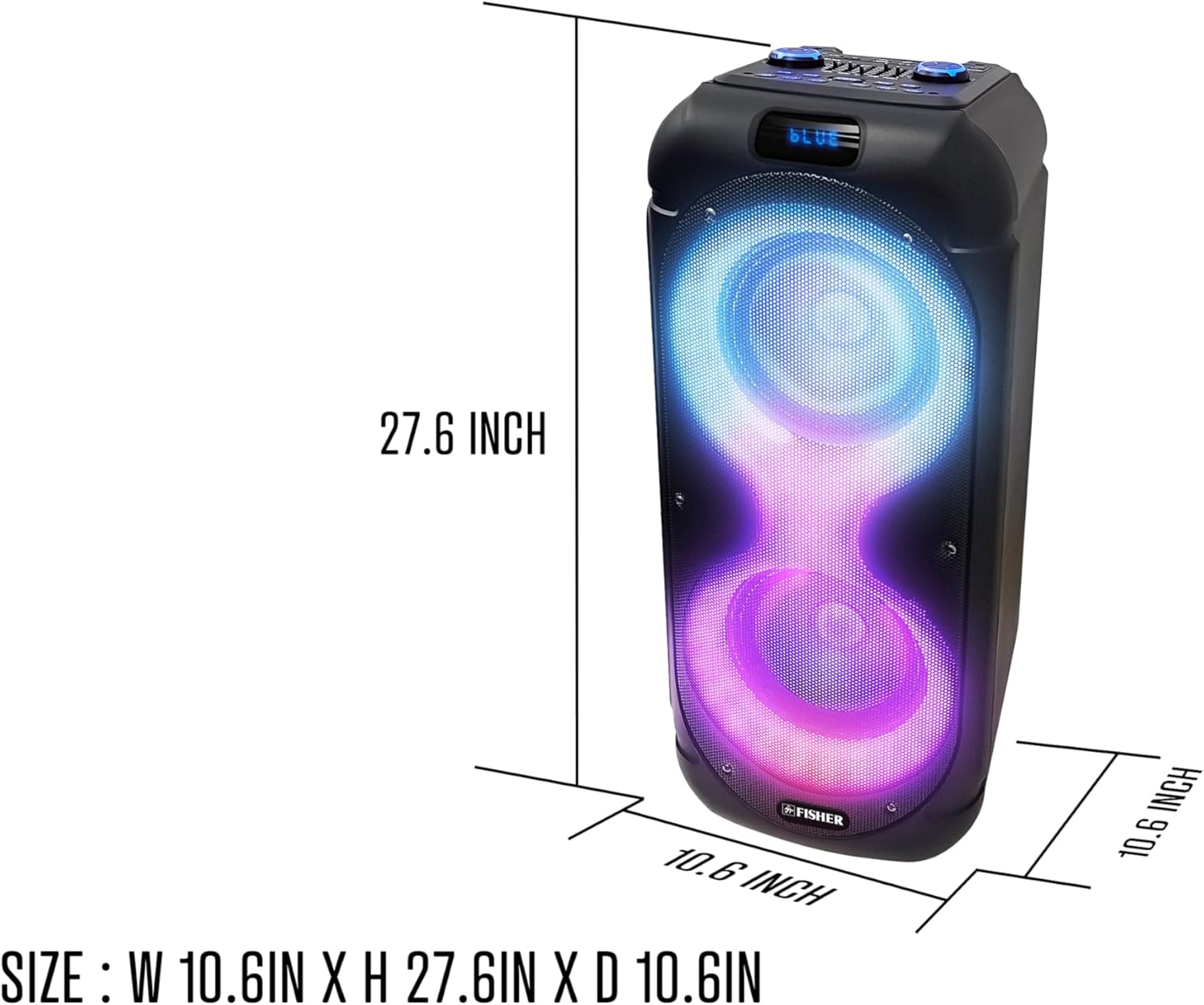
Image: A person demonstrating the portability of the speaker, highlighting its extendable carry handle.
การรับประกันและการสนับสนุน
For warranty information and customer support, please refer to the warranty card included in your package. You may also visit the official Fisher webเว็บไซต์สำหรับแหล่งข้อมูลเพิ่มเติมและข้อมูลการติดต่อ