
การแนะนำ
Thank you for choosing the Grandder 47x24 Inch Electric Standing Desk with Keyboard Tray. This manual provides detailed instructions for assembly, operation, maintenance, and troubleshooting to ensure safe and efficient use of your new desk. This electric height-adjustable desk is designed to promote a healthier work environment by allowing seamless transitions between sitting and standing positions.
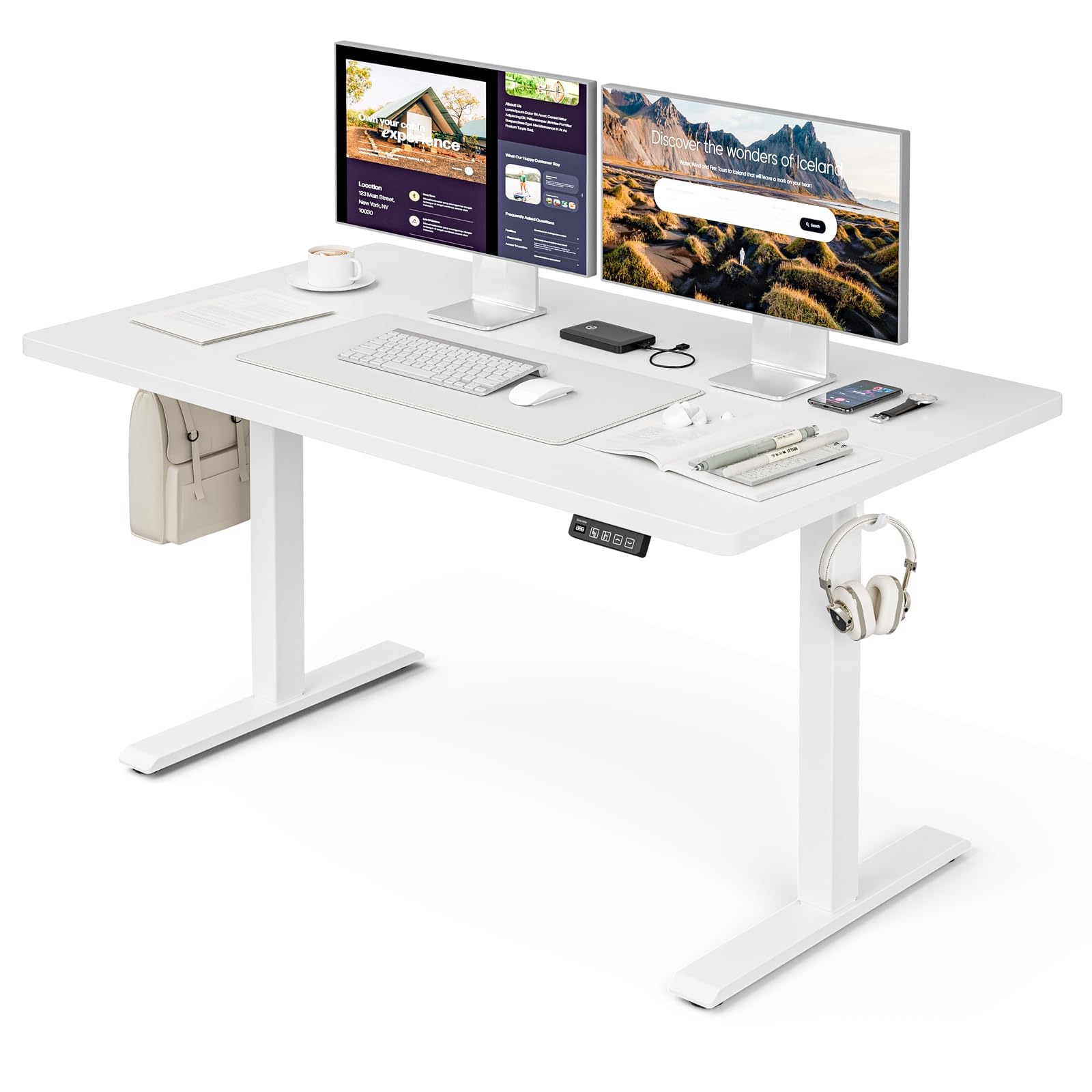
The Grandder 47x24 Inch Electric Standing Desk with Keyboard Tray, featuring a white desktop and frame, integrated keyboard tray, and a control panel for height adjustment.
ข้อมูลด้านความปลอดภัย
ข้อควรระวังด้านความปลอดภัยทั่วไป
- ห้ามเกินน้ำหนักสูงสุดที่กำหนดไว้ 176 ปอนด์ (80 กก.) on the desktop. Overloading can cause damage or injury.
- Always use the motorized lift with caution. Ensure no obstructions are present during height adjustments to prevent injury or damage to property.
- โปรดกันเด็กและสัตว์เลี้ยงให้อยู่ห่างจากโต๊ะทำงานขณะทำการผ่าตัด
- Ensure all cables are properly managed and secured to prevent tripping hazards or entanglement with moving parts.
- ห้ามนั่งหรือยืนบนโต๊ะ
- ตัดการเชื่อมต่อไฟฟ้าก่อนทำความสะอาดหรือดำเนินการบำรุงรักษาใดๆ
เนื้อหาแพ็คเกจ
โปรดตรวจสอบให้แน่ใจว่าส่วนประกอบทั้งหมดครบถ้วนก่อนเริ่มประกอบ หากมีชิ้นส่วนใดสูญหายหรือเสียหาย โปรดติดต่อฝ่ายสนับสนุนลูกค้า
- โต๊ะทำงาน (แผงเชื่อมต่อ)
- ขาโต๊ะ (2)
- Foot Pads (4)
- มอเตอร์และกล่องควบคุม
- แผงควบคุม
- Keyboard Tray and Rails
- Earphone Hooks (2)
- สายรัดสายไฟ (3)
- อะแดปเตอร์แปลงไฟและสายเคเบิล
- อุปกรณ์ประกอบ (สกรู, โบลต์, ฯลฯ)
- L-shaped Allen Wrench
- คู่มือการใช้งาน
การติดตั้งและการประกอบ
Assembly typically takes approximately 30 minutes. All parts are labeled, and an L-shaped Allen wrench is included for convenience. Follow the step-by-step instructions provided in the separate assembly guide for detailed visual instructions.
Pre-Assembly Considerations
- เลือกพื้นที่ประกอบที่โล่งและกว้างขวาง
- Lay out all components and hardware, matching them against the package contents list.
- Ensure the power outlet is easily accessible once the desk is in its final position.

Desk dimensions: 47 inches wide, 24 inches deep, with a height range of 28 to 45.6 inches.
ขั้นตอนการประกอบที่สำคัญ
- Attach the desk legs to the desktop using the provided hardware.
- Install the motor and control box according to the assembly guide.
- Mount the control panel to the underside of the desktop in an accessible location.
- Assemble and attach the keyboard tray rails and the keyboard tray itself.
- Install the adjustable foot pads on the bottom of the desk legs to ensure stability on uneven floors.
- Attach the earphone hooks to the side of the desk for convenient storage.
- Use the included cable ties to manage and secure power and peripheral cables, maintaining a tidy workspace.

Included accessories: two earphone hooks for organization, four adjustable foot pads for stability, and three cable ties for cable management.
คำแนะนำการใช้งาน
Powering On and Initial Use
- Connect the power adapter to the control box and plug it into a wall outlet.
- The LED display on the control panel will illuminate, indicating the current desk height.
การปรับความสูง
The desk can be adjusted electrically from a minimum height of 28.3 inches to a maximum height of 47.2 inches. The motorized lift operates smoothly and quietly (less than 45dB).
- กดปุ่ม Up arrow (↑) ปุ่มสำหรับยกโต๊ะขึ้น
- กดปุ่ม Down arrow (↓) ปุ่มสำหรับปรับระดับโต๊ะลง
- Release the button at your desired height. The LED display shows the real-time height.

The control panel features an LED display for real-time height tracking, memory buttons for preset heights, and up/down adjustment buttons.

The desk operates with a smooth and quiet motor, maintaining noise levels below 45dB during height adjustments.
หน่วยความจำที่ตั้งไว้ล่วงหน้า
The control panel includes memory buttons to save and quickly recall your preferred sitting and standing heights.
- ปรับโต๊ะให้อยู่ในระดับความสูงที่คุณต้องการ
- กดปุ่ม M button (or similar memory set button, indicated by a person sitting/standing icon) until the display flashes.
- Press one of the numbered preset buttons (e.g., 1 or 2) เพื่อบันทึกความสูงปัจจุบันลงในค่าที่ตั้งไว้ล่วงหน้านั้น
- To recall a saved height, simply press the corresponding preset button. The desk will automatically move to the saved position.
Keyboard Tray Usage
The integrated keyboard tray provides additional space and ergonomic benefits. It has a maximum load capacity of 10 กก. (22 ปอนด์).

The sturdy keyboard tray is designed to save working space and enhance typing comfort, supporting a maximum load of 10 kg.
ระบบป้องกันการชน
The desk is equipped with an anti-collision system that automatically stops and slightly reverses the desk's movement if it encounters an obstruction during height adjustment. This feature protects against damage and injury.
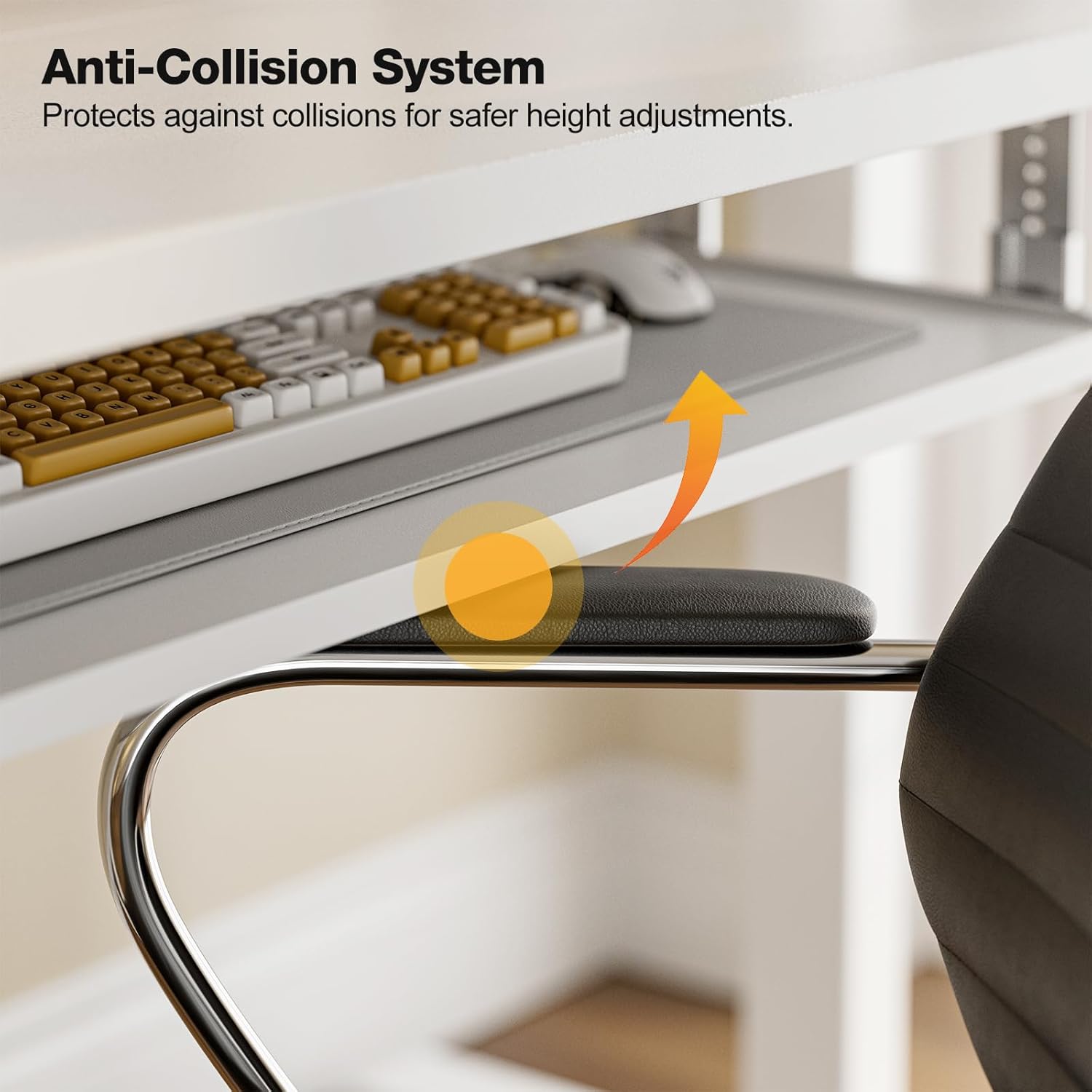
The anti-collision system protects against impacts by stopping and reversing desk movement when an obstruction is detected.
การซ่อมบำรุง
การทำความสะอาด
- เช็ดพื้นเดสก์ท็อปและกรอบด้วยผ้าเนื้อนุ่มamp ผ้า หลีกเลี่ยงน้ำยาทำความสะอาดที่มีฤทธิ์กัดกร่อนหรือสารเคมีรุนแรง
- Ensure the desk is unplugged before cleaning.
การตรวจสอบเป็นประจำ
- ตรวจสอบสกรูและน็อตทั้งหมดเป็นระยะเพื่อให้แน่ใจว่าแน่นสนิทดีแล้ว หากจำเป็นให้ขันให้แน่นอีกครั้ง
- Inspect the power cable for any signs of damage. If damaged, discontinue use and contact support.
การแก้ไขปัญหา
If you encounter any issues with your Grandder standing desk, please refer to the following common troubleshooting steps:
| ปัญหา | สาเหตุที่เป็นไปได้ | สารละลาย |
|---|---|---|
| โต๊ะไม่ขยับ / ไม่มีไฟ | Power cable disconnected; Power outlet malfunction; Control box issue. | Check if the power cable is securely plugged into both the desk and the wall outlet. Try a different outlet. Ensure all connections to the control box are secure. |
| Desk moves unevenly or makes unusual noise | Uneven load; Loose connections; Obstruction. | Ensure weight is evenly distributed on the desktop. Check all assembly screws and bolts for tightness. Inspect for any obstructions in the lifting mechanism. |
| Anti-collision system triggers frequently | Obstruction in path; Sensitivity setting. | Clear any objects from the desk's path. Refer to the full assembly guide for instructions on adjusting anti-collision sensitivity, if available. |
| การตั้งค่าหน่วยความจำล่วงหน้าใช้งานไม่ได้ | ค่าที่ตั้งไว้ล่วงหน้าถูกบันทึกไม่ถูกต้อง | Re-save your desired heights by following the memory preset instructions in the Operating Instructions section. |
If the problem persists after attempting these solutions, please contact Grandder customer support for further assistance.
ข้อมูลจำเพาะ
| คุณสมบัติ | รายละเอียด |
|---|---|
| ยี่ห้อ | แกรนด์เดอร์ |
| แบบอย่าง | โต๊ะยืนไฟฟ้าขนาด 47x24 นิ้ว |
| การออกแบบโต๊ะทำงาน | โต๊ะทำงาน |
| รูปร่าง | สี่เหลี่ยมผืนผ้า |
| ขนาดสินค้า (ลึก x กว้าง x สูง) | 60D x 120W x 74H Centimetres (approx. 23.6D x 47.2W x 29.1H Inches) |
| ความสูงขั้นต่ำ | 28.3 นิ้ว |
| ความสูงสูงสุด | 47.2 นิ้ว |
| สี | สีขาว |
| ประเภทวัสดุยอดนิยม | เมลามีน |
| วัสดุฐาน | โลหะ |
| คำแนะนำน้ำหนักสูงสุด | 176 ปอนด์ (80 กก.) |
| Motorized Lift Speed | 25มม./วินาที |
| ระดับเสียง | น้อยกว่า 45dB |
| คุณสมบัติพิเศษ | Ergonomic, Electric Height Adjustable, Keyboard Tray Included, Anti-Collision System |
| จำเป็นต้องประกอบ | ใช่ (มีเครื่องมือให้ครบ) |
การรับประกันและการสนับสนุน
ข้อมูลการรับประกัน
Grandder products are manufactured with quality and durability in mind. For specific warranty details regarding your electric standing desk, please refer to the warranty card included in your package or visit the official Grandder website. Typically, warranty covers manufacturing defects and motor malfunctions under normal use.
การสนับสนุนลูกค้า
Should you require assistance with assembly, operation, or troubleshooting that is not covered in this manual, please contact Grandder customer support. Have your product model number and purchase date ready when contacting support.
- การสนับสนุนทางออนไลน์: Visit the Grandder official webเว็บไซต์นี้มีส่วนคำถามที่พบบ่อย (FAQ) และแบบฟอร์มติดต่อ
- การสนับสนุนทางอีเมล์: โปรดตรวจสอบบรรจุภัณฑ์ของผลิตภัณฑ์หรือบัตรรับประกันเพื่อดูที่อยู่อีเมลฝ่ายบริการลูกค้า