
SABLUTE MA22 Plus
SABLUTE MA22 Plus Wireless Ergonomic Keyboard and Mouse Combo User Manual
Model: MA22 Plus | Brand: SABLUTE
1. บทนำ
Thank you for choosing the SABLUTE MA22 Plus Wireless Ergonomic Keyboard and Mouse Combo. This manual provides essential information for setting up, operating, and maintaining your new device. Please read it thoroughly to ensure optimal performance and longevity of your product.

Image 1.1: SABLUTE MA22 Plus Wireless Ergonomic Keyboard and Mouse Combo.
2. เนื้อหาบรรจุภัณฑ์
ตรวจสอบว่ามีรายการทั้งหมดอยู่ในแพ็คเกจของคุณ:
- 1 x SABLUTE MA22 Plus Ergonomic Wireless Keyboard
- 1 x Multi-Function Wireless Mouse
- 1 x USB-A 2.4G Wireless Dongle
- 1 x ตัวแปลง USB-C
- สายชาร์จ 1 x USB-C
- 1 x คู่มือผู้ใช้ (เอกสารนี้)

Image 2.1: Included components: keyboard, mouse, USB dongle, USB-C converter, and charging cable.
3. คำแนะนำในการตั้งค่า
3.1. การเชื่อมต่อแป้นพิมพ์และเมาส์
- Locate the 2.4G USB Wireless Dongle. It may be stored in the mouse's battery compartment or a dedicated slot.
- Plug the USB-A 2.4G Wireless Dongle into an available USB-A port on your computer. If your computer only has USB-C ports, use the provided USB-C Converter by plugging the dongle into the converter, then plugging the converter into your computer's USB-C port.
- Turn on the keyboard and mouse using their respective power switches. The devices should automatically connect to your computer.
- For Mac users, press Fn + เอส to switch to Mac mode. For Windows users, press Fn + ก เพื่อเปลี่ยนไปใช้โหมด Windows

Image 3.1: The 2.4G USB Wireless Dongle and USB-C Converter for versatile connectivity.
3.2. การชาร์จอุปกรณ์
The keyboard and mouse are Type-C rechargeable. Use the provided USB-C charging cable to charge them.
- Connect the USB-C end of the charging cable to the charging port on the keyboard or mouse.
- เชื่อมต่อปลาย USB-A ของสายชาร์จเข้ากับแหล่งจ่ายไฟ USB (เช่น พอร์ต USB ของคอมพิวเตอร์ อะแดปเตอร์ติดผนัง USB)
- การชาร์จเต็มโดยทั่วไปจะใช้เวลา 2-3 ชั่วโมง
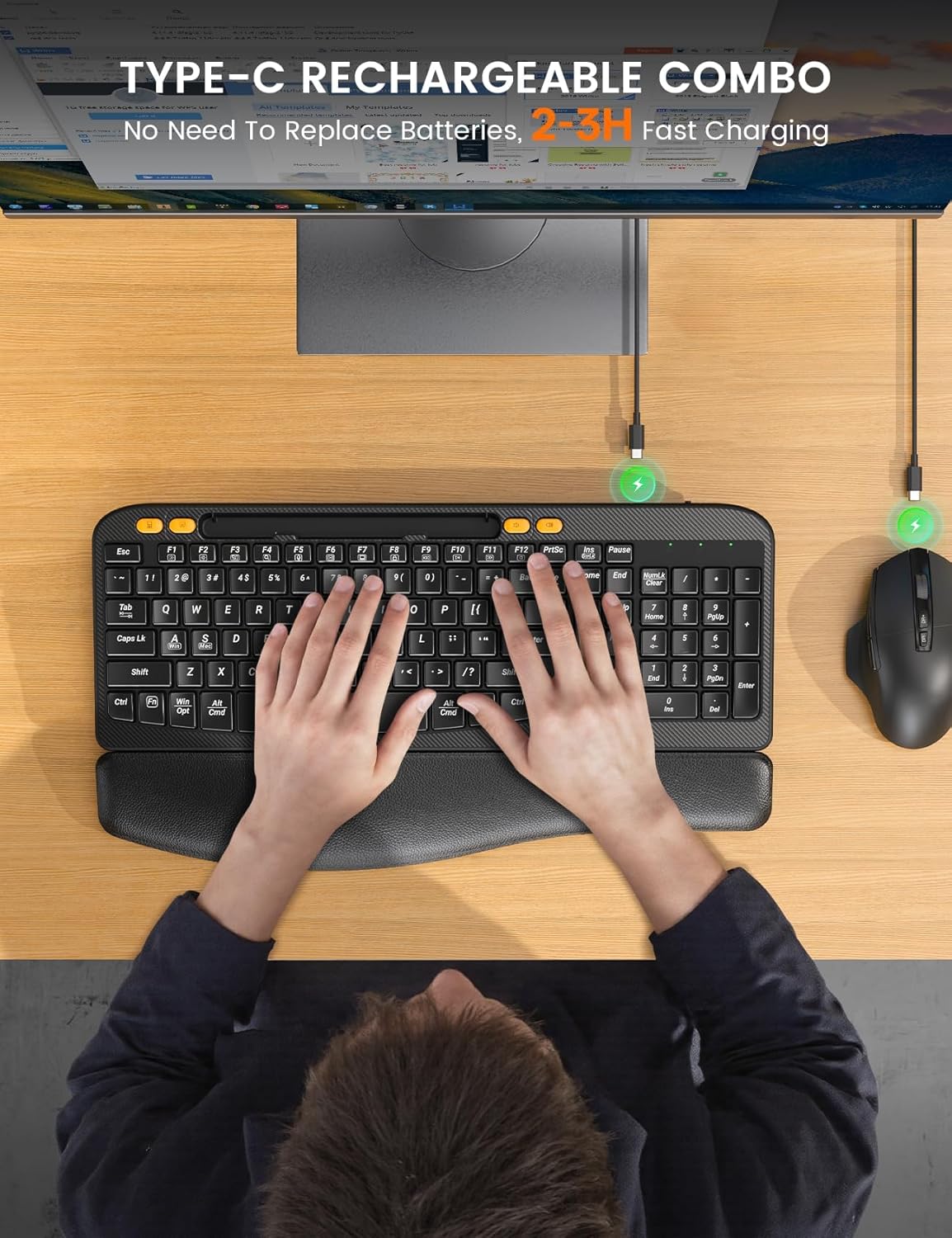
Image 3.2: Charging the keyboard and mouse using the USB-C cable.
4. คู่มือการใช้งาน
4.1. คุณสมบัติของแป้นพิมพ์
- ดีไซน์โค้งตามหลักสรีรศาสตร์: The keyboard features an ergonomic arc design that naturally fits the curve of the palm, reducing wrist pressure and promoting a neutral typing posture.
- Soft Leather Wrist Rest: An integrated sponge-filled leather wrist rest provides soft support, dispersing pressure and relieving fatigue during long typing sessions.

Image 4.1: Layers of the soft leather wrist rest, including Togo-style leather, high-density foam support, and a sturdy plastic bottom.
- ขาปรับเอียงได้: The keyboard includes adjustable tilt legs on the underside, allowing you to set a 7-degree angle for enhanced comfort and ergonomic typing.
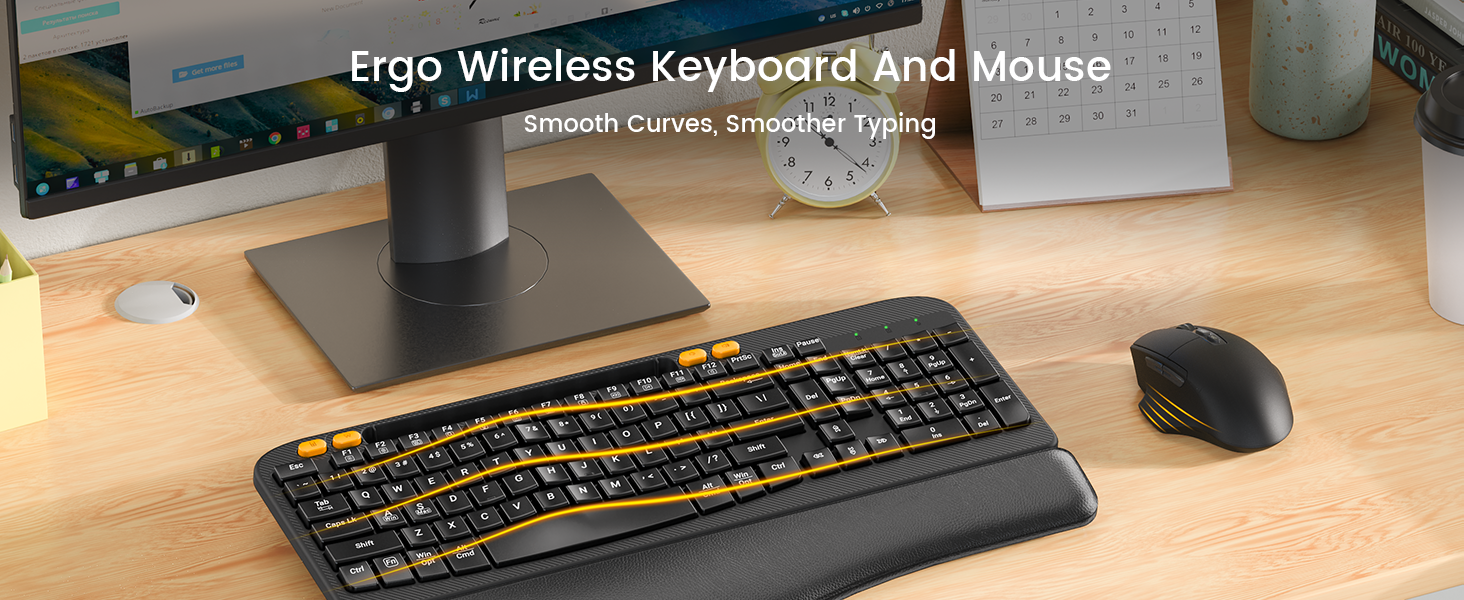
Image 4.2: The keyboard showing the integrated phone holder and the adjustable tilt legs in use.
- ที่วางโทรศัพท์แบบรวม: A 7.28-inch holder is built into the keyboard, allowing you to place your smartphone or small tablet for easy viewขณะทำงาน
- ปุ่มลัดแบบสัมผัสเดียว: The keyboard features dedicated shortcut keys for common functions such as Calculator, Screenshot, Volume Down, and Volume Up.

Image 4.3: The keyboard's dedicated one-touch shortcut keys.
4.2. คุณสมบัติของเมาส์
- เทคโนโลยีการคลิกเงียบ: The mouse is designed with Silent Switch technology, reducing click noise by 90% for a quieter work environment.
- DPI ที่ปรับได้: Cycle through 4 adjustable DPI settings (800, 1200, 1600, 2000 DPI) to customize cursor sensitivity.
- ปุ่มนำทาง: Features dedicated forward and back buttons for efficient web การสืบค้นข้อมูลและการนำทางเอกสาร
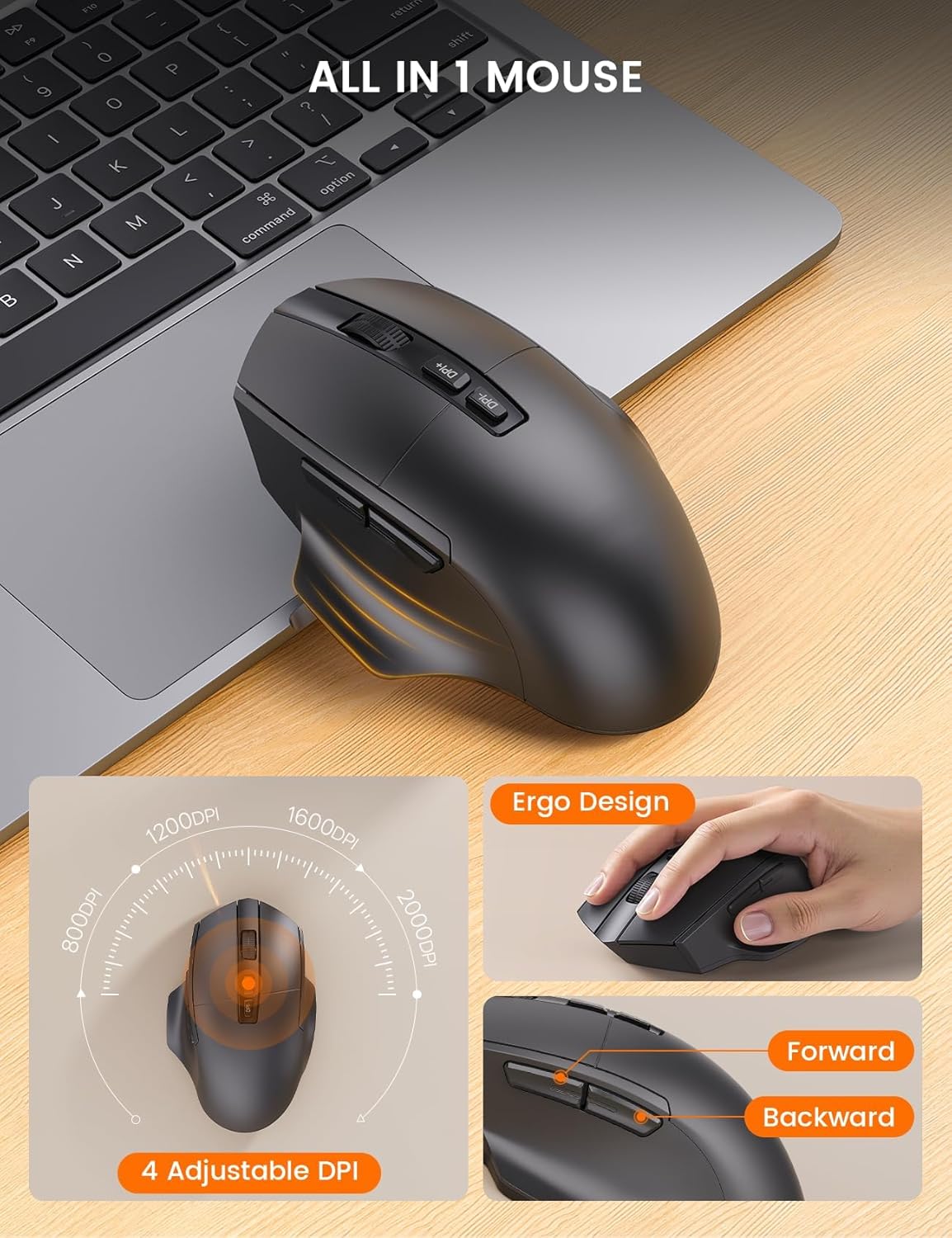
Image 4.4: The ergonomic mouse with its adjustable DPI and navigation buttons.
4.3. ความเข้ากันได้
The combo is compatible with both Windows and Mac operating systems. Use the function keys to switch between modes as described in the setup section.

Image 4.5: The keyboard and mouse combo seamlessly integrates with both Mac OS and Windows environments.
4.4. วิดีโอผลิตภัณฑ์อย่างเป็นทางการ
วิดีโอ 4.1: จบอย่างเป็นทางการแล้วview of the SABLUTE MA22 PLUS Ergonomic Wireless Keyboard and Mouse, demonstrating its features and ergonomic design.
5. การบำรุงรักษา
- การทำความสะอาด: ใช้แบบนุ่มๆamp ใช้ผ้าเช็ดทำความสะอาดพื้นผิวของแป้นพิมพ์และเมาส์ หลีกเลี่ยงสารเคมีรุนแรงหรือวัสดุที่มีฤทธิ์กัดกร่อน
- พื้นที่จัดเก็บ: Store the devices in a cool, dry place when not in use. Avoid extreme temperatures.
- การดูแลแบตเตอรี่ To prolong battery life, avoid fully discharging the devices frequently. Charge them when the battery indicator is low.
6 การแก้ไขปัญหา
| ปัญหา | สาเหตุที่เป็นไปได้ | สารละลาย |
|---|---|---|
| คีย์บอร์ด/เมาส์ไม่ตอบสนอง | Low battery; Dongle not connected; Device not powered on; Driver issue. | Charge devices; Ensure dongle is securely plugged in; Turn on devices; Reinstall drivers or try on another computer. |
| การเชื่อมต่อล่าช้าหรือขาดๆ หายๆ | Interference; Distance from dongle; Low battery. | Move closer to the dongle; Remove obstacles; Charge devices; Avoid other 2.4Ghz devices nearby. |
| Mouse cursor too fast/slow | DPI setting needs adjustment. | Press the DPI button on the mouse to cycle through sensitivity settings. |
| Keyboard layout incorrect (Mac/Windows) | เลือกโหมดระบบปฏิบัติการไม่ถูกต้อง | กด Fn + เอส สำหรับ Mac หรือ Fn + ก สำหรับ Windows |
7. ข้อมูลจำเพาะ
| คุณสมบัติ | รายละเอียด |
|---|---|
| ขนาดสินค้า (คีย์บอร์ด) | 16.5 x 9.15 x 1.89 นิ้ว |
| น้ำหนักสินค้า | 2.77 ปอนด์ |
| เทคโนโลยีการเชื่อมต่อ | ไร้สาย USB 2.4G |
| คุณสมบัติพิเศษ | Type-C rechargeable, Ergonomic Wave Keys, Soft Wrist Rest, 7.28-inch Phone Holder, 4 One-Touch Shortcut Keys, Silent Wireless Mouse, Adjustable Mouse DPI |
| อุปกรณ์ที่รองรับ | Laptop, Personal Computer, Television (Windows/Mac) |
| หมายเลขรุ่น | MA22 Plus |

Image 7.1: Detailed dimensions of the keyboard and mouse.

Image 7.2: Mouse size guide indicating palm length and width for optimal fit.
8. การรับประกันและการสนับสนุน
SABLUTE is committed to providing quality products and customer satisfaction. For any inquiries, troubleshooting assistance, or warranty claims, please contact our support team:
- การสนับสนุนทางอีเมล์: sabluteservices@outlook.com
- Phone Support (US): +1-213-296-1273 (Mon-Fri: 9:00 AM - 1:00 PM PST, 2:00 PM - 6:00 PM PST)
The product comes with a 90-day replacement policy and a 360-day manufacturer warranty.

Image 8.1: SABLUTE customer support contact details and warranty information.
Ask a question about this manual
Ask about setup, troubleshooting, compatibility, parts, safety, or missing instructions. Manuals+ will review the question and use this page’s manual context to help answer it.